パッケージ、リポジトリ、アプリカテゴリを検索

touchable のカバー
パッケージ詳細v1.0.2

touchable

CustomPainter のキャンバス上に描画する各形状にさまざまなジェスチャー コールバックを追加するための Flutter ライブラリ

AndroidiOSWebmacOSWindowsLinux
30日間ダウンロード
1.4万
いいね数
232
Pub ポイント
130

パッケージをインストール

flutter pub add touchable

パッケージ概要

公開情報に基づく選定ガイドです。参考としてご利用ください。

CustomPainter 内に描かれた個々の形状に対するジェスチャー検出を可能にするFlutterライブラリです。開発者はキャンバス上の特定の形状に、onTap、onLongPress、onPanなどのさまざまなタッチコールバックをアタッチでき、描画、ペイント、署名アプリケーションにおけるインタラクティビティを向上させます。ユーザーが個別の要素をタップまたは操作できるインタラクティブなキャンバスを作成するのに最適です。

用途

  • インタラクティブな描画アプリ
  • キャンバスベースの署名ツール
  • ジェスチャー対応の図表
  • 形状レベルのインタラクティビティを備えたカスタムペイント
  • 教育用描画インターフェース

主な機能

  • 形状レベルのジェスチャー検出
  • onTap、onLongPress、onPan のサポート
  • CustomPainter との簡単な統合
  • すべての Flutter プラットフォームで動作します
  • 軽量で焦点を絞った API

適している対象

  • インタラクティブなキャンバス機能を開発する開発者
  • 描画された形状に対するタッチフィードバックを必要とするアプリ
  • カスタム描画における複雑なジェスチャー論理を備えたUI

注意事項

  • CustomPainter 内の形状に限定
  • デフォルトでは重複する形状を処理しません
  • 複雑なレイアウトでは、ヒットテストの管理に注意が必要です

元の README

関連するソースリポジトリの README 原文のスナップショットです。最新の内容はリポジトリをご覧ください。

Flutter library to bring your CustomPainter 🎨 to Life ✨⚡️

touchable library gives you the ability to add various gestures and animations to each Shape you draw on your canvas in the CustomPainter


Index :

Why Use Touchable ?

  • The CustomPainter lets you only draw shapes on the canvas. But most would want to let user interact with the drawings.

  • Add all kinds of gesture callbacks to each drawing to give interaction capability to the shapes you draw on the canvas.

  • Animating individual shapes has never been this easy.

  • Auto Handles the painting style (filled ▮ , stroke ▯) and detects touch accordingly.

  • Handles Painting stroke width. So if your shapes are painted thick , we still got it covered ✓

  • Supports clipping and different clipping modes for the drawings.

  • Supports HitTestBehavior for each shape.

  • Simple and Easy API. Just wrap your CustomPaint with CanvasTouchDetector and use the TouchyCanvas in your painter.

With touchable , you get what the normal canvas always missed : touchability 😉

Installation

Add the touchable package as dependency in your pubspec.yaml

dependencies:
  touchable:

Usage

  • Just Wrap your CustomPaint widget with CanvasTouchDetector. It takes a builder function as argument that expects your CustomPaint widget as shown below.
CanvasTouchDetector(
    builder: (context) => 
        CustomPaint(
            painter: MyPainter(context)
        )
)
  • Inside your CustomPainter class's paint method , create and use the TouchyCanvas object (using the context obtained from the CanvasTouchDetector and canvas) to draw any shape with different gesture callbacks.
var myCanvas = TouchyCanvas(context,canvas);
myCanvas.drawRect( rect , Paint() , onTapDown: (tapDetail){
    //Do stuff here. Probably change your state and animate
});
MyPainter example :
class MyPainter extends CustomPainter {

  final BuildContext context ;
  MyPainter(this.context); // context from CanvasTouchDetector

  @override
  void paint(Canvas canvas, Size size) {
    var myCanvas = TouchyCanvas(context,canvas); 

    myCanvas.drawCircle(Offset(10, 10), 60, Paint()..color=Colors.orange ,
        onTapDown: (tapdetail) {
         print("orange Circle touched");
       },
        onPanDown:(tapdetail){
          print("orange circle swiped");
        } 
    );

    myCanvas.drawLine(
        Offset(0, 0),
        Offset(size.width - 100, size.height - 100),
        Paint()
          ..color = Colors.black
          ..strokeWidth = 50, 
        onPanUpdate: (detail) {
            print('Black line Swiped'); //do cooler things here. Probably change app state or animate
    });
  }
}
Read the article on Medium : Bring Your CustomPainter to Life using Touchable


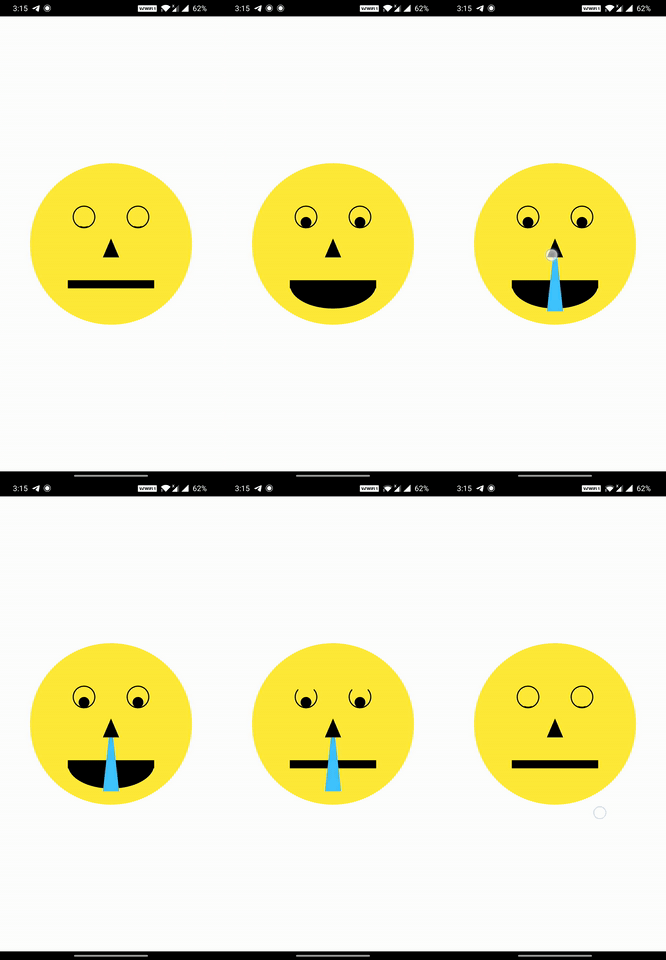
How Touchable Works

When you draw shapes on the canvas (TouchyCanvas) , it keeps track of the dimensions of each shape you draw and their painting style , stroke , order , clippings etc.

When user performs any gesture on the screen , based on the location of the gesture , the appropriate shape is selected from the lot taking clipping regions , paint , hitTest behaviour etc into account in an optimized way. Callbacks of the corresponding shapes (one or more depending on the hitTest behavior) are executed.

Road Map

  • [x] Basic Shape Detection
    • [x] Line
    • [x] Rectangle (Rect)
    • [x] Circle
    • [x] Oval or Ellipse
    • [x] Arc
      • [x] segment
      • [x] sector
    • [x] Rounded Rectangle (RRect)
    • [x] Custom Path [only supports opaque hittest]
    • [x] Points (PointMode.points , PointMode.lines , PointMode.polygon)
    • [ ] Vertices
      • [ ] Traingle
      • [ ] Traingle Strip
      • [ ] Traingle Fan
  • [x] Support for proper edge detection based on the Paint object properties :
    • [x] Paint style
    • [x] Stroke Width
    • [ ] Stroke Cap
      • [x] StrokeCap to draw Points
      • [ ] StrokeCap.round for lines with huge width.
  • [x] Support Clipping and clipping modes
    • [x] ClipRect
      • [x] intersect mode [Touch detection enabled only inside the clipped region]
      • [x] difference mode [Touch detection enabled only outside the clipped region]
    • [x] ClipRRect
    • [x] ClipPath
  • [x] Support for HitTestBehavior
  • [ ] Make the touch detection handling to run in a seperate isolate.
  • [ ] Support for translation , rotation , scaling and skewing transformations that needs some vector math

Links

カテゴリー

ソースリポジトリ

このパッケージを使用しているプロジェクト

