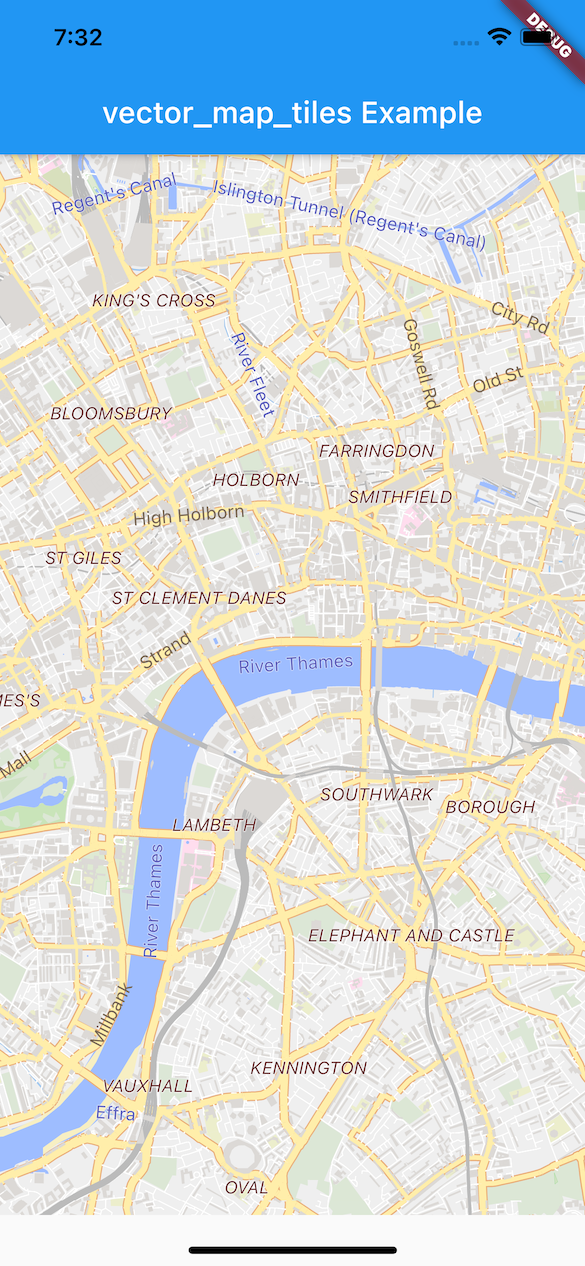
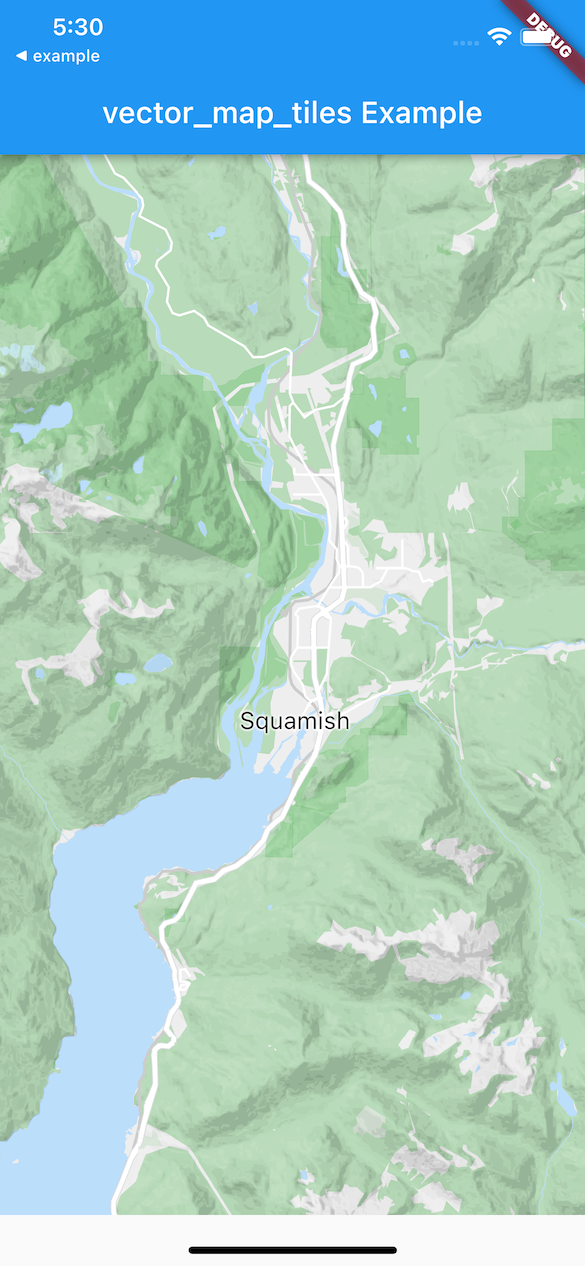
A plugin for flutter_map that enables vector tiles with slippy maps and hardware-accelerated GPU rendering in Flutter.
Loads vector tiles from a source such as Mapbox or Stadia Maps, and renders them as a layer on a flutter_map.
See it in action on YouTube:
Flutter GPU Preview
This version of vector_map_tiles has a new rendering backend which makes use of flutter_gpu to achieve better performance.
Please note that this branch is in preview state — we encourage you to try it out and share your feedback. If you encounter
any bugs, performance issues, or have suggestions for improvements, please open an issue with this template so we can continue refining
and stabilizing.
Version 10.0.0-beta
Version 10.0.0 depends on flutter_gpu and the Flutter development channel, which are pre-release software and can change at any time. See details on the official Flutter GPU page.
For production apps, use version 8.0.0 or version 9.0.0-beta.8 of this library.
Known Issues
Issues for incomplete/unimplemented features, defects, questions and feedback: issues label:10.0.0
Install vector_map_tiles from pub.dev. Then, if using vector_map_tiles version 10 or higher follow the steps below.
Note: After updating this dependency, run flutter clean && flutter pub get in the main folder of the Flutter app (e.g. ./example) to ensure that shaders are recompiled with the latest changes.
Steps
This version of vector_map_tiles depends onflutter_gpu, which is currently available on the main flutter channel. To setup, run:
flutter channel main && flutter upgrade
Enable Flutter GPU via the manifest setting. This can be done either via command line argument --enable-flutter-gpu or by adding the FLTEnableFlutterGPU key set to true on iOS / MacOS or io.flutter.embedding.android.EnableFlutterGPU metadata key to true on Android. This is already done in the example project for iOS and MacOS.
Ensure that Impeller is enabled. Read on how to enable impeller here.
If you encounter errors while building the app, install cmake.
VectorTileLayer(tileProviders: TileProviders(
{'openmaptiles': _tileProvider() },
...)
)
VectorTileProvider_tileProvider() => NetworkVectorTileProvider(
urlTemplate: 'https://tiles.example.com/openmaptiles/{z}/{x}/{y}.pbf?api_key=$myApiKey',
// this is the maximum zoom of the provider, not the// maximum of the map. vector tiles are rendered// to larger sizes to support higher zoom levels
maximumZoom: 14),
Other combinations of theme/provider may work too.
Some tile providers offer tiles with more detail that are intended to be drawn at a higher zoom level. For example, Mapbox provdies tiles tiles that render at 512px instead of the default 256px (Mapbox docs). Set VectorTileLayerOptions.tileOffset with these providers.
Elevation Contours from DEM (Beta)
Elevation contour lines are available by adding a raster-dem tile source.
See the example:
Examples provided in vector_map_tiles make use of Mapbox and Stadia Maps, both of which require attribution.
Be sure to read the terms of service of your tile data provider to ensure that you understand their attribution requirements.
Upgrading
For guidance on upgrading from a previous version of this library, see the Upgrading Guide.
Development
Continuous Integration
CI with GitHub Actions:
Sponsorship
Development of this library is supported by Epic Ride Weather, the app that helps cyclists beat the rain and cheat the wind.
License
Copyright 2021 David Green
Redistribution and use in source and binary forms, with or without modification,
are permitted provided that the following conditions are met:
Redistributions of source code must retain the above copyright notice,
this list of conditions and the following disclaimer.
Redistributions in binary form must reproduce the above copyright notice,
this list of conditions and the following disclaimer in the documentation
and/or other materials provided with the distribution.
Neither the name of the copyright holder nor the names of its contributors
may be used to endorse or promote products derived from this software without
specific prior written permission.
THIS SOFTWARE IS PROVIDED BY THE COPYRIGHT HOLDERS AND CONTRIBUTORS "AS IS" AND ANY
EXPRESS OR IMPLIED WARRANTIES, INCLUDING, BUT NOT LIMITED TO, THE IMPLIED WARRANTIES
OF MERCHANTABILITY AND FITNESS FOR A PARTICULAR PURPOSE ARE DISCLAIMED. IN NO EVENT
SHALL THE COPYRIGHT HOLDER OR CONTRIBUTORS BE LIABLE FOR ANY DIRECT, INDIRECT,
INCIDENTAL, SPECIAL, EXEMPLARY, OR CONSEQUENTIAL DAMAGES (INCLUDING, BUT NOT LIMITED
TO, PROCUREMENT OF SUBSTITUTE GOODS OR SERVICES; LOSS OF USE, DATA, OR PROFITS; OR
BUSINESS INTERRUPTION) HOWEVER CAUSED AND ON ANY THEORY OF LIABILITY, WHETHER IN CONTRACT,
STRICT LIABILITY, OR TORT (INCLUDING NEGLIGENCE OR OTHERWISE) ARISING IN ANY WAY OUT
OF THE USE OF THIS SOFTWARE, EVEN IF ADVISED OF THE POSSIBILITY OF SUCH DAMAGE.