パッケージ、リポジトリ、アプリカテゴリを検索

パッケージ詳細v0.1.0

wave_progress_bars

パッケージは、Flutterプロジェクトに波形バーを簡単に追加する方法を提供します。

30日間ダウンロード
21
いいね数
29
Pub ポイント
40

パッケージをインストール

flutter pub add wave_progress_bars

パッケージ概要

公開情報に基づく選定ガイドです。参考としてご利用ください。

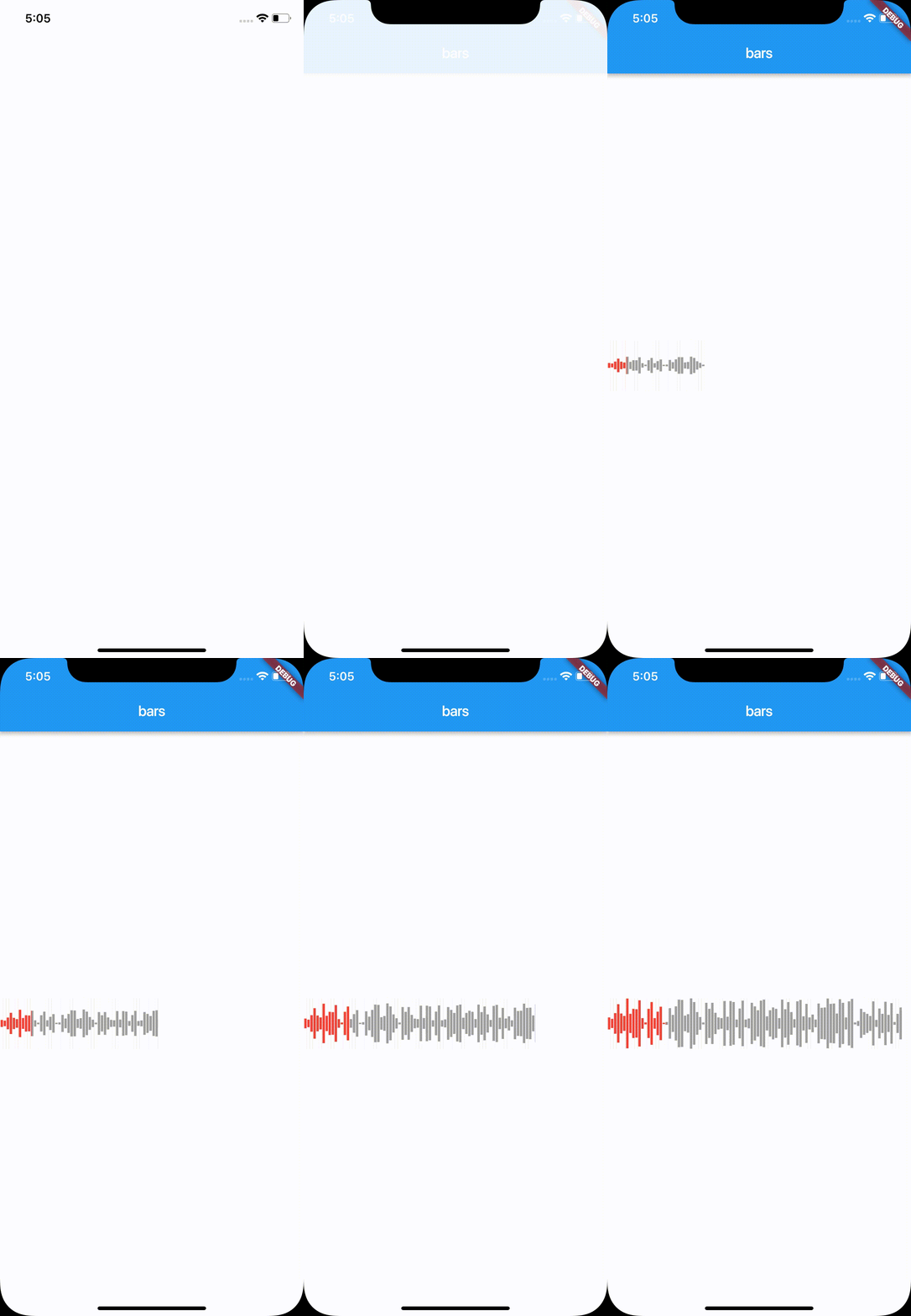
WaveProgressBars は、Flutter パッケージで、アプリケーションにアニメーションされた波形プログレスバーを簡単に統合できるようにします。滑らかで流れるような波のアニメーションを提供し、読み込み状態や進行状況を視覚的に表現します。モダンな UI に最適で、ダイナミックで魅力的なインジケーターにより、ユーザー体験を向上させます。パッケージは軽量で実装が簡単で、最小限の設定が必要です。デザイン要件に合わせて波の色、速度、振幅をカスタマイズできます。

用途

  • フォーム内の読み込みインジケーター
  • データ取得中の視覚フィードバック
  • インタラクティブなアプリオンボーディング
  • アニメーション付き進捗追跡
  • ゲーム化されたアプリケーション要素

主な機能

  • スムーズな波アニメーション
  • カスタマイズ可能な波の色
  • 調整可能な波の速度
  • 設定可能な振幅
  • シンプルな API インテグレーション
  • 軽量で効率的

適している対象

  • モダンなアプリケーションインターフェース
  • ユーザー参加機能
  • 読み込み状態の可視化
  • デザイン重視の開発者
  • 独自のプログレスインジケータを必要とするアプリ

注意事項

  • 波型プログレスのみ対応
  • iOS/Android プラットフォーム固有のスタイルには組み込みサポートがありません
  • 低性能デバイスではパフォーマンスチューニングが必要になる場合があります
  • 複雑な進捗追跡シナリオには適していません

元の README

関連するソースリポジトリの README 原文のスナップショットです。最新の内容はリポジトリをご覧ください。

Wave Progress Bars

A package provides an easy way to add wave bars in Flutter project.

Getting Started

You should ensure that you add the following dependency in your Flutter project.

dependencies:
  wave_progress_bars: "^0.0.1"

You should then run flutter packages upgrade or update your packages in IntelliJ.

How to use

import 'package:wave_progress_bars/wave_progress_bars.dart';
import 'package:flutter/material.dart';
import 'dart:math';

void main() => runApp(
      MaterialApp(
        title: 'Bars',
        theme: ThemeData(),
        home: MyApp(),
      ),
    );

class MyApp extends StatelessWidget {
  final List<double> values = [];

  @override
  Widget build(BuildContext context) {
    MediaQueryData queryData = MediaQuery.of(context);
    var rng = new Random();
    for (var i = 0; i < 100; i++) {
      values.add(rng.nextInt(70) * 1.0);
    }
    return Scaffold(
      backgroundColor: Colors.white,
      appBar: AppBar(
        centerTitle: true,
        title: Text("bars"),
      ),
      body: Center(
        child: WaveProgressBar(
          progressPercentage: 20,
          listOfHeights: values,
          width: queryData.size.width,
          initalColor: Colors.grey,
          progressColor: Colors.red,
          backgroundColor: Colors.white,
          timeInMilliSeconds: 2000,
          isHorizontallyAnimated: true,
          isVerticallyAnimated: true,
        ),
      ),
    );
  }
}

カテゴリー

ソースリポジトリ

このパッケージを使用しているプロジェクト

データはまだありません。