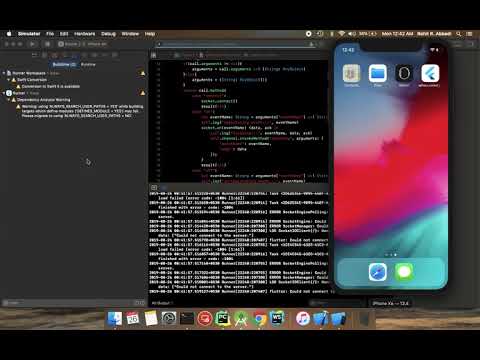
Adhara Socket.IO는 Socket.IO 프로토콜을 사용하여 WebSocket 통신을 가능하게 하는 Flutter 패키지로, iOS 및 Android 플랫폼을 모두 지원합니다. Infitio에서 개발한 이 패키지는 Flutter 앱에 실시간 기능을 구현하는 신뢰할 수 있고 효율적인 방법을 제공합니다. 연결 관리, 이벤트 처리, 메시지 브로드캐스팅을 간소화하여 채팅 시스템, 실시간 알림, 협업 도구와 같은 실시간 업데이트가 필요한 애플리케이션에 적합합니다. 기존의 Socket.IO 서버와 원활하게 통합되며, 개발자를 위한 깔끔하고 Dart 친화적인 API를 제공합니다.
socket.io version supported: v2
development in progress for v3 and v4
If you are using v3/v4 socket on server side, you may face connection issues, please downgrade and try in such scenario.
Usage:
See example/lib/main.dart for more detailed example
final SOCKET_SERVER = 'http://192.168.1.2:7070/'; //To be modified accordinglySocketIO socket;
StreamSubscription connectSubscription;
StreamSubscription echoSubscription;
Future<void> demonstrateSocket() async {
// Create a socket instance
socket = awaitSocketIOManager().createInstance(
SocketOptions(SOCKET_SERVER),
);
// Listen to socket connect event
subscription = socket.onConnect.listen((data){
print('connected: $data');
socket.emit('message', ['Hello world!']);
});
// Listen to an custom ("news") event
echoSubscription = socket.on('echo', (data){
print("news event recieved with data: $data");
});
// There are 2 ways to connect to socket server// - normal: doesn't wait for connectio success// - sync: ensures connection or errors out on failure// normal:// connect to socket server - will initialize connection,// but not ensure the connection yet.// If this method used to connect to server, then emit events should be sent// only after ensuring connection to socket server is successful by listening// to onConnect events// await socket.connect();// sync:// This API will ensure connection to server is successful// or will throw error on connect errorawait socket.connectSync();
// publish data - will publish to server, won't ensure the deliveryawait socket.emit('echo', ['hello']);
// emit with acknowledgement - will publish to server// and ensure delivery with ack if ack is implemented in serverdynamic ackData = await socket.emitWithAck('echo', ['hello']);
print('acknowledgement recieved from server: $ackData');
}
Future<void> dispose() async {
// cancel echo and onConnect subscriptionsawait echoSubscription.cancel();
await connectSubscription.cancel();
// clear socket instance from managerawaitSocketIOManager().clearInstance(socket);
}
// register liteners, connect to a socket, and publish datademonstrateSocket();
// will dispose listeners and socketdispose();
Running example:
clone the project
start socket server in the background
cd socket.io.server
npm i
./node_modules/.bin/pm2/ index.js
cd ../
open example/lib/main.dart and edit the URI in #7 to point to your hosted/local socket server instances as mentioned step 2
For example:
constString URI = "http://192.168.1.2:7000/";
constString URI = "http://mysite.com/";
run example
cd example
flutter run
iOS support 📢📢
This project uses Swift for iOS support, please enable Swift support for your project for this plugin to work
Android support for SDK > 27
Configure android:usesCleartextTraffic="true" as a property of <application ...> tag in android/app/src/main/AndroidManifest.xml