패키지, 저장소 및 앱 카테고리 검색

패키지 상세v0.0.2

animated_floating_buttons

플로팅 버튼의 접을 수 있는 목록을 만들 수 있습니다. 아군 수리야의 튜토리얼을 기반으로 합니다.

AndroidiOSWebmacOSWindowsLinux
30일 다운로드
1.1천
좋아요
118
Pub 점수
145

패키지 설치

flutter pub add animated_floating_buttons

패키지 개요

공개 정보를 바탕으로 생성한 선택 가이드입니다.

아군 수리야의 튜토리얼에서 영감을 받은 접을 수 있는 플로팅 액션 버튼 생성을 가능하게 하는 플러터 패키지입니다. 그룹 내 플로팅 버튼의 확장 및 축소에 부드러운 애니메이션을 제공하여 모바일 및 웹 애플리케이션의 사용자 상호작용을 향상시킵니다. 안드로이드, iOS, 웹, 맥OS, 윈도우, 리눅스 등 다양한 플랫폼을 지원하여 크로스플랫폼 개발에 유연성을 제공합니다. 최소한의 설정으로 개발자는 UI에 애니메이션 버튼 그룹을 쉽게 통합할 수 있습니다.

사용 사례

  • 확장 가능한 작업을 갖춘 상호작용식 하단 탐색 만들기
  • 애니메이션 플로팅 버튼으로 앱 UI 향상
  • 제스처 기반 인터페이스 설계
  • 다이어그램에 동적 액션 메뉴 추가

주요 기능

  • 부드러운 전개/접기 애니메이션
  • 여러 개의 플로팅 버튼 지원
  • 크로스 플랫폼 호환성
  • 기존 Flutter 프로젝트와의 간편한 통합
  • 사용자 지정 가능한 버튼 레이아웃

적합한 대상

  • 모바일 및 웹 앱 개발자
  • 인터랙티브 요소를 찾는 UI 디자이너
  • 제스처 기반 액션 패널이 필요한 프로젝트
  • 다중 플랫폼 앱을 위한 Flutter 사용 개발자

고려 사항

  • 많은 버튼이 있을 경우 성능에 영향을 미칠 수 있습니다
  • 신중한 레이아웃 계획이 필요합니다
  • 기본 애니메이션 외의 사용자 정의 기능 제한됨
  • 간단하고 집중적인 작업 그룹에 가장 적합

원본 README

연결된 소스 저장소의 README 원문 스냅샷입니다. 최신 내용은 저장소에서 확인하세요.

animated_floating_buttons

This package is based on Agung Surya's tutorial. You can visit his post for more technical information about the package. https://medium.com/@agungsurya/create-a-simple-animated-floatingactionbutton-in-flutter-2d24f37cfbcc

Getting Started

This project is a starting point for a Dart package, a library module containing code that can be shared easily across multiple Flutter or Dart projects.

For help getting started with Flutter, view our online documentation, which offers tutorials, samples, guidance on mobile development, and a full API reference.

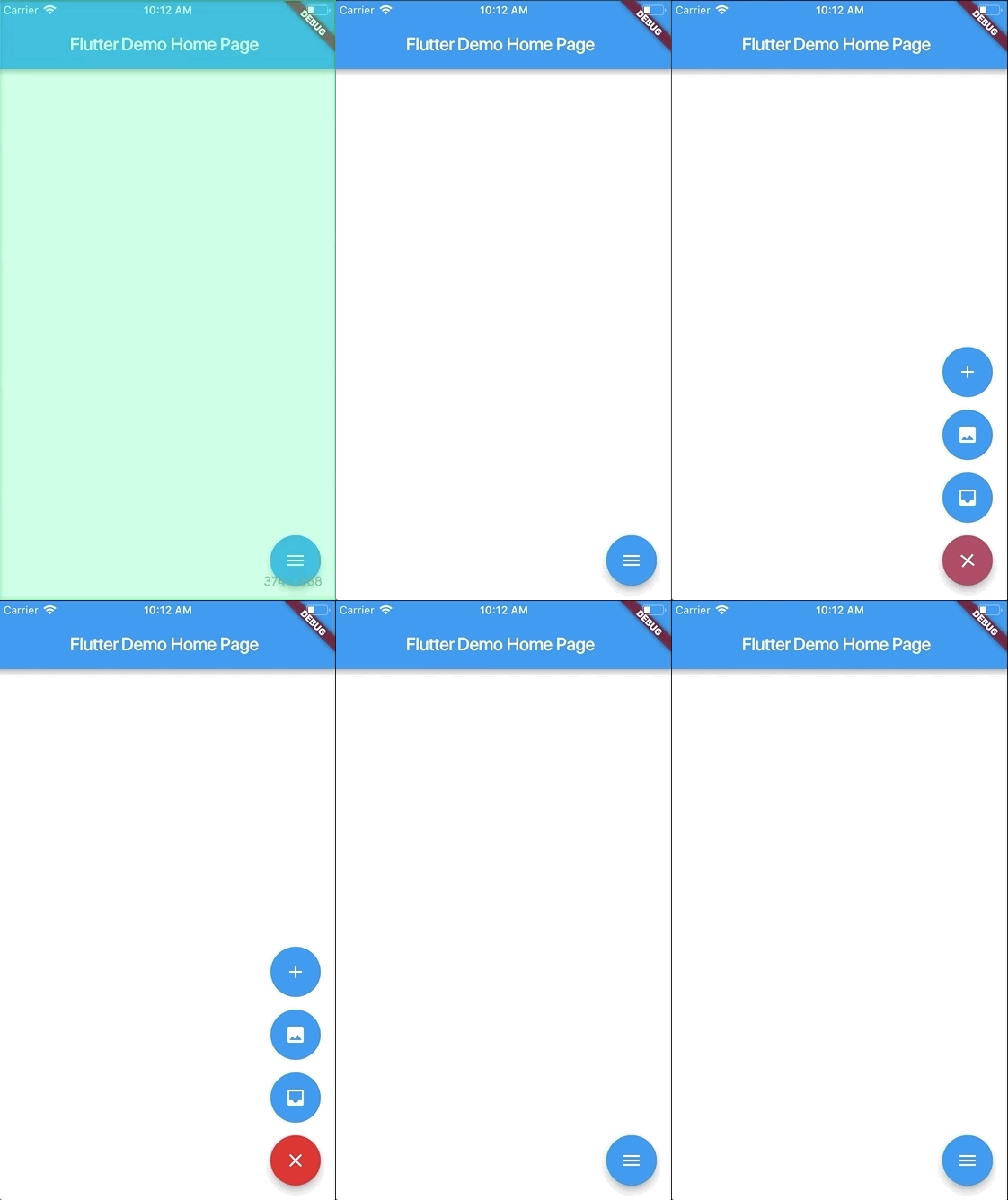
Screenshots

Usage

To use this plugin:

In your flutter project add the dependency:

dependencies:
    ...
    animated_floating_buttons: ^0.0.1

Example

//Import package
import 'package:animated_floating_buttons/animated_floating_buttons.dart';
...
      /// when you want to close the menu you have to create 
      final GlobalKey<AnimatedFloatingActionButtonState> key =GlobalKey<AnimatedFloatingActionButtonState>();
      /// and then assign it to the our widget library
Widget float1() {
    return Container(
      child: FloatingActionButton(
        onPressed: null,
        heroTag: "btn1",
        tooltip: 'First button',
        child: Icon(Icons.add),
      ),
    );
}

Widget float2() {
    return Container(
      child: FloatingActionButton(
        onPressed: null,
        heroTag: "btn2",
        tooltip: 'Second button',
        child: Icon(Icons.add),
      ),
    );
}
...
Scaffold(
    floatingActionButton: AnimatedFloatingActionButton(
        //Fab list
        fabButtons: <Widget>[
            float1(), float2()
        ],
        key : key,
        colorStartAnimation: Colors.blue,
        colorEndAnimation: Colors.red,
        animatedIconData: AnimatedIcons.menu_close //To principal button
    ),
)

Complete example here

Issues

Be aware that you have to pass heroTag parameter to every new fab you create 
Otherwise you will get an exciption.

카테고리

소스 저장소

이 패키지를 사용하는 프로젝트

아직 데이터가 없습니다.