패키지, 저장소 및 앱 카테고리 검색

another_transformer_page_view 표지
패키지 상세v2.0.1

another_transformer_page_view

null 안전성 지원을 갖춘 플러터용 또 다른 pageTransformer

AndroidiOSWebmacOSWindowsLinux
30일 다운로드
1.3만
좋아요
98
Pub 점수
150

패키지 설치

flutter pub add another_transformer_page_view

패키지 개요

공개 정보를 바탕으로 생성한 선택 가이드입니다.

Another Transformer Page View는 PageView 위젯에 향상된 페이지 전환 기능을 제공하는 Flutter 패키지로, null 안전성 지원을 포함합니다. 페이지 간의 부드럽고 사용자 정의 가능한 애니메이션을 가능하게 하며, 동적 전환 효과를 갖춘 매력적인 사용자 인터페이스를 만들기에 이상적입니다. 성능과 사용 편의성을 중심으로 설계되어 다양한 플랫폼에서 기존 Flutter 프로젝트에 원활하게 통합됩니다. 이 패키지는 juliansteenbakker가 유지보수하며, 복잡한 구현 없이 고급 시각 효과를 원하는 개발자에게 적합합니다. 경량 디자인은 최소한의 오버헤드로 풍부한 상호작용 경험을 제공합니다.

사용 사례

  • 애니메이션 온보딩 화면 만들기
  • 시각적 깊이를 활용한 상호작용 슬라이더 만들기
  • 동적 페이지 전환을 통한 탐색 개선
  • 몰입형 제품 쇼케이스 디자인
  • 사용자 정의 스크롤 효과 구현

주요 기능

  • 널 안전성 지원
  • 사용자 지정 가능한 페이지 전환
  • 부드러운 애니메이션 성능
  • 크로스 플랫폼 호환성
  • PageView와의 간단한 통합
  • 확장 가능한 변환 로직

적합한 대상

  • 인터랙티브 UI를 구축하는 Flutter 개발자
  • 고급 전환 효과를 원하는 디자이너
  • 시각적으로 풍부한 스크롤 경험을 필요로 하는 앱
  • 다중 플랫폼을 대상으로 하는 프로젝트
  • 정결하고 유지보수 가능한 코드를 우선시하는 팀

고려 사항

  • PageView 및 애니메이션 개념에 대한 이해가 필요합니다
  • 중량 있는 변환 작업 시 성능에 영향을 미칠 수 있습니다
  • 기본 예제 외에 문서가 제한적
  • 중간 복잡도의 애니메이션에 가장 적합
  • 간단한 선형 스크롤링을 위한 것이 아님

원본 README

연결된 소스 저장소의 README 원문 스냅샷입니다. 최신 내용은 저장소에서 확인하세요.

another_transformer_page_view

PageTransformer for flutter. Fork from transformer_page_view

Very simple to use

import 'package:another_transformer_page_view/another_transformer_page_view.dart';

...

new TransformerPageView(
loop: true,
transformer: new AccordionTransformer(),
itemBuilder: (BuildContext context, int index) {
  return new Container(
    color: list[index%list.length],
    child: new Center(
      child: new Text("$index",style: new TextStyle(fontSize: 80.0,color: Colors.white),),
    ),
  );
},
itemCount: 3)

Almost the same as PageView.builder, simplely specify a transformer to TransformerPageView, which is a sub class of PageTransformer

Show cases

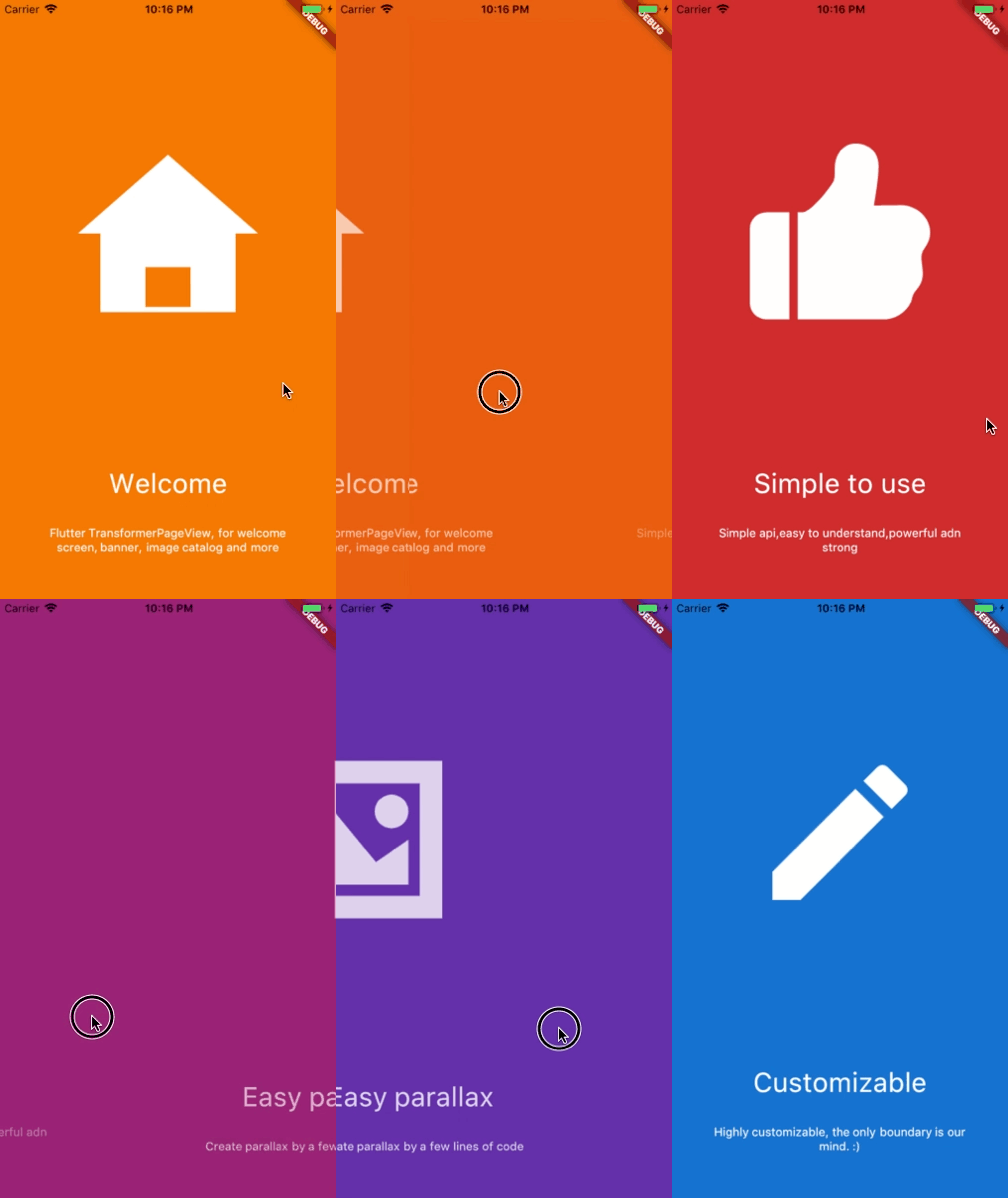
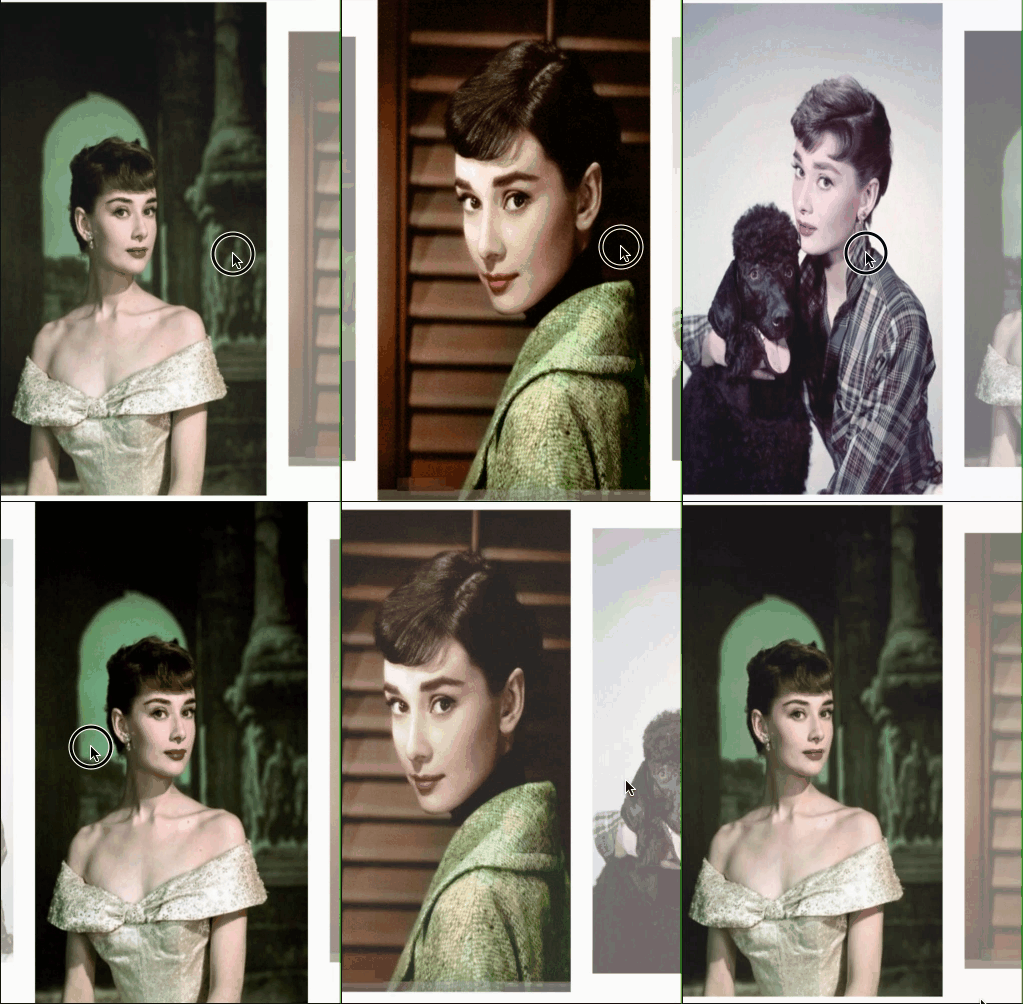
Parallax

Welcome view

Basic

AccordionTransformer

See code here

ThreeDTransformer

See code here

ScaleAndFadeTransformer

See code here

ZoomInPageTransformer

See code here

ZoomOutPageTransformer

See code here

DepthPageTransformer

See code here

Getting Started

Installation

Add


another_transformer_page_view:

to your pubspec.yaml ,and run

flutter packages get 

in your project's root directory.

Basic Usage
Parameter Default Description
scrollDirection Axis.horizontal If Axis.horizontal, the scroll view's children are arranged horizontally in a row instead of vertically in a column.
loop false Set to true to enable continuous loop mode.
index none Index number of initial slide. if not set , it is controlled by the widget itself,otherwise, it is controlled by another widget, which is returned by itemBuilder
onPageChanged void onPageChanged(int index) Called with the new index when the user swiped
duration new Duration(milliseconds:300) The milliseconds of every transaction animation costs
transformer none The most important property of this widget, it returns a transformed widget that based on the widget parameter. If the value is null, a itemBuilder must be specified
itemCount none Number of the total items
itemBuilder none A function that returns a widget based on index,if it's null,a transformer must be specified
Build-in Parallax

We provide 3 build-in parallaxes, which handle color、image and container

ParallaxColor

ParallaxColor handles the color transform, which controls the color transform from one to another.

ParallaxImage

ParallaxImage handles the image, which speed is slower than the PageView

ParallaxContainer

ParallaxContainer handles the text or other staff, which speed is faster than the PageView

3 build-in parallaxes are all used in subclass of PageTransform,group these parallaxes together, we can create very cool things.

Inspired by page-transformer, and we have an easier way to create this.

See code here

Custom animation

카테고리

소스 저장소

이 패키지를 사용하는 프로젝트