패키지, 저장소 및 앱 카테고리 검색

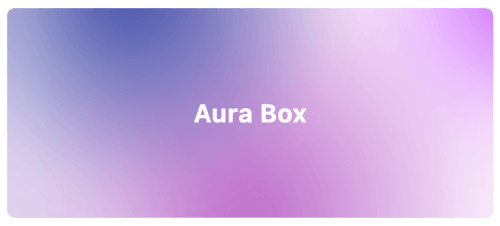
aura_box 표지
패키지 상세v1.0.2

aura_box

여러 개의 레이디얼 그라디언트와 블러 효과를 결합한 Flutter 위젯.

AndroidiOSWebmacOSWindowsLinux
30일 다운로드
416
좋아요
74
Pub 점수
160

패키지 설치

flutter pub add aura_box

패키지 개요

공개 정보를 바탕으로 생성한 선택 가이드입니다.

Aura Box는 여러 개의 반경 그라데이션과 블러 오버레이를 결합하여 시각적으로 인상적인 배경 효과를 만드는 Flutter 위젯입니다. 현대적인 앱 인터페이스에 적합하며, 무거운 성능 부담 없이 시각적 깊이와 우아함을 향상시킵니다. 부드러운 애니메이션과 사용자 정의 가능한 그라데이션 색상, 강도, 블러 수준을 지원합니다. Android, iOS, Web, macOS, Windows, Linux 등 모든 주요 플랫폼에서 작동하여 크로스 플랫폼 개발에 유용합니다. 스플래시 화면, 로그인 페이지 또는 몰입형 UI에 이상적입니다.

사용 사례

  • 스플래시 화면
  • 로그인 및 온보딩 화면
  • 몰입형 대시보드 배경
  • 앱 테마 사용자 정의
  • 애니메이션 UI 전환

주요 기능

  • 다중 라디얼 그라데이션
  • 블러 효과 통합
  • 크로스 플랫폼 호환성
  • 사용자 지정 가능한 그라디언트 색상
  • 부드러운 애니메이션 지원
  • 경량 성능

적합한 대상

  • 디자인 중심의 플러터 앱
  • 현대적인 UI/UX 구현
  • 모바일 및 웹 앱에서의 배경 강화
  • 시각적인 완성도를 추구하는 개발자
  • 창의적인 앱 프로토타입

고려 사항

  • 저사양 기기에서 성능에 영향을 미칠 수 있습니다
  • 시각적 혼잡을 피하기 위해 색상 선택에 신중해야 합니다
  • 콘텐츠가 많은 레이아웃에 적합하지 않음
  • 배경으로 사용하는 것이 가장 좋으며, 주요 콘텐츠 컨테이너로는 적합하지 않음
  • 기본적으로 상호작용이 제한됨

원본 README

연결된 소스 저장소의 README 원문 스냅샷입니다. 최신 내용은 저장소에서 확인하세요.

Aura Box

style: very good analysis patrol_finders on pub.dev License: MIT

Flutter widget that combines multiple radial gradients and blur effect.

Aura box banner image

Installation

Add this line into the project pubspec.yaml file.

dependencies:
    aura_box: ^1.0.4

Then in your files you can import it:

import 'package:aura_box/aura_box.dart';

Usage

The package exposes two widgets.

  • AuraBox acts as a container which can receive a child, a decoration and a list of AuraSpot.
  • AuraSpot represent the point where the radiant gradients are generated.
AuraBox(
    spots: [
        // Places one blue spot in the center
        AuraSpot(
            color: Colors.blue,
            radius: 100.0,
            alignment: Alignment.center,
            blurRadius: 5.0,
            stops: const [0.0, 0.5],
        ),
        // Places one red spot in the bottom right
        AuraSpot(
            color: Colors.red,
            radius: 150.0,
            alignment: Alignment.bottomRight,
            blurRadius: 10.0,
            stops: const [0.0, 0.7],
        ),
    ],
    decoration: BoxDecoration(
        color: Colors.transparent,
        shape: BoxShape.rectangle,
        borderRadius: BorderRadius.circular(10.0),
    ),
    child: const SizedBox(
        height: 100,
        width: 100,
    ),
)

Alignment

The single spots are positioned inside a stack widget. This gives control over their position using the alignment property.

For further details you can refer to the Alignment class documentation.

Example

An example project is available within the project:

example

카테고리

소스 저장소

이 패키지를 사용하는 프로젝트