패키지, 저장소 및 앱 카테고리 검색

패키지 상세v2.0.0

bart

탭 전환에 네비게이터 2를 사용하는 하단 탐색 바

AndroidiOSmacOSWindowsLinux
30일 다운로드
1.4천
좋아요
52
Pub 점수
130

패키지 설치

flutter pub add bart

패키지 개요

공개 정보를 바탕으로 생성한 선택 가이드입니다.

BART는 Navigator 2.0로 구동되는 하단 탐색 바를 제공하는 Flutter 패키지로, 현대적인 라우팅 기능을 통해 원활한 탭 전환을 가능하게 합니다. 선언적 라우트 관리를 사용하여 탭 간 이동을 단순화하고 부드러운 전환 및 상태 보존을 보장합니다. 깔끔하고 확장 가능한 앱 아키텍처를 위해 설계되었으며, Flutter의 네비게이션 시스템과 잘 통합되며 Android, iOS, macOS, Windows, Linux 등 여러 플랫폼을 지원합니다. 직관적인 탭 기반 네비게이션과 강력한 라우팅 로직이 필요한 앱에 적합합니다.

사용 사례

  • 탭 기반 모바일 애플리케이션
  • 다중 화면 대시보드
  • 지속 상태를 갖춘 탐색
  • Navigator 2.0를 사용하는 앱
  • 크로스 플랫폼 하단 탐색

주요 기능

  • Navigator 2.0 통합
  • 선언적 탭 라우팅
  • 탭 간 상태 유지
  • 플랫폼 독립적 설계
  • 기존 경로와의 간편한 통합

적합한 대상

  • 네비게이터 2.0를 사용하는 개발자
  • 여러 탭을 가진 앱
  • 크로스 플랫폼 Flutter 프로젝트
  • 클린한 탐색 아키텍처
  • 현대적인 Flutter 앱 개발

고려 사항

  • Navigator 2.0에 익숙해야 합니다
  • 추가 경로 구성이 필요할 수 있습니다
  • 구조화된 탐색을 가진 앱에 가장 적합
  • 간단한 단일 화면 앱에는 권장되지 않습니다
  • 원시 BottomNavigationBar에 비해 사용자 정의가 제한적입니다

원본 README

연결된 소스 저장소의 README 원문 스냅샷입니다. 최신 내용은 저장소에서 확인하세요.

bart logo


build License: MIT pub dev bart

ApparenceKit Flutter template to bootstrap your next app

This plugin is also available as a template in ApparenceKit.


🚀  Overview

Bart is very simple solution to implement tabulation system layout with Navigator into your application.

  • 📱 Material & Cupertino themes available.
  • 🤝 Automatic theme switching between material & cupertino.
  • 🛣 Inner routing inside tab.
  • 🥷 Parent routing (over tabbar content).
  • 😌 Very easy to implement.
  • 🪄 Show AppBar on demand (automatically animated).
  • 🚀 Create your own bottom bar design if you need it.
  • 👻 Hide/Show bottom bar when you need
  • 🗃 Cache route page if you need to restore state.

🧐  Live example

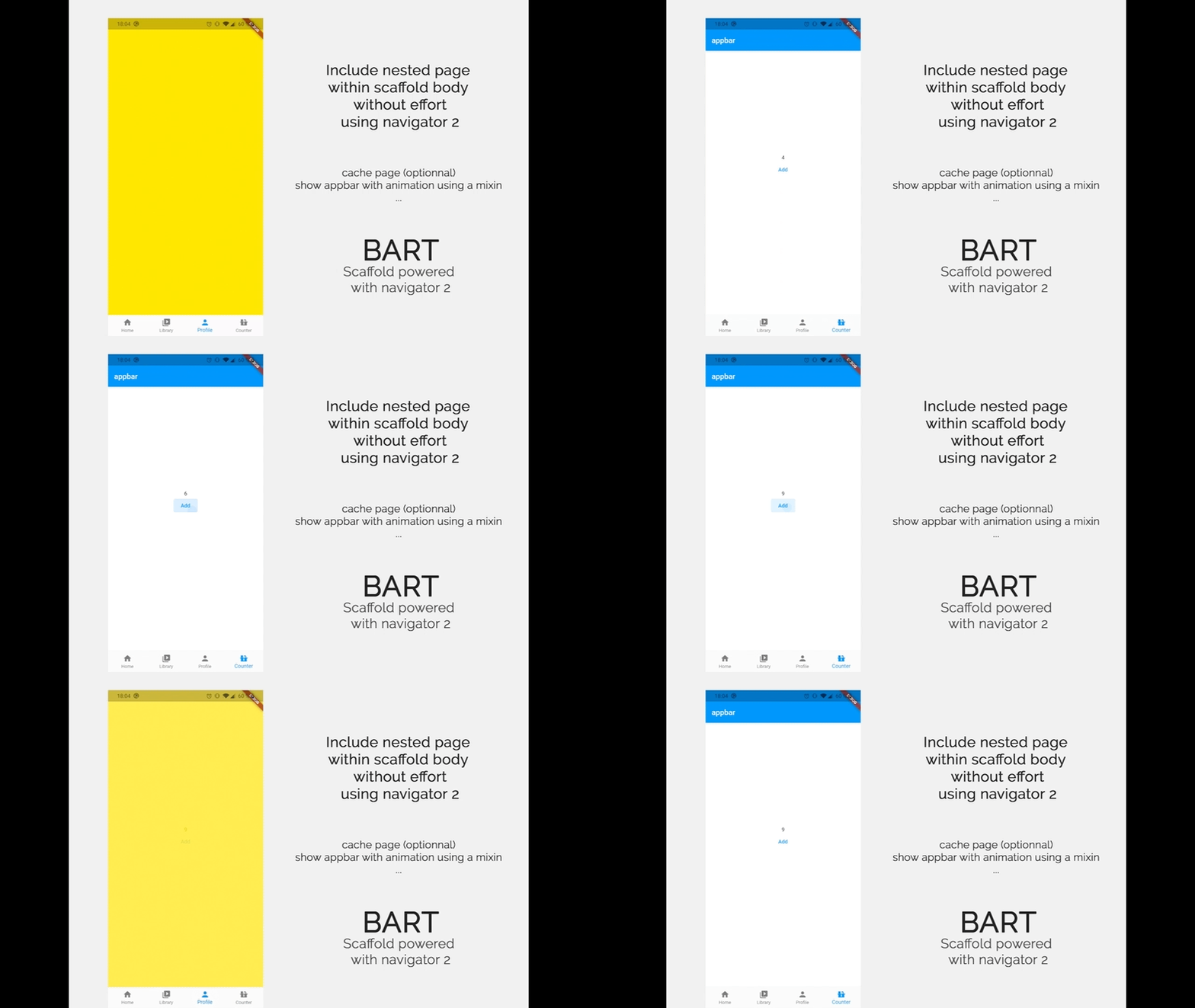
Bart example

📖  Installation

Install the package
flutter pub add bart material_ui

Since 2.0.0, bart builds on the material_ui and cupertino_ui packages rather than package:flutter/material.dart, following the Flutter 3.44+ split of Material out of the framework. Requires Dart 3.12 / Flutter 3.44 or newer.

Upgrading from 1.x? Your app must import package:material_ui/material_ui.dart instead of package:flutter/material.dart. The SDK still ships its own Material library, and the two Material types are not interchangeable — mixing them yields a confusing No Material widget found. on widgets that plainly sit under a Scaffold. See the CHANGELOG for the full rationale. enum Theme is also renamed to enum BartBottomBarStyle.

Import the package
import 'package:bart/bart.dart';
import 'package:material_ui/material_ui.dart';

🚀  Get started

  • Define in your page the routing tab
List<BartMenuRoute> subRoutes() {
  return [
    BartMenuRoute.bottomBar(
      label: "Home",
      icon: Icons.home,
      path: '/home',
      pageBuilder: (context) => PageFake(
        key: PageStorageKey<String>("home"), // this is required to enable state caching
        Colors.red,
      ),
    ),
    BartMenuRoute.bottomBar(
      label: "Library",
      icon: Icons.video_library_rounded,
      path: '/library',
      pageBuilder: (context) => PageFake(Colors.blueGrey),
    ),
    BartMenuRoute.bottomBar(
      label: "Profile",
      icon: Icons.person,
      path: '/profile',
      pageBuilder: (context) => PageFake(Colors.yellow),
    ),
    BartMenuRoute.innerRoute( // add an inner route, no item will be added in bottom bar
      path: '/subpage',
      pageBuilder: (context) =>
          PageFake(Colors.greenAccent, child: Text("Sub Route page")),
    ),
  ];
}
What are the differences between innerRoute & bottomBar ?

This creates a route with a bottom menu item:

BartMenuRoute.bottomBar(...)

This creates a route that you can push within your scaffold body (no extra item will be added in bottom bar)

BartMenuRoute.innerRoute(...)

  • Create your main page which include the Bart tabbar Scaffold
class MainPageMenu extends StatelessWidget {
  const MainPageMenu({Key? key}) : super(key: key);

  @override
  Widget build(BuildContext context) {
    return BartScaffold(
      routesBuilder: subRoutes, // add a reference to the subRoutes list you created before
      bottomBar: BartBottomBar.adaptive(), // add the bottom bar (see below for other options)
    );
  }
}

🏞  Bottom bar themes

Bart include 4 ways to display a bottom bar:

BartBottomBar.cupertino() // iOS look.
BartBottomBar.material3() // Android look.
BartBottomBar.adaptive() // automatically select between cupertino & material depending on the device.
BartBottomBar.custom() // your own design

To custom the bottom bar, simply extends BartBottomBarCustom and create your own bottom bar like SimpleBottomBar(in example project).

🤖  Material 3 bottom bar

If you want to custom your material 3 bottom bar, you can use the BottomNavigationBarThemeData class in your theme.

ThemeData(
  navigationBarTheme: NavigationBarThemeData(
    backgroundColor: Colors.orange.shade100,
    indicatorColor: Colors.orange.shade700,
  ),
)

🗃  Bottom icon notfication badge

You can add a notification badge on your bottom bar icon.

To do that, you need to use the BartMenuRoute.bottomBarBuilder method instead of BartMenuRoute.bottomBar in your route definitions:

BartMenuRoute.bottomBarBuilder(
    label: "Library",
    builder: (context) => BottomBarIcon.builder(
        icon: const Icon(Icons.video_library_outlined),
        notificationBuilder: (context) => Container(
            decoration: const BoxDecoration(
                color: Colors.red,
                shape: BoxShape.circle,
            ),
            padding: const EdgeInsets.all(4),
                child: const Text(
                "1",
                style: TextStyle(color: Colors.white, fontSize: 10),
                ),
            ),
        ),
    path: '/library',
    pageBuilder: (parentContext, tabContext, settings) => const FakeListPage(
    key: PageStorageKey<String>("library"),
    ),
    transitionDuration: bottomBarTransitionDuration,
    transitionsBuilder: bottomBarTransition,
),

🌏  Web sidebar menu

You can choose to use the material sidebar NavigationRail

Like this

return BartScaffold(
    routesBuilder: subRoutes,
    showBottomBarOnStart: true,
    bottomBar: BartBottomBar.material3(),
    sideBarOptions: RailSideBarOptions(
        extended: true,
        gravity: Gravity.left,
    ),
)

(To change the theme you can do it like all regular material theme in the ThemeData).

Or you can make your own

return BartScaffold(
    routesBuilder: subRoutes,
    showBottomBarOnStart: true,
    bottomBar: BartBottomBar.material3(),
    sideBarOptions: CustomSideBarOptions(
        gravity: Gravity.left,
        sideBarBuilder: ((onTapItem, currentItem) => ...)
    ),
)

🗃  State caching

How it works 🤔 ?

Imagine you got a page with a counter. You increment this counter and change tab. You want this tab to come back with the incremented counter?.

Bart include a caching system to implement this feature.

By default state caching is enabled. But you can override it:

BartMenuRoute.bottomBar(cache: false)
How to use it 🤓 ?

Your tab pages you want to be cached must use a PageStorageKey property:

BartMenuRoute.bottomBar(
  label: "Library",
  icon: Icons.video_library_rounded,
  path: '/library',
  pageBuilder: (context, settings) => PageFake(
    key: PageStorageKey<String>("library"), // add this property
    child: Text('Cached page !'),
  ),

🗃  Show/Hide animated AppBar

You can show an animated AppBar or hide it whenever you want inside all your Bart sub pages.

AppBar will automatically shows or hide with a smooth animation

Simply add the AppBarNotifier mixin like this:

class MyPage extends StatelessWidget with AppBarNotifier {
  const MyPage({ Key? key }) : super(key: key);

  @override
  Widget build(BuildContext context) {
    // use the update app bar method to dynamically change app bar
    updateAppBar(context, AppBar(title: Text("test")));
    // now call you can call show method that will start animation
    showAppBar(context);
    return Container();
  }
}

To hide app bar, just execute this code inside your widget with AppBarNotifier

hideAppBar(context);

You can also use Actions to performs AppBar related actions

Actions.invoke(context, AppBarBuildIntent(AppBar(title: Text("title text"))));
Actions.invoke(context,AppBarAnimationIntent.show());
Actions.invoke(context,AppBarAnimationIntent.hide());

🫥  Show/hide bottom bar

Sometimes you wants to hide the bottom menu bar. As this is possible for the appbar you can use a mixin for that. It just require to be called from a sub context of the BartScaffold.

Actions.invoke(context, BottomBarIntent.show());
Actions.invoke(context, BottomBarIntent.hide());

Or use the mixin

class MyPage extends StatelessWidget with BartNotifier {
  const MyPage({ Key? key }) : super(key: key);

  @override
  Widget build(BuildContext context) {
    // directly show the bottom bar
    showBottomBar(context);
    // directly hide the bottom bar
    hideBottomBar(context);
    return Container();
  }
}

💫  Transitions between items

You can use the official animation plugin to create better transition or create your owns.

Example:

BartMenuRoute.bottomBar(
  label: "Library",
  icon: Icons.video_library_rounded,
  path: '/library',
  pageBuilder: (context, settings) => PageFake(Colors.blueGrey),
  transitionDuration: Duration(milliseconds: 500),
  transitionsBuilder: (context, anim1, anim2, widget) => FadeThroughTransition(
    animation: anim1,
    secondaryAnimation: anim2,
    child: widget,
  ),
),

📣  Sponsor

logo apparence io

Initiated and sponsored by Apparence.io.

👥  Contribution

Contributions are welcome. Contribute by creating a PR or create an issue 🎉.

카테고리

의존성

의존성 목록 4 개

소스 저장소

이 패키지를 사용하는 프로젝트

아직 데이터가 없습니다.