패키지, 저장소 및 앱 카테고리 검색

bottom_bar_page_transition 표지
패키지 상세v3.0.0

bottom_bar_page_transition

하단 탭 바 탐색을 사용할 때 페이지 간 애니메이션을 표시합니다.

AndroidiOSWebmacOSWindowsLinux
30일 다운로드
122
좋아요
75
Pub 점수
150

패키지 설치

flutter pub add bottom_bar_page_transition

패키지 개요

공개 정보를 바탕으로 생성한 선택 가이드입니다.

bottom_bar_page_transition 패키지는 하단 탐색 바를 사용하는 Flutter 애플리케이션에서 페이지 간의 부드럽고 애니메이션 효과가 있는 전환을 가능하게 합니다. 탭 간 이동 시 시각적 연속성을 제공하여 사용자 경험을 향상시키며, 각 페이지 전환이 유연하고 의도적으로 느껴지도록 보장합니다. 하단 탐색 패턴에 특별히 설계되었으며, 표준 BottomNavigationBar 위젯과 원활하게 통합됩니다. Android, iOS, Web, macOS, Windows, Linux 등 여러 플랫폼을 지원하여 크로스플랫폼 앱에 적합합니다. 복잡한 수동 상태 관리 없이 커스텀 애니메이션 구현을 단순화합니다.

사용 사례

  • 모바일 앱에서의 애니메이션 탭 전환
  • 하단 네비게이션 기반 인터페이스에서 UX 향상
  • 전환 기능을 갖춘 크로스플랫폼 탐색
  • 매끄러운 앱 온보딩 흐름 만들기
  • 탐색 중 시각적 피드백 추가
  • 동적 콘텐츠 변경 지원

주요 기능

  • 부드러운 페이지 전환 애니메이션
  • BottomNavigationBar에 대한 내장 지원
  • 크로스 플랫폼 호환성
  • 최소한의 설정 필요
  • 사용자 정의 가능한 애니메이션 유형
  • 표준 탐색 패턴과 호환됩니다

적합한 대상

  • 하단 네비게이션을 사용하는 모바일 앱 개발자
  • 디자인 중심의 UI 구현
  • 직관적인 탐색이 필요한 앱
  • 빠른 애니메이션 통합을 원하는 개발자
  • 크로스 플랫폼 Flutter 프로젝트
  • 사용자 경험을 우선시하는 팀

고려 사항

  • 복잡한 레이아웃을 위해 추가 스타일링이 필요할 수 있습니다
  • 하단 탐색 컨텍스트에 한정
  • 애니메이션 성능은 장치에 따라 다릅니다
  • 하단 탐색이 아닌 탐색에 적합하지 않습니다
  • 상태 지속성에 주의 깊게 대처해야 합니다
  • 일관된 페이지 구조와 함께 사용할 때 가장 좋습니다

원본 README

연결된 소스 저장소의 README 원문 스냅샷입니다. 최신 내용은 저장소에서 확인하세요.

bottom_bar_page_transition

Flutter package to display transition for switching pages beween bottom bar page navigation.

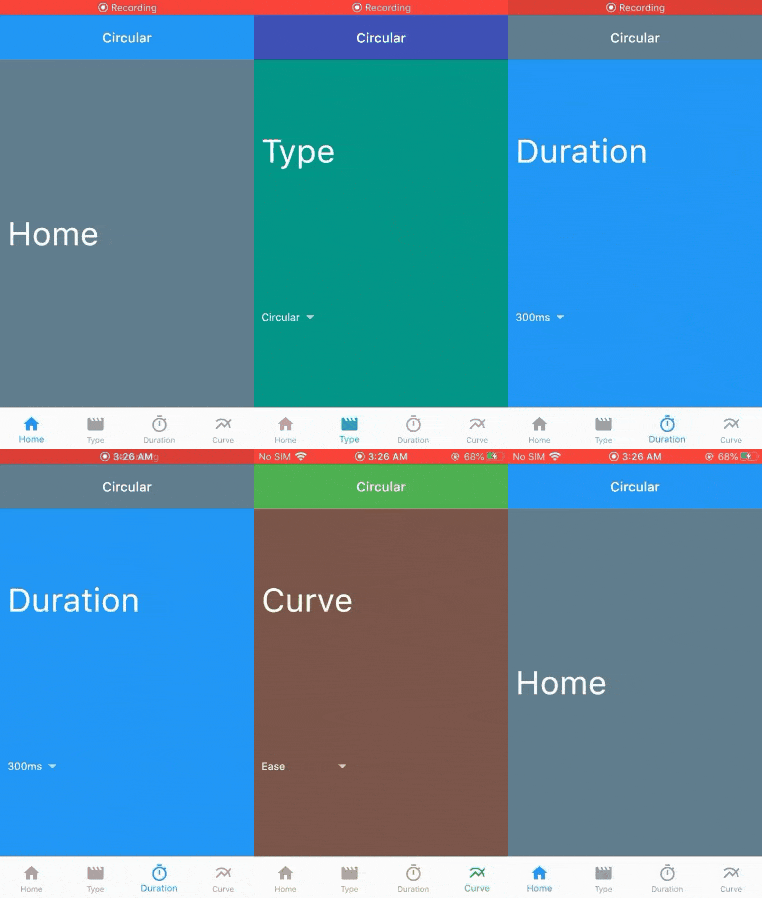
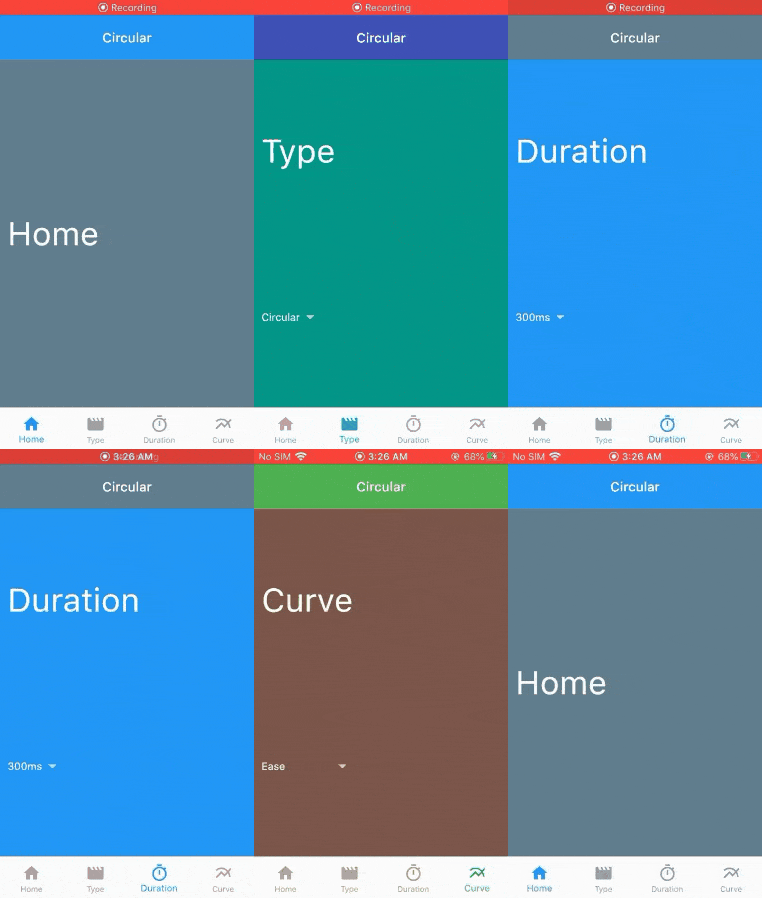
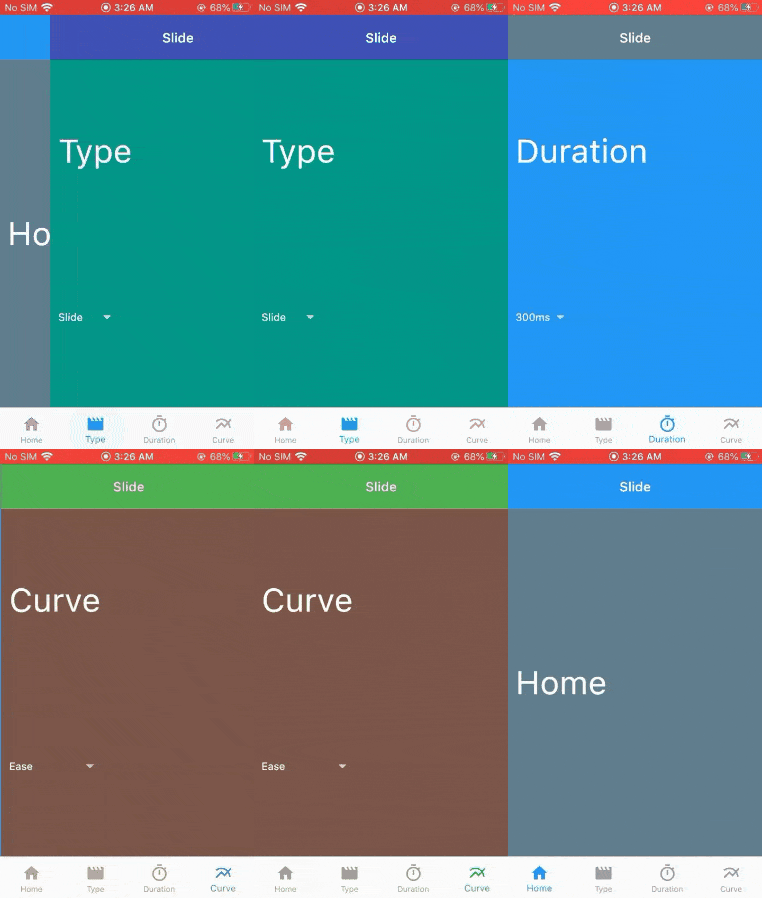
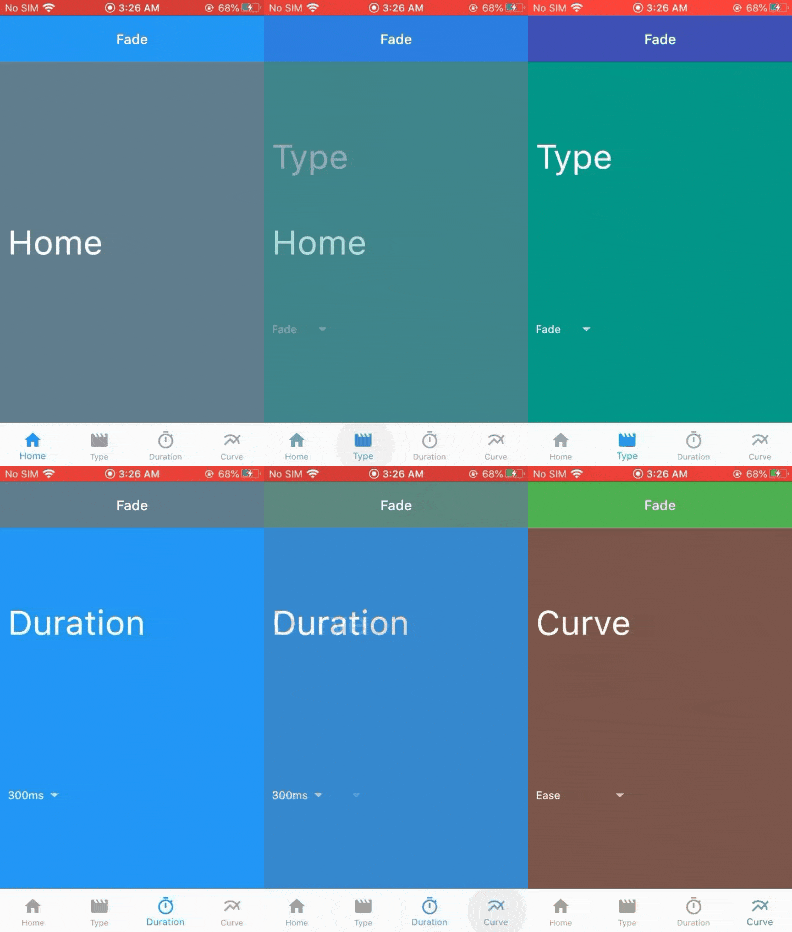
Previews

Circular Slide Fade

Features

  • Can be used to show animation while swiching pages in bottom navigation bar
  • Add global key to widget to avoid reinitate widget

Getting Started

Installing

To use this package, add bottom_bar_page_transition as a dependency in your pubspec.yaml file.

In your dart file import the library by

import 'package:bottom_bar_page_transition/bottom_bar_page_transition.dart';

In build method

return Scaffold(
      body: BottomBarPageTransition(
        builder: (_, index) => _getBody(index),
        currentIndex: _currentPage,
        totalLength: totalPage,
        transitionType: transitionType,
        transitionDuration: duration,
        transitionCurve: curve,
      ),
      bottomNavigationBar: _getBottomBar(),
    );

create `_getBody(int index) method to return body of the widget

Widget _getBody(int index) {
    return CustomScrollView(
      //key:_keys[index] //add keys to avoid initiate child widget after animation ends
      slivers: <Widget>[
        SliverAppBar(
          title: Text('Page $index'),
        ),
        SliverFillRemaining(
          child: Center(child: Text('Page $index')),
        )
      ],
    );
  }

create _getBottomBar() to create bottom bar

Widget _getBottomBar() {
    return BottomNavigationBar(
        currentIndex: _currentPage, 
        onTap: (index) {
          _currentPage = index;
          setState(() {});
        },
        selectedItemColor: Colors.blue,
        unselectedItemColor: Colors.grey,
        type: BottomNavigationBarType.fixed,
        items: List.generate(
            totalPage,
            (index) => BottomNavigationBarItem(
                  icon: Icon(icons[index]),
                  title: Text(names[index]),
                )));
  }

Parameter Description

builder - function to return content of widget
currentIndex - current displaying page
totalLength - total number of pages
transitionType - tractionType can be circle/slide/fade
transitionDuration - Duration of animation
transitionCurve - Curve is animation curve and they are used to adjust the rate of change of an animation over time

카테고리

소스 저장소

이 패키지를 사용하는 프로젝트

아직 데이터가 없습니다.