패키지, 저장소 및 앱 카테고리 검색

패키지 상세v4.0.4

bottom_sheet

리스트 없이도 콘텐츠를 스크롤할 수 있는 유연한 바텀 시트.

AndroidiOSWebmacOSWindowsLinux
30일 다운로드
3만
좋아요
410
Pub 점수
140

패키지 설치

flutter pub add bottom_sheet

패키지 개요

공개 정보를 바탕으로 생성한 선택 가이드입니다.

리스트에 포함되지 않은 콘텐츠도 스크롤할 수 있도록 지원하는 플러터용 유연한 바텀 시트 위젯입니다. 부드럽고 사용자 정의 가능한 전환 효과를 제공하며, 안드로이드, iOS, 웹, 맥OS, 윈도우, 리눅스 등 여러 플랫폼에서 사용하도록 설계되었습니다. 화면 하단에서 상호작용 가능한 콘텐츠를 제시하고 반응형 동작을 제공함으로써 사용자 경험을 향상시킵니다. 모달, 필터 또는 전체 화면 탐색 없이 공간이 필요한 세부 보기에 적합합니다.

사용 사례

  • 모달 대화상자
  • 필터 패널
  • 세부 콘텐츠 보기
  • 인터랙티브 폼
  • 빠른 작업 메뉴

주요 기능

  • ListView 없이 스크롤 가능한 콘텐츠
  • 크로스 플랫폼 지원
  • 사용자 지정 가능한 애니메이션
  • 유연한 높이 제어
  • 반응형 디자인
  • 간편한 통합

적합한 대상

  • 다중 플랫폼 앱을 개발하는 개발자
  • UI 중심 애플리케이션
  • 확장 가능한 콘텐츠 영역이 필요한 앱
  • 일관된 하단 시트를 필요로 하는 디자인 시스템
  • Surf Studio의 Flutter 컴포넌트를 사용하는 팀

고려 사항

  • 중첩 스크롤 가능한 요소의 조심스러운 처리가 필요합니다
  • 복잡한 레이아웃의 경우 추가 스타일링이 필요할 수 있습니다
  • 많은 콘텐츠 사용 시 성능에 미치는 영향
  • 기본 사용법 외에 문서가 제한적
  • 매우 큰 데이터 세트에 최적화되지 않음

원본 README

연결된 소스 저장소의 README 원문 스냅샷입니다. 최신 내용은 저장소에서 확인하세요.

Bottom Sheet

Made by Surf 🏄‍♂️🏄‍♂️🏄‍♂️

Build Status Coverage Status Pub Version Pub Likes Pub popularity Flutter Platform

About

Custom bottom sheet widget that can be resized in response to drag gestures and then scrolled.

Overview

Main classes:

  1. FlexibleBottomSheet
  2. BottomSheetRoute and showing methods

Flexible and scrollable bottom sheet.

All you have to do is call showFlexibleBottomSheet() and you'll get a popup that looks like a modal bottom sheet and can be resized by dragging it up and down and scrolled when expanded.

There are 2 types of BottomSheets:

  1. BottomSheet
  2. StickyBottomSheet

Example

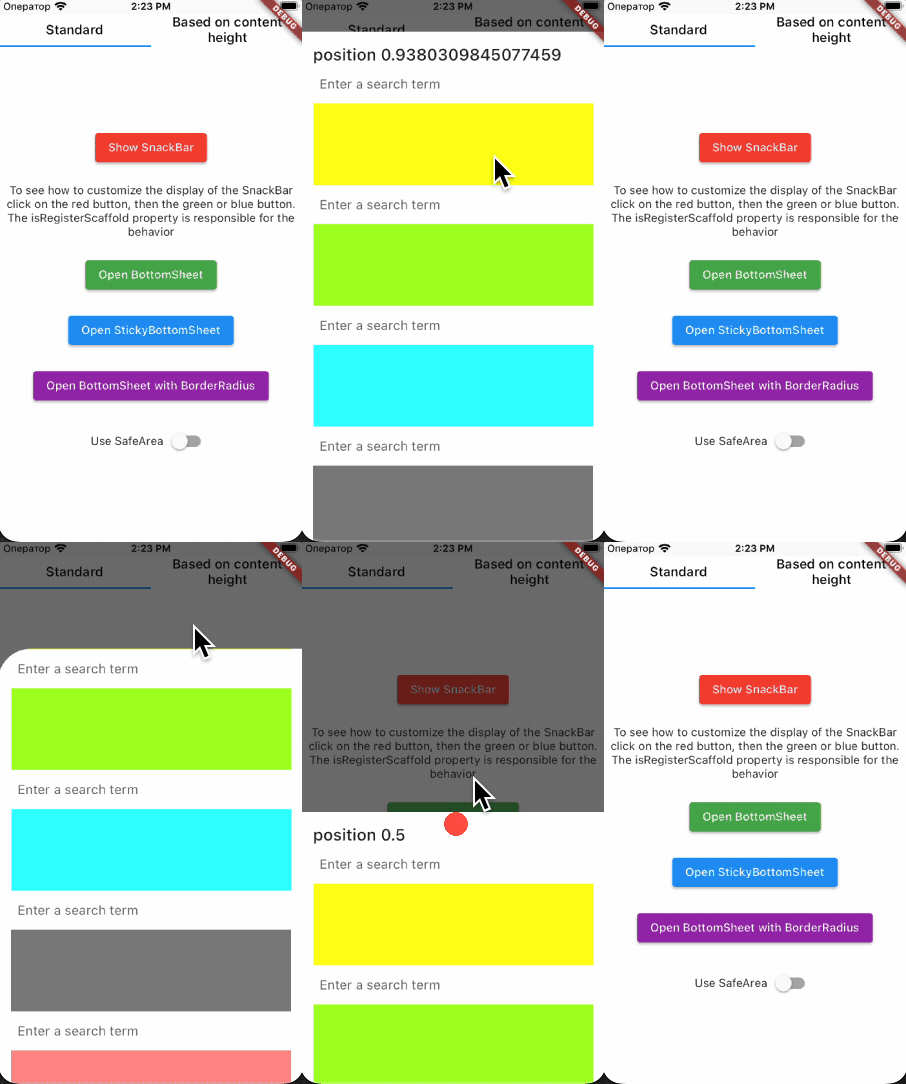
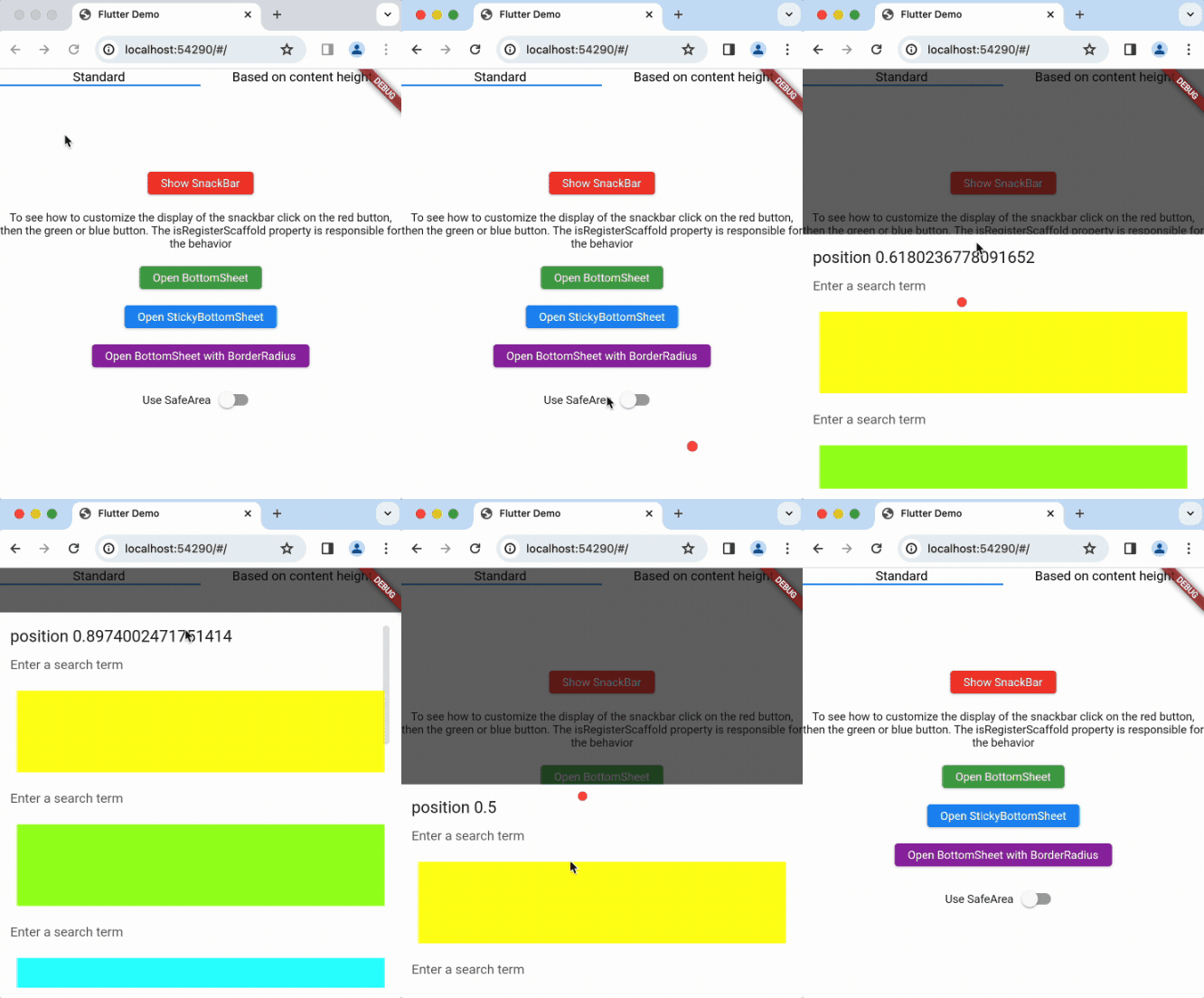
Simple BottomSheet

Demo

Demo

To show bottomSheet, use :

showFlexibleBottomSheet(
  minHeight: 0,
  initHeight: 0.5,
  maxHeight: 1,
  context: context,
  builder: _buildBottomSheet,
  anchors: [0, 0.5, 1],
  isSafeArea: true,
);

Widget _buildBottomSheet(
    BuildContext context,
    ScrollController scrollController,
    double bottomSheetOffset,
  ) {
    return Material(
        child: Container(
          child: ListView(
            controller: scrollController,
            ...
          ),
        ),
      );
  }
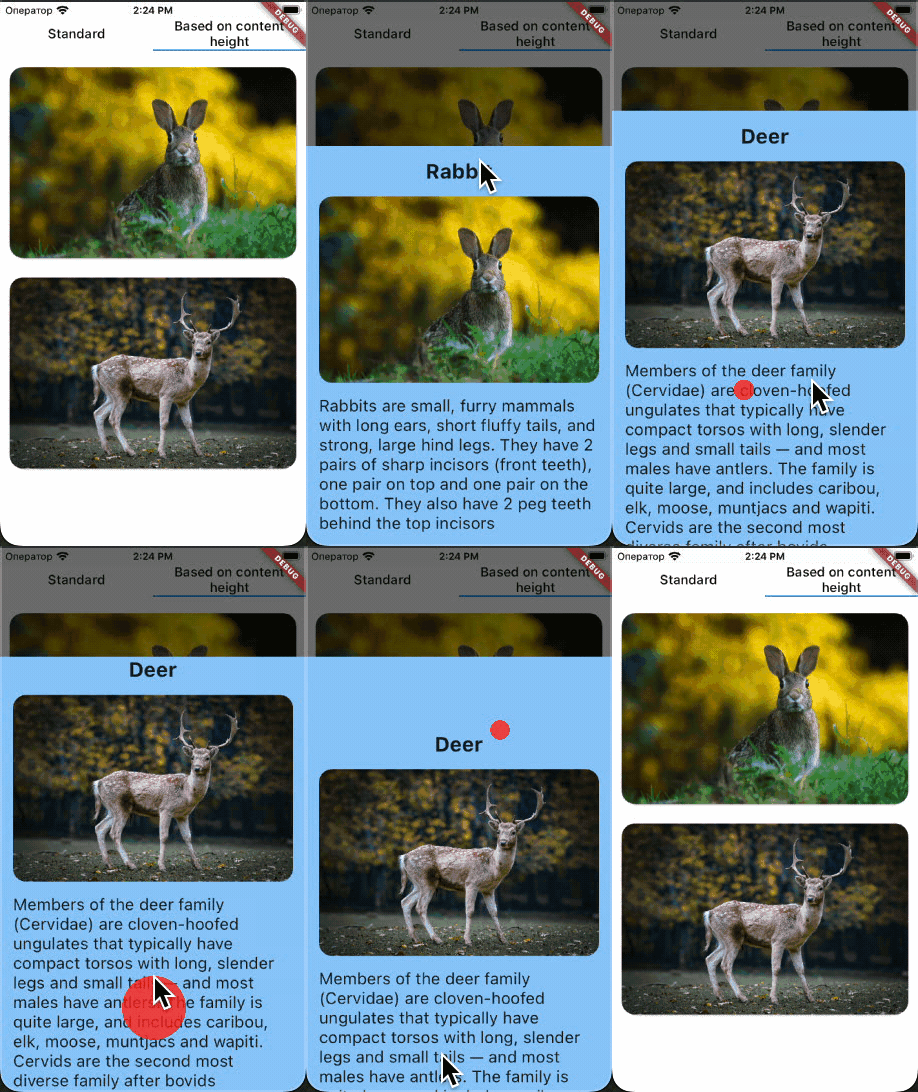
BottomSheet with height based on content

Demo

showFlexibleBottomSheet(
  minHeight: 0,
  initHeight: 0.8,
  maxHeight: 0.8,
  context: context,
  builder: _buildBottomSheet,
  isExpand: false,
);

Widget _buildBottomSheet(
    BuildContext context,
    ScrollController scrollController,
    double bottomSheetOffset,
  ) {
    return Material(
        child: Container(
          child: ListView(
              controller: scrollController,
              shrinkWrap: true,
              ...
          ),
        ),
      );
  }
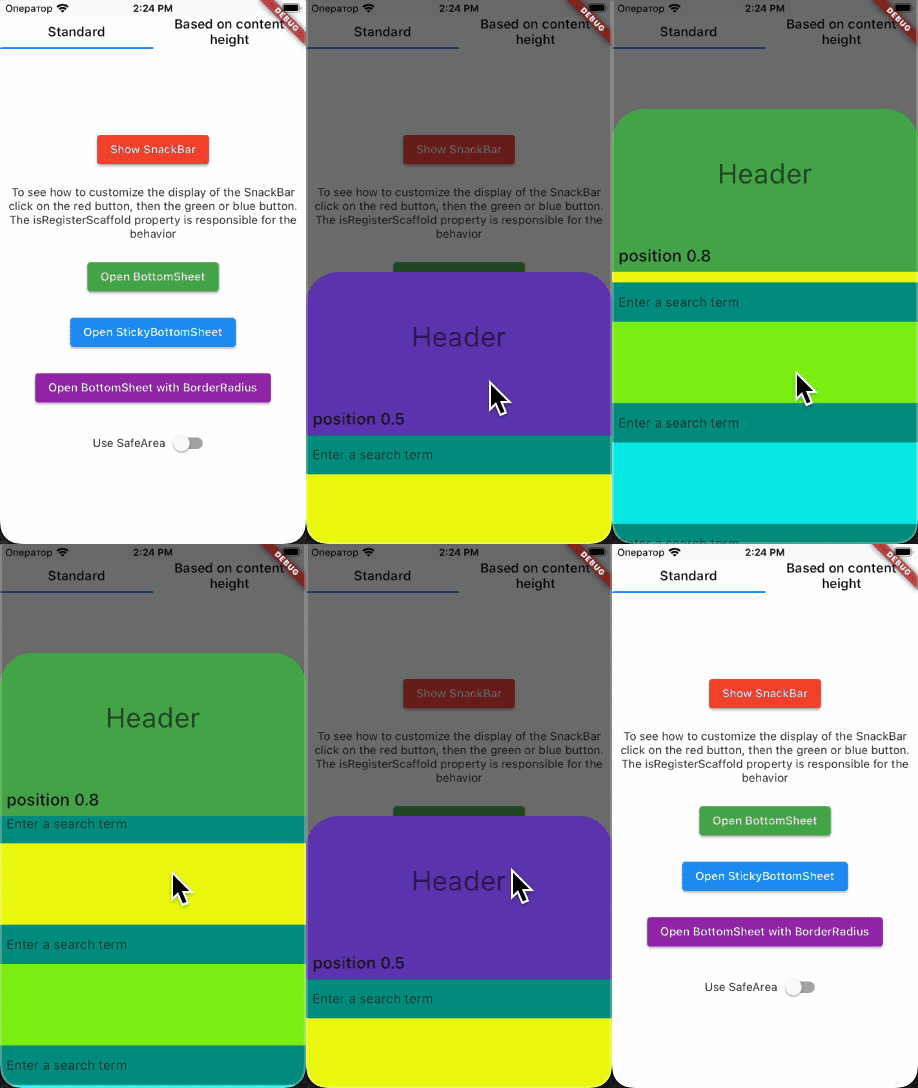
Sticky BottomSheet

Demo

To show sticky BottomSheet, use:
You have to return SliverChildListDelegate from builder !!!

showStickyFlexibleBottomSheet(
  minHeight: 0,
  initHeight: 0.5,
  maxHeight: 1,
  headerHeight: 200,
  context: context,
  backgroundColor: Colors.white,
  headerBuilder: (BuildContext context, double offset) {
    return Container(
      ...
    );
  },
  builder: (BuildContext context, double offset) {
    return SliverChildListDelegate(
      <Widget>[...],
    );
  },
  anchors: [0, 0.5, 1],
);

Installation

Add bottom_sheet to your pubspec.yaml file:

dependencies:
  bottom_sheet: $currentVersion$

At this moment, the current version of bottom_sheet is bottom_sheet version.

Changelog

All notable changes to this project will be documented in this file.

Issues

To report your issues, submit them directly in the Issues section.

Contribute

If you would like to contribute to the package (e.g. by improving the documentation, fixing a bug or adding a cool new feature), please read our contribution guide first and send us your pull request.

Your PRs are always welcome.

How to reach us

Please feel free to ask any questions about this package. Join our community chat on Telegram. We speak English and Russian.


Telegram

License

Apache License, Version 2.0

카테고리

의존성

의존성 목록 1 개

  • bottom_inset_observer^3.1.0

소스 저장소

이 패키지를 사용하는 프로젝트