패키지, 저장소 및 앱 카테고리 검색

calendar_day_view 표지
패키지 상세v6.0.0

calendar_day_view

이 패키지는 캘린더 일 보기 전용입니다. 앱을 더 좋게 만들기 위한 캘린더의 보완입니다.

AndroidiOSWebmacOSWindowsLinux
30일 다운로드
749
좋아요
36
Pub 점수
150

패키지 설치

flutter pub add calendar_day_view

패키지 개요

공개 정보를 바탕으로 생성한 선택 가이드입니다.

calendar_day_view 패키지는 Flutter 애플리케이션의 캘린더에 전용 일간 뷰를 제공합니다. 매일의 이벤트와 예약을 명확하고 상호작용 가능한 방식으로 표시함으로써 사용자 경험을 향상시킵니다. 보다 포괄적인 캘린더 솔루션의 보완으로 설계되어, 일별 스케줄링이 필요한 앱에 원활하게 통합됩니다. Android, iOS, Web, macOS, Windows, Linux 등 여러 플랫폼을 지원하며 장치 간 일관된 성능을 보장합니다. 사용자 정의 가능한 레이아웃과 이벤트 처리 기능을 통해 일별 캘린더 기능 구현을 간소화합니다.

사용 사례

  • 일일 이벤트 계획
  • 스케줄링 애플리케이션
  • 시간 관리 도구
  • 약속 트래커
  • 캘린더 통합
  • 작업 시각화

주요 기능

  • 특정 날짜 이벤트 표시
  • 크로스 플랫폼 호환성
  • 사용자 지정 가능한 UI
  • 이벤트 상호작용 지원
  • 부드러운 스크롤
  • 반응형 디자인

적합한 대상

  • 캘린더 앱을 개발하는 개발자
  • 자세한 일간 보기 필요 앱
  • 생산성 및 일정 관리 도구
  • 모바일 및 웹 애플리케이션
  • 공유 일정을 관리하는 팀

고려 사항

  • 주요 캘린더 패키지와의 통합이 필요합니다
  • 일간 보기만 가능
  • 브랜딩을 위해 추가적인 스타일링이 필요할 수 있습니다
  • 플랫폼 전용 렌더링에 의존합니다
  • 완전한 캘린더 기능과 함께 사용하는 것이 가장 좋습니다

원본 README

연결된 소스 저장소의 README 원문 스냅샷입니다. 최신 내용은 저장소에서 확인하세요.

Calendar Day View

pub package style: very good analysis License: MIT Buy Me A Coffee

A powerful and customizable Flutter library for displaying calendar events in day view format. Perfect for applications requiring detailed daily event visualization.

🚨 Breaking Changes in v6.0.0

Migration from v5.x

Renamed tap callbacks — all tap callbacks are now consistently named onTimeTap:

View Before (v5) After (v6)
CalendarDayView.category() onTileTap onTimeTap
CalendarDayView.categoryOverflow() onTileTap onTimeTap
CalendarDayView.inRow() onTap onTimeTap
CalendarDayView.overflow() onTimeTap onTimeTap (no change)
CategoryDayView() onTileTap onTimeTap
CategoryOverflowDayView() onTileTap onTimeTap

Removed parameters:

  • controlBarBuilder removed from CalendarDayView.category() and CalendarDayView.categoryOverflow()
  • backgroundTimeTileBuilder removed from CalendarDayView.categoryOverflow()

Typedefs now exported — all typedefs (e.g., CategoryDayViewEventBuilder, DayViewItemBuilder) are now accessible via the main import 'package:calendar_day_view/calendar_day_view.dart' import. No need to import src/models/typedef.dart directly.

Styling moved to DayViewDecoration — all visual customization is now grouped in a separate DayViewDecoration object, passed via config.decoration:

// Before (v5.x)
OverFlowDayViewConfig(
  currentDate: DateTime.now(),
  timeColumnWidth: 70,
  dividerColor: Colors.black,
  currentTimeLineColor: Colors.red,
  timeLabelBuilder: (ctx, t) => Text(...),
)

// After (v6.x)
OverFlowDayViewConfig(
  currentDate: DateTime.now(),
  decoration: DayViewDecoration(
    timeColumnWidth: 70,
    dividerColor: Colors.black,
    currentTimeLineColor: Colors.red,
    timeLabel: (ctx, t) => Text(...),
  ),
)

Properties moved to DayViewDecoration: timeColumnWidth, timeTextStyle, timeTextColor, dividerColor, currentTimeLineColor, timeLabel (was timeLabelBuilder), currentTimeLine (was currentTimeLineBuilder), rowBackground (was timeRowBackgroundBuilder), divider (was dividerBuilder). The same decoration can be reused across multiple views for consistent branding.

What's New in v6.0.0
  • Auto-scroll to current time — set scrollToCurrentTime: true in config to auto-scroll on load (overflow and in-row views)
  • Custom current time line — use currentTimeLineBuilder in config to fully customize the current time indicator
  • Show all events in category cell — set showAllEventsInCell: true in CategoryDavViewConfig to display all events horizontally instead of only the first
  • Empty tile builder — use emptyTileBuilder in category views to customize empty cells
  • Null end time safety — overflow views now default to 30 min duration for events without an end time instead of crashing
  • Multi-Column Day View — new Google Calendar-style layout where overlapping events are placed side-by-side in columns with smart column reuse
  • Config consolidation — currentTimeLineColor and cropBottomEvents moved to base DavViewConfig, available to all views without duplication
  • Time row background builder — use timeRowBackgroundBuilder in config to shade specific time ranges (lunch break, working hours, unavailable blocks) in overflow, multi-column, and in-row views
  • Divider builder — use divider in DayViewDecoration for custom dividers per row (dashed lines, per-row thickness, hide specific dividers)
  • DayViewDecoration — new visual decoration class groups all styling and builder callbacks. Reusable across view types for shared theming
  • Time column position — timeColumnPosition: TimeColumnPosition.left | .right | .none in decoration for flexible layouts
  • Header / footer builders — header and footer in decoration for custom widgets above/below the time grid
  • Custom overlap strategy — overlapStrategy on MultiColumnDayViewConfig<T> for custom multi-column layout algorithms

For full details, see the Changelog.

📱 Live Demo

Check out the live demo at: https://samderlust.github.io/calendardayview

✨ Features

View Types
  • Multi-Column Day View: Google Calendar-style layout — overlapping events are placed side-by-side in columns with smart column reuse
  • Category Overflow Day View: Display events across multiple time slots within categorized columns
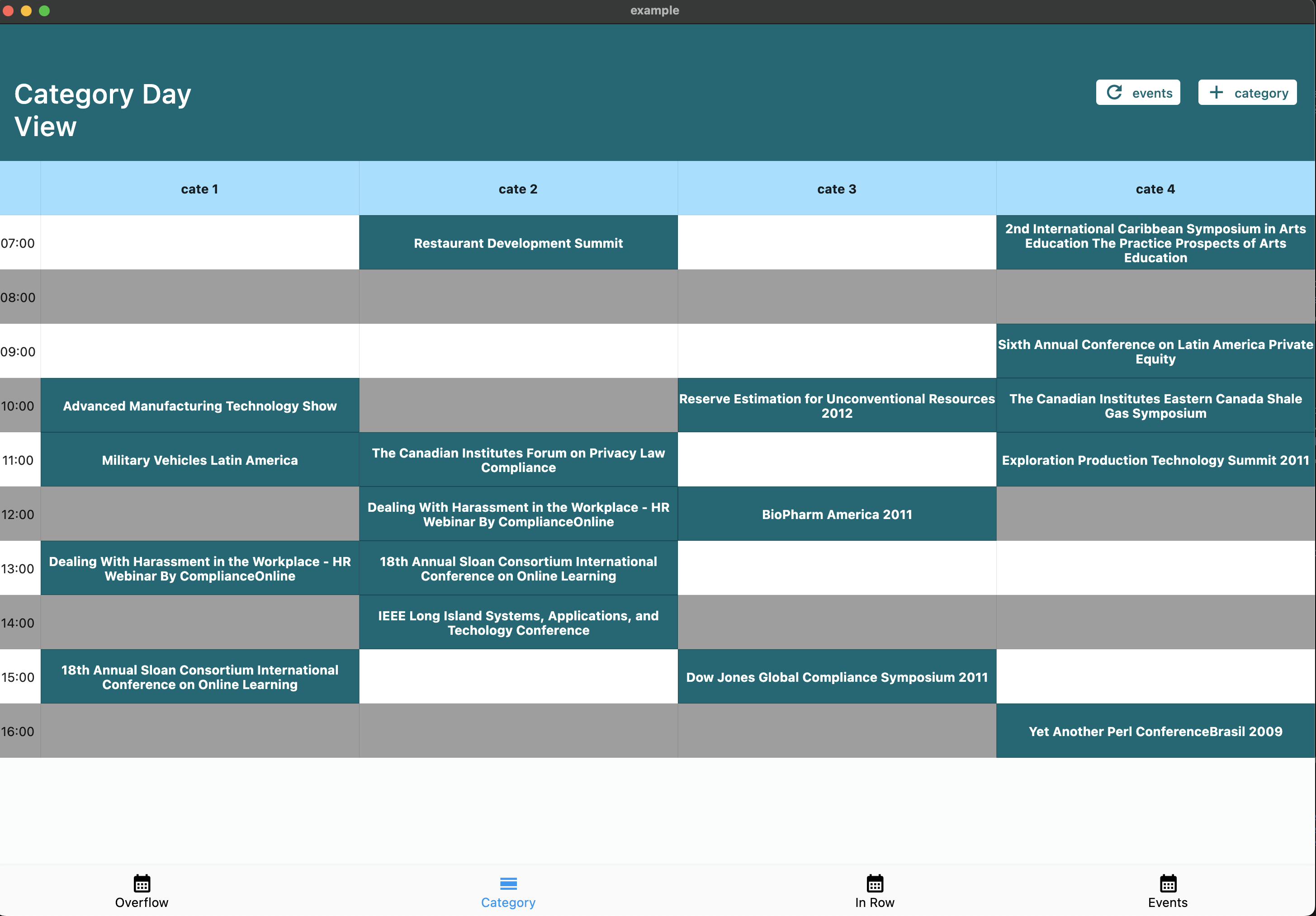
  • Category Day View: Organize events by categories (e.g., meeting rooms, resources)
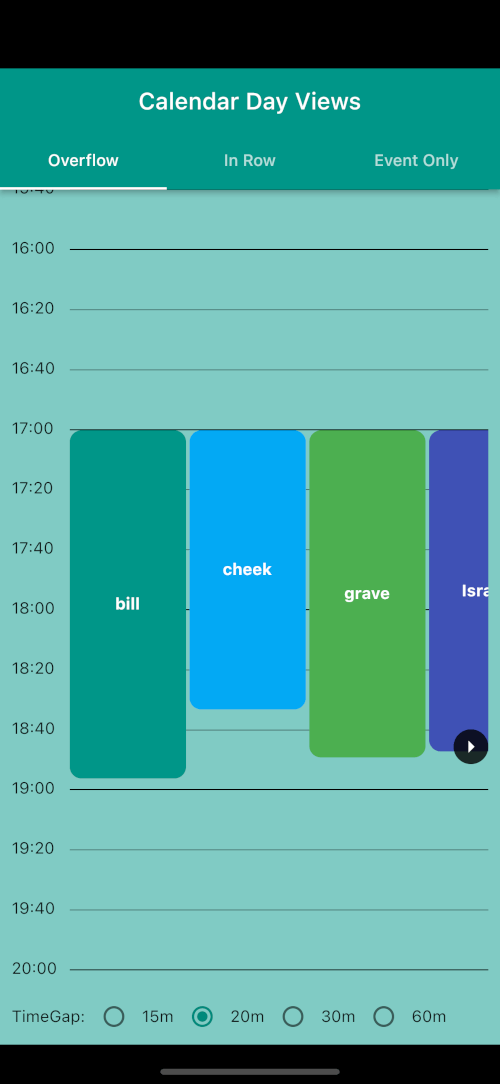
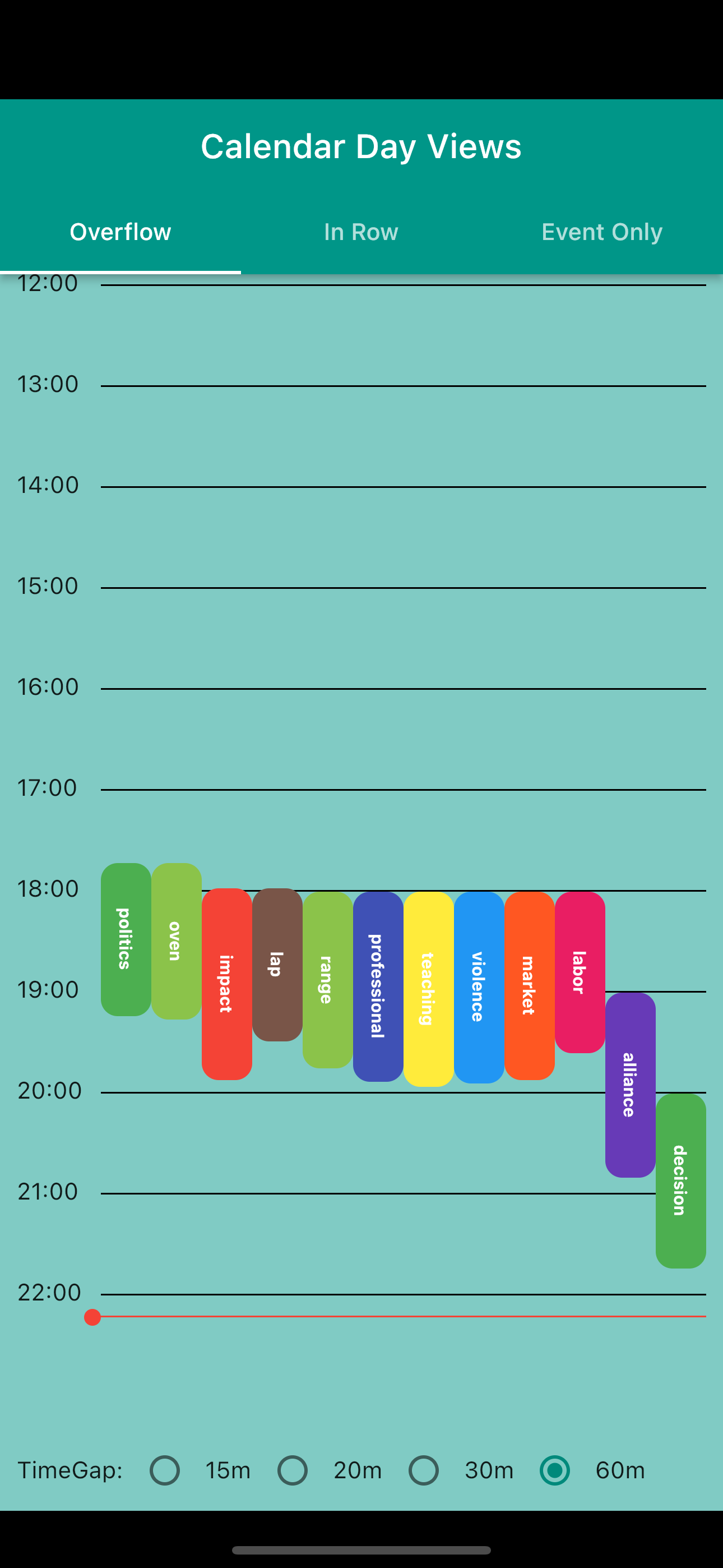
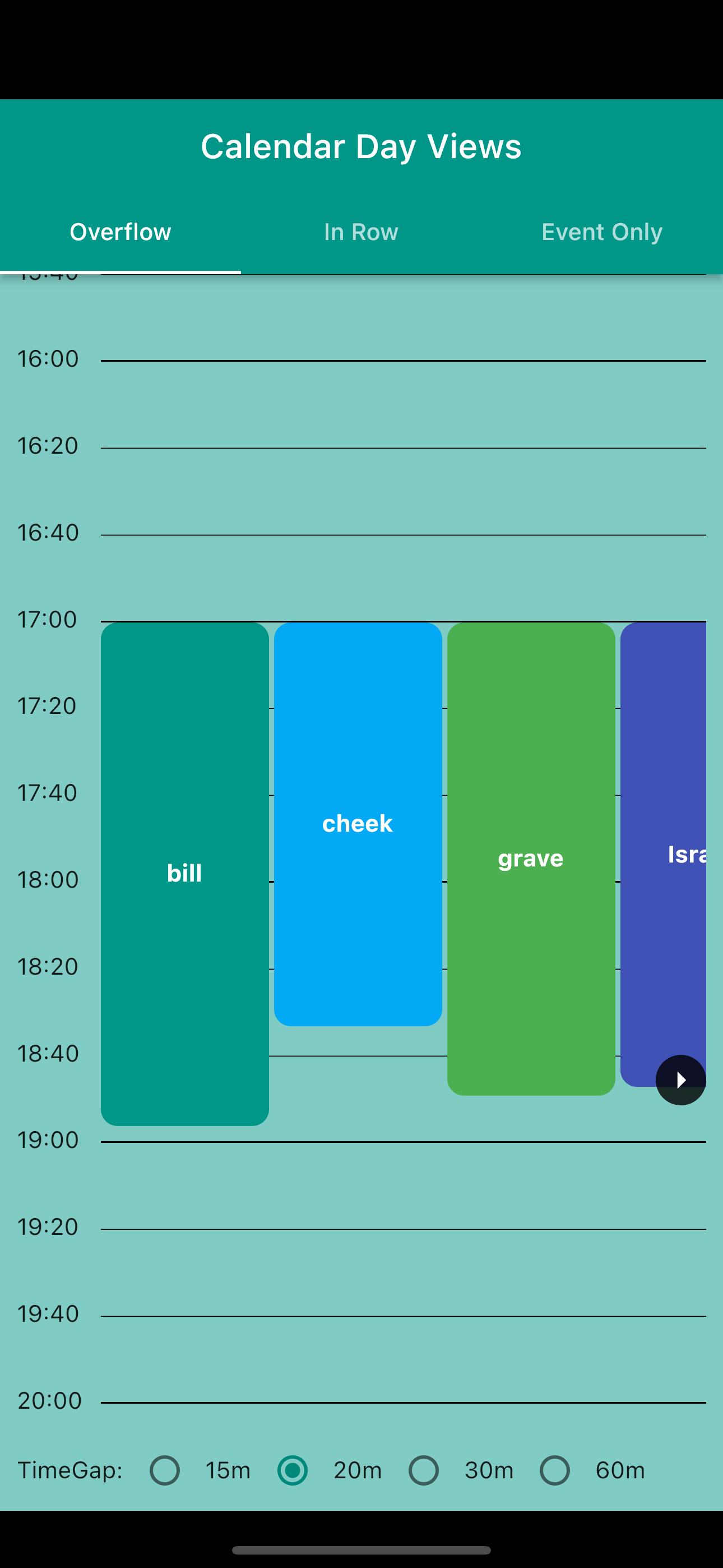
  • Overflow Day View: Traditional calendar view with events spanning multiple time slots
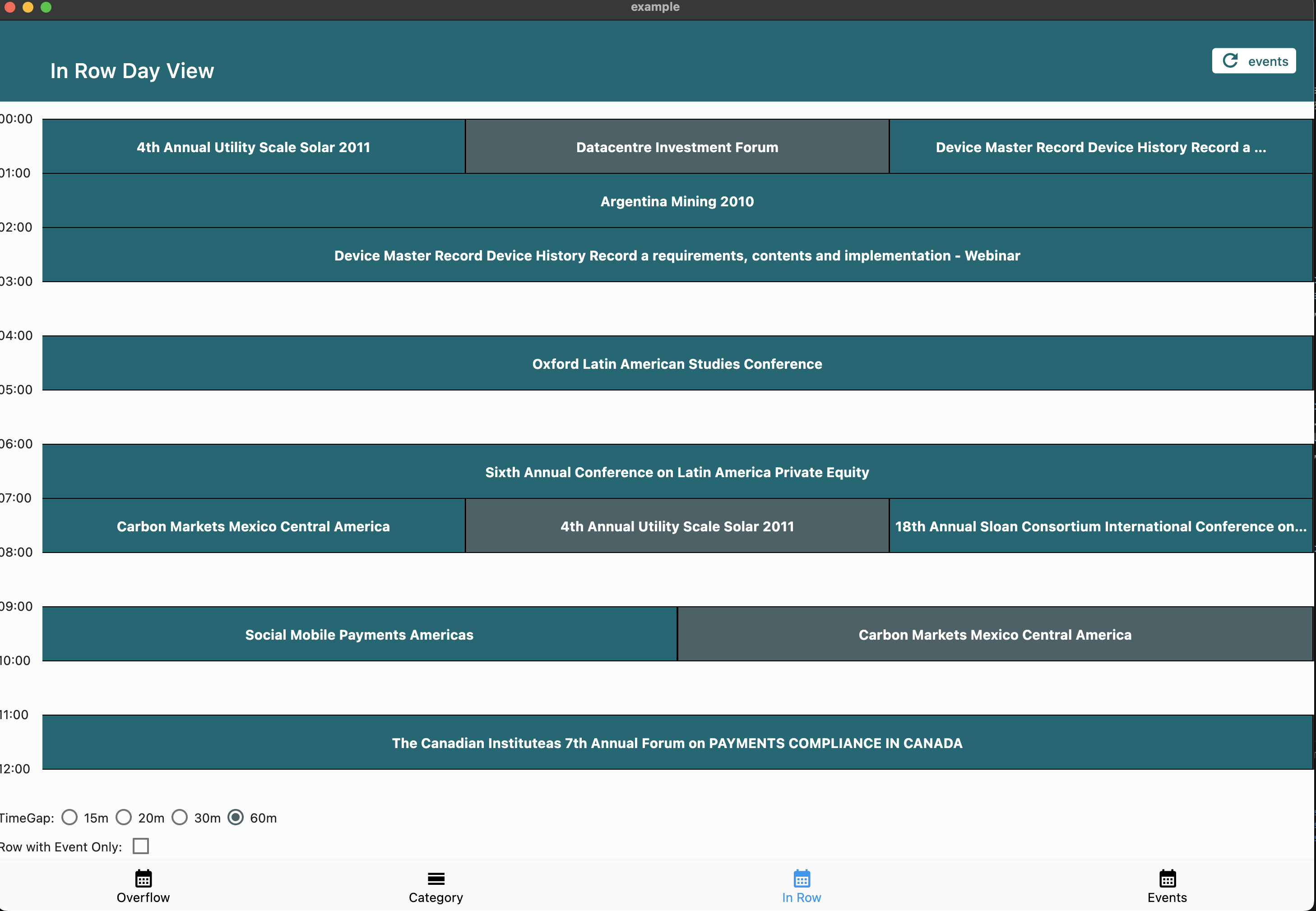
  • In Row Day View: Group events starting in the same time window
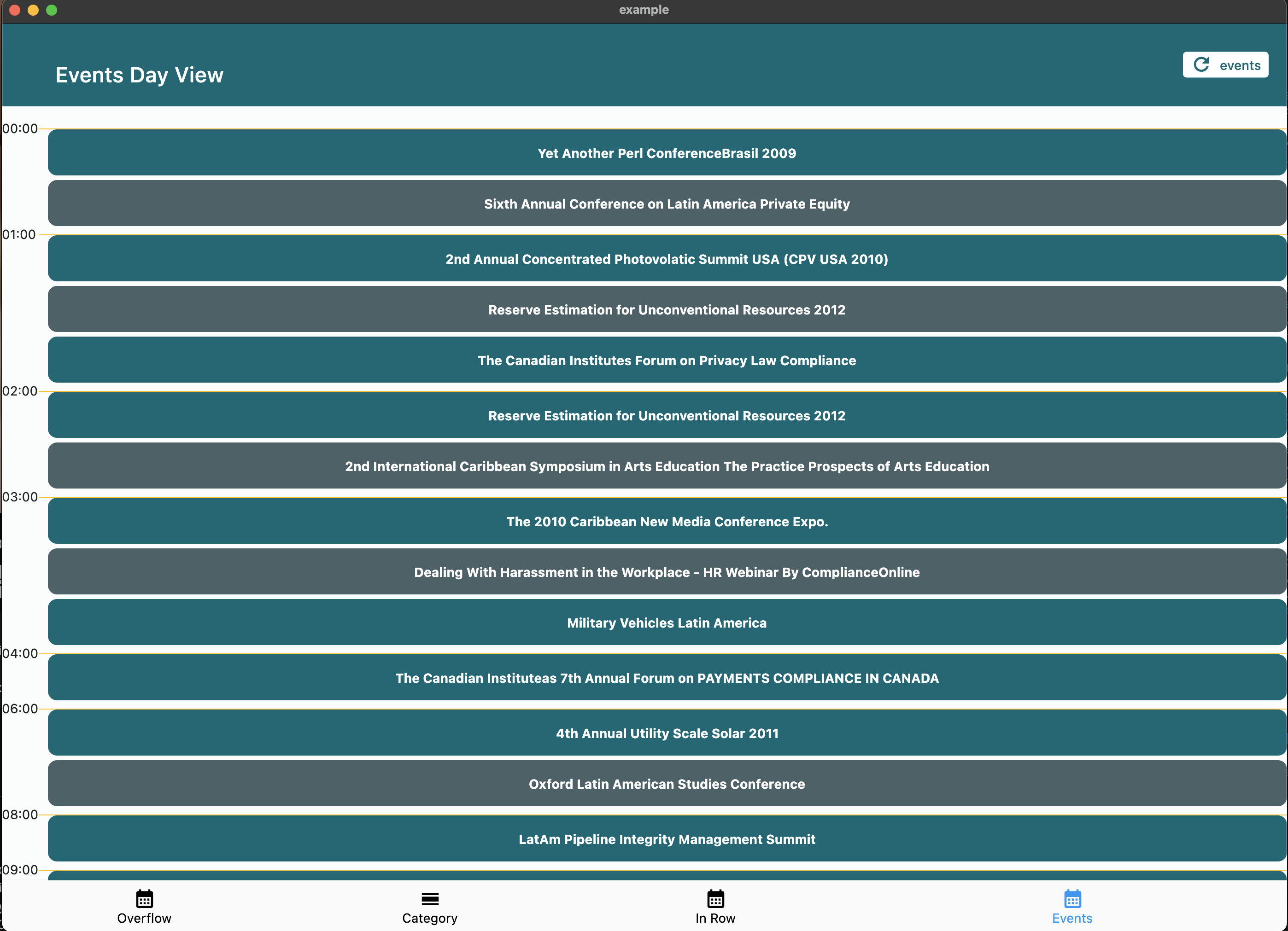
  • Event Day View: Simple chronological list of daily events
Customization Options
  • ⏰ Customizable day start and end times
  • ⏱️ Adjustable time slot duration
  • 🕒 Current time indicator with custom builder support
  • 👆 Interactive time slot tapping
  • 🎨 Fully customizable event widgets
  • 📱 Responsive design support
  • 🔄 Auto-scroll to current time on load
  • 📋 Show all events or first-only in category cells
  • 🏷️ Custom empty tile builder for category views

📦 Installation

Add the package to your pubspec.yaml:

dependencies:
  calendar_day_view: <latest_version>

Then import it in your Dart code:

import 'package:calendar_day_view/calendar_day_view.dart';

🚀 Usage

Shared Decoration (v6.0+)

All visual customization is done via DayViewDecoration, which can be reused across view types:

final myDecoration = DayViewDecoration(
  timeColumnWidth: 70,
  dividerColor: Colors.grey.shade300,
  currentTimeLineColor: Colors.red,
  timeLabel: (context, time) => Text(
    DateFormat('HH:mm').format(time),
    style: const TextStyle(fontWeight: FontWeight.bold),
  ),
  rowBackground: (context, rowTime, constraints) {
    // Shade lunch break
    if (rowTime.hour == 12) {
      return Container(color: Colors.grey.withValues(alpha: 0.1));
    }
    return null;
  },
  divider: (context, rowTime) {
    // Thicker line at the hour
    if (rowTime.minute == 0) {
      return Divider(color: Colors.grey.shade400, thickness: 1.5, height: 0);
    }
    return null; // skip divider
  },
);

// Reuse the same decoration across different views
OverFlowDayViewConfig(currentDate: DateTime.now(), decoration: myDecoration);
MultiColumnDayViewConfig(currentDate: DateTime.now(), decoration: myDecoration);
Multi-Column Day View

Google Calendar-style layout. Overlapping events are automatically placed side-by-side in columns. Column count is determined by the overlap pattern — solo events get full width.

CalendarDayView.multiColumn(
  config: MultiColumnDayViewConfig(
    currentDate: DateTime.now(),
    timeGap: 60,
    heightPerMin: 2,
    startOfDay: const TimeOfDay(hour: 7, minute: 0),
    endOfDay: const TimeOfDay(hour: 20, minute: 0),
    scrollToCurrentTime: true,
  ),
  events: events,
  onTimeTap: (time) => handleTimeTap(time),
  itemBuilder: (context, constraints, event, columnIndex, totalColumns) {
    return Container(
      margin: const EdgeInsets.all(1),
      decoration: BoxDecoration(
        color: Colors.blue.shade100,
        borderRadius: BorderRadius.circular(4),
      ),
      child: Text(event.value),
    );
  },
);
Category Day View

Perfect for displaying events across multiple categories (e.g., meeting rooms, resources).

CalendarDayView.category(
  config: CategoryDavViewConfig(
    time12: true,
    allowHorizontalScroll: true,
    columnsPerPage: 2,
    currentDate: DateTime.now(),
    timeGap: 60,
    heightPerMin: 1,
    showAllEventsInCell: true, // show all events in cell horizontally
  ),
  categories: categories,
  events: events,
  onTimeTap: (category, time) {
    // Handle time slot tap
  },
  emptyTileBuilder: (constraints, category, time) {
    return Center(child: Text('Available'));
  },
  eventBuilder: (constraints, category, _, event) => YourEventWidget(),
);
Overflow Day View

Display events with duration visualization across multiple time slots.

CalendarDayView.overflow(
  config: OverFlowDayViewConfig(
    currentDate: DateTime.now(),
    timeGap: 60,
    heightPerMin: 2,
    endOfDay: const TimeOfDay(hour: 20, minute: 0),
    startOfDay: const TimeOfDay(hour: 4, minute: 0),
    renderRowAsListView: true,
    time12: true,
    scrollToCurrentTime: true, // auto-scroll to current time
  ),
  onTimeTap: (time) => handleTimeTap(time),
  events: UnmodifiableListView(events),
  overflowItemBuilder: (context, constraints, itemIndex, event) => YourEventWidget(),
);
Event Only Day View

Simple chronological list of events.

CalendarDayView.eventOnly(
  config: EventDayViewConfig(
    showHourly: true,
    currentDate: DateTime.now(),
  ),
  events: events,
  eventDayViewItemBuilder: (context, event) => YourEventWidget(),
);
In Row Day View

Group events starting in the same time window.

CalendarDayView.inRow(
  config: InRowDayViewConfig(
    heightPerMin: 1,
    showCurrentTimeLine: true,
    dividerColor: Colors.black,
    timeGap: 60,
    showWithEventOnly: true,
    currentDate: DateTime.now(),
    startOfDay: const TimeOfDay(hour: 3, minute: 00),
    endOfDay: const TimeOfDay(hour: 22, minute: 00),
    scrollToCurrentTime: true, // auto-scroll to current time
  ),
  events: UnmodifiableListView(events),
  onTimeTap: (time) => handleTimeTap(time),
  itemBuilder: (context, constraints, itemIndex, event) => YourEventWidget(),
);

📸 Screenshots

Category Day View

Category Day View

Overflow Day View
Normal ListView
Overflow Normal Overflow ListView
Event Only Day View

Event Only Day View

In Row Day View

In Row Day View

🤝 Contributing

We welcome contributions! Please feel free to submit a Pull Request. For major changes, please open an issue first to discuss what you would like to change.

  1. Fork the repository
  2. Create your feature branch (git checkout -b feature/amazing-feature)
  3. Commit your changes (git commit -m 'Add some amazing feature')
  4. Format your code with dart format --line-length 200 lib/ test/ example/
  5. Push to the branch (git push origin feature/amazing-feature)
  6. Open a Pull Request

📝 License

This project is licensed under the MIT License - see the LICENSE file for details.

🙏 Acknowledgments

  • Thanks to all contributors who have helped improve this package
  • Special thanks to the Flutter team for creating such an amazing framework

카테고리

의존성

의존성 목록 1 개

소스 저장소

이 패키지를 사용하는 프로젝트

아직 데이터가 없습니다.