패키지, 저장소 및 앱 카테고리 검색

coachmaker 표지
패키지 상세v0.2.1

coachmaker

간단한 코치 마크로 애플리케이션용 단계 및 동적 위치를 지원합니다 (코치 마크/쇼케이스/툴팁 등)

AndroidiOSWebmacOSWindowsLinux
30일 다운로드
88
좋아요
94
Pub 점수
140

패키지 설치

flutter pub add coachmaker

패키지 개요

공개 정보를 바탕으로 생성한 선택 가이드입니다.

CoachMaker은 Flutter 패키지로, 사용자가 앱의 기능을 이해하도록 안내하는 간단하고 사용자 정의 가능한 코치 마크(워크스루, 쇼케이스, 툴팁 등으로도 알려짐)를 제공합니다. 동적 위치 조정과 단계별 탐색을 지원하여 온보딩 흐름에 적합합니다. 이 패키지는 Android, iOS, Web, macOS, Windows, Linux 등 모든 주요 플랫폼에서 작동합니다. 최소한의 설정과 직관적인 API를 통해 깔끔하고 상호작용 가능한 방식으로 중요한 UI 요소를 강조할 수 있습니다.

사용 사례

  • 신규 사용자 온보딩
  • 새로운 기능 강조
  • 워크플로를 통해 사용자 안내하기
  • 사용자 참여도 향상
  • 사용자에게 앱 기능에 대해 교육하기

주요 기능

  • 동적 위치 조정
  • 단계별 탐색
  • 사용자 정의 가능한 외관
  • 크로스 플랫폼 지원
  • 간단한 API 통합
  • 다중 플랫폼 지원

적합한 대상

  • 앱 온보딩 화면
  • 기능 소개 흐름
  • 사용자 교육 도구
  • 인터랙티브 튜토리얼
  • 제품 안내

고려 사항

  • 중복 UI를 방지하기 위해 신중한 배치가 필요할 수 있습니다
  • 많은 단계로 인한 성능 영향
  • 제한된 내장 애니메이션
  • 복잡한 상호작용을 위한 설계가 아님
  • 통제된 사용자 흐름 시나리오에서 가장 효과적으로 사용됨

원본 README

연결된 소스 저장소의 README 원문 스냅샷입니다. 최신 내용은 저장소에서 확인하세요.

Coachmaker

Coach marks are temporary messages that educate users through new or unfamiliar product experiences. They can be chained into a sequence to form a tour.

Adobe Said 👨‍🎓

coachmaker stars license

Stt..... this package simple to use 🤫

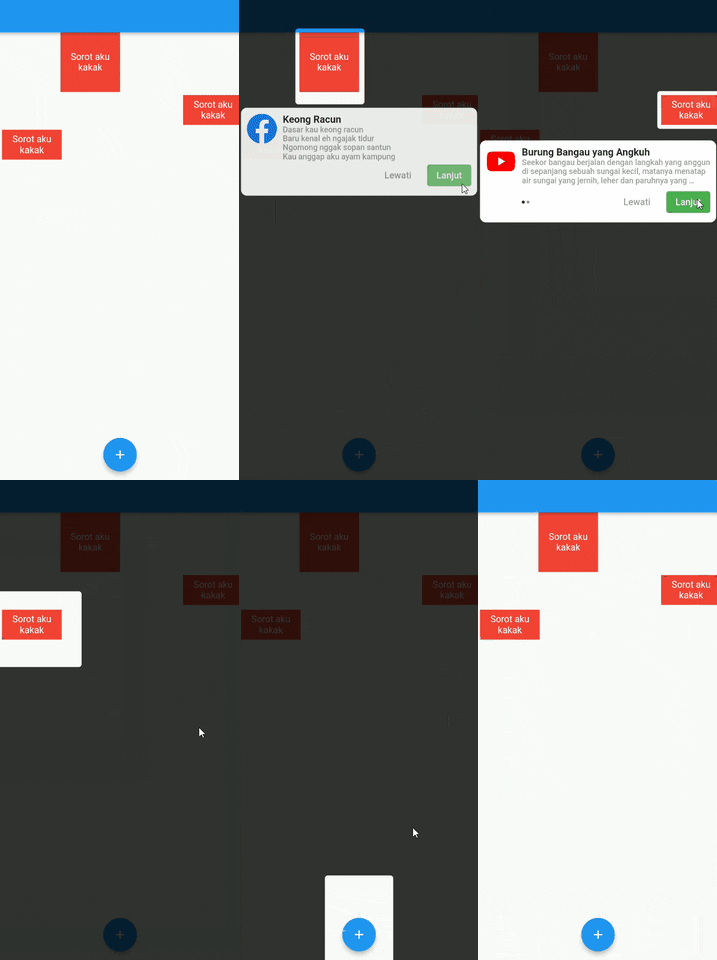
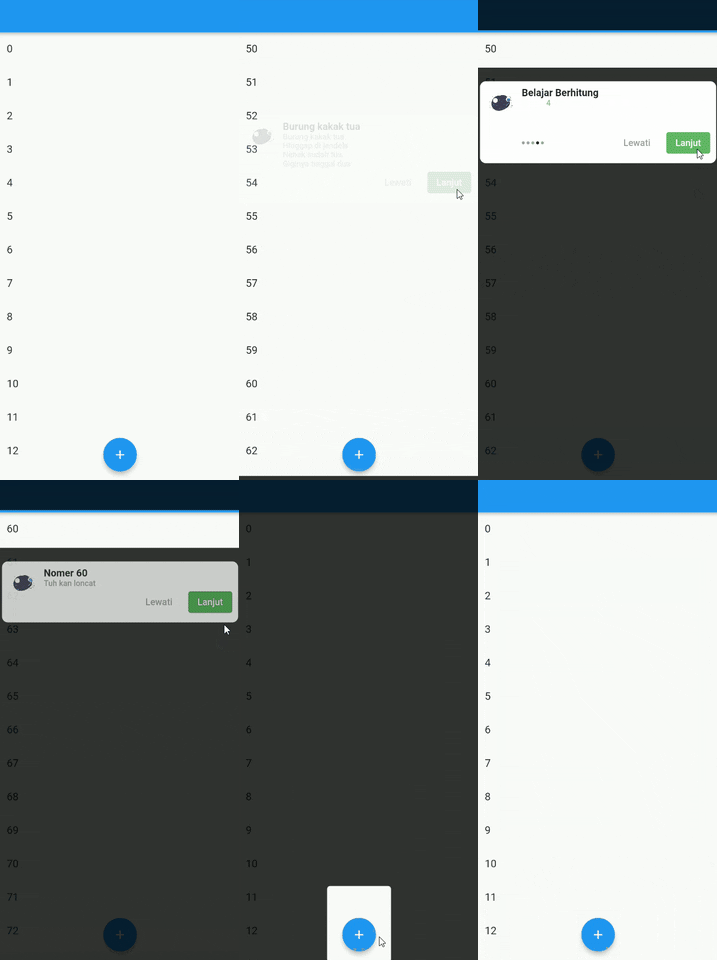
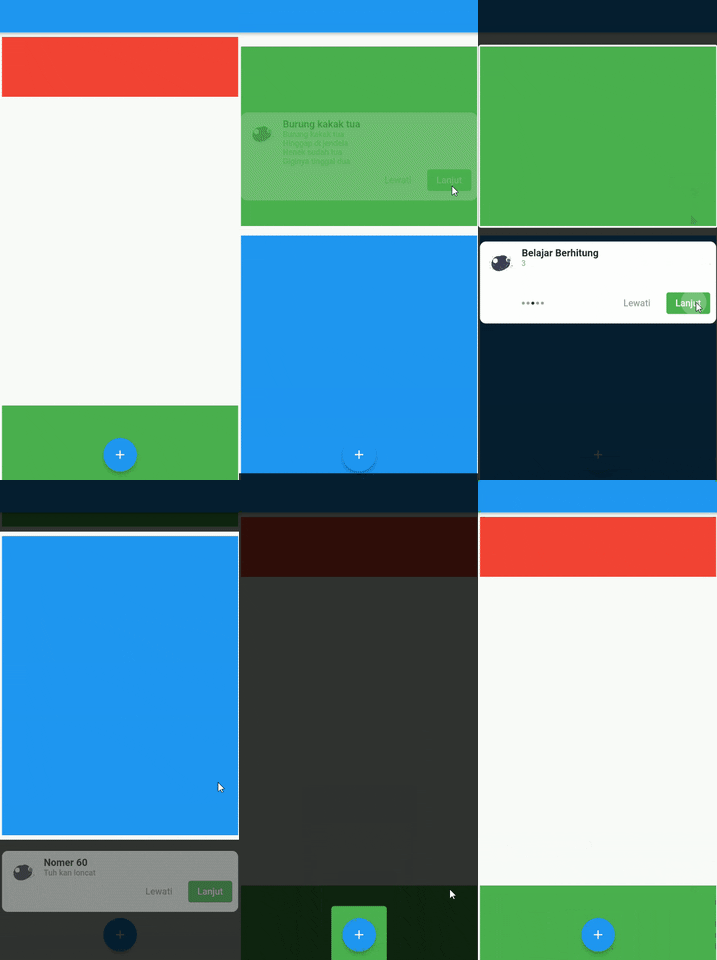
Demo 😎

Full Demo

Full Demo

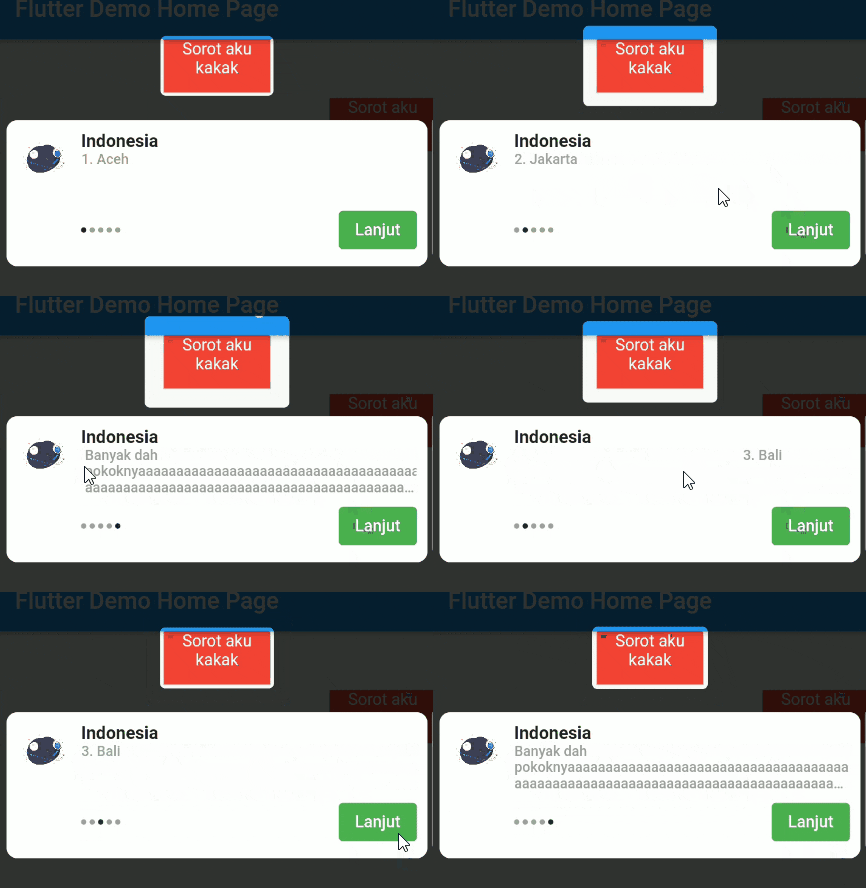
Pageview Slider

Pageview Slider

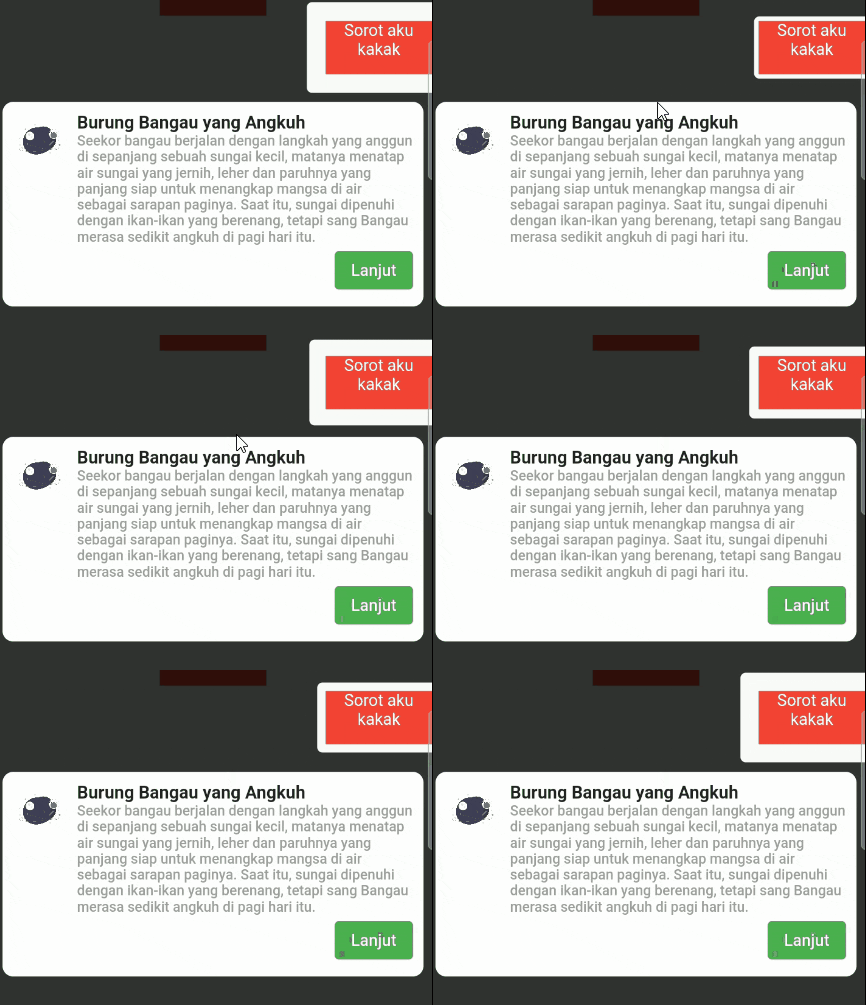
Single Page

Single Page

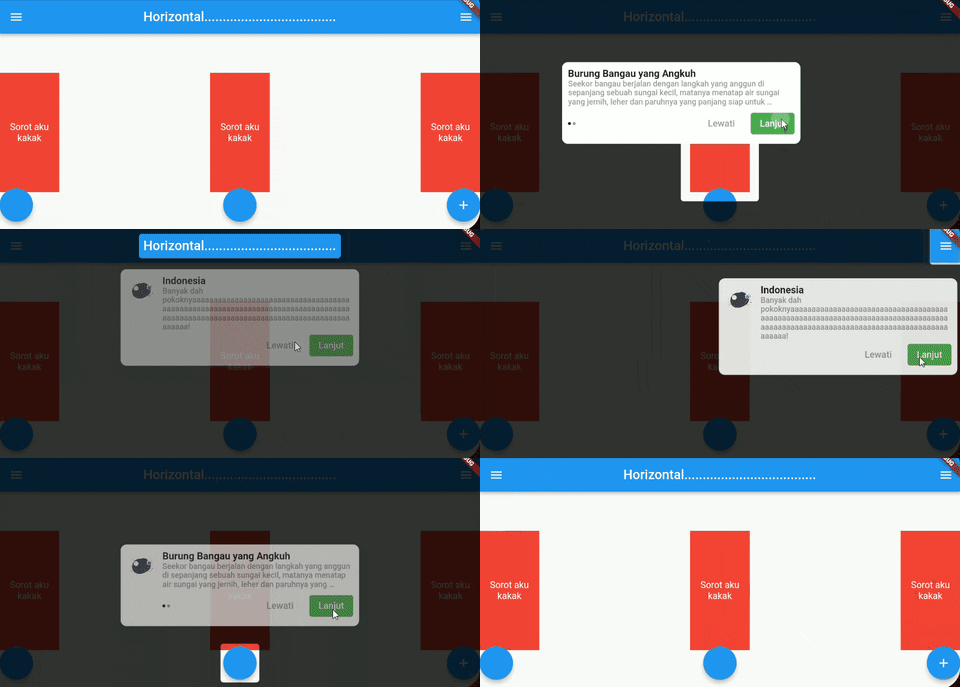
Landscape Page

landscape

Usage 🍽️

Time to fight🥊 :

#1. add coachmaker as a dependency in your pubspec.yaml file.

#2. import package on your file, import 'package:coachmaker/coachmaker.dart';

#3. Wrap your widget with CoachPoint

Example :

CoachPoint(
	initial: '1',
	child: Container(
	          color: Colors.red,
              height: 50,
              width: 100,
              child: Text(
                  'Sorot aku kakak',
                  textAlign: TextAlign.center,
                  style: TextStyle(color: Colors.white),
           ),
   ),
),

*Create a initial with a unique name unique name

#4. Call this method for show coachmaker

initial

Example :

FloatingActionButton(
          onPressed: () {
            CoachMaker(context,
                    ///coachmaker will show from index 0 to n of initialList
                    ///
                    initialList: [
                      ///initial name of CoachPoint from previous example ☝️ (inital: '1') 
                      ///
                      CoachModel(
                          initial: '1',
                          title: 'Indonesia',
                          maxWidth: 400,
                          ///if subtitle length > 1 will show pageview slider
                          ///
                          subtitle: [
                            '1. Aceh',
                            '2. Jakarta',
                            '3. Bali',
                            '4. Papua',
                          ],
                          header: Image.asset(
                            'images/logo.png',
                            height: 50,
                            width: 50,
                          )),
                      ///other initials name available
                      ///
                      CoachModel(
                          initial: '2',
                          title: 'Burung perkutut, burung kuthilang',
                          maxWidth: 400,
                          alignment: Alignment.centerRight,
                          subtitle: [
                            'kamu kentut enggak bilang bilang ',
                          ],
                          header: Image.asset(
                            'images/logo.png',
                            height: 50,
                            width: 50,
                          )),
                    ],
                    nextStep: CoachMakerControl.next,
                    buttonOptions: CoachButtonOptions(
                        buttonTitle: 'Lanjut',
                        buttonStyle: ButtonStyle(
                            backgroundColor:
                                MaterialStateProperty.all(Colors.green),
                            elevation: MaterialStateProperty.all(0))))
                .show();
          },
          tooltip: 'Increment',
          child: Icon(Icons.add),
),

#5. Running your project 🚗

Full example : Example Coachmaker

List Controller

Now you can auto scroll of list and coach the item

2 way to use it :

#1 Using Index

same height of list

used when all list items are the same height size .

CoachModel(
  initial: '60',
  title: 'Nomer 60',
  maxWidth: 400,
  subtitle: [
    'Tuh kan loncat',
  ],
  scrollOptions: ScrollOptions(
    scrollController: _scrollController,
    isLast: true
  ),
  header: Image.asset(
    'images/logo.png',
    height: 50,
    width: 50,
  )
),

confused? you can check this Example Here

#2 Using Manual Height

Manual Height

Sometimes, maybe your list item haven't same height, you can using manualHeight for sliding to item

CoachModel(
  initial: '1',
  title: 'Burung kakak tua',
  maxWidth: 400,
  subtitle: [
    'Burung kakak tua\nHinggap di jendela\nNenek sudah tua\nGiginya tinggal dua',
  ],
  header: Image.asset('images/logo.png',
    height: 50,
    width: 50,
  ),
  scrollOptions: ScrollOptions(
    scrollController: _scrollController,
    manualHeight: 600
  ),
),

confused? you can check this Example Here

Contribution 🆘

If you find any errors or want to add improvements, you can open a issue or develop the fix and open a pull request. Thank you!

Support Me 🙏

buymeacoffee.com/saddamnur

Bisa pake Gopay, Dana, Link Aja, OVO, dan QRIS loh gaes....

klik gambar dibawah ya

enter image description here

카테고리

소스 저장소

이 패키지를 사용하는 프로젝트

아직 데이터가 없습니다.