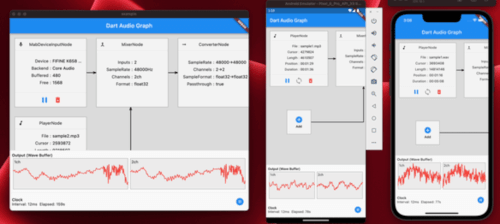
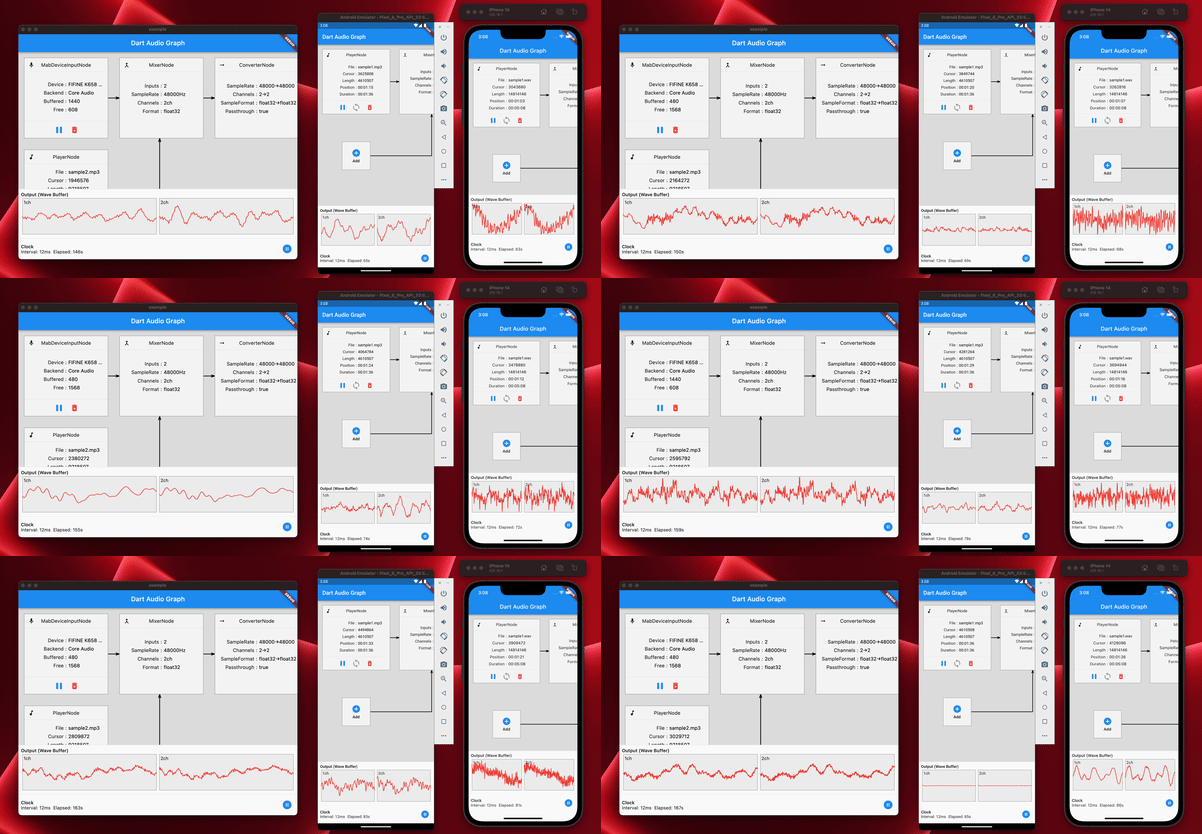
Coast Audio는 Dart로 작성된 FFI를 사용하여 고성능 오디오 재생, 녹음 및 처리를 위한 플러터용 크로스플랫폼 오디오 라이브러리입니다. 메모리 누수를 방지하고 다양한 플랫폼 간 리소스 관리를 단순화하기 위해 관리되는 메모리 처리를 제공합니다. 네이티브 코드의 복잡성 없이 저수준 오디오 제어가 필요한 개발자를 위해 설계되었으며, Android, iOS, macOS, Windows, Linux를 지원합니다. 실시간 오디오 조작을 가능하게 하며, 고급 오디오 기능이 필요한 플러터 앱에 원활하게 통합됩니다.
사용 사례
실시간 오디오 재생
오디오 녹음 및 스트리밍
오디오 신호 처리
크로스 플랫폼 오디오 앱
라이브 사운드 효과
주요 기능
FFI 기반 성능
관리 메모리 지원
크로스 플랫폼 호환성
저지연 오디오 처리
오디오 작업을 위한 간단한 API
적합한 대상
오디오 앱을 구축하는 플러터 개발자
실시간 오디오 조작이 필요한 앱
개발자들이 네이티브 플랫폼 코드를 피한다
여러 운영 체제를 대상으로 하는 프로젝트
오디오 중심의 게임 또는 음악 애플리케이션
고려 사항
FFI 및 시스템 수준 오디오 개념에 대한 지식이 필요합니다
일부 플랫폼에서는 추가 설정이 필요할 수 있습니다
성숙한 라이브러리에 비해 문서가 제한적
플랫폼별 고유한 문제 발생 가능성
처리 없이 간단한 오디오 재생에 적합하지 않음
원본 README
연결된 소스 저장소의 README 원문 스냅샷입니다. 최신 내용은 저장소에서 확인하세요.
coast_audio
coast_audio is a high performance audio processing library written in Dart.
This package aims to provide low-level audio functionalities with no Flutter dependency.
Features
Audio Buffer Management
Ring Buffer Management
Audio Node Graph System
Decoder Node
Mixer Node
Function Node
Volume Node
Encoding and Decoding mechanism
Wav Audio Encoder/Decoder
Wave Generation
Sine
Triangle
Square
Sawtooth
Audio Device I/O
Playback
Capture
Audio Format Management and Conversion
Supported Platforms
Android
iOS
macOS
Windows
Linux
Web
✅
✅
✅
⚠️
✅
❌
Windows is not tested but it should work if the native library is compiled correctly.
How It Works
coast_audio is built on top of dart:ffi.
Thus, it can be used in any Dart environment that supports FFI.
Some of the functionalities are implemented in native code which uses miniaudio.
This repository contains pre-built binaries for each supported platform.
Installation
Add the following to your pubspec.yaml:
coast_audio:^1.0.0
Android
Create a new directory android/src/main/jniLibs in your project.
Copy the {ABI}/libcoast_audio.so file from the native/prebuilt/android directory to the jniLibs directory.
macOS/iOS
Add the following to your Podfile:
target 'Runner' do
  ...
  pod 'CoastAudio', :git => 'https://github.com/SKKbySSK/coast_audio.git', :tag => '1.0.0'
end
Open the AppDelegate.swift file and add the following import and CoastAudioSymbolKeeper.keep() call:
import CoastAudio // 1. Add import

@UIApplicationMain
@objc class AppDelegate: FlutterAppDelegate {
  override func application(
    _ application: UIApplication,
    didFinishLaunchingWithOptions launchOptions: [UIApplication.LaunchOptionsKey: Any]?
  ) -> Bool {
    CoastAudioSymbolKeeper.keep() // 2. Add this line to prevent native symbols from being stripped (You can place this anywhere inside your iOS/macOS code)
    GeneratedPluginRegistrant.register(with: self)
    return super.application(application, didFinishLaunchingWithOptions: launchOptions)
  }
}
Linux
Copy the {ARCH}/libcoast_audio.so file from the native/prebuilt/linux directory to the linux/libs directory in your project.
There is no pre-built native library for Windows yet.
You need to build it manually.
Usage
Generate Sine Wave
coast_audio provides various audio nodes to generate/process audio data easily.
This example code generates a 440hz sine wave by using FunctionNode.
// define the audio format with 48khz sample rate and stereo channels.final format = AudioFormat(sampleRate: 48000, channels: 1, sampleFormat: SampleFormat.int16);
// create a sine wave function node with 440hz frequency.final functionNode = FunctionNode(
function: constSineFunction(),
frequency: 440,
);
AllocatedAudioFrames(length: 1024, format: format).acquireBuffer((buffer) {
// read the audio data from the function node to the buffer.
functionNode.outputBus.read(buffer);
// floatList contains sine wave audio data.final floatList = buffer.asFloat32ListView();
});
Generate Wav File
You can use WavAudioEncoder to encode audio data.
// define the audio format with 48khz sample rate and stereo channels.final format = AudioFormat(sampleRate: 48000, channels: 1, sampleFormat: SampleFormat.int16);
// create a sine wave function node with 440hz frequency.final functionNode = FunctionNode(
function: constSineFunction(),
frequency: 440,
);
final fileOutput = AudioFileDataSource(
file: File('output.wav'),
mode: FileMode.write,
);
// create a wav audio encoder.final encoder = WavAudioEncoder(dataSource: fileOutput, inputFormat: format);
encoder.start();
final duration = AudioTime(10);
AllocatedAudioFrames(length: duration.computeFrames(format), format: format).acquireBuffer((buffer) {
// read the audio data from the function node to the buffer.final result = functionNode.outputBus.read(buffer);
// encode the audio data to the wav file.
encoder.encode(buffer.limit(result.frameCount));
});
encoder.finalize();
Mixing Audio with Audio Node Graph System
AudioNode can be connected to other nodes to build an audio graph.
This example code demonstrates how to mix two sine waves and write to a wav file.
const format = AudioFormat(sampleRate: 48000, channels: 1);
final mixerNode = MixerNode(format: format);
// Initialize sine wave nodes and connect them to mixer's inputfor (final freq in [264.0, 330.0, 396.0]) {
final sineNode = FunctionNode(function: constSineFunction(), format: format, frequency: freq);
final mixerInputBus = mixerNode.appendInputBus();
sineNode.outputBus.connect(mixerInputBus);
}
AllocatedAudioFrames(length: 1024, format: format).bufferFrames.acquireBuffer((buffer) {
// read the audio data from the function node to the buffer.
functionNode.outputBus.read(buffer);
// floatList contains mixed sine wave audio data.final floatList = buffer.asFloat32ListView();
});
Play, record and loopback
coast_audio provides AudioDevice class to handle audio device I/O.
Please see the following examples:
Most of coast_audio operation is synchronous and it may block the Flutter's main isolate.
So, it is recommended to use coast_audio in a separate isolate.
Please see the example app implementation for more details.
Can I use coast_audio in web?
In short, no,
You should use dart:web_audio instead.
But it may become available if the FFI is supported on the Web platform.