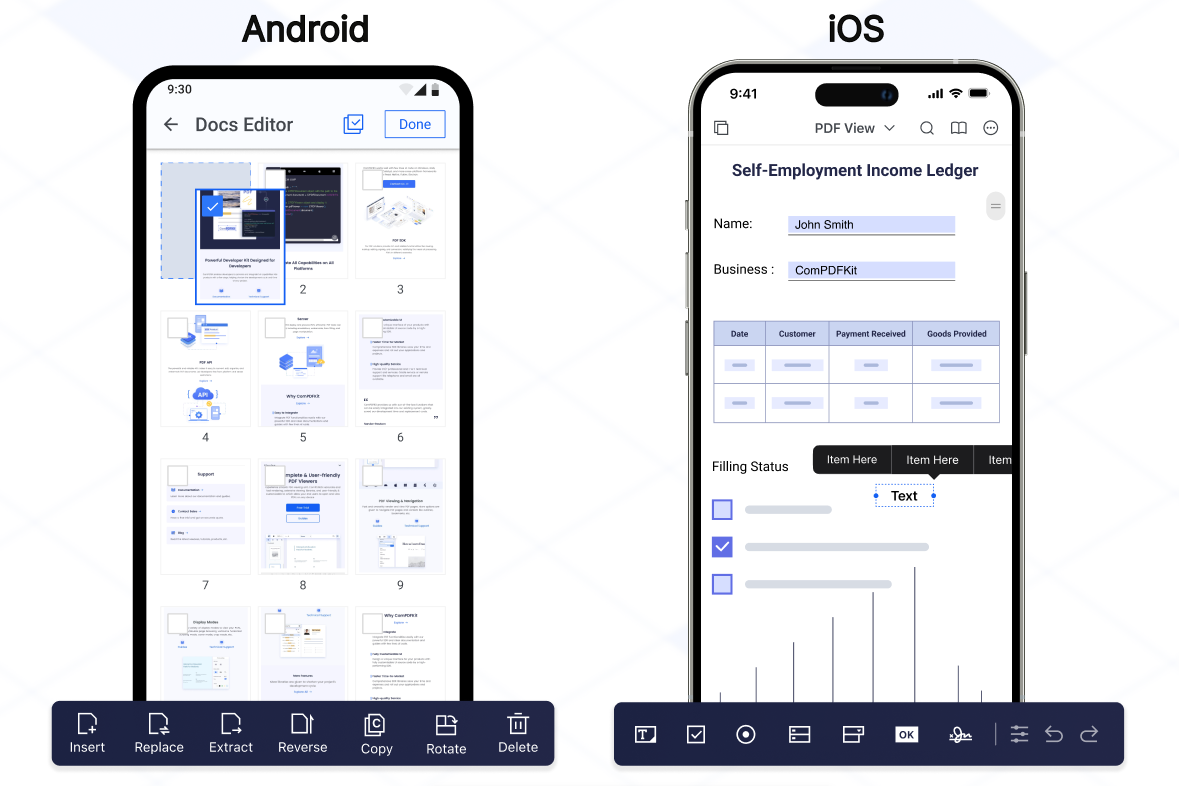
ComPDFKit for Flutter는 안드로이드 및 iOS에서 Flutter 애플리케이션에 고급 PDF 기능을 원활하게 통합할 수 있도록 설계된 강력한 SDK입니다. 개발자들은 앱 내에서 PDF 문서를 직접 보고, 주석을 달며 편집하고 관리할 수 있습니다. 성능과 사용 편의성에 중점을 두어 외부 종속성 없이 PDF를 처리할 수 있는 풍부한 도구 세트를 제공합니다. 렌더링, 텍스트 추출, 양식 채우기, 디지털 서명과 같은 일반적인 문서 작업을 지원합니다. Flutter의 크로스플랫폼 강점을 고려하여 구축되어 플랫폼 간 일관된 동작을 보장합니다.
사용 사례
모바일 앱에 PDF 뷰어 삽입하기
PDF에서 사용자 주석 활성화
문서 편집 기능 만들기
양식 작성 워크플로우 통합
디지털 서명 기능 지원
주요 기능
크로스 플랫폼 PDF 렌더링
인터랙티브 주석 도구
텍스트 추출 및 검색
양식 처리 및 작성
안전한 문서 서명
적합한 대상
Flutter를 사용하는 모바일 앱 개발자
PDF 조작이 필요한 응용 프로그램
기업 문서 관리 시스템
전자 학습 및 전자 서명 플랫폼
고려 사항
완전한 기능을 위해 원격 플랫폼 설정이 필요합니다
통합된 SDK로 인해 앱 크기가 증가할 수 있습니다
Android 및 iOS 플랫폼에 한정
제3자 라이선스 조건에 따라 다릅니다
원본 README
연결된 소스 저장소의 README 원문 스냅샷입니다. 최신 내용은 저장소에서 확인하세요.
ComPDF SDK for Flutter
As part of the KDAN ecosystem, ComPDF SDK for Flutter helps developers integrate PDF viewing, annotation, editing, form, and signing capabilities into cross-platform mobile apps.
It provides a production-ready Flutter wrapper around native ComPDF SDK capabilities for both Android and iOS projects.
If you find ComPDF SDK useful, please consider giving us a ⭐ Star on GitHub — it helps us grow and improve! Got questions or ideas? Join the conversation in our Discussions.
Why ComPDF SDK for Flutter?
Easy to Integrate: Integrate PDF functionalities easily with our powerful SDK and clear documentation and guides with few lines of code.
Fully Customizable UI: Design a unique interface for your products with fully customizable UI source code by a high-performing SDK.
Comprehensive PDF Features: Supports generation, viewing, annotation, page editing, content editing, conversion, OCR, redaction, signing, forms, parsing, measurement, compression, comparison, color separation, batch processing, and more.
Faster Time-to-Market: Comprehensive SDK libraries save your time and expenses and roll out your applications and projects.
High-quality Service: We provide 24/7 professional one-to-one technical support, including onsite service and remote assistance via phone and email.
Open the project’s main activity class, android/app/src/main/java/com/example/compdfkit/flutter/example/MainActivity.java, Change the base Activity to extend FlutterFragmentActivity:
- import io.flutter.embedding.android.FlutterActivity;+ import io.flutter.embedding.android.FlutterFragmentActivity;- public class MainActivity extends FlutterActivity {+ public class MainActivity extends FlutterFragmentActivity {
}
Alternatively you can update the AndroidManifest.xml file to use FlutterFragmentActivity as the launcher activity:
Note:FlutterFragmentActivity is not an official part of the Flutter SDK. If you need to use CPDFReaderWidget in ComPDF for Flutter, you need to use this part of the code. You can skip this step if you don't need to use.
Note: If SSL network requests fail to download the ComPDFKit library when you run pod install, you can see the processing method in Troubleshooting).
Update the platform to iOS 12 and add the ComPDF Podspec:
- platform :ios, '9.0'+ platform :ios, '12.0'
...
target 'Runner' do
use_frameworks!
use_modular_headers!`
flutter_install_all_ios_pods File.dirname(File.realpath(__FILE__))
+ pod 'ComPDFKit', :git => 'https://github.com/ComPDFKit/compdfkit-pdf-sdk-ios-swift.git', :tag => '3.0.0'+ pod 'ComPDFKit_Tools', :git => 'https://github.com/ComPDFKit/compdfkit-pdf-sdk-ios-swift.git', :tag => '3.0.0'
end
Go to the example/ios folder and run the pod install command:
pod install
Add the PDF documents you want to display in the project
create a pdf directory
mkdir pdfs
Copy your example document into the newly created pdfs directory and name it PDF_Document.pdf
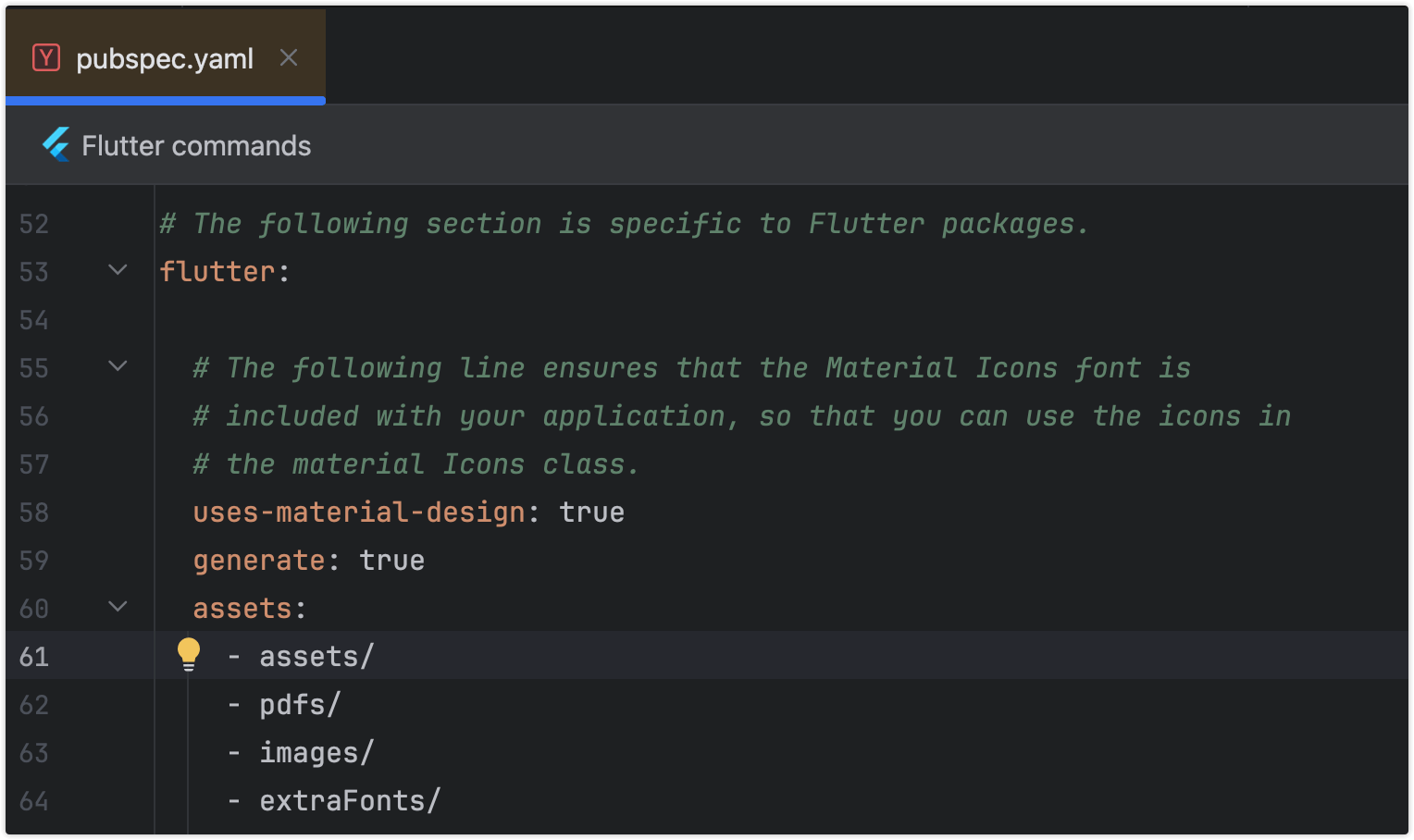
Specify the assets directory in pubspec.yaml
flutter:
+ assets:+ - pdfs/
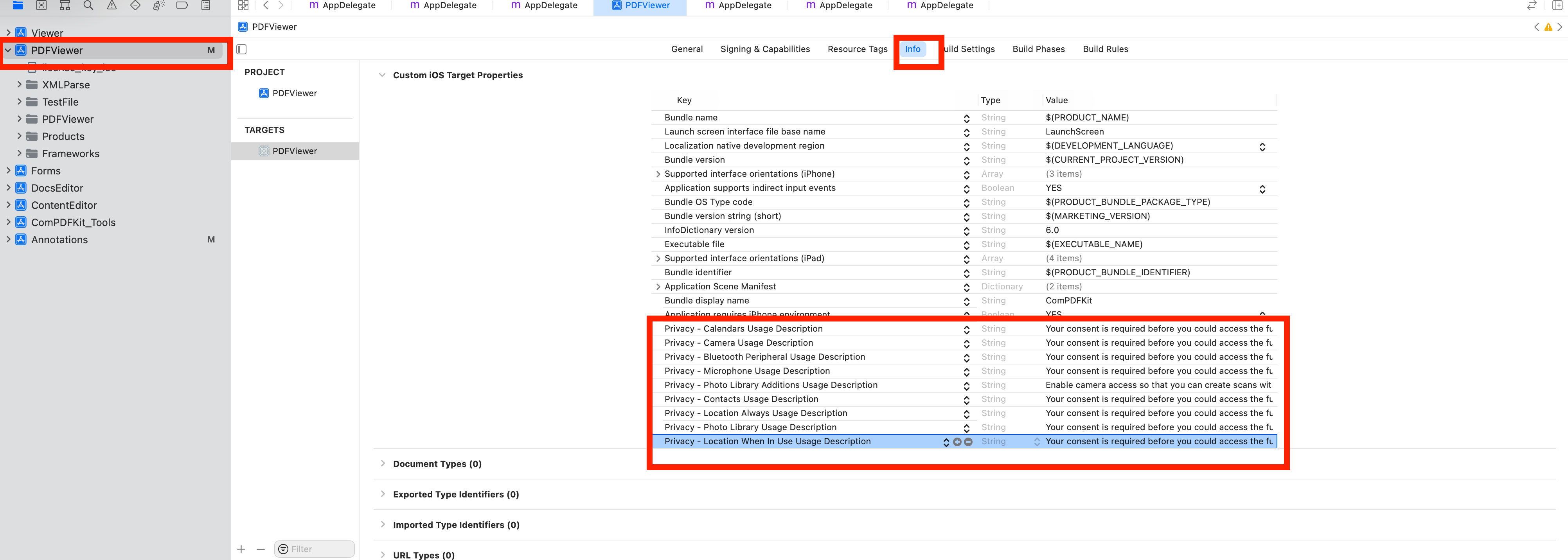
To protect user privacy, before accessing the sensitive privacy data, you need to find the "*Info*" configuration in your iOS 10.0 or higher iOS project and configure the relevant privacy terms as shown in the following picture.
<key>NSCameraUsageDescription</key>
<string>Your consent is required before you could access the function.</string>

<key>NSMicrophoneUsageDescription</key>
<string>Your consent is required before you could access the function.</string>

<key>NSPhotoLibraryAddUsageDescription</key>
<string>Your consent is required before you could access the function.</string>

<key>NSPhotoLibraryUsageDescription</key>
<string>Your consent is required before you could access the function.</string>

<key>NSAppTransportSecurity</key>
    <dict>
        <key>NSAllowsArbitraryLoads</key>
        <true/>
    </dict>
From the terminal app, run the following command to get all the packages:
flutter pub get
Apply the License Key
ComPDF SDK currently supports two authentication methods to verify license keys: online authentication and offline authentication.
Accurately obtaining the license key is crucial for the application of the license.
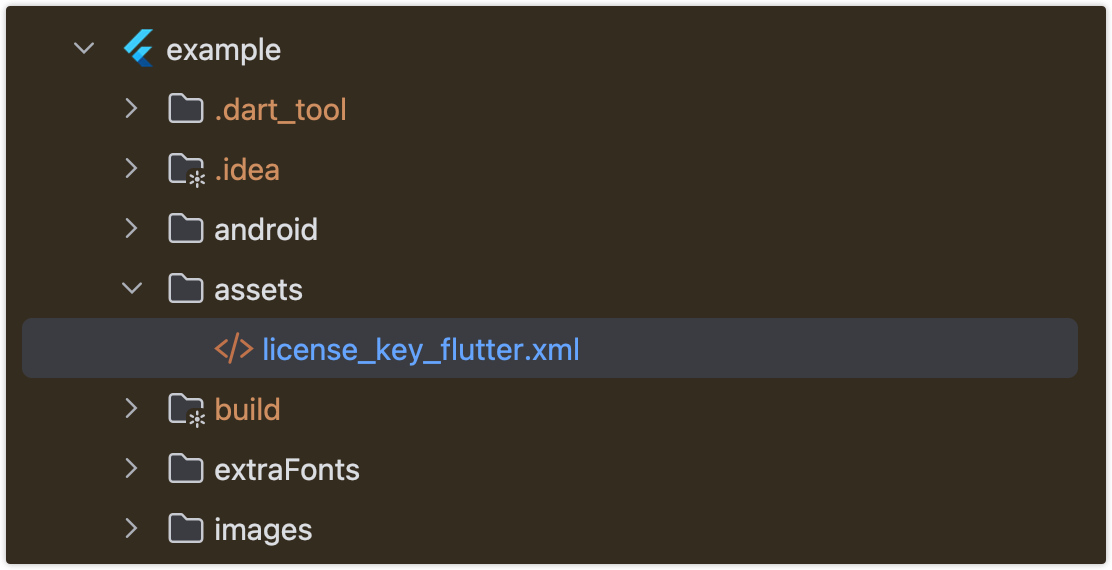
In the email you received, locate the XML file containing the license key.
Copy the License.xml file into the assets directory of your Flutter project.
Open the pubspec.yaml file of your project and configure the flutter: section to enable the assets directory.
Initialize the SDK:
// Include the license in Flutter assets and copy to device storage// Add `license_key_flutter.xml` to your Flutter project’s assets directory;File licenseFile = awaitCPDFFileUtil.extractAsset(context, 'assets/license_key_flutter.xml');
ComPDFKit.initWithPath(licenseFile.path);
Alternative methods (optional)
// Android// Copy the license_key_flutter.xml file into the `android/app/src/main/assets` directory of your Android project:ComPDFKit.initWithPath('assets://license_key_flutter.xml');
// iOS// Copy the license_key_flutter.xml file into your iOS project directory (or a readable location):ComPDFKit.initWithPath('license_key_flutter.xml');
Run Project
There are 2 different ways to use ComPDF Flutter API:
Present a document via a plugin.
Show a ComPDF document view via a Widget.
Usage Plugin
Open lib/main.dart,replace the entire file with the following:
Showing a PDF document inside your Flutter app is as simple as this:
/// First. Please replace it with your ComPDFKit license// Include the license in Flutter assets and copy to device storage// Add `license_key_flutter.xml` to your Flutter project’s assets directory;File licenseFile = awaitCPDFFileUtil.extractAsset('assets/license_key_flutter.xml');
ComPDFKit.initWithPath(licenseFile.path);
/// open pdf documentComPDFKit.openDocument(tempDocumentPath, password: '', configuration: CPDFConfiguration());
/// Here’s how you can open a PDF document using CPDFReaderWidget:Scaffold(
resizeToAvoidBottomInset: false,
appBar: AppBar(title: constText('CPDFReaderWidget Example'),),
body: CPDFReaderWidget(
document: widget.documentPath,
configuration: CPDFConfiguration()
));
Free Trial and License
ComPDF SDK for Flutter offers a 30-day free trial so you can evaluate core PDF capabilities in your own application.
Review supported trial features and licensing details
Follow the integration and license steps above to activate the SDK in your project
For custom deployments, advanced features, or volume licensing, please contact our sales team
Support
ComPDF has a professional R&D team that produces comprehensive technical documentation and guides to help developers. Also, you can get an immediate response when reporting your problems to our support team.
For detailed information, please visit our Guides page.
For technical assistance, please reach out to our Technical Support.
To get more details and an accurate quote, please contact our Sales Team or [send an email](mailto:support@compdf.com).
Changelog
Keep up with the latest updates, improvements, and bug fixes for ComPDF SDK for Flutter: View Flutter Changelog