패키지, 저장소 및 앱 카테고리 검색

countdown_progress_indicator 표지
패키지 상세v0.1.3

countdown_progress_indicator

Flutter용 사용자 정의 가능한 카운트다운 타이머이며 일시정지/재개 컨트롤 기능을 제공합니다.

AndroidiOSWebmacOSWindowsLinux
30일 다운로드
220
좋아요
43
Pub 점수
160

패키지 설치

flutter pub add countdown_progress_indicator

패키지 개요

공개 정보를 바탕으로 생성한 선택 가이드입니다.

Flutter용 사용자 정의 가능한 카운트다운 타이머 위젯으로 일시정지 및 재개 기능을 지원합니다. 남은 시간을 시각적으로 매력적인 진행률 표시기로 표시하여, 시간 제한 작업, 퀴즈, 집중 세션에 적합합니다. 이 패키지는 가볍고 여러 플랫폼에서 Flutter 앱에 원활하게 통합됩니다. 개발자는 색상, 크기, 애니메이션 스타일을 쉽게 조정하여 앱 디자인과 맞출 수 있습니다. 단순성과 유연성을 고려해 제작되어, 시간 제약이 있는 상호작용에서 사용자 경험을 향상시킵니다.

사용 사례

  • 시간 제한 퀴즈
  • 포커스 타이머
  • 작업 카운트다운
  • 이벤트 카운트다운
  • 상호작용 학습 앱

주요 기능

  • 일시 정지 및 재개 컨트롤
  • 사용자 정의 가능한 외관
  • 크로스 플랫폼 지원
  • 부드러운 애니메이션
  • 사용자 지정 가능한 기간
  • 실시간 진행 상황 업데이트

적합한 대상

  • 교육 앱
  • 생산성 도구
  • 게임화 경험
  • 제한 시간 도전 과제
  • UI 중심 애플리케이션

고려 사항

  • 타이머 상태를 수동으로 처리해야 합니다
  • 제한된 내장 알림
  • 자동 리셋 기능 없음
  • 간단한 카운트다운 로직에 가장 적합
  • 복잡한 워크플로우를 위해 추가적인 상태 관리가 필요할 수 있습니다

원본 README

연결된 소스 저장소의 README 원문 스냅샷입니다. 최신 내용은 저장소에서 확인하세요.

Countdown Progress Indicator

Customizable countdown timer for Flutter

Getting Started

To use this package, add countdown_progress_indicador as a dependency in your pubspec.yaml file.

dependencies:
	...
	countdown_progress_indicador: ^0.1.3

How to use

In your project add the following import:

import  'package:countdown_progress_indicator/countdown_progress_indicator.dart';

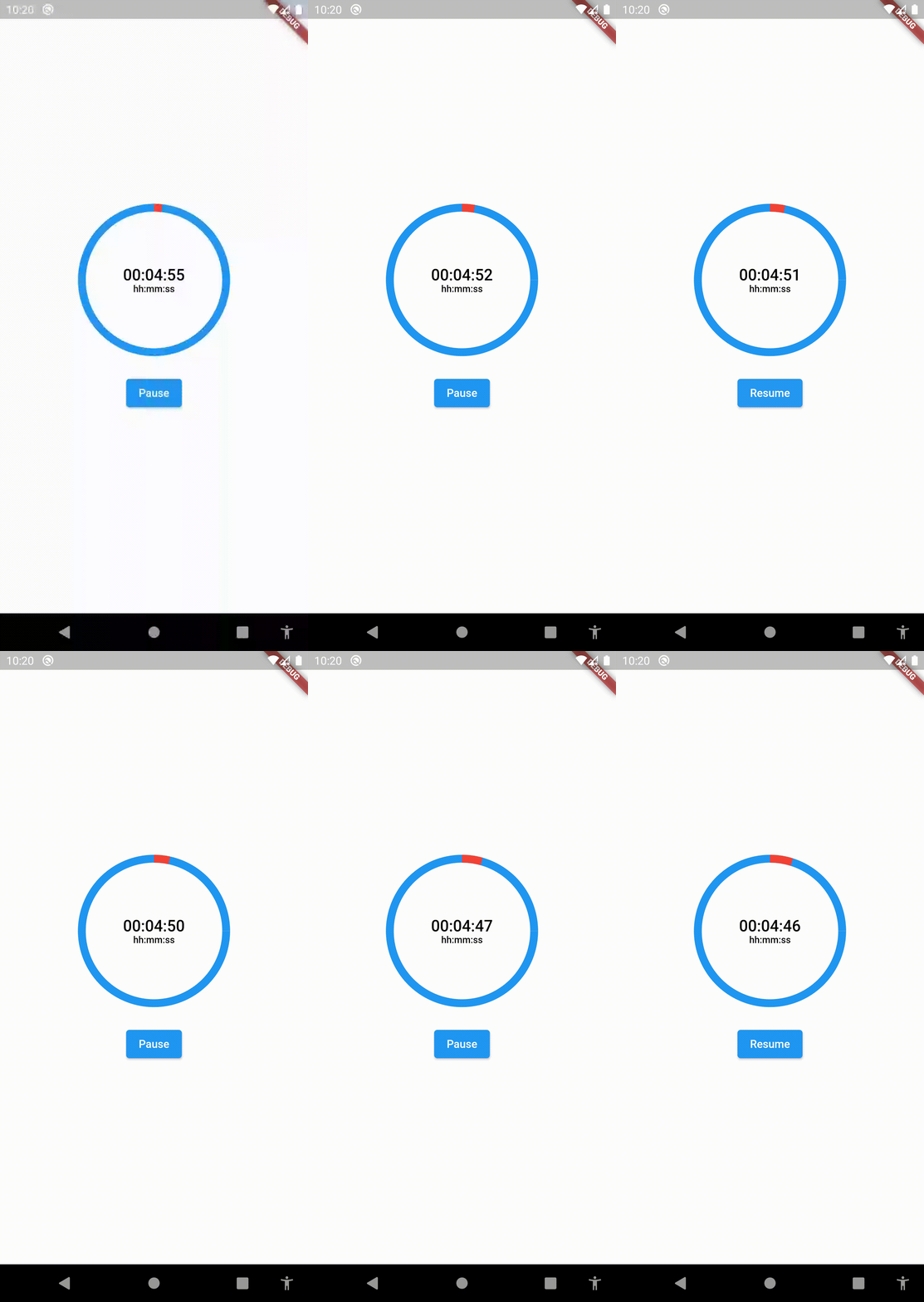
This widget starts the countdown automatically by default and supports pause and resume actions. If you want to support these actions, implement a CountdownController as the example above:

SizedBox(
	height:  200,
	width:  200,
	child:  CountDownProgressIndicator(
		controller: _controller,
		valueColor:  Colors.red,
		backgroundColor:  Colors.blue,
		initialPosition:  0,
		duration:  20,
		text:  'SEC',
		onComplete: () =>  null,
	),
),

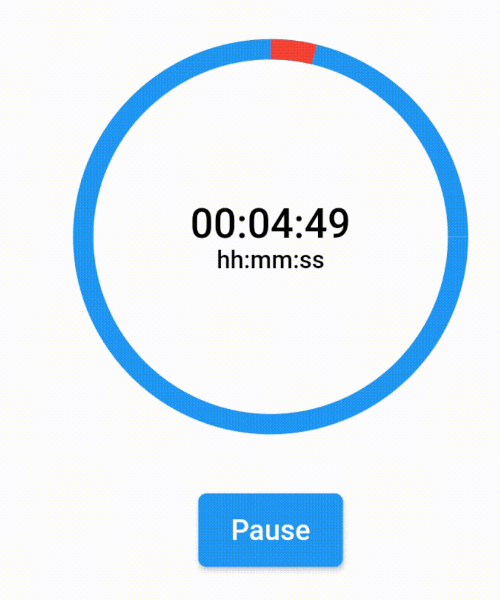
Custom Formatter

If you want to show a text different than the time in seconds, you can implement a custom time formatter.

CountDownProgressIndicator(
	controller: _controller,
	valueColor: Colors.red,
	backgroundColor: Colors.blue,
	initialPosition: 0,
	duration: 365,
	timeFormatter: (seconds) {
		return Duration(seconds: seconds)
			.toString()
			.split('.')[0]
			.padLeft(8, '0');
	},
	text: 'hh:mm:ss',
	onComplete: () => null,
),

Countdown

countdown

카테고리

소스 저장소

이 패키지를 사용하는 프로젝트

아직 데이터가 없습니다.