패키지, 저장소 및 앱 카테고리 검색

cross_connectivity 표지
패키지 상세v3.3.0

cross_connectivity

모바일, 웹 및 데스크톱 플랫폼에서 연결성과 실제 연결 상태를 처리하기 위한 Flutter 플러그인입니다. iOS, Android, Web, Windows, Linux 및 macOS를 지원합니다.

AndroidiOSWebmacOSWindowsLinux
30일 다운로드
1.5천
좋아요
128
Pub 점수
140

패키지 설치

flutter pub add cross_connectivity

패키지 개요

공개 정보를 바탕으로 생성한 선택 가이드입니다.

CrossConnectivity는 모바일, 웹 및 데스크톱 플랫폼에서 일관된 연결 상태 모니터링을 제공하는 Flutter 플러그인입니다. 일반적인 네트워크 가용성과 실제 세계의 연결 상태를 구분하여 활성 인터넷 접속을 신뢰할 수 있게 감지합니다. Android, iOS, Web, macOS, Windows, Linux와 호환되며, 다양한 환경에서 네트워크 조건을 처리하기 위한 통합 API를 개발자에게 제공합니다. Wi-Fi 및 셀룰러 네트워크를 모두 지원하며, 연결 변경 사항에 대한 실시간 업데이트를 제공합니다.

사용 사례

  • 연결 상태에 기반한 실시간 앱 반응성
  • 크로스 플랫폼 앱에서의 오프라인 모드 처리
  • 데이터 동기화 작업을 위한 네트워크 건강 모니터링
  • 연결 상태 변경 시 동적 UI 업데이트
  • 활성 연결을 통해만 안전한 데이터 전송 보장

주요 기능

  • 웹 및 데스크톱을 포함한 모든 주요 플랫폼을 지원합니다
  • 연결 상태와 실제 연결 상태를 구분합니다
  • 네트워크 변경에 대한 실시간 이벤트 방출
  • 경량이며 통합이 쉬움
  • 정확한 연결 유형 감지를 제공합니다

적합한 대상

  • 크로스 플랫폼 플러터 애플리케이션
  • 강력한 오프라인/온라인 동작을 필요로 하는 앱
  • 웹과 데스크톱은 물론 모바일을 대상으로 하는 개발자
  • 정밀한 네트워크 상태 인식이 필요한 응용 프로그램

고려 사항

  • 모바일에서 플랫폼별 권한이 필요합니다
  • 웹 지원은 브라우저 기능에 따라 달라집니다
  • 데스크톱 구현은 운영체제에 따라 약간 다를 수 있습니다
  • 저수준 네트워크 진단용이 아님
  • 복잡한 네트워크 시나리오를 처리하기 위해 추가 로직이 필요할 수 있습니다

원본 README

연결된 소스 저장소의 README 원문 스냅샷입니다. 최신 내용은 저장소에서 확인하세요.

cross_connectivity

Build Pub GitHub GitHub stars

A Flutter plugin for handling Connectivity and REAL Connection state in the mobile, web and desktop platforms. Supports iOS, Android, Web, Windows, Linux and macOS.

Getting Started

In order to use this plugin, add dependency in the pubspec.yaml:

cross_connectivity: any

or

cross_connectivity:
    git:
      url: https://github.com/marchdev-tk/cross_connectivity

Add an import to dart file:

import 'package:cross_connectivity/cross_connectivity.dart';
Samples

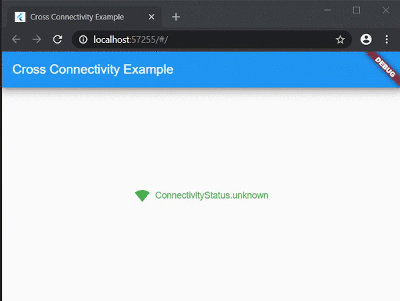
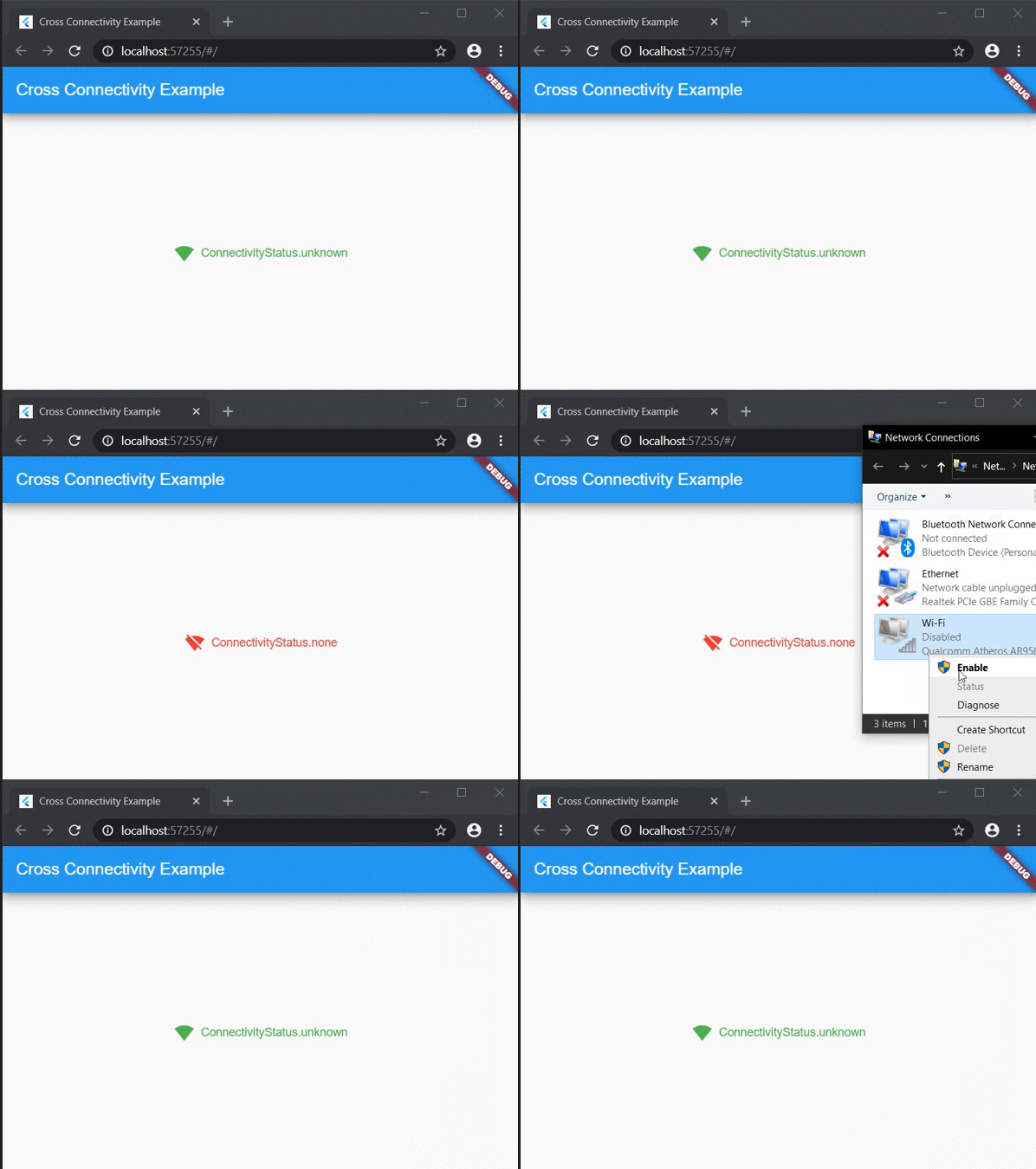
Web sample:

Web Sample

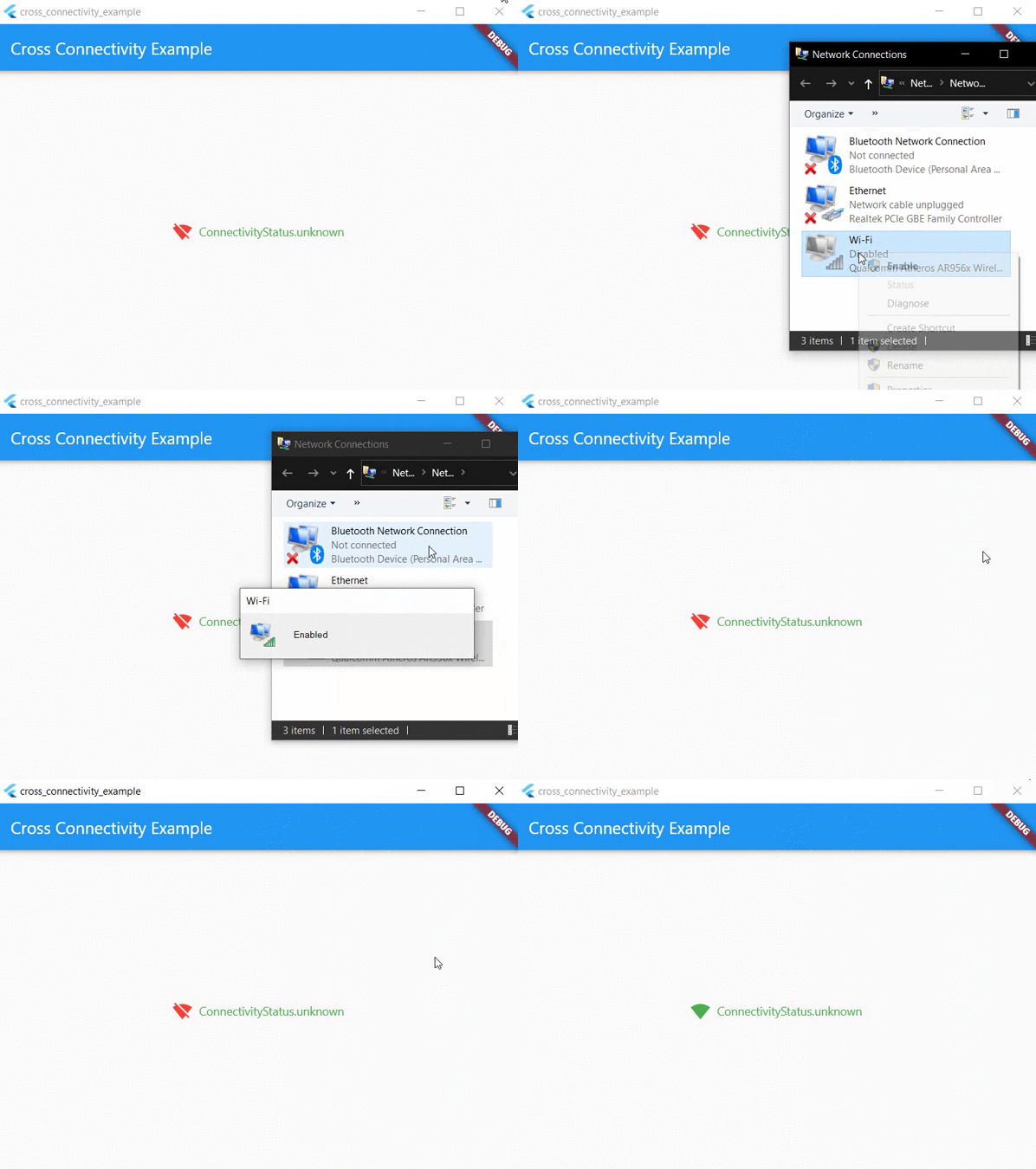
Desktop sample:

Desktop Sample

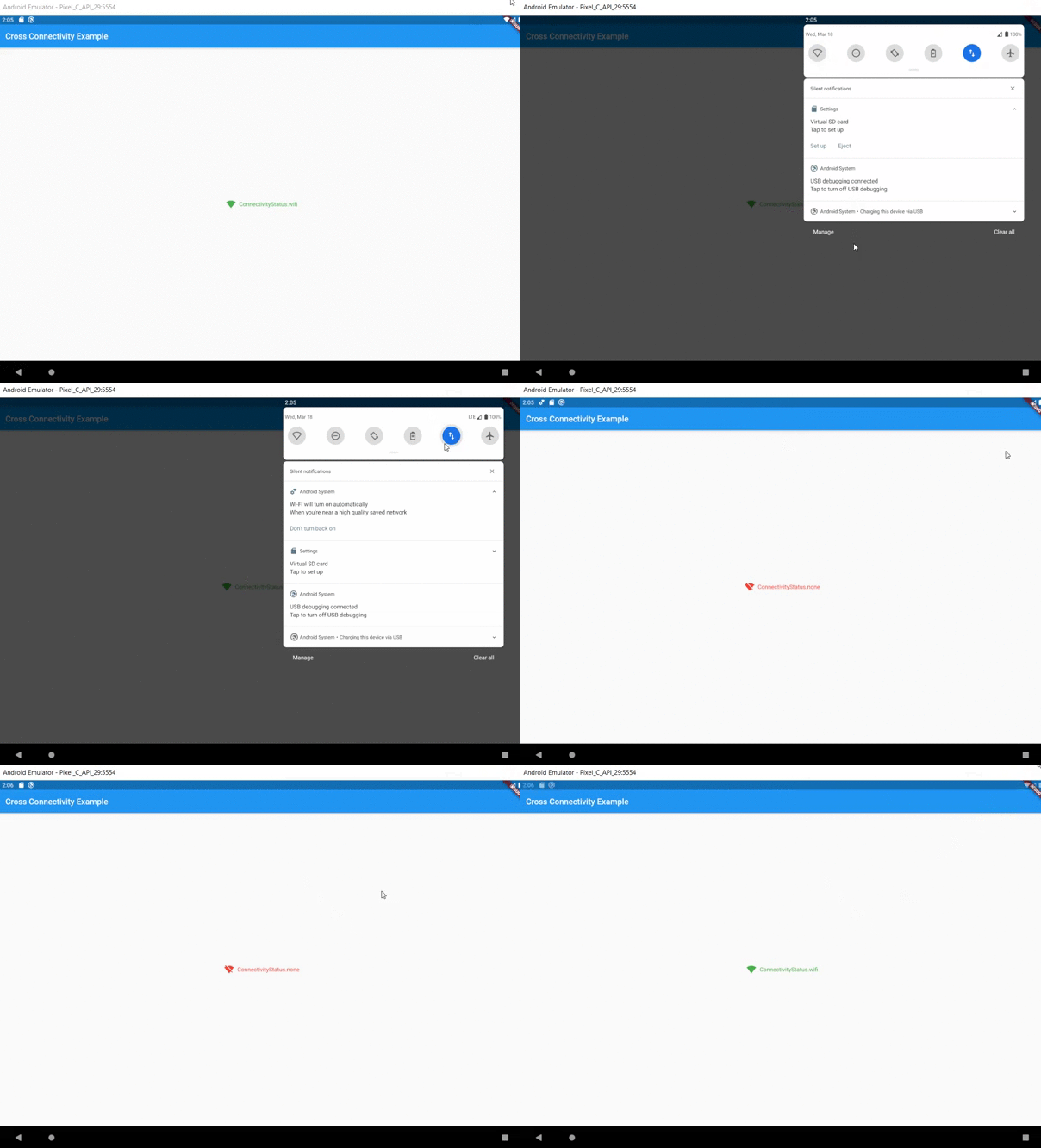
Mobile sample:

Mobile Sample

Usage
Functional approach

This plugin provides two streams:

  • isConnected that shows whether the device is REALLY connected to the network or not.
  • onConnectivityChanged that it will not let you know about state of the REAL network connection. It only shows connectivity state.

Also for one time check could be used following methods:

  • checkConnection() that is working like isConnected, but returns Future<bool> instread of Stream<bool>.
  • checkConnectivity() that is working like onConnectivityChanged, but returns Future<ConnectivityStatus> instread of Stream<ConnectivityStatus>.

There are no more methods (they are working only on Android/iOS/macOS):

  • getWifiName() - Obtains the wifi name (SSID) of the connected network.
  • getWifiBSSID() - Obtains the wifi BSSID of the connected network.
  • getWifiIP() - Obtains the IP address of the connected wifi network.

They are removed to wifi_info_flutter.

Migration guide:

If you don't use any of the above APIs, your code should work as is. In addition, you can also remove NSLocationAlwaysAndWhenInUseUsageDescription and NSLocationWhenInUseUsageDescription in ios/Runner/Info.plist

If you use any of the above APIs, you can find the same APIs in the wifi_info_flutter plugin. For example, to migrate getWifiName, use the new plugin:

final WifiInfo _wifiInfo = WifiInfo();
final String wifiName = await _wifiInfo.getWifiName();
Widget approach

As an alteration to funcitonal approach could be used ConnectivityBuilder widget as follows:

ConnectivityBuilder(
  builder: (context, isConnected, status) => Row(
    mainAxisSize: MainAxisSize.min,
    children: <Widget>[
      Icon(
        isConnected == true
            ? Icons.signal_wifi_4_bar
            : Icons.signal_wifi_off,
        color: isConnected == true ? Colors.green : Colors.red,
      ),
      const SizedBox(width: 8),
      Text(
        '$status',
        style: TextStyle(
          color: status != ConnectivityStatus.none
              ? Colors.green
              : Colors.red,
        ),
      ),
    ],
  ),
)

Feature requests and Bug reports

Feel free to post a feature requests or report a bug here.

카테고리

의존성

의존성 목록 4 개

소스 저장소

이 패키지를 사용하는 프로젝트

아직 데이터가 없습니다.