모든 형태나 스타일로 사용자 정의 가능한 점선을 그릴 수 있는 플러터 패키지입니다. 개발자가 시각적으로 매력적인 점선 경로를 쉽게 만들 수 있도록 하며, 점선 길이, 간격 크기, 선 두께와 같은 다양한 설정을 지원합니다. 여러 플랫폼에서 앱의 구분선, 테두리 또는 장식용 선과 같은 UI 요소에 이상적입니다. 가볍고 기존 플러터 프로젝트에 원활하게 통합됩니다.
사용 사례
UI 레이아웃에서 사용자 정의 구분선 만들기
장식적인 선 패턴 디자인
위젯 주변에 점선 테두리 그리기
차트 또는 그래프 시각화 향상
인터랙티브 그림 도구 구축
주요 기능
모든 경로 모양을 지원합니다
사용자 정의 가능한 대시 및 간격 길이
조정 가능한 선 두께
크로스 플랫폼 호환성
간단한 API 통합
적합한 대상
시각적 다양성을 찾는 UI 디자이너
데이터 시각화 컴포넌트를 개발하는 개발자
스타일링된 장식 요소가 필요한 앱
크로스플랫폼 플러터 애플리케이션
고려 사항
복잡한 경로에 대한 성능 최적화가 필요할 수 있습니다
Flutter 캔버스 내에서 2D 렌더링에 제한
추가 로직 없이 애니메이션 다시 효과에 적합하지 않습니다
원본 README
연결된 소스 저장소의 README 원문 스냅샷입니다. 최신 내용은 저장소에서 확인하세요.
dashed_line
Draw dashed lines with any shape and style you want. Just like that.
Usage
Add the dependency to your pubspec.yaml (you can see the newest version in the pub badge):
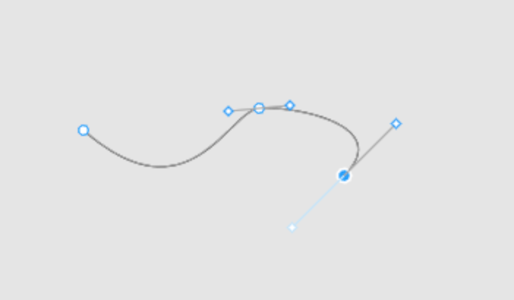
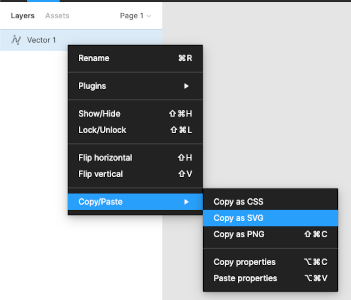
You can also use the path commands used in the d attribute of SVG files. You can do this manually or via export from one of the vector graphics software, like Inkscape or Figma. We found SvgPathEditor quite useful too.
From here we can just copy the value of the path's d attribute and use for the DashedLine.svgPath constructor's first argument.
🚨 Note about paths
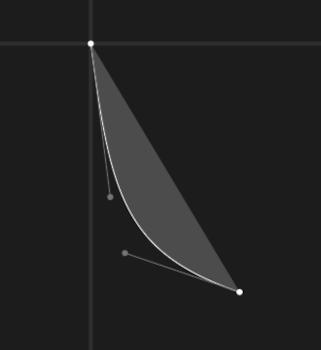
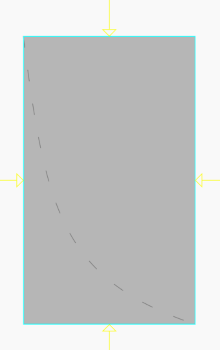
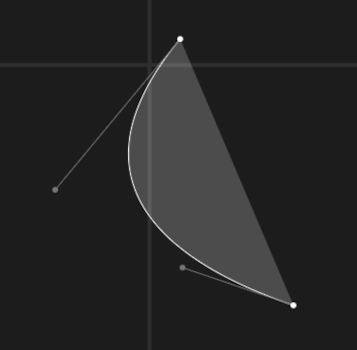
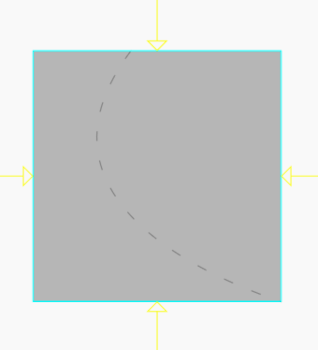
Due to how Paths work in Flutter and Skia, the DashedLine widget takes NOT as much space as the dashed line needs, but as much it needs to contain all the control points. Table below should help understand the problem.