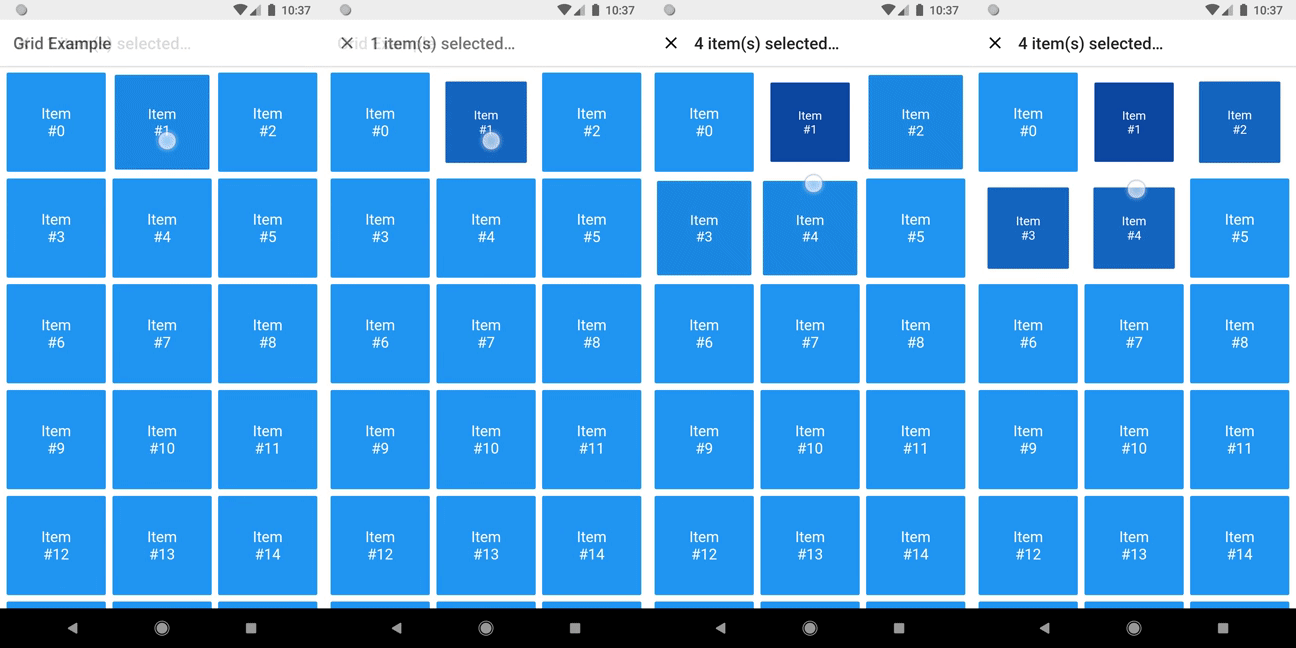
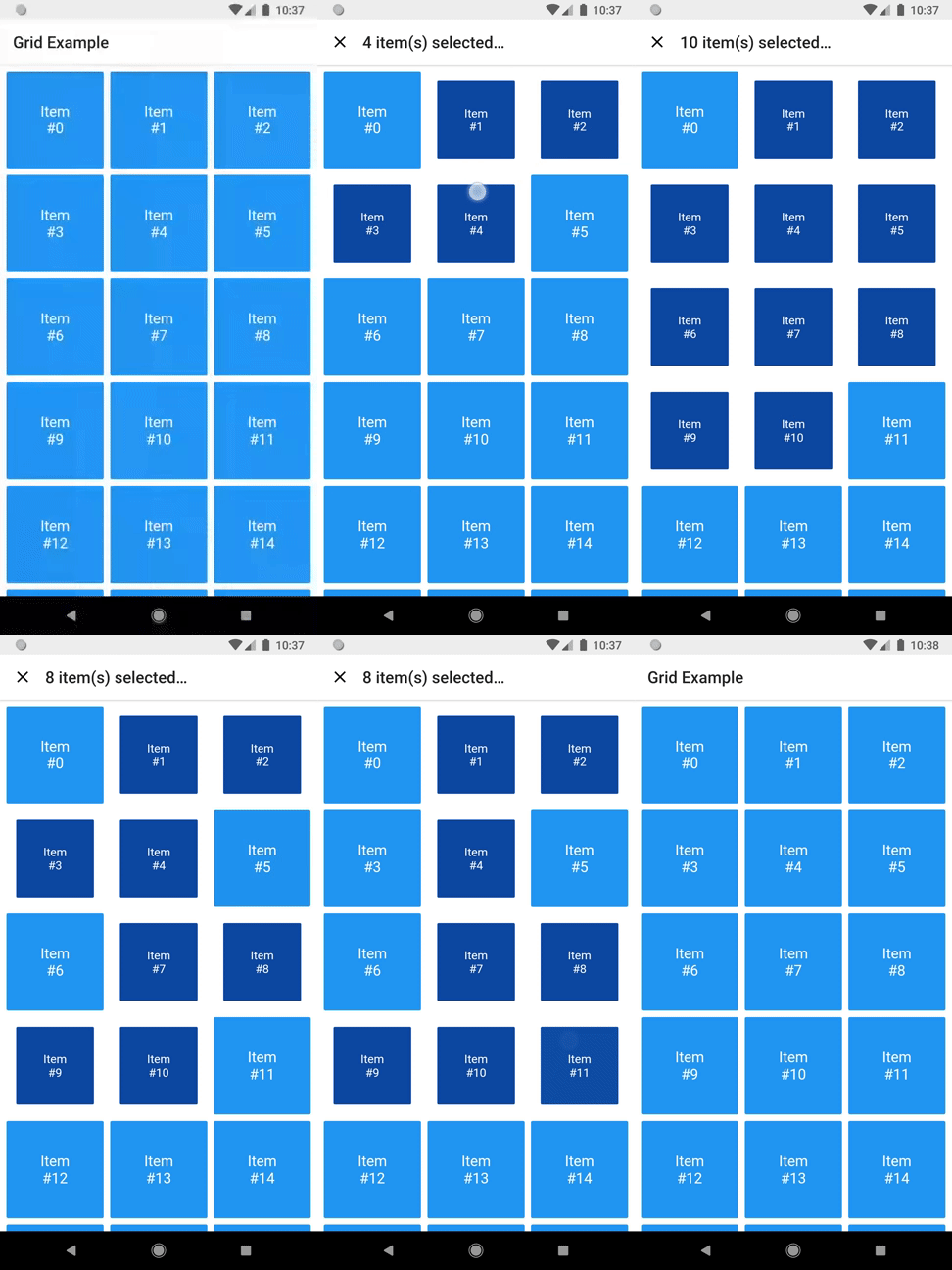
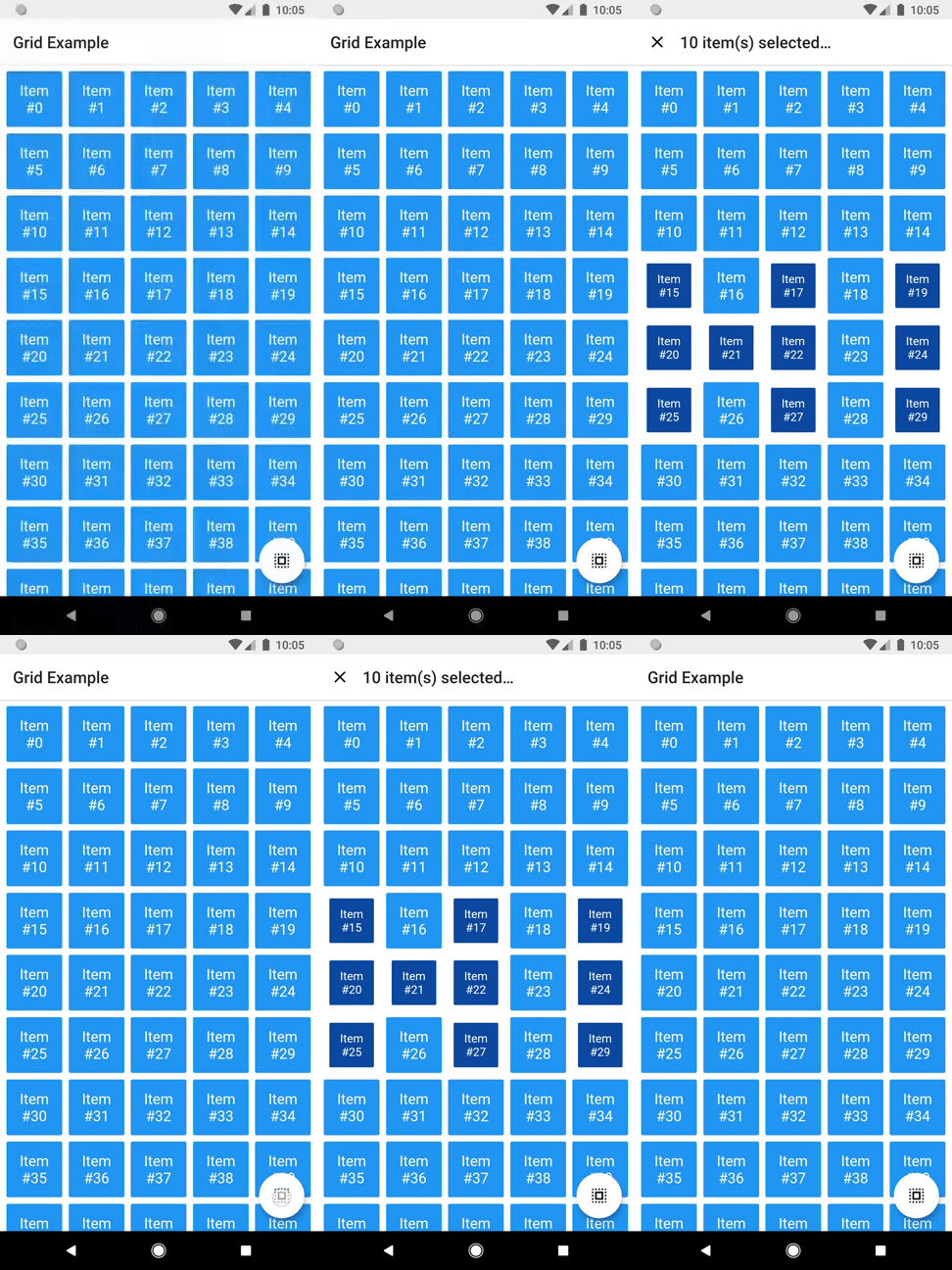
터치 및 드래그 제스처를 통해 항목을 선택할 수 있는 그리드 레이아웃을 제공하는 플러터 패키지입니다. 여러 그리드 타일에 걸쳐 지속적인 선택이 가능하게 하여 사용자 상호작용을 향상시키며, 일괄 작업이나 시각 콘텐츠 큐레이션을 필요로 하는 애플리케이션에 적합합니다. 안드로이드, iOS, 웹, macOS, 윈도우, 리눅스 등 주요 모든 플랫폼을 지원하여 크로스플랫폼 일관성을 보장합니다. 성능과 사용성에 중점을 두어 기존 플러터 프로젝트에 원활하게 통합됩니다.
사용 사례
사진 갤러리에서 일괄 항목 선택
인터랙티브 작업 관리 인터페이스
콘텐츠 큐레이션 도구
전자상거래 앱에서의 다중 선택
사용자 중심의 데이터 필터링
생산성 앱에서 드래그 선택
주요 기능
터치 및 드래그 선택을 지원합니다
크로스 플랫폼 호환성
사용자 정의 가능한 선택 동작
대규모 데이터 세트를 위한 효율적인 렌더링
내장된 제스처 처리
기존 그리드와의 간편한 통합
적합한 대상
인터랙티브 그리드 기반 UI를 구축하는 개발자
다중 항목 선택이 필요한 앱
다중 플랫폼을 대상으로 하는 프로젝트
직관적인 사용자 상호작용에 집중하는 디자이너
부드러운 제스처 반응을 우선시하는 팀
고려 사항
복잡한 선택 로직을 위해 추가적인 상태 관리가 필요할 수 있습니다
최적화되지 않은 경우 매우 큰 그리드에서 성능에 영향을 미침
기본 선택 표시자 외에 내장된 스타일 옵션이 제한적
단일 항목 선택 전용 사용 사례에는 적합하지 않습니다
원본 README
연결된 소스 저장소의 README 원문 스냅샷입니다. 최신 내용은 저장소에서 확인하세요.
drag_select_grid_view
A grid that supports both dragging and tapping to select its items.
Basic usage
DragSelectGridView constructor is very similar to GridView.builder, so you should take your time to understand the latter before diving into this library.
Once you are familiar with GridView.builder, probably the only additional piece of information you'll need is DragSelectGridViewController. With it, you're able to know which indexes are selected.
As you may have noticed in the code above, DragSelectGridView must be used along two other widgets in order to provide a proper user experience. In the example, they are:
SelectableItem: A selectable widget, which is going to visually indicate whether the item is selected or not.
SelectionAppBar: A custom AppBar, which shows the amount of selected items and an option to unselect them.
The example project provides some samples of those widgets. I won't add them to the library, since they are unrelated to the grid itself, but feel free to copy them into your project, as long as you respect the license terms.
Advanced usage
You can use the setter DragSelectGridViewController.value to directly change the selection (I'm not quite sure why you'd need this, but I don't ask questions).
There are some other minor settings you can do to make DragSelectGridView fit your needs, like DragSelectGridView.autoScrollHotspotHeight. Those features are well documented, so I'll let you take your discovery time.
Hopefully, this is everything you need to know to use this library.
Running the example
cd example
flutter create .
flutter run
Thanks ❤️
Once upon a time I asked at Flutter Study Group how to implement a specific feature that I intended to add to this library. Simon Lightfoot offered to help me and effortlessly implemented what eventually became part of this library (check this gist). A big thanks to him.