Dynamic Themes는 개발자가 사용자 정의 가능한 색 테마를 구현할 수 있도록 해주는 Flutter 패키지입니다. 사용자는 여러 미리 정의된 테마 중에서 선택하고 전환할 수 있습니다. 사용자가 선택한 테마를 앱 재시작 후에도 자동으로 유지하여 일관된 경험을 보장합니다. 이 패키지는 Android, iOS, Web, macOS, Windows, Linux 등 모든 주요 플랫폼을 지원하므로 동적 테마 기능이 필요한 크로스플랫폼 애플리케이션에 이상적입니다.
사용 사례
사용자가 선택할 수 있는 라이트 모드와 다크 모드를 가진 앱
단일 애플리케이션 내 다중 테마 지원
앱 재시작 후 지속적인 테마 설정
다중 플랫폼 테마 일관성
사용자 지정 브랜드 색상 구성
사용자 선호 유지
주요 기능
간편한 테마 구성
자동 테마 유지
모든 플러터 플랫폼 지원
테마 전환을 위한 간단한 API
내장된 라이트/다크 모드 프리셋
확장 가능한 테마 시스템
적합한 대상
사용자 정의 가능한 UI 테마를 가진 앱을 개발하는 개발자
다중 플랫폼을 대상으로 하는 앱
지속적인 사용자 선호 설정이 필요한 프로젝트
브랜드 색상 팔레트를 사용한 디자인 시스템
사용자 경험과 접근성에 중점을 둔 애플리케이션
고려 사항
테마 색상 수동 설정 필요
사전 정의된 테마 세트로 제한됨
런타임 테마 생성 없음
테마 전환은 재빌드가 필요할 수 있습니다
지속성을 위해 공유된 설정에 의존
매우 큰 테마 컬렉션에 최적화되지 않음
원본 README
연결된 소스 저장소의 README 원문 스냅샷입니다. 최신 내용은 저장소에서 확인하세요.
dynamic_themes
Dynamically change between multiple themes
This package allows you to specify multiple themes for the user to choose from. The theme can be updated dynamically during runtime. The package persits the selected theme across app restarts.
This package allows for an arbitrary number of themes to be defined. Each theme has a unique ID of type int. To create the themes and map them to IDs, first you have to create an instance of ThemeCollection, e. g.:
final themeCollection = ThemeCollection(
    themes: {
        0: ThemeData(primarySwatch: Colors.blue),
        1: ThemeData(primarySwatch: Colors.red),
        2: ThemeData.dark(),
    },
    fallbackTheme: ThemeData.light(), // optional fallback theme, default value is ThemeData.light()
);
However, I would recommend to introduce a class with static const int values to associate a name to each ID value:
By setting the theme, its ID is automatically saved via the shared_preferences package, so the next time the app starts, the theme can be restored automatically.
Provided you have wrapped the MaterialApp in the DynamicTheme widget, you can access the current theme like you are used to it by calling
final theme = Theme.of(context);
If for any reason you can't access the theme this way, you can also call
final theme = DynamicTheme.of(context).theme;
To get the ID of the current theme, for example to create a selection UI as done in the example app provided with this package, call
final themeId = DynamicTheme.of(context).themeId;
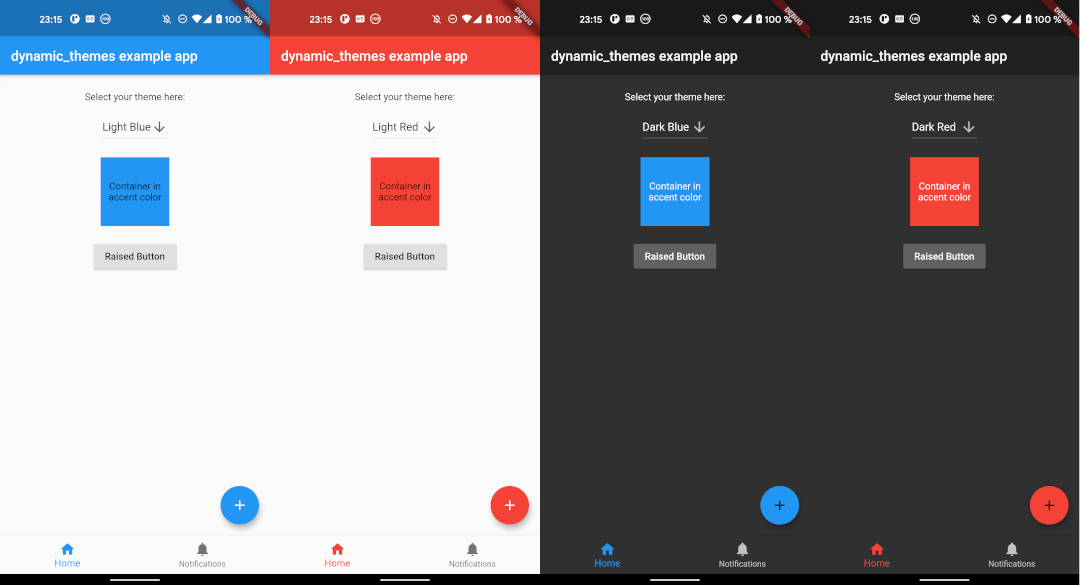
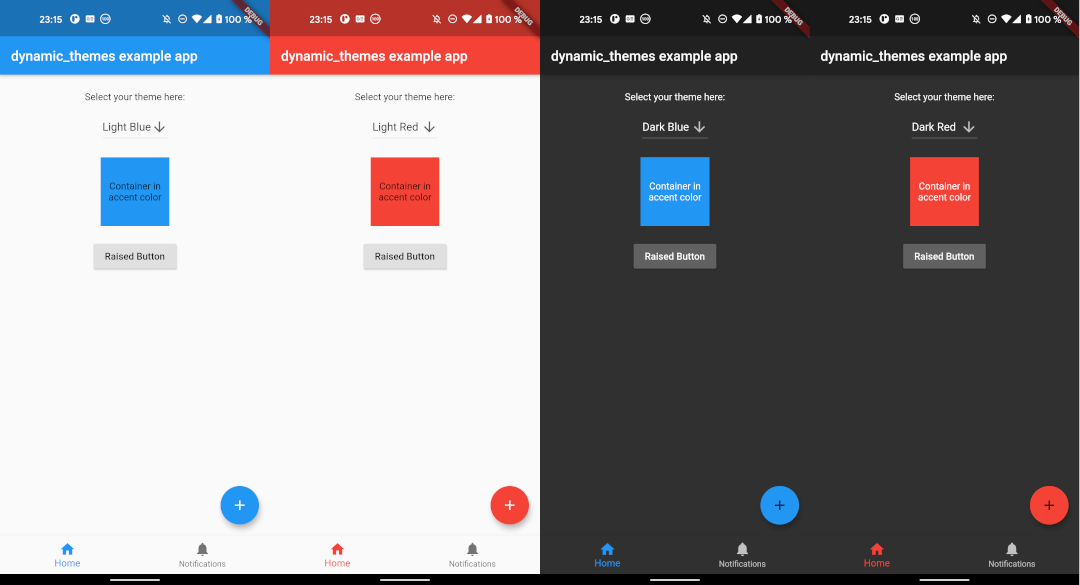
Example
The example app can be found in the example folder. It implements a dropdown menu to select between 4 themes. The app is the source for the screenshots above.