패키지, 저장소 및 앱 카테고리 검색

easy_dynamic_theme 표지
패키지 상세v2.3.1

easy_dynamic_theme

운영 체제에서 정의한 테마(다이내믹)를 자동으로 가져오고, 선호하는 테마(라이트/다크)를 강제로 적용하며 기기에서 선택을 지속적으로 저장합니다.

AndroidiOSWebmacOSWindowsLinux
30일 다운로드
1.5천
좋아요
125
Pub 점수
150

패키지 설치

flutter pub add easy_dynamic_theme

패키지 개요

공개 정보를 바탕으로 생성한 선택 가이드입니다.

EasyDynamicTheme는 시스템의 선호 테마(라이트 모드 또는 다크 모드)를 자동으로 감지하여 테마 관리를 간소화하는 Flutter 패키지입니다. 개발자가 특정 테마를 강제 적용할 수 있으며, 앱 재시작 후에도 사용자 설정을 지속적으로 유지합니다. Android, iOS, Web, macOS, Windows, Linux 등 모든 주요 플랫폼을 지원합니다. Flutter의 테마 시스템과 원활하게 통합되어 반복 코드를 줄이고, 적응형 디자인을 통해 사용자 경험을 향상시킵니다. 사용자 설정과 기기 동작에 따라 일관되고 개인화된 UI를 제공하고자 하는 앱에 이상적입니다.

사용 사례

  • 시스템 테마에 기반한 적응형 UI
  • 사용자 테마 선호도 유지
  • 라이트 모드 또는 다크 모드 강제 적용
  • 크로스 플랫폼 테마 일관성
  • 대규모 앱에서 테마 로직 간소화
  • 접근성 기능 지원

주요 기능

  • 자동 OS 테마 감지
  • 지속적인 테마 저장
  • 테마 전환 쉽게
  • 모든 플러터 플랫폼 지원
  • 최소한의 설정 필요
  • 내장 테마 제공자

적합한 대상

  • 간단한 테마 관리를 원하는 개발자
  • 다크/라이트 모드 지원이 필요한 앱
  • 다중 플랫폼을 대상으로 하는 프로젝트
  • 보일러플레이트를 줄이고자 하는 팀
  • 사용자 경험에 중점을 둔 앱
  • 접근성에 민감한 애플리케이션

고려 사항

  • 테마 재빌드를 수동으로 처리해야 합니다
  • 기본 테마를 넘어서는 사용자 정의가 제한적
  • 런타임 중 동적 테마 업데이트를 지원하지 않습니다
  • 정적 테마 선택이 있는 앱에 가장 적합
  • 복잡한 테마 시나리오를 처리하기 위해 추가 로직이 필요할 수 있습니다
  • 지속성을 위해 shared_preferences에 의존합니다

원본 README

연결된 소스 저장소의 README 원문 스냅샷입니다. 최신 내용은 저장소에서 확인하세요.

Easy Dynamic Theme

This is a new and easy approach on Flutter Themes.

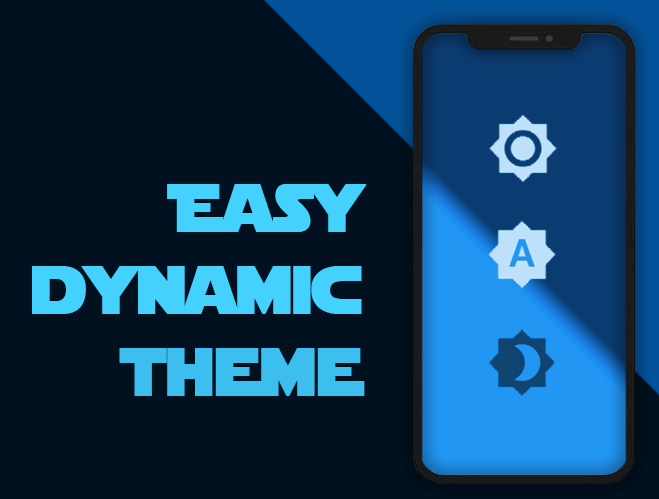
Automatically get your OS defined Theme (Dynamic), force your prefered one (Light / Dark) and persist your choice in the device.

Pub Version flutter tests Codacy Badge codecov GitHub BuyMeACoffee

Easy peasy, don't you think? ;)

Demo

Getting Started

For help getting started with Flutter, view our online documentation, which offers tutorials, samples, guidance on mobile development, and a full API reference.

Minimum Requirements

  • Dart SDK: >=2.12.0 <3.0.0
  • Flutter: >= 1.20.0

Installation and Usage

Once you're familiar with Flutter you may install this package adding easy_dynamic_theme to the dependencies list
of the pubspec.yaml file as follow:

dependencies:  
  flutter: 
    sdk: flutter  
 easy_dynamic_theme: ^2.2.0

Then run the command flutter packages get on the console.

Examples of use

All magic occurs in your main.dart file

import 'package:flutter/material.dart';
import 'package:easy_dynamic_theme/easy_dynamic_theme.dart';
import 'home.dart';

void main() async { 
  runApp( 
    EasyDynamicThemeWidget( 
      child: MyApp(), 
    ), 
  );
}  
  
class MyApp extends StatelessWidget {  
  final String title = 'EDT - Example'; 
   
  @override 
  Widget build(BuildContext context) { 
    return MaterialApp( 
      title: title, 
      theme: ThemeData.light(), 
      darkTheme: ThemeData.dark(), 
      themeMode: EasyDynamicTheme.of(context).themeMode, 
      home: new MyHomePage(title: title,) 
    ); 
  }
}  
How to use predefined Themes

You can use your own themes as follows:

In the file themes.dart define your Themes

  import 'package:flutter/material.dart';
  
  var lightThemeData = new ThemeData(
      primaryColor: Colors.blue,
      textTheme: new TextTheme(button: TextStyle(color: Colors.white70)),
      brightness: Brightness.light,
      accentColor: Colors.blue);
  
  var darkThemeData = ThemeData(
      primaryColor: Colors.blue,
      textTheme: new TextTheme(button: TextStyle(color: Colors.black54)),
      brightness: Brightness.dark,
      accentColor: Colors.blue);

And then in your main.dart file import your themes file and use them on MaterialApp attributes theme and darkTheme

import 'package:flutter/material.dart';
import 'package:easy_dynamic_theme/easy_dynamic_theme.dart';
import 'theme.dart';
import 'home.dart';

void main() async { 
  runApp( 
    EasyDynamicThemeWidget( 
      child: MyApp(), 
    ), 
  );
}  
  
class MyApp extends StatelessWidget {  
  final String title = 'EDT - Example'; 
   
  @override
  Widget build(BuildContext context) { 
    return MaterialApp( 
      title: title, 
      theme: lightThemeData, 
      darkTheme: darkThemeData, 
      themeMode: EasyDynamicTheme.of(context).themeMode, 
      home: new MyHomePage(title: title,) 
    ); 
  }
}  
How to change the ThemeMode in your app

You can use the function changeTheme from anywhere in your app.

This function have two optional parameters: dynamic and dark. If the value of dynamic is true, it takes precedence over dark.

  EasyDynamicTheme.of(context).changeTheme();
How to get your app current theme
Current app ThemeMode
ThemeMode themeMode = EasyDynamicTheme.of(context).themeMode;  

The above example will return a value of the enum used by MaterialApp's ThemeMode with one of the following values:

system - Use either the light or dark theme based on what the user has selected in the system settings.

light - Always use the light mode regardless of system preference.

dark - Always use the dark mode (if available) regardless of system preference.

Current Context brightness
Brightness brightness = Theme.of(context).brightness;  

Or if you want to know if your widget is dark mode based, you can achieve it with:

bool isDarkModeOn = Theme.of(context).brightness == Brightness.dark;  
What about some out-of-the-box widgets?
Right now we have
  • EasyDynamicThemeBtn, which is (kind of) a FlatButton that displays the icon according to the current theme of your app and allows you to switch between them.
  • EasyDynamicThemeSwitch, which is a Switch widget, based on the current theme's brightness of your context and allows you to switch between light/dark them.
  • EasyDynamicThemeAutoSwitch, which is a Switch widget, based on the current theme of your app and allows you to prioritize (or not) your OS defined brightness.

카테고리

의존성

의존성 목록 1 개

소스 저장소

이 패키지를 사용하는 프로젝트
