패키지, 저장소 및 앱 카테고리 검색

패키지 상세v1.3.3+5

fast_cached_network_image

네트워크 이미지를 쉽게 캐시할 수 있는 플러터 패키지입니다. 아름다운 로더, 퍼센티지 인디케이터 및 오류 빌더를 추가할 수 있습니다.

AndroidiOSWebmacOSWindowsLinux
30일 다운로드
447
좋아요
228
Pub 점수
140

패키지 설치

flutter pub add fast_cached_network_image

패키지 개요

공개 정보를 바탕으로 생성한 선택 가이드입니다.

FastCachedNetworkImage는 네트워크 이미지를 최소한의 설정으로 효율적으로 캐시하도록 설계된 Flutter 패키지입니다. 사용자 정의 가능한 로딩 인디케이터, 진행률 퍼센티지 표시 및 전용 빌더를 통한 오류 처리 기능을 내장하고 있습니다. 중복된 네트워크 요청을 줄여 빠른 이미지 렌더링과 성능 향상을 필요로 하는 앱에 이상적입니다. Android, iOS, Web, macOS, Windows, Linux 등 모든 주요 플랫폼을 지원하여 크로스플랫폼 개발에 매우 유연합니다.

사용 사례

  • 목록에서 URL에서 이미지 표시
  • 이미지 캐싱을 통한 앱 성능 향상
  • 이미지 가져오기 중 로딩 상태 표시
  • 큰 이미지에 대한 진행률 표시기 추가
  • 이미지 로드 실패를 유연하게 처리하기

주요 기능

  • 최소 코드로 간편한 통합
  • 사용자 정의 로더 및 오류 빌더 지원
  • 실시간 다운로드 진행률 추적
  • 크로스 플랫폼 호환성
  • 자동 이미지 캐싱
  • 사용자 정의 가능한 캐시 크기 및 기간

적합한 대상

  • 중량 이미지 콘텐츠를 포함한 앱
  • 원격 이미지가 있는 목록 또는 그리드 뷰
  • 성능을 우선시하는 개발자
  • 이미지 로딩 중에 부드러운 UX가 필요한 프로젝트
  • 크로스 플랫폼 앱을 개발하는 팀

고려 사항

  • 고급 사용을 위해서는 캐시 관리에 수동 구성이 필요합니다
  • 큰 캐시는 장치 저장소에 영향을 줄 수 있습니다
  • 캐시 제거 정책에 대한 사용자 지정이 제한적
  • 매우 높은 주파수의 이미지 업데이트에 최적화되지 않음
  • 캐시된 자산을 위해 추가 메모리가 필요할 수 있습니다

원본 README

연결된 소스 저장소의 README 원문 스냅샷입니다. 최신 내용은 저장소에서 확인하세요.

Fast Cached Network Image

A flutter package to cache network image easily, with loader, error builder, and smooth fade transitions. You can also add beautiful loaders and percentage indicators with the total and download size of the image.

Use fast_cached_network_image: 1.2.9 (without "^") for projects with Flutter SDK version < 3.27.1.

MIT License pub dart

Screenshots

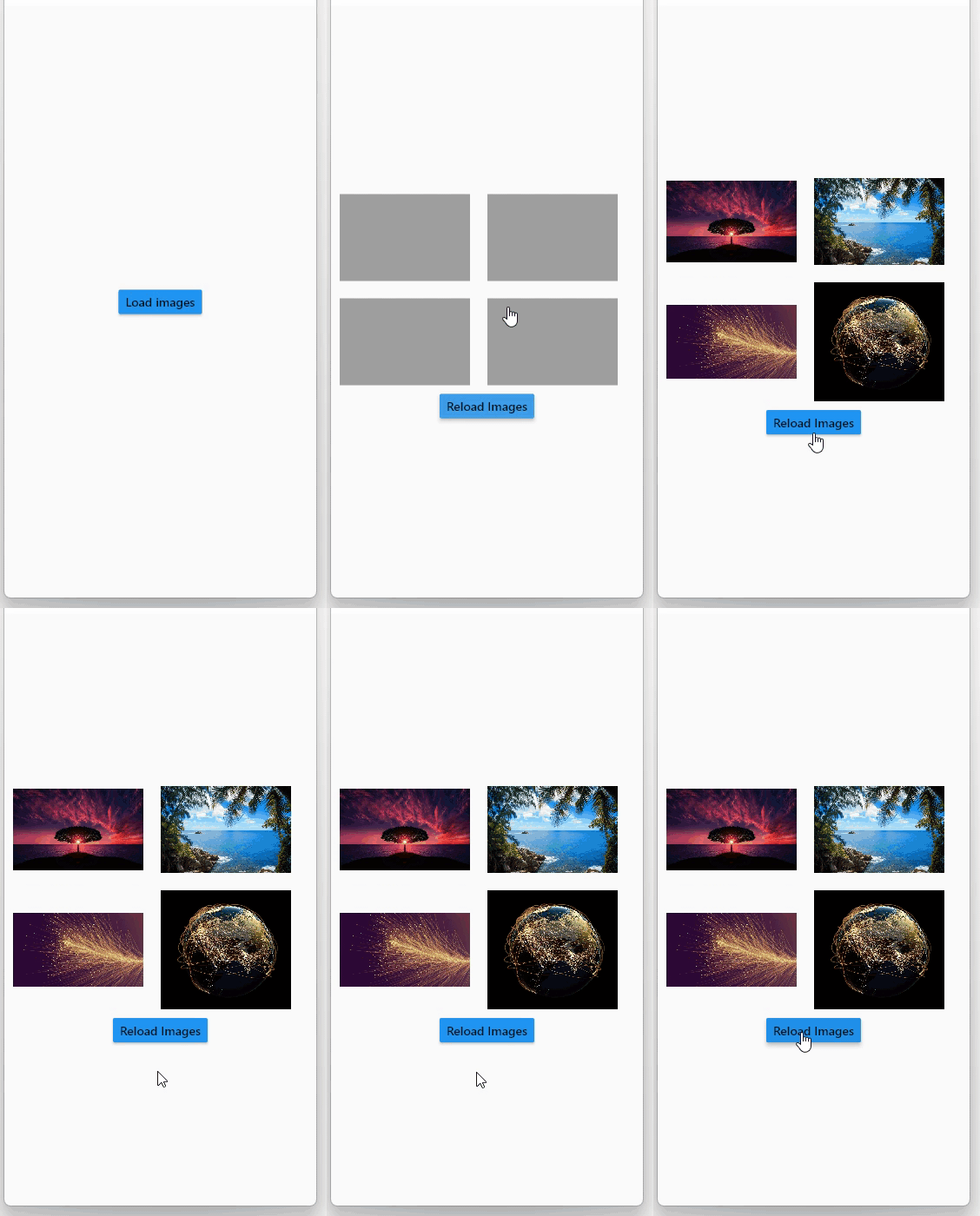
App caching

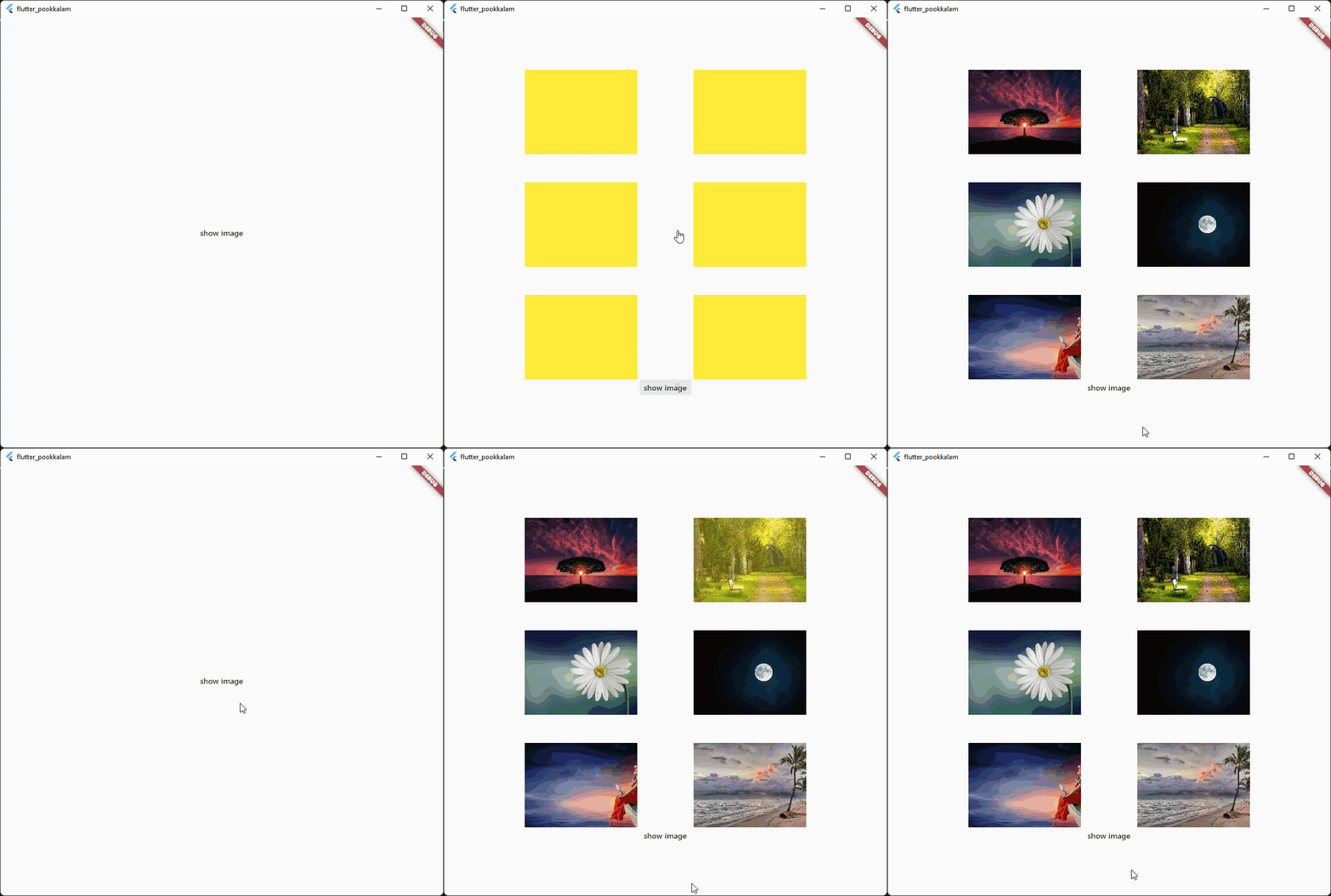
Caching with fade in animation

Caching with progress indicator and image  size

The below gif displays a 30 MB image from cache Use shimmer package to create a beautiful loading widget.

Usage

Import it

import 'package:fast_cached_network_image/fast_cached_network_image.dart';

This package uses Hive as cache container, which uses getApplicationDocumentsDirectory() to get the default path in case subDir is not specified

Initialize the cache configuration in the main function.

await FastCachedImageConfig.init();

The init function takes 2 arguments which are subDir, and clearCacheAfter. Both are optional.

To set a custom directory for your storage box, you can use path_provider

String storageLocation = (await getApplicationDocumentsDirectory()).path;

and then pass the storageLocation to the subDir parameter.

The clearCacheAfter property is used to set the Duration after with the cached image will be cleared. By default its set to 7 days, which means an image cached today will be deleted when you open the app after 7 days.

Use it as a Widget

child: FastCachedImage(url: url)

Properties

errorBuilder: (context, exception, stacktrace) {
  return Text(stacktrace.toString());
},

errorBuilder property needs to return a widget. This widget will be displayed if there is any error while loading the provided image.


loadingBuilder: (context, progress) {
  return Container(
    color: Colors.yellow,
    child: Stack(
      alignment: Alignment.center,
      children: [
        if (progress.isDownloading && progress.totalBytes != null)
          Text('${progress.downloadedBytes ~/ 1024} / ${progress.totalBytes! ~/ 1024} kb',
              style: const TextStyle(color: Colors.red)),
        SizedBox(
            width: 120,
            height: 120,
            child:
            CircularProgressIndicator(color: Colors.red, value: progress.progressPercentage.value)),
      ],
    ),
  );
},

loadingBuilder property can be used to display a loading widget such as a shimmer. This widget will be displayed while the image is being downloaded and processed. loadingBuilder provides a progress property which can be used to display the image download progress with the size(in bytes) of the image.

fadeInDuration: const Duration(seconds: 1);

fadeInDuration property can be use to set the fadeInDuration between the loadingBuilder and the image. Default duration is 500 milliseconds

FastCachedImageConfig.isCached(imageUrl: url));

You can pass in a url to this method and check whether the image in the url is already cached.

FastCachedImageConfig.deleteCachedImage(imageUrl: url);

This method deletes the image with given url from cache.

FastCachedImageConfig.clearAllCachedImages();

This method removes all the cached images. This method can be used in situations such as user logout, where you need to clear all the images corresponding to the particular user.

If an image had some errors while displaying, the image will be automatically re - downloaded when the image is requested again.

FastCachedImage have all other default properties such as height, width etc. provided by flutter.

If you want to use an image from cache as image provider, use

FastCachedImageProvider(url);

Example

import 'package:fast_cached_network_image/fast_cached_network_image.dart';
import 'package:flutter/material.dart';

void main() async {
  WidgetsFlutterBinding.ensureInitialized();

  await FastCachedImageConfig.init(clearCacheAfter: const Duration(days: 15));

  runApp(const MyApp());
}

class MyApp extends StatefulWidget {
  const MyApp({super.key});

  @override
  State<MyApp> createState() => _MyAppState();
}

class _MyAppState extends State<MyApp> {
  String url1 = 'https://www.sefram.com/images/products/photos/hi_res/7202.jpg';

  bool isImageCached = false;
  String? log;

  @override
  Widget build(BuildContext context) {
    return MaterialApp(
        home: Scaffold(
            body: Center(
              child: Column(
                mainAxisAlignment: MainAxisAlignment.center,
                children: [
                  SizedBox(
                    height: 150,
                    width: 150,
                    child: FastCachedImage(
                      url: url1,
                      fit: BoxFit.cover,
                      fadeInDuration: const Duration(seconds: 1),
                      errorBuilder: (context, exception, stacktrace) {
                        return Text(stacktrace.toString());
                      },
                      loadingBuilder: (context, progress) {
                        return Container(
                          color: Colors.yellow,
                          child: Stack(
                            alignment: Alignment.center,
                            children: [
                              if (progress.isDownloading && progress.totalBytes != null)
                                Text('${progress.downloadedBytes ~/ 1024} / ${progress.totalBytes! ~/ 1024} kb',
                                    style: const TextStyle(color: Colors.red)),
                              
                              SizedBox(
                                  width: 120,
                                  height: 120,
                                  child:
                                  CircularProgressIndicator(color: Colors.red, value: progress.progressPercentage.value)),
                            ],
                          ),
                        );
                      },
                    ),
                  ),

                  const SizedBox(height: 12),
                  
                  Text('Is image cached? = $isImageCached', style: const TextStyle(color: Colors.red)),
                 
                  const SizedBox(height: 12),
                  
                  Text(log ?? ''),

                  const SizedBox(height: 120),

                  MaterialButton(
                    onPressed: () async {
                      setState(() => isImageCached = FastCachedImageConfig.isCached(imageUrl: url1));
                    },
                    child: const Text('check image is cached or not'),
                  ),

                  const SizedBox(height: 12),

                  MaterialButton(
                    onPressed: () async {
                      await FastCachedImageConfig.deleteCachedImage(imageUrl: url1);
                      setState(() => log = 'deleted image $url1');
                      await Future.delayed(const Duration(seconds: 2), () => setState(() => log = null));
                    },
                    child: const Text('delete cached image'),
                  ),

                  const SizedBox(height: 12),

                  MaterialButton(
                    onPressed: () async {
                      await FastCachedImageConfig.clearAllCachedImages();
                      setState(() => log = 'All cached images deleted');
                      await Future.delayed(const Duration(seconds: 2), () => setState(() => log = null));
                    },
                    child: const Text('delete all cached images'),
                  ),
                ],
              ),
            )));
  }
}


Feel free to contribute and support.

Contributors 🤝

Big thanks go to these wonderful people:


Author: Christo Pananjickal

Contributor: Wouter van Wijk

Contributor: Merdan Atamyradow

Contributor: Steve

Contributor: Suyog Patil

Package on pub.dev

fast_cached_network_image

카테고리

의존성

의존성 목록 3 개

소스 저장소

이 패키지를 사용하는 프로젝트