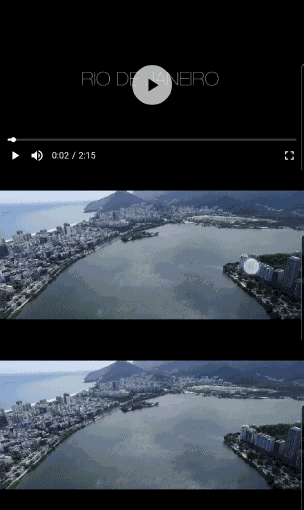
Flick Video Player는 네이티브 video_player 플러그인 위에 구축된 Flutter용 고수준 비디오 재생 패키지입니다. 재생/일시정지 컨트롤, 진행률 추적, 전체 화면 지원, 제스처 처리와 같은 기능을 제공하는 사용하기 쉬우면서도 사용자 정의 가능한 인터페이스를 갖추고 있습니다. Flutter 앱에서 비디오 통합을 간소화하도록 설계되었으며, 저수준 복잡성을 추상화하면서 개발자에게 유연성을 제공합니다. 이 패키지는 Android, iOS, macOS 플랫폼을 지원하여 크로스플랫폼 비디오 애플리케이션에 적합합니다.
사용 사례
모바일 앱에서 스트리밍 비디오 콘텐츠
교육 또는 엔터테인먼트 앱에 비디오 재생 기능 추가하기
비디오 튜토리얼 또는 데모 통합
미디어 플레이어 인터페이스 구축
비디오 중심의 소셜 미디어 기능 만들기
주요 기능
사전 빌드된 UI 컴포넌트
제스처 기반 제어
전체 화면 모드 지원
사용자 정의 테마
크로스 플랫폼 호환성
부드러운 재생 성능
적합한 대상
미디어 앱을 구축하는 Flutter 개발자
간단한 비디오 재생이 필요한 앱
반응형 비디오 UI가 필요한 프로젝트
빠른 비디오 통합을 원하는 개발자
크로스 플랫폼 일관성을 우선시하는 팀
고려 사항
video_player를 종속성으로 필요로 합니다
제공된 위젯을 초과한 사용자 정의는 제한되어 있습니다
복잡한 UI를 위해 추가 스타일링이 필요할 수 있습니다
플랫폼별 비디오 코덱에 의존합니다
고급 비디오 편집 기능에 적합하지 않음
원본 README
연결된 소스 저장소의 README 원문 스냅샷입니다. 최신 내용은 저장소에서 확인하세요.
Flick Video Player
Flick Video Player is a video player for flutter.
The video_player plugin gives low level access for the video playback. Flick Player wraps video_player under the hood and provides base architecture for developers to create their own set of UI and functionalities.
Features
Double tap to seek video.
On video tap play/pause, mute/unmute, or perform any action on video.
Main entry point, takes a FlickManager and a widget flickVideoWithControls as one of the arguments.
FlickManager
Manages all the video related operations with the help of different managers. FlickVideoManager is responsible to maintain life-cycle of a video, change a video and listen to state changes on the video. FlickControlManager is responsible to perform action on the video such as play, mute, seek, toggle full-screen etc. FlickDisplayManager is responsible to show/hide controls when player state changes.
FlickVideoWithControls
A helper widget to render video_player using FlickNativeVideoPlayer and Custom player controls. To create video player with custom controls you have to use this widget and pass this to FlickVideoPlayer in the argument flickVideoWithControls. closedCaptionTextStyle argument added to style video subtitles.
FlickPlayToggle
A UI helper widget to create play/pause/replay button for the video player. You can either pass your custom play, pause and replay widgets or change settings for the default icons.
FlickSoundToggle
A UI helper widget to create mute/unmute button for the video player. You can either pass your custom mute and unmute widgets or change settings for the default icons.
FlickFullscreenToggle
A UI helper widget to create fullscreen/fullscreen_exit button for the video player. You can either pass your custom fullscreen and fullscreen_exit widgets or change settings for the default icons.
FlickVideoProgressBar
A UI helper widget to create progress bar for your video player. It takes FlickProgressBarSettings as one of the arguments so that user can create a custom progress bar. This is highly customizable, user can almost change all the properties of the progress bar like height, handleRadius, provide custom Color or custom Paint.
FlickTotalDuration
A text UI helper widget to show total duration of the video.
FlickCurrentPosition
A text UI helper widget to show current position of the video.
FlickLeftDuration
A text UI helper widget to show left duration of the video.
FlickSetPlayBack
A text UI helper widget to change the playback speed of the video.
FlickVideoBuffer
A UI helper widget to show CircularProgressIndicator or your custom widget when the video is buffering.
FlickAutoPlayCircularProgress
A UI helper widget to show circular progress bar with timer to switch to the next video.
FlickSeekVideoAction
An Action helper to seek video forward/backward by custom Duration on double tap of screen. Takes child as one of the arguments to nest other actions or widgets.
FlickShowControlsAction
An Action helper to toggle between show/hide of controls on tap of the screen. Takes child as one of the arguments to nest other actions or widgets.
FlickTogglePlayAction
An action helper to toggle between play/pause on tap of the screen. Takes child as one of the arguments to nest other actions or widgets.
FlickToggleSoundAction
An action helper to toggle between mute/unmute on tap of the screen. Takes child as one of the arguments to nest other actions or widgets.
FlickSubtitleToggle
An action helper to toggle between display subtitle/no-subtitle on tap of the screen. Takes child as one of the arguments to nest other actions or widgets.
To play a list of videos you have to create your custom DataManager, You can find some of the implementations in /example folder.
UI Helper and Action helpers are widgets which interacts with FlickDisplayManager, FlickControlManager and FlickVideoManager you can easily create your custom widgets/actions, Provider package is used for state management.
Web
Guideline for web: As we are using video_player_web under-hood please follow video_player_web doc before you start.
Default shortcuts
Key
Behavior
f
Toggle full-screen
m
Toggle mute
ArrowRight
Seek forward
ArrowLeft
Seek backward
(Space character)
Toggle play
ArrowUp
Increase volume
ArrowDown
Decrease volume
You can pass webKeyDownHandler argument to FlickVideoPlayer and manage the keyboard shortcuts yourself.
Notes
Esc shortcut to exit from full-screen is in development.
Origin of third party content
Videos
9th May & Fireworks - https://mazwai.com/video/9th-May-&-Fireworks/455089
Iceland | Land of Fire and Ice - https://mazwai.com/video/iceland-%7C-land-of-fire-and-ice/455108
Rio from Above - https://mazwai.com/video/rio-from-above/455099
The Valley - https://mazwai.com/video/the-valley/455101