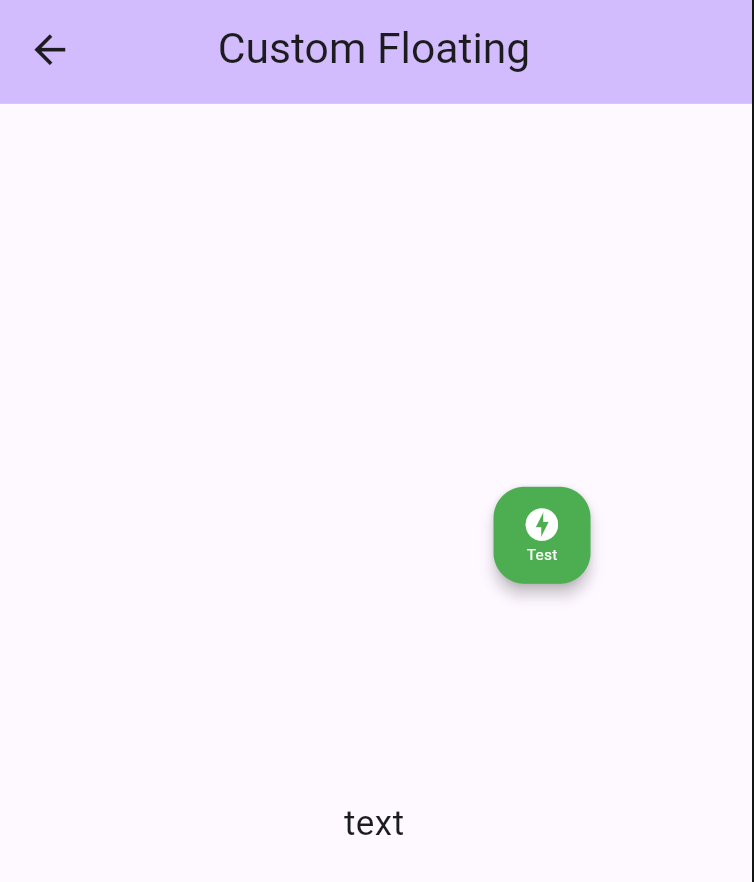
floating_logger는 앱 개발 중 실시간 API 요청 로그를 표시하기 위해 플로팅 위젯을 제공하는 Flutter 패키지입니다. 요청 URL, 메서드, 응답 시간, 상태 코드 등의 세부 정보를 보여주어 개발자가 네트워크 활동을 쉽게 모니터링할 수 있도록 도와줍니다. 위젯은 화면에 떠 있는 형태로 사용자 흐름을 방해하지 않으면서도 접근이 용이합니다. 디버깅 및 테스트를 위한 것으로, 다양한 플랫폼에서 Flutter 앱에 원활하게 통합됩니다. 외부 도구에 의존하지 않고 API 동작을 신속히 확인해야 하는 팀에게 이상적입니다.
사용 사례
개발 중 실시간 API 모니터링
Flutter 앱에서 네트워크 요청 디버깅
HTTP 호출 세부 정보 빠른 점검
API 문제에 대한 팀 협업 개선
다양한 조건에서 API 성능 테스트
주요 기능
지속적인 로그 시각화를 위한 플로팅 UI
API 요청/응답 데이터 실시간 표시
모든 주요 데스크톱 및 모바일 플랫폼을 지원합니다
하나의 명령으로 최소 설정
사용자 정의 가능한 로그 필터링 및 스타일링
적합한 대상
활성 개발 중인 플러터 개발자
API 디버깅에 집중하는 팀
자주 네트워크 테스트가 필요한 앱
REST API를 사용하는 프론트엔드 엔지니어
네트워크 호출에 대한 빠른 피드백이 필수적인 프로젝트
고려 사항
생산용 사용을 위한 것이 아님
과도한 데이터를 로깅할 경우 성능에 영향을 미칠 수 있습니다
앱 릴리스 전 수동 제거 필요
디버그 빌드에 한정
작은 기기에서는 UI가 화면 콘텐츠를 가릴 수 있습니다
원본 README
연결된 소스 저장소의 README 원문 스냅샷입니다. 최신 내용은 저장소에서 확인하세요.
floating_logger 🚀
floating_logger is a Flutter library designed to help developers debug and test API calls with ease. It provides a floating widget that allows you to monitor API requests in real-time and even copy the curl command for quick testing. Perfect for anyone who wants to streamline the development and debugging process! ⚡
📌 Features
✅ Advanced Search & Deep Debugging - Search log path, headers, body, response, and deep JSON content with highlighting and auto-expansion
✅ Dynamic Search Navigation - Easily navigate through multiple search matches with up/down arrows
🎚 Toggle Floating Logger Visibility Using Preferences
Use ValueNotifier to toggle the logger visibility dynamically. This allows you to enable or disable the logger and persist the setting across app sessions.
You can easily customize the appearance of your floating logger widget by using the style property. This allows you to adjust the background color, tooltip, icon, and even the size of the floating widget to match your app’s theme. 🎨✨
backgroundColor: Set a vibrant color to make your floating widget stand out.
tooltip: Add a custom tooltip text to provide helpful hints when hovering over the widget.
icon: Choose an icon (like offline_bolt, info, etc.) and customize its size, color, and appearance.
size: Adjust the size using Size class to adjust floating widget size.
🛠️ Adding a Single Custom Interceptor
To add a single custom interceptor to DioLogger, you can use the addInterceptor method. Here’s an example of adding a custom InterceptorsWrapper that handles the onResponse and onError events.
/// Example to add a custom single interceptorDioLogger.instance.addInterceptor(
InterceptorsWrapper(
onResponse: (response, handler) {
// Add custom logic for onResponseprint('Custom onResponse interceptor');
handler.next(response);
},
onError: (error, handler) {
// Add custom logic for onErrorprint('Custom onError interceptor');
handler.next(error);
},
),
);
Explanation:
onResponse : This is triggered when a successful response is received. You can add custom logic here, such as logging or modifying the response.
onError : This is triggered when an error occurs. You can handle errors, log them, or perform recovery actions.
handler.next() : This ensures the interceptor chain continues to the next interceptor or the final handler.
🛠️ Add List Custom Interceptor
If you want to add multiple interceptors at once, you can use the addListInterceptor method. This is useful when you have several interceptors that need to be applied together.
Here’s an example:
DioLogger.instance.addListInterceptor(
[
InterceptorsWrapper(
onResponse: (response, handler) {
// Add custom logic for onResponseprint('Custom onResponse interceptor');
handler.next(response);
},
onError: (error, handler) {
// Add custom logic for onErrorprint('Custom onError interceptor');
handler.next(error);
},
),
// You can add more interceptors in the list
],
);
Explanation:
List of Interceptors: You can define multiple InterceptorsWrapper objects in a list. Each interceptor will be executed in the order they are added.
Order Matters: The first interceptor in the list will be executed first, followed by the next, and so on.
⚡ Network Simulator (Built-in)
floating_logger comes with a powerful Network Simulator built right in! No extra packages needed. You can easily simulate different network conditions to test how your app handles:
Normal: Standard network behavior.
Slow: Simulates a 3-second delay (configurable).
Offline: Simulates no internet connection (throws error).
floating_logger is a powerful tool that simplifies debugging API calls in Flutter applications. Whether you need to inspect responses, copy cURL commands, or customize the UI, this package provides a seamless experience for developers. Integrate it today and streamline your debugging process! 🚀