패키지, 저장소 및 앱 카테고리 검색

flutter_2fa 표지
패키지 상세v1.0.6

flutter_2fa

앱에서 인증기와 함께 양자 요소 인증을 활성화할 수 있는 플러터 패키지입니다.

AndroidiOSWebmacOSWindowsLinux
30일 다운로드
286
좋아요
7
Pub 점수
150

패키지 설치

flutter pub add flutter_2fa

패키지 개요

공개 정보를 바탕으로 생성한 선택 가이드입니다.

flutter_2fa는 Google Authenticator과 같은 인증 앱을 사용하여 애플리케이션에서 이중 인증(2FA)을 가능하게 하는 Flutter 패키지입니다. 시간 기반 일회용 비밀번호(TOTP)를 생성하고 관리할 수 있는 도구를 제공하여 안전한 사용자 인증을 간소화합니다. 이 패키지는 Android, iOS, Web, macOS, Windows, Linux 등 여러 플랫폼을 지원하며, 크로스플랫폼의 일관성을 보장합니다. `flutter pub add flutter_2fa` 명령을 통해 간편하게 통합할 수 있어 개발자가 최소한의 설정으로 앱 보안을 강화할 수 있습니다. 비밀번호에만 의존하지 않고 강력한 사용자 검증이 필요한 앱에 적합합니다.

사용 사례

  • 안전한 로그인 시스템
  • 사용자 계정을 위한 두 가지 인증
  • TOTP를 활용한 앱 보안 강화
  • 인증 앱과의 통합
  • 사용자 신원 확인
  • 다중 인증 워크플로

주요 기능

  • TOTP 코드 생성
  • 크로스 플랫폼 지원
  • Flutter와의 간편한 통합
  • 인기 있는 인증 앱을 지원합니다
  • 보안 토큰 처리
  • 실시간 시간 동기화

적합한 대상

  • 강화된 보안이 필요한 앱
  • 안전한 인증 흐름을 구축하는 개발자
  • 사용자 로그인 기능이 있는 모바일 및 웹 애플리케이션
  • RFC 6238와 같은 2FA 표준을 사용하는 프로젝트
  • 빠른 2FA 구현을 원하는 팀

고려 사항

  • 사용자 인증 앱 설정이 필요합니다
  • 시스템 시계 정확도에 따라 다릅니다
  • 내장된 백업 또는 복구 메커니즘이 없음
  • 고급 2단계 인증 시나리오를 위한 제한된 사용자 지정
  • 오프라인 전용 환경에는 적합하지 않습니다

원본 README

연결된 소스 저장소의 README 원문 스냅샷입니다. 최신 내용은 저장소에서 확인하세요.

Flutter 2FA

🔐 A Flutter package to add secure Two-Factor Authentication (2FA) via time-based one-time passwords (TOTP) to any Flutter application with ease.

Pub Version License


📸 Screenshots

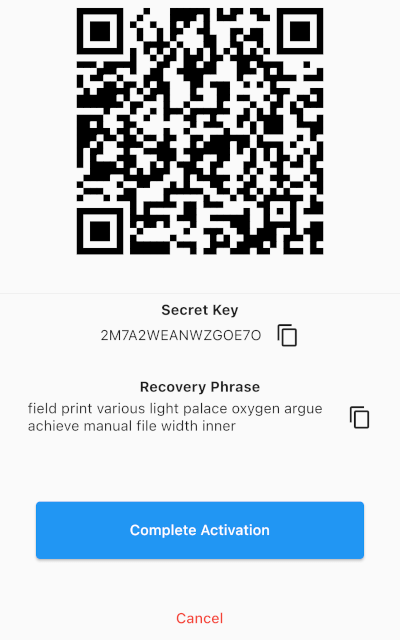
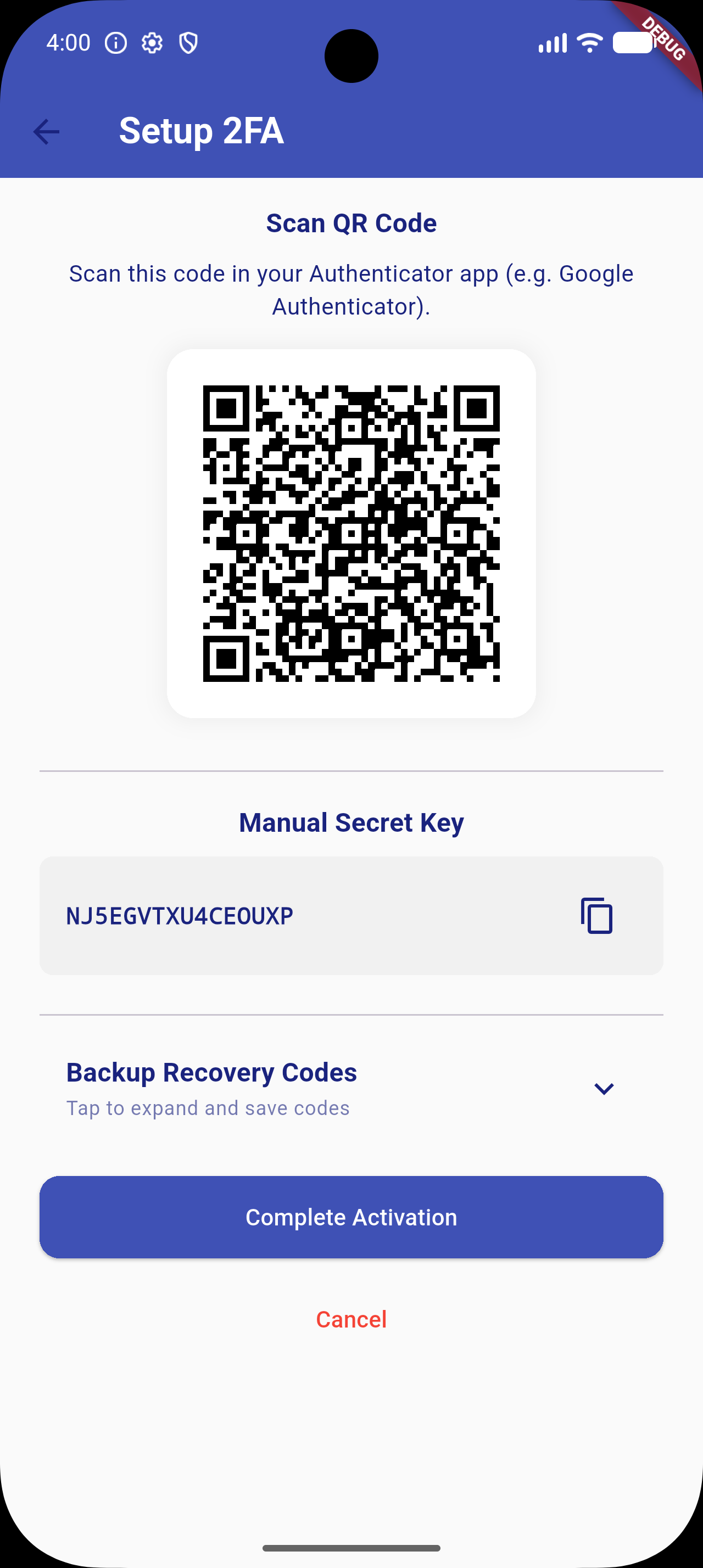
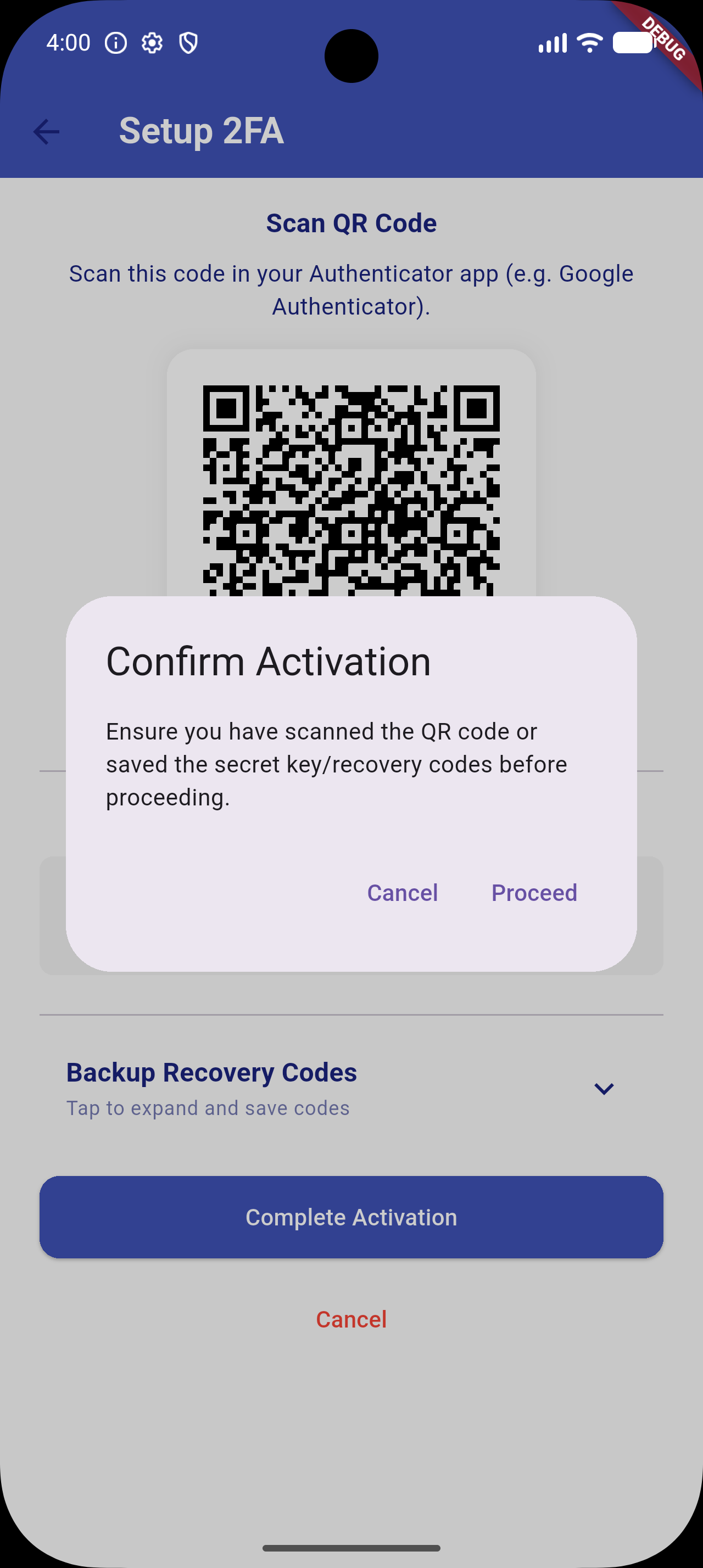
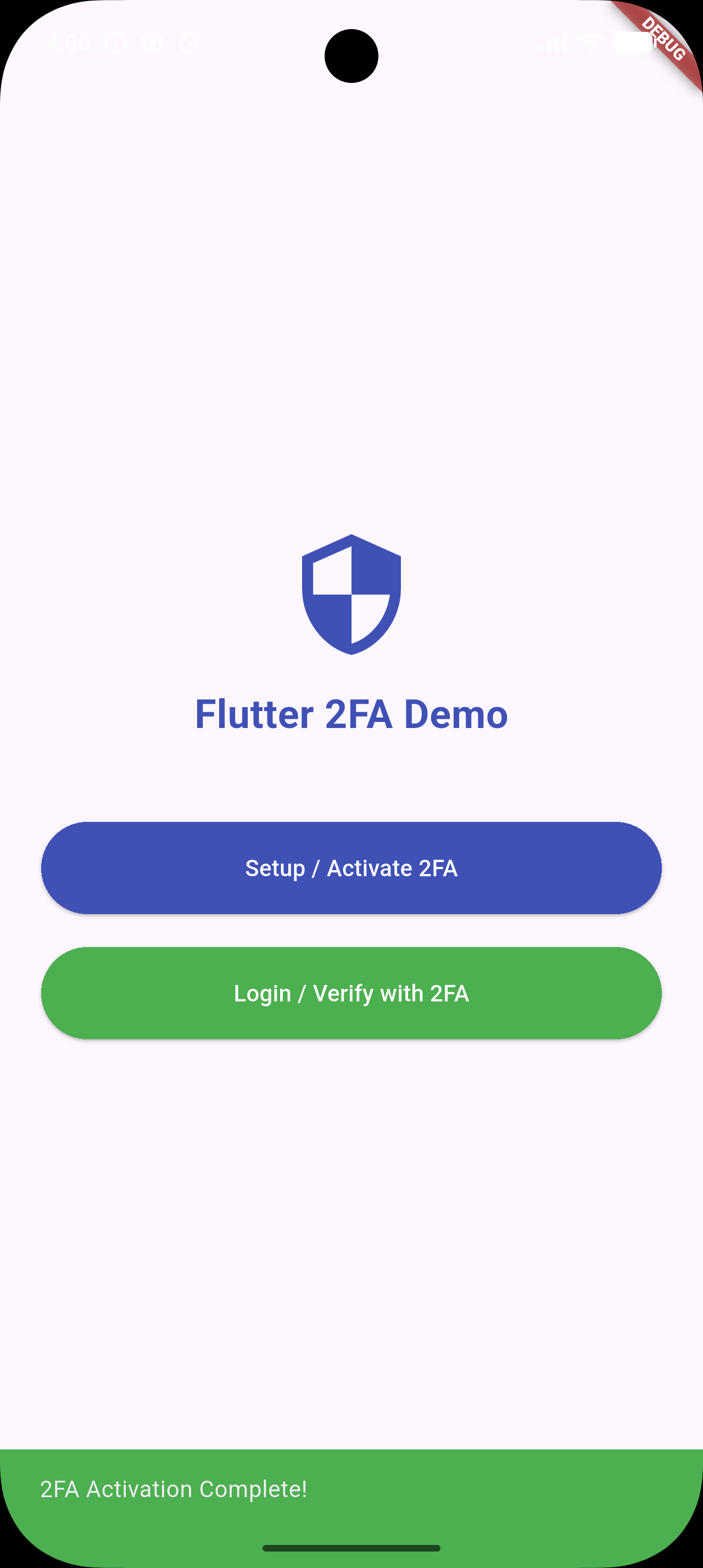
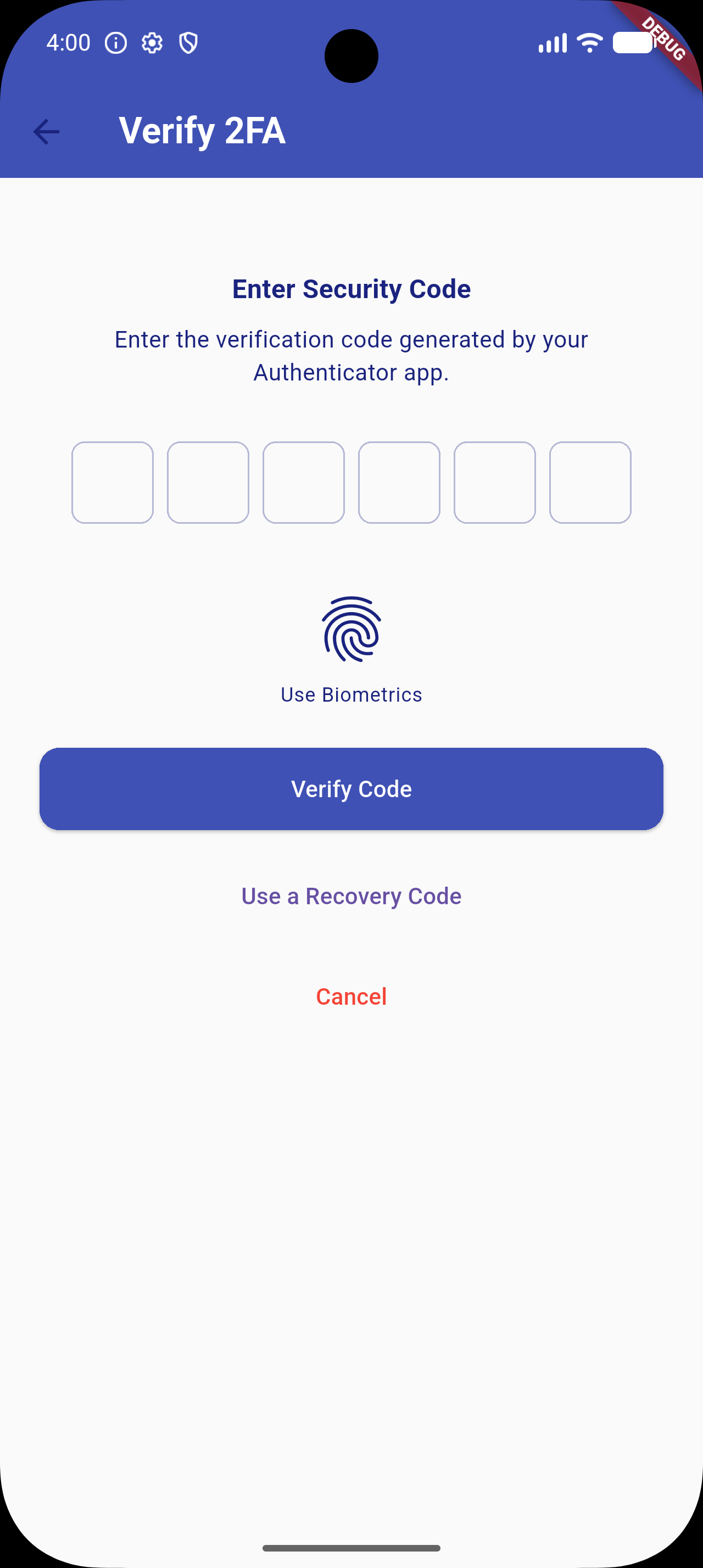
2FA Overview Copy Key Verify OTP Success Feedback


✨ Features (v1.0.5 Upgrade)

  • Quick Setup: Generates a standard cryptographically secure TOTP secret key compatible with Google Authenticator, Microsoft Authenticator, Authy, etc.
  • QR Code Generation: Integrated visual setup flow using dynamic QR codes.
  • Copy-to-Clipboard: Fallback configuration flow allowing users to copy the raw setup key manually.
  • Secure OTP Verification: Standard input interface using high-quality pin inputs (pinput integration).
  • 🎨 Custom UI Themes: Override background colors, text colors, AppBars, button styles, and PIN input decorations to match your app's design system.
  • 🔒 Secure Storage: Optional encrypted storage backend via flutter_secure_storage to secure secret keys and recovery codes.
  • 🛡️ Biometric Authentication: Quick local unlock (Face ID / Touch ID / Fingerprint) via local_auth integration.
  • 🧩 Backup Recovery Codes: Generates 10 static recovery codes during activation. Displayed under a space-saving collapsible accordion. Users can use these codes as a login fallback.
  • ⚙️ Configurable TOTP Settings: Configure digit length, intervals (e.g. 30s/60s), and hashing algorithms (SHA1, SHA256, SHA512).

📦 Installation & Dependency Upgrades

Add flutter_2fa and its required biometric and secure storage backend packages to your pubspec.yaml:

dependencies:
  flutter_2fa: ^1.0.5
  local_auth: ^2.3.0
  flutter_secure_storage: ^9.2.4

Or install them directly:

flutter pub add flutter_2fa local_auth flutter_secure_storage

[!NOTE]
To support newer platform libraries and Dart 3.x, transitive dependency upgrades have been applied (specifically upgrading internal Windows helpers which removes deprecated win32 3.1.3 conflicts).

⚙️ Android Toolchain Requirements

To compile successfully with newer dependency versions (e.g. Kotlin 2.x and Java 21), make sure your Android project files are configured as follows:

  • Gradle Wrapper: Version 8.14.0 or higher (gradle-wrapper.properties).
  • Android Gradle Plugin (AGP): Version 8.11.1 or higher (settings.gradle).
  • Kotlin: Version 2.2.20 or higher (settings.gradle).
  • Compile SDK: Version 34 or higher (app/build.gradle).

🚀 Usage

1. Configure Options (New in v1.0.5)

Define a Flutter2FAConfig configuration object:

import 'package:flutter/material.dart';
import 'package:flutter_2fa/flutter_2fa_config.dart';

final twoFactorConfig = Flutter2FAConfig(
  useSecureStorage: true,   // Encrypts stored secret keys in Keychain/Keystore
  allowBiometrics: true,    // Enables Face ID/Touch ID quick unlock
  totpInterval: 30,         // TOTP step interval (in seconds)
  totpDigits: 6,            // OTP digit length
  totpAlgorithm: 'SHA1',    // Hashing algorithm
  
  // Custom Styles
  backgroundColor: Colors.grey[50],
  textColor: Colors.indigo[900],
  appBarColor: Colors.indigo,
  primaryButtonStyle: ElevatedButton.styleFrom(
    backgroundColor: Colors.indigo,
    foregroundColor: Colors.white,
  ),
);
2. Activating 2FA Setup Flow

Trigger the initialization UI screen where the user is shown the secret seed key, the setup QR code, and collapsible backup recovery codes.

import 'package:flutter_2fa/flutter_2fa.dart';

void activateTwoFactor(BuildContext context) async {
  await Flutter2FA().activate(
    context: context,
    appName: "Your App Name",       // App name shown in Authenticator app
    email: "user@example.com",     // User email identifier for the account
    config: twoFactorConfig,       // Pass the custom config
  );
}
3. Verifying a 2FA Login Session

Trigger the OTP input, biometric verification prompt, or backup recovery code input.

import 'package:flutter_2fa/flutter_2fa.dart';

void verifyTwoFactor(BuildContext context) async {
  await Flutter2FA().verify(
    context: context,
    page: const DashboardScreen(),  // Redirect target widget upon successful validation
    config: twoFactorConfig,       // Pass the custom config
  );
}

🛠️ Contribution

Contributions, issues, and feature requests are very welcome! Feel free to open a pull request or file an issue.

📄 License

This project is licensed under the MIT License - see the LICENSE file for details.

카테고리

의존성

의존성 목록 8 개

소스 저장소

이 패키지를 사용하는 프로젝트

아직 데이터가 없습니다.