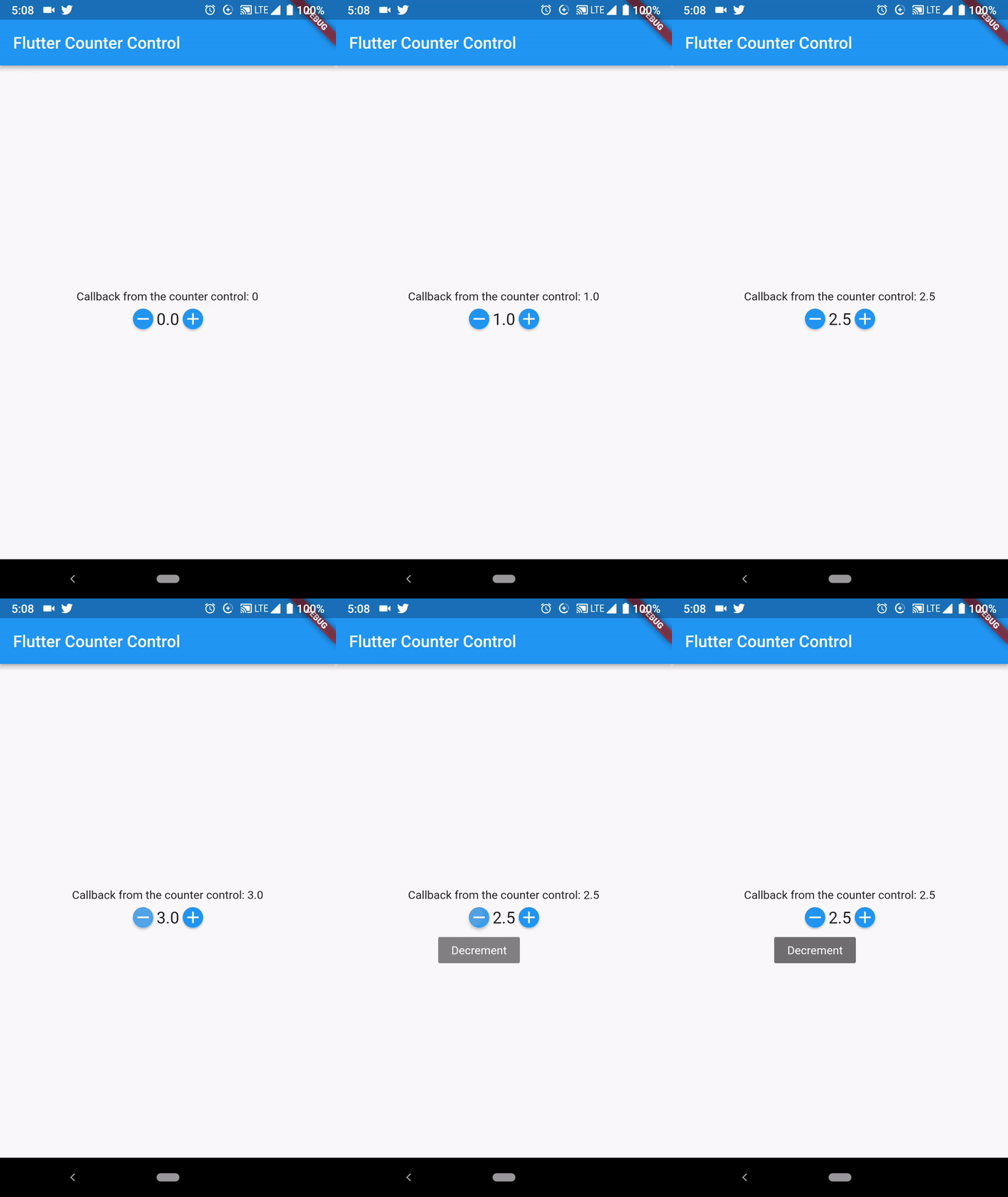
Flutter Counter는 플러터용 가볍고 사용자 정의 가능한 Dart 패키지로, 간단한 카운터 위젯을 제공합니다. 어떤 플러터 앱에도 쉽게 통합할 수 있으며, 초기값, 단계 크기, 범위 제한과 같은 구성 가능한 옵션을 사용해 증가 및 감소하는 카운터를 만들 수 있습니다. 이 위젯은 직관적이고 유연하게 설계되어 커스터마이징된 스타일과 상태 변경 시 콜백을 지원합니다. 폼, 수량 선택기 또는 인터랙티브 UI 요소에 이상적이며, 최소한의 설정으로 사용자 경험을 향상시킵니다.
사용 사례
폼 입력 컨트롤
쇼핑카트 내 수량 선택기
인터랙티브 UI 요소
사용자 선호 설정
게임 스코어 추적
주요 기능
사용자 지정 가능한 초기값
사용자 지정 가능한 단계 크기
범위 제한 지원
변경 시 콜백
간단한 통합
적합한 대상
초보자 플러터 개발자
간단한 폼 컴포넌트
경량 UI 개선
빠른 프로토타이핑
기본 숫자 입력 요구 사항
고려 사항
기본 카운팅 기능에만 제한됨
내장된 검증 없음
복잡한 상태 관리에 적합하지 않음
고급 디자인을 위해 수동 스타일링이 필요합니다
플랫폼별 최적화 없음
원본 README
연결된 소스 저장소의 README 원문 스냅샷입니다. 최신 내용은 저장소에서 확인하세요.
Flutter Counter (iOS & Android)
Description
Flutter Counter is a plugin written in dart for flutter which is really simple and customizeable.
Create it like any other widget, add params according to your need and presto!
You have got the highly customizeable counter with callbacks.
Zero boilerplate!
Getting Started
Create this widget as you do with other widgets
Counter(
initialValue: _defaultValue,
minValue: 0,
maxValue: 10,
step: 0.5,
decimalPlaces: 1,
onChanged: (value) { // get the latest value from heresetState(() {
_defaultValue = value;
});
},
),
Constructor Options
There are some required values and other are for the customization
@requirednum initialValue // default value@requiredthis.minValue // minimum value@requiredthis.maxValue // maximum value@requiredthis.onChanged // callback@requiredthis.decimalPlaces // decimal places you want to show the value ofthis.color // color of the buttonsthis.textStyle // text style which displays the valuethis.step = 1// step you want to set to change valuethis.buttonSize = 25// if you want to change size of button
Beautify your widget with provided customization. You can also change color and size of both buttons and text.
Very simple to implement and looks awesome. You can find more details in sample app.
Contributions and Licence
FlutterCounter is available under the MIT license. See the LICENSE file for more info.
Pull requests are welcome! The best contributions will consist of substitutions or configurations for classes/methods known to block the main thread during a typical app lifecycle.
I would love to know if you are using Counter in your app, send an email to [Salmaan Ahmed](mailto:salmaan.ahmed@hotmail.com)