패키지, 저장소 및 앱 카테고리 검색

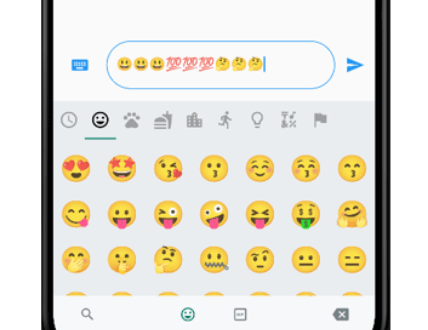
flutter_emoji_gif_picker 표지
패키지 상세v0.1.6

flutter_emoji_gif_picker

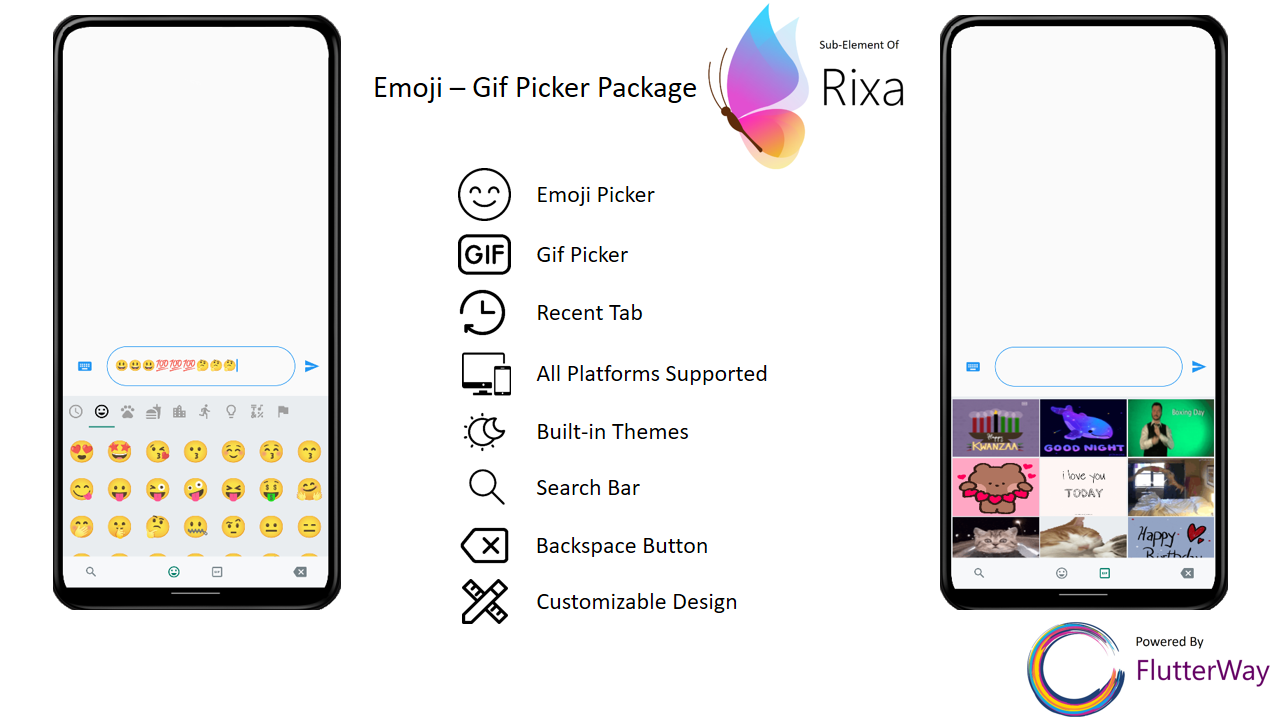
WhatsApp과 동일한 이모지-이미지 선택기입니다. 모바일에서 키보드와 같은 크기를 가집니다.

AndroidiOSWebmacOSWindowsLinux
30일 다운로드
144
좋아요
47
Pub 점수
120

패키지 설치

flutter pub add flutter_emoji_gif_picker

패키지 개요

공개 정보를 바탕으로 생성한 선택 가이드입니다.

WhatsApp와 동일한 이모지 및 GIF 선택기 인터페이스를 제공하는 플러터 패키지로, 모바일 기기의 화면 키보드 크기에 맞게 설계되었습니다. 메시징 앱에 원활하게 통합되어 사용자가 익숙하고 직관적인 방식으로 이모지와 GIF를 삽입할 수 있도록 합니다. 이 선택기는 모바일 최적화된 반응형 크기로 구성되어 있으며, 안드로이드, iOS, 웹, 맥OS, 윈도우, 리눅스 플랫폼에서 모두 작동합니다.

사용 사례

  • 메시징 앱
  • 채팅 인터페이스
  • 소셜 미디어 플랫폼
  • 실시간 통신 도구
  • 사용자 친화적인 입력 개선

주요 기능

  • WhatsApp 스타일의 사용자 인터페이스
  • 모바일 기기의 키보드 크기에 맞춤
  • 크로스 플랫폼 지원
  • 텍스트 필드와의 간편한 통합
  • 이모티콘과 GIF 둘 다 지원합니다

적합한 대상

  • 채팅 애플리케이션을 개발하는 개발자
  • 네이티브처럼 이모지/GIF 선택을 원하는 팀
  • 모바일 우선 경험을 목표로 하는 앱

고려 사항

  • GIF 로딩을 위해 인터넷 연결이 필요합니다
  • 자산 종속성으로 인해 앱 크기가 증가할 수 있습니다
  • 성능은 장치의 기능에 따라 달라집니다
  • UI에 대한 사용자 정의 옵션이 제한적
  • 모바일 사용 사례에 가장 적합

원본 README

연결된 소스 저장소의 README 원문 스냅샷입니다. 최신 내용은 저장소에서 확인하세요.

flutter_emoji_gif_picker

An emoji picker that was designed based on WhatsApp's picker model. Provides same functionalities with an easy usage.

Features

  • Includes Emoji Icon Widget, Textfield
  • Includes Gif menu(via Giphy Api)
  • Ready to use Dark/Light Mode
  • Freed of known keyboard issues of other emoji pickers
  • Back Button Event with same functionality as WhatsApp
  • All platforms are supported
  • Lightweight
  • Instant loading times
  • Customizable design
  • Search bar for emoji / gif
  • Page resizing option with menu is provided

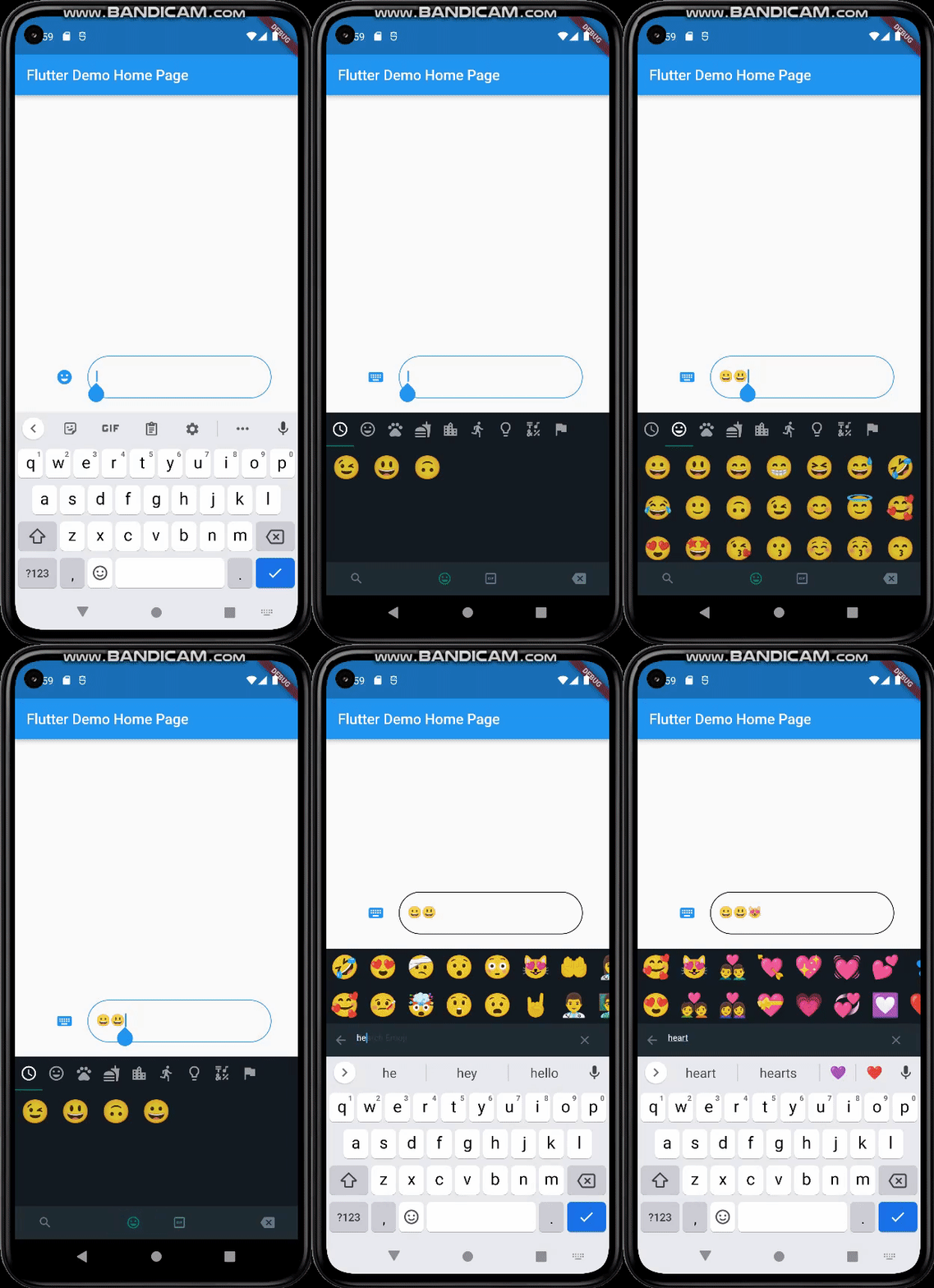
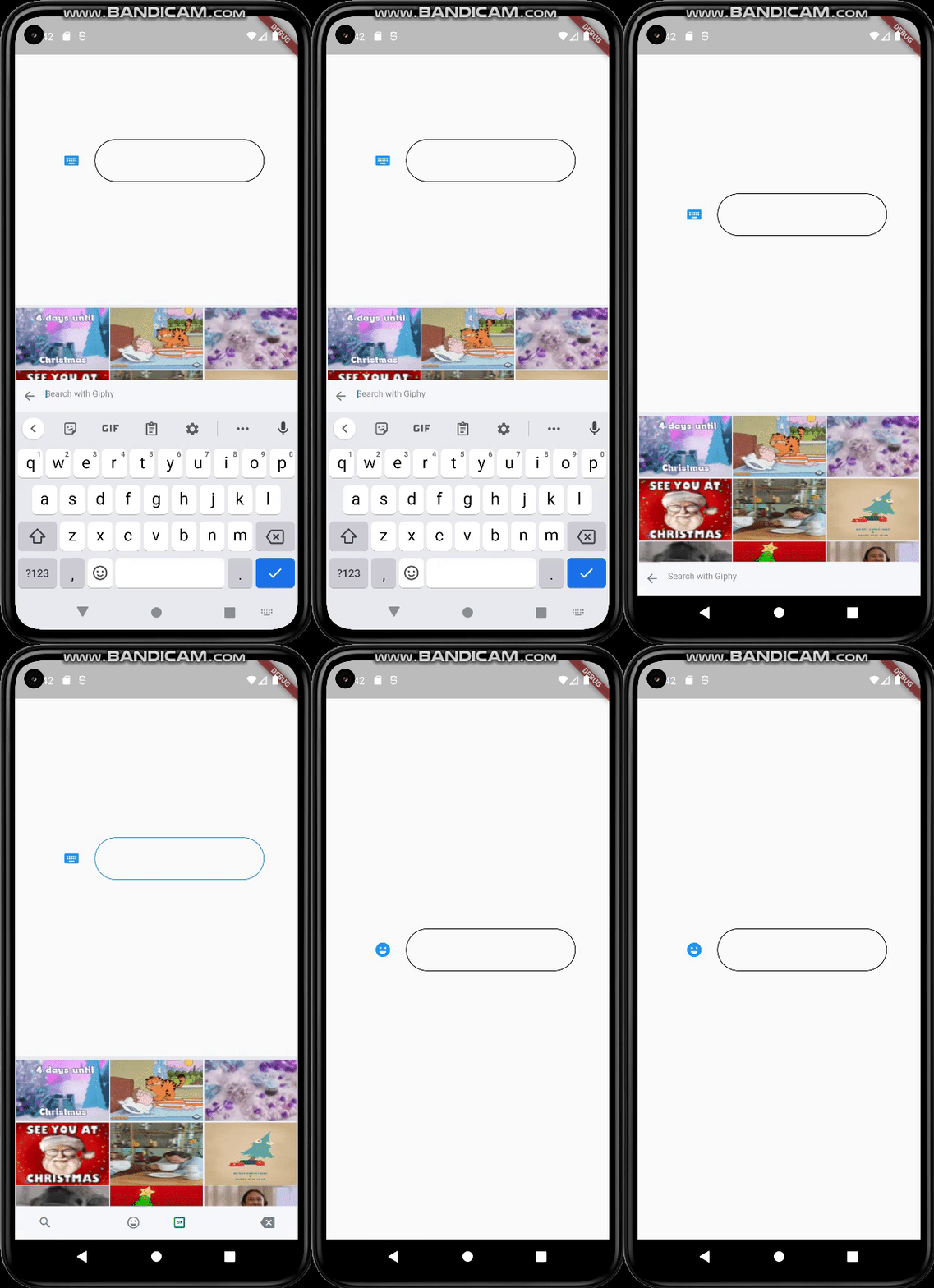
Mobile

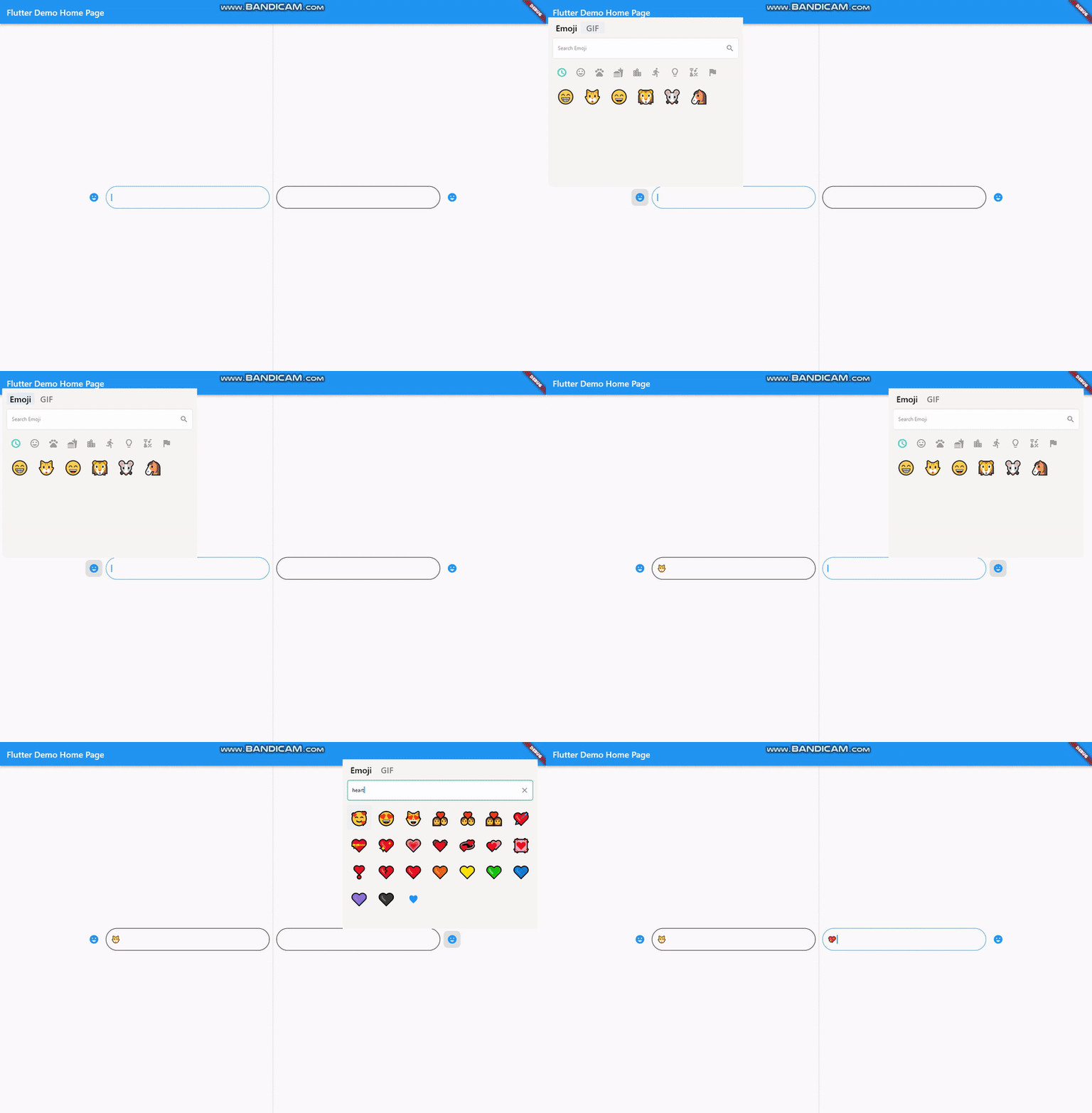
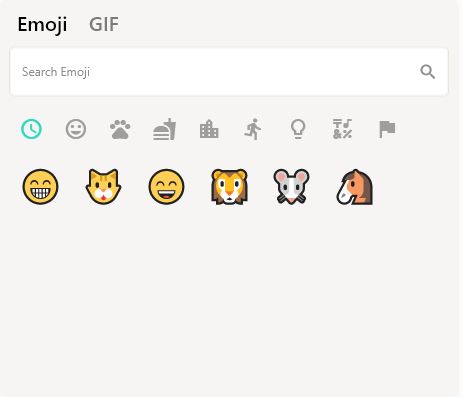
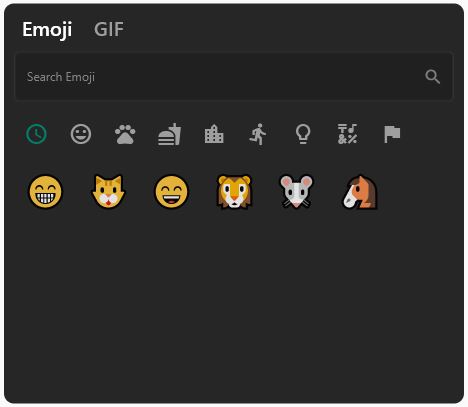
Desktop

Getting Started

Basic Setup

It's simple and ready to use. Pick either dark / light mode and set your giphyApiKey. GiphyApiKey is required for gif menu to function / show.

EmojiGifPickerPanel.setup(
    giphyApiKey: "yourgiphyapikey", mode: Mode.light);
Custom Setup
  EmojiGifPickerPanel.setup(
      sizes: MenuSizes(width: 2000, height: 500),
      texts: MenuTexts(
          searchEmojiHintText: "Search Emoji?",
          searchGifHintText: "Search with Giphy"),
      colors: MenuColors(
        backgroundColor: const Color(0xFFf6f5f3),
        searchBarBackgroundColor: Colors.white,
        searchBarBorderColor: const Color(0xFFe6e5e2),
        searchBarEnabledColor: Colors.white,
        searchBarFocusedColor: const Color(0xFF00a884),
        menuSelectedIconColor: const Color(0xFF1d6e5f),
        buttonColor: const Color(0xFF909090),
        iconBackgroundColor: null,
        iconHoveredBackgroundColor: const Color.fromARGB(255, 224, 224, 224),
        indicatorColor: Colors.transparent,
      ),
      styles: MenuStyles(
          menuSelectedTextStyle:
              const TextStyle(fontSize: 20, color: Colors.black),
          menuUnSelectedTextStyle:
              const TextStyle(fontSize: 20, color: Color(0xFF7a7a7a)),
          searchBarHintStyle:
              const TextStyle(fontSize: 12, color: Color(0xFF8d8d8d)),
          searchBarTextStyle:
              const TextStyle(fontSize: 12, color: Colors.black)),
      giphyApiKey: "yourgiphyapikey",
      mode: Mode.light);

Change Your MateralApp builder

return MaterialApp(
  theme: ThemeData(
    primarySwatch: Colors.blue,
  ),
  builder: (context, child) {
    return Stack(
      children: [
        child!,
        EmojiGifMenuStack(),
      ],
    );
  },
  home: const MyHomePage(),
);

Should Emoji-Gif picker resize your page ?

If you want your emoji-gif picker to resize your page when opened, your page needs to be wrapped with EmojiGifMenuLayout and set fromStack:false in your picker icon widget. Otherwise emoji-gif picker will cover its own space on your page

EmojiGifMenuLayout(
  child: YourDesign(),
  )
EmojiGifPickerIcon(
  id: "1",
  onGifSelected: (gif) {},
  fromStack: false,
  controller: controller,
  icon: Icon(Icons.emoji_emotions),
),

Back Button Problem

When the back button is pressed, if you want your emoji-gif picker menu to close instead of switching to another page, you must wrap your scaffold with WillPopScope to achieve this functionality

return WillPopScope(
        onWillPop: (() async {
          return EmojiGifPickerPanel.onWillPop();
        }),
        child: Scaffold(

EmojiGifPickerIcon & EmojiGifTextfield

These widgets are required in order to show picker menu. Give an id to your picker widget this way you can use these widgets in multiple places on the same page. Don't forget to give your TextEditingController in EmojiGifPickerIcon. With viewEmoji, viewGif parameters, you can control which menu opens or not.

Icon
EmojiGifPickerIcon(
    id: "1",
    onGifSelected: (gif) {},
    controller: controller,
    viewEmoji: true,
    viewGif: true,
    icon: Icon(Icons.emoji_emotions),
  )
TextField
EmojiGifTextField(
     id: "1",
   )
Full View Example
Row(
  mainAxisAlignment: MainAxisAlignment.center,
  children: [
    EmojiGifPickerIcon(
      id: "2",
      onGifSelected: (gif) {},
      controller: controller2,
      icon: Icon(Icons.emoji_emotions),
    ),
    SizedBox(
        width: MediaQuery.of(context).size.width * 0.6,
        child: EmojiGifTextField(
          id: "2",
          decoration: InputDecoration(
            enabledBorder: OutlineInputBorder(
                borderSide: BorderSide(color: Colors.black),
                borderRadius: BorderRadius.circular(30)),
            focusedBorder: OutlineInputBorder(
                borderSide: BorderSide(color: Colors.blue),
                borderRadius: BorderRadius.circular(30)),
          ),
        )),
  ],

Ready to use Example

import 'package:flutter/material.dart';
import 'package:emoji_gif_picker_menu/emoji_gif_picker_menu.dart';

void main() {
  EmojiGifPickerPanel.setup(
      giphyApiKey: "yourgiphyapikey", mode: Mode.light);
  runApp(const MyApp());
}

class MyApp extends StatelessWidget {
  const MyApp({super.key});

  @override
  Widget build(BuildContext context) {
    return MaterialApp(
      theme: ThemeData(
        primarySwatch: Colors.blue,
      ),
      builder: (context, child) {
        return Stack(
          children: [
            child!,
            EmojiGifMenuStack(),
          ],
        );
      },
      home: const MyHomePage(),
    );
  }
}

class MyHomePage extends StatefulWidget {
  const MyHomePage({super.key});

  @override
  State<MyHomePage> createState() => _MyHomePageState();
}

class _MyHomePageState extends State<MyHomePage> {
  TextEditingController controller = TextEditingController();
  @override
  Widget build(BuildContext context) {
    return WillPopScope(
        onWillPop: (() async {
          return EmojiGifPickerPanel.onWillPop();
        }),
        child: Scaffold(
            resizeToAvoidBottomInset: true,
            body: EmojiGifMenuLayout(
              child:
                  Row(mainAxisAlignment: MainAxisAlignment.center, children: [
                EmojiGifPickerIcon(
                  id: "1",
                  onGifSelected: (gif) {},
                  controller: controller,
                  icon: Icon(Icons.emoji_emotions),
                ),
                SizedBox(
                    width: MediaQuery.of(context).size.width * 0.3,
                    child: EmojiGifTextField(
                      id: "1",
                      decoration: InputDecoration(
                        enabledBorder: OutlineInputBorder(
                            borderSide: BorderSide(color: Colors.black),
                            borderRadius: BorderRadius.circular(30)),
                        focusedBorder: OutlineInputBorder(
                            borderSide: BorderSide(color: Colors.blue),
                            borderRadius: BorderRadius.circular(30)),
                      ),
                    )),
              ]),
            )));
  }
}

Customizable

Light

Dark

EmojiGifPickerPanel is a panel that allows you to edit the design to your liking. You can customize the features as shown below :

  • Position
EmojiGifPickerPanel.setPosition(MenuPosition(bottom: 0));
  • Size
EmojiGifPickerPanel.setSizes(MenuSizes(width: 2000, height: 500));
  • Texts
EmojiGifPickerPanel.setTexts(MenuTexts(
      searchEmojiHintText: "Search Emoji?",
      searchGifHintText: "Search with Giphy"),
      noRecents: Text("No Recent"),
      );
  • Colors
  EmojiGifPickerPanel.setColors(MenuColors(
    backgroundColor: const Color(0xFFf6f5f3),
    searchBarBackgroundColor: Colors.white,
    searchBarBorderColor: const Color(0xFFe6e5e2),
    searchBarEnabledColor: Colors.white,
    searchBarFocusedColor: const Color(0xFF00a884),
    menuSelectedIconColor: const Color(0xFF1d6e5f),
    buttonColor: const Color(0xFF909090),
    iconBackgroundColor: null,
    iconHoveredBackgroundColor: const Color.fromARGB(255, 224, 224, 224),
    indicatorColor: Colors.transparent,
  ));
  • Text Styles
  EmojiGifPickerPanel.setStyles(MenuStyles(
      menuSelectedTextStyle: const TextStyle(fontSize: 20, color: Colors.black),
      menuUnSelectedTextStyle:
          const TextStyle(fontSize: 20, color: Color(0xFF7a7a7a)),
      searchBarHintStyle:
          const TextStyle(fontSize: 12, color: Color(0xFF8d8d8d)),
      searchBarTextStyle: const TextStyle(fontSize: 12, color: Colors.black)));

This package was possible to create with :

카테고리

의존성

의존성 목록 6 개

소스 저장소

이 패키지를 사용하는 프로젝트

아직 데이터가 없습니다.