연결된 소스 저장소의 README 원문 스냅샷입니다. 최신 내용은 저장소에서 확인하세요.
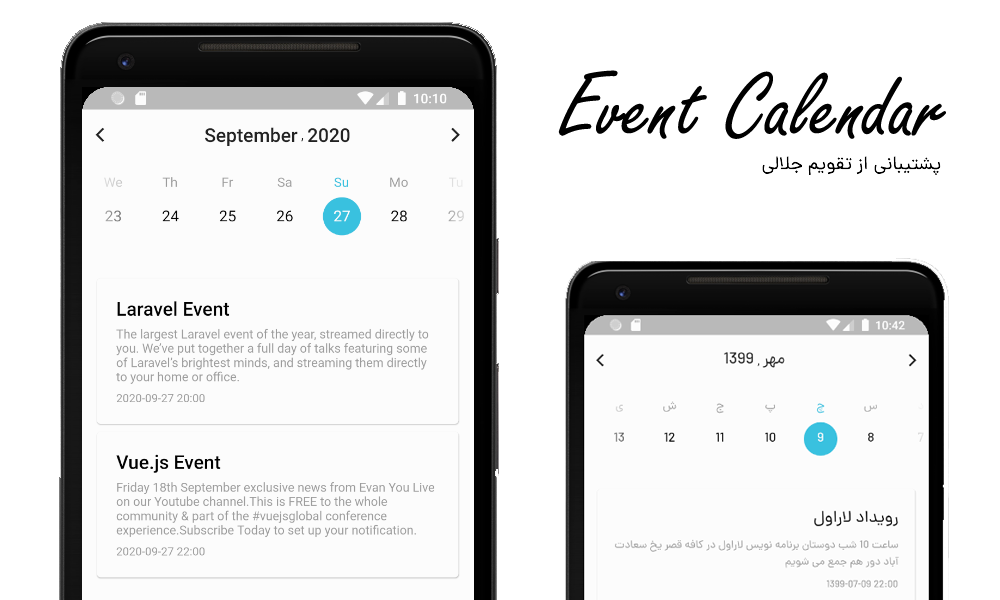


Event Calendar
How to install :
Add this to your package's pubspec.yaml file:
dependencies:
  flutter_event_calendar: ^1.0.0
Then You can install packages from the command line:
$ pub get
or
$ flutter pub get
Alternatively, your editor might support flutter pub get. Check the docs for your editor to learn more.
Now in your Dart code, you can use:
import 'package:flutter_event_calendar/flutter_event_calendar.dart';
Basic Usage :
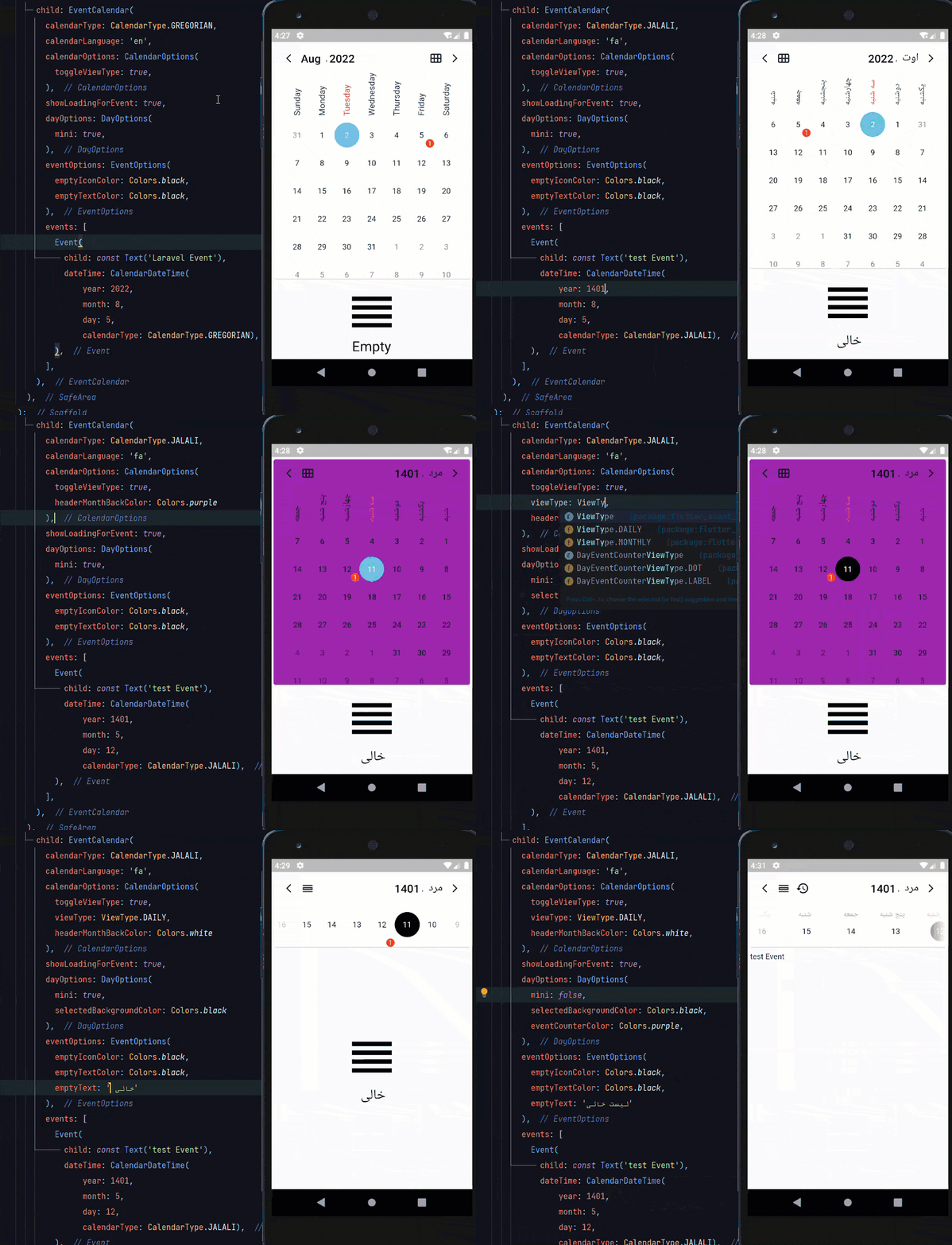
You can load a full calendar with events .
    return EventCalendar(
      calendarType: CalendarType.JALALI,
      calendarLanguage: 'fa',
      events: [
        Event(
          child: const Text('Laravel Event'),
          dateTime: CalendarDateTime(
            year: 1401,
            month: 5,
            day: 12,
            calendarType: CalendarType.JALALI,
          ),
        ),
      ],
    );
Options :
You have many option for changes in : style , locale and structure.
| Option |
Type |
| calendarType |
CalendarType ( JALALI or GREGORIAN ) |
| middleWidget |
Widget |
| events |
List |
| calendarOptions |
CalendarOptions |
| headerOptions |
HeaderOptions |
| eventOptions |
EventOptions |
| dayOptions |
DayOptions |
| showLoadingForEvent |
bool |
| specialDays |
List |
| calendarLanguage |
String(fa,en,pt,de) |
Events
| Name |
Description |
| onInit |
Called when Event Calendar object is inserted into the tree. |
| onChangeDateTime |
Return a string of new date selected like (year-month-day) |
| onMonthChanged |
When the month changes return a string of CalendarDateTime (year-month-day hour:minute:second) |
| onYearChanged |
When the year changes return a string of CalendarDateTime (year-month-day hour:minute:second) |
| onDateTimeReset |
When clicking on the reset button return a string of current CalendarDateTime (year-month-day hour:minute:second) |
| onChangeViewType |
When clicking on the toggleViewType return ViewType |
CalendarOptions :
| Option |
Type |
Description |
| toggleViewType |
bool |
Whether user can toggle view type between monthly and daily or not |
| viewType |
ViewType |
Default view type of Calendar Daily or Monthly |
| font |
String |
Name of your font |
| headerMonthBackColor |
Color |
The background color of Calendar card |
| headerMonthShadowColor |
Color |
The shadow color of Calendar card |
| headerMonthElevation |
double |
The elevation of shadow color Calendar card |
| headerMonthShape |
ShapeBorder |
The shape of Calendar card like(RoundedRectangleBorder) |
| bottomSheetBackColor |
Color |
The background color of select month and year bottom sheet) |
HeaderOptions :
| Option |
Type |
Description |
| weekDayStringType |
WeekDayStringTypes |
Day names FULL or SHORT |
| MonthStringTypes |
MonthStringTypes |
Month names FULL or SHORT |
| headerTextColor |
Color |
The color of Header Text |
| navigationColor |
Color |
The color of Header navigation icons |
| resetDateColor |
Color |
The color of reset date icon |
EventOptions :
| Option |
Type |
Description |
| emptyText |
String |
if it doesn't have any event, this text will display |
| emptyTextColor |
Color |
The color of empty text |
| emptyIcon |
IconData |
if it doesn't have any event, this icon will display |
| emptyIconColor |
Color |
The color of empty icon |
DayOptions :
| Option |
Type |
Description |
| weekDaySelectedColor |
Color |
The color of the Selected weekday |
| weekDayUnselectedColor |
Color |
The color of the UnSelected weekday |
| showWeekDay |
bool |
Whether weekdays show or not |
| compactMode |
bool |
Whether the Calendar card is compact or not |
| selectedBackgroundColor |
Color |
The background color of the selected day |
| unselectedBackgroundColor |
Color |
The background color of the unselected day |
| selectedTextColor |
Color |
The text color of the selected day |
| disabledTextColor |
Color |
The text color of the disabled day |
| unselectedTextColor |
Color |
The text color of the unselected day |
| eventCounterColor |
Color |
The background color of the event counter |
| eventCounterViewType |
DayEventCounterViewType |
The view type of event counter |
| eventCounterTextColor |
Color |
The text color of the event Counter |
| disableFadeEffect |
bool |
Whether days before now has fade effect or not |
| disableDaysBeforeNow |
bool |
Whether days before now Disabled or not |
Event Structure
| Option |
Type |
| child |
Widget |
| dateTime |
CalendarDateTime |
| onTap |
Function |
| onLongPress |
Function |
Locales :
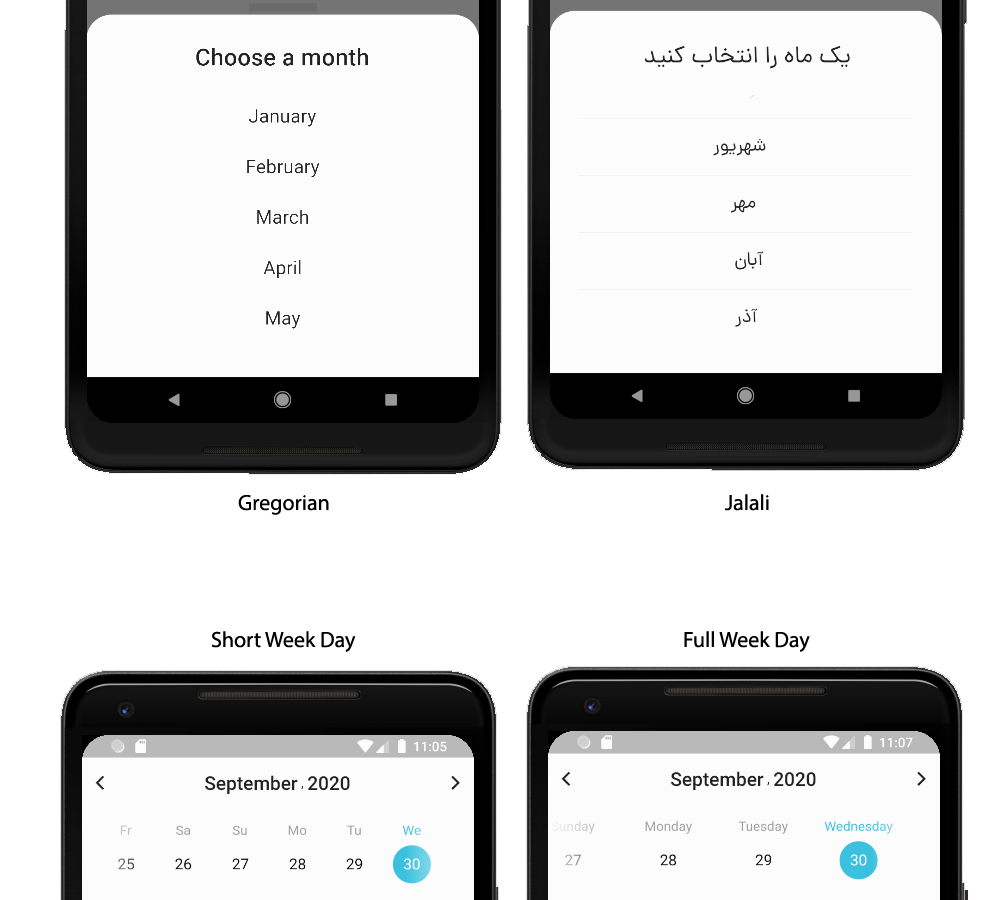
Event Calendar supports two types of calendar now . Gregorian , and Jalali .
Contribute :
You can help us and contribute for :
- New options
- More locales
- Better exceptions

