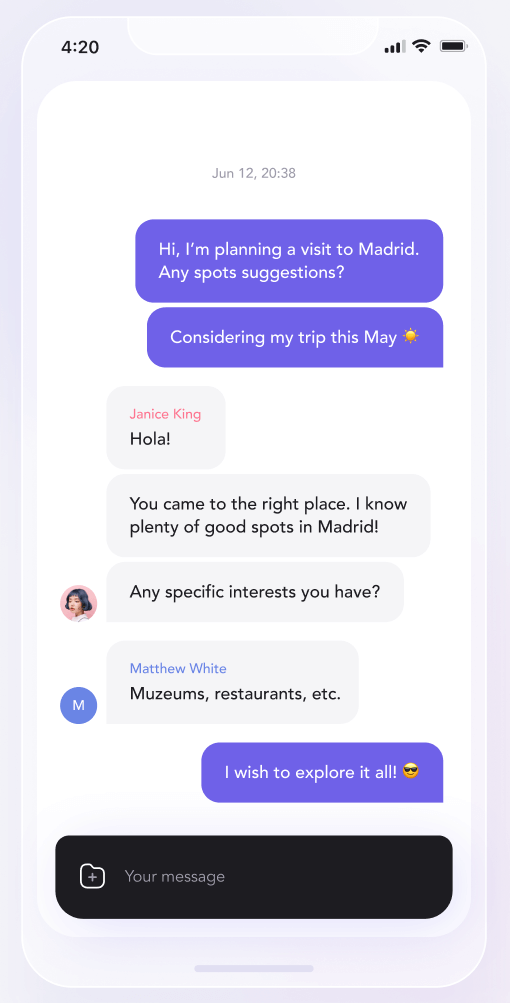
커뮤니티 중심으로 활발히 유지 관리되는 Flutter 패키지로, Firebase를 백엔드로 사용하여 실시간 채팅 기능을 제공합니다. 채팅 애플리케이션 개발을 위한 견고한 기반을 제공하며, 선택적으로 사전 구축된 UI 컴포넌트도 제공합니다. Firebase 인증 및 Firestore와 원활하게 통합되도록 설계되어 메시지 처리, 사용자 존재 감지 및 채팅 상태 관리를 간소화합니다. Android, iOS, Web, macOS, Windows 등 여러 플랫폼을 지원하여 크로스플랫폼 채팅 솔루션에 적합합니다.
사용 사례
실시간 메시징 앱
다중 플랫폼 채팅 인터페이스
사용자 간 통신
소셜 앱의 채팅 기능
Firebase Auth 및 Firestore와의 통합
주요 기능
Firebase 기반 실시간 채팅
선택적 내장 UI 컴포넌트
크로스 플랫폼 지원
활성 유지 및 커뮤니티 기여
Firebase 서비스와의 간편한 통합
적합한 대상
Firebase로 채팅 앱을 개발하는 개발자
크로스 플랫폼 채팅 솔루션을 필요로 하는 팀
실시간 메시지 동기화가 필요한 프로젝트
빠른 채팅 기능 구현을 원하는 스타트업
사용자 인증이 필요한 앱
고려 사항
Firebase 설정 및 구성이 필요합니다
UI 사용자 정의에는 추가 스타일링이 필요할 수 있습니다
Firebase 백엔드로 제한
데이터 저장을 위해 Firestore에 의존
고급 채팅 기능을 위해 추가 로직이 필요할 수 있습니다
원본 README
연결된 소스 저장소의 README 원문 스냅샷입니다. 최신 내용은 저장소에서 확인하세요.
Flutter Firebase Chat Core
Actively maintained, community-driven Firebase BaaS for chat applications with an optional chat UI.
🇺🇦🇺🇦 We are Ukrainians. If you enjoy our work, please consider donating to help save our country. 🇺🇦🇺🇦
⚠️⚠️ Recommended for small or PoC projects, might not be optimized for large amounts of data. I suggest to use this on a free Spark plan, otherwise be extremely cautious. ⚠️⚠️
Flyer Chat is a platform for creating in-app chat experiences using Flutter or React Native. This repository contains Firebase BaaS implementation for Flutter. We are also working on our more advanced SaaS and self-hosted solutions.
Free, open-source and community-driven. We offer no paid plugins and strive to create an easy-to-use, almost drop-in chat experience for any application. Contributions are more than welcome! Please read our Contributing Guide.
Chat UI agnostic. You can choose the chat UI you prefer. But if you don't have one, we provide our own free and open-source Flutter Chat UI, which can be used to create a working chat in minutes.
Easy to use. Returns streams of data for messages, rooms and users. Firebase Security Rules control access to the data. Check our documentation for the info.
Getting Started
Requirements
Dart >=2.19.0 and Flutter >=3.0.0, Firebase project.
Read our documentation or see the example project. To run the example project you need to have your own Firebase project and then follow steps 1 and 2 of Add Firebase to your Flutter app, override firebase_options.dart, don't commit it though 😉
After all of this is done you will need to register a couple of users and the example app will automatically suggest email and password on the register screen, default password is Qawsed1-. To set up Firebase Security Rules so users can see only the data they should see, continue with our documentation.
Contributing
Please read our Contributing Guide before submitting a pull request to the project.
Code of Conduct
Flyer Chat has adopted the Contributor Covenant as its Code of Conduct, and we expect project participants to adhere to it. Please read the full text so that you can understand what actions will and will not be tolerated.