패키지, 저장소 및 앱 카테고리 검색

flutter_gantt 표지
패키지 상세v1.4.0

flutter_gantt

상호작용 가능하고 사용자 정의 가능한 게인트 차트 위젯을 렌더링하기 위한 Flutter 패키지입니다.

AndroidiOSWebmacOSWindowsLinux
30일 다운로드
1.1천
좋아요
27
Pub 점수
160

패키지 설치

flutter pub add flutter_gantt

패키지 개요

공개 정보를 바탕으로 생성한 선택 가이드입니다.

Flutter Gantt는 플러터용 사용자 정의 및 상호작용 가능한 게이트차트 위젯으로, 개발자가 여러 플랫폼에서 프로젝트 일정, 작업 및 종속성을 시각화할 수 있게 해줍니다. 동적 작업 스케줄링, 드래그 앤 드롭 기능, 반응형 디자인을 지원하여 프로젝트 관리 애플리케이션에 적합합니다. 이 패키지는 플러터의 UI 프레임워크와 원활하게 통합되며 스타일과 동작에 대한 광범위한 구성 옵션을 제공합니다. insideapp.it에서 유지보수되며 커뮤니티 기여를 위해 GitHub에서 이용 가능합니다.

사용 사례

  • 프로젝트 타임라인 시각화
  • 앱에서의 작업 스케줄링
  • 자원 계획 도구
  • 애자일 프로젝트 관리
  • 팀 워크플로우 추적

주요 기능

  • 인터랙티브 드래그 앤 드롭
  • 사용자 정의 작업 스타일
  • 크로스 플랫폼 지원
  • 반응형 레이아웃
  • 작업 종속성 렌더링
  • 사용자 정의 가능한 줌 및 스크롤

적합한 대상

  • 프로젝트 관리 앱
  • 생산성 도구
  • 개발 스프린트 트래커
  • 기업 계획 소프트웨어
  • 교육 프로젝트 대시보드

고려 사항

  • 대규모 데이터 세트를 신중하게 처리해야 합니다
  • 제한된 내장 테마 지원
  • 복잡한 종속성 처리를 위해 추가 로직이 필요할 수 있습니다
  • 많은 작업으로 인한 성능 영향
  • 문서는 더 자세히 설명되어야 합니다

원본 README

연결된 소스 저장소의 README 원문 스냅샷입니다. 최신 내용은 저장소에서 확인하세요.

Flutter Gantt Chart

Pub Version Pub Points License

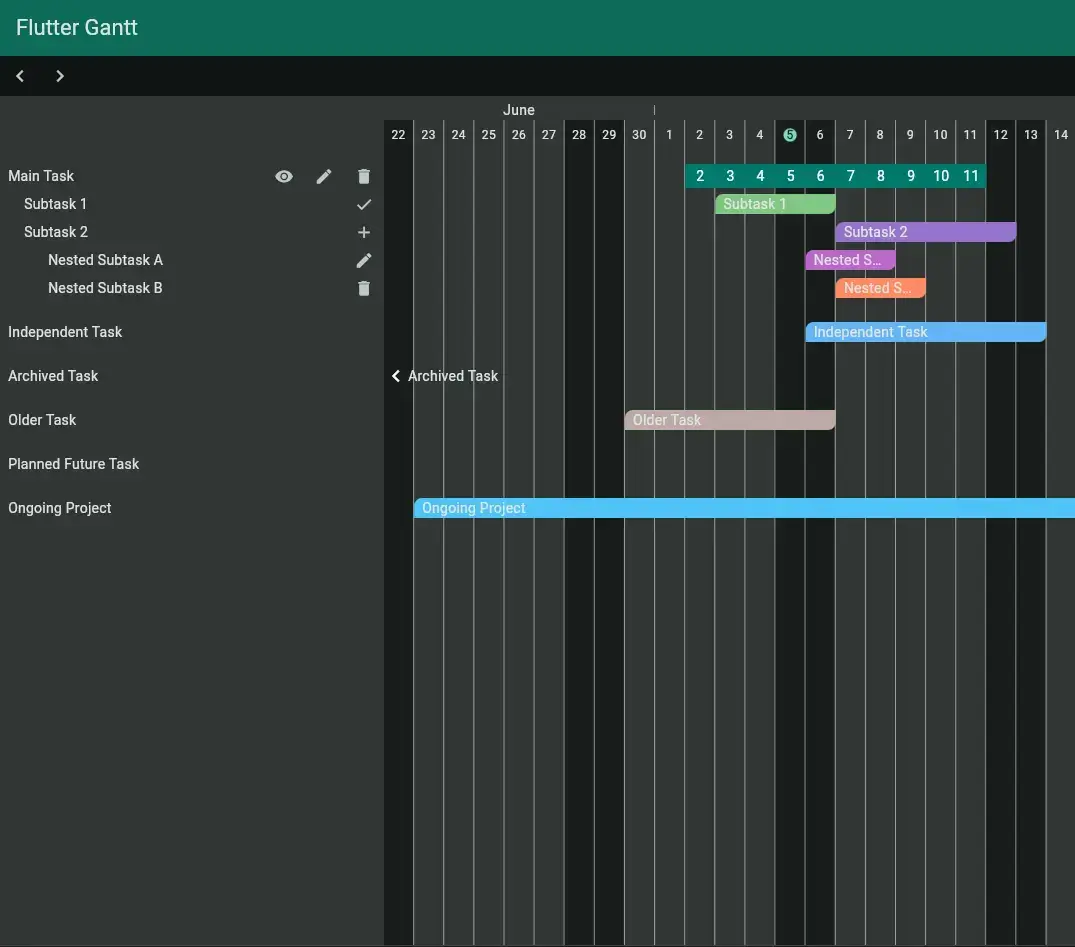
A production-ready, fully customizable Gantt chart widget for Flutter applications.

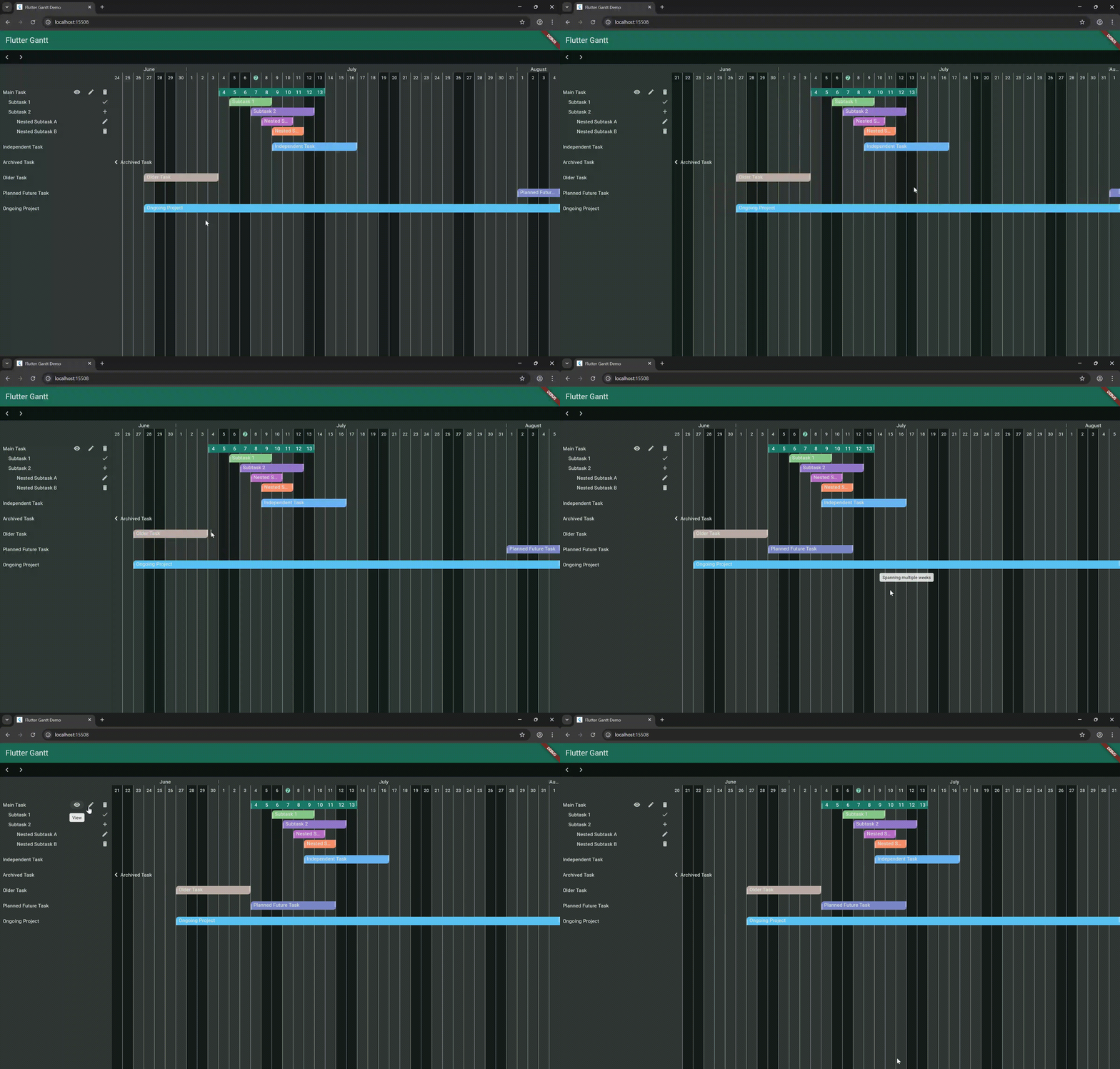
Gantt Chart Demo


Features

  • 💓 Scrollable timeline view
  • ↔ Draggable
  • 🎈 Complete visual customization
  • 🛳 Hierarchical activities with parent/child relationships
  • 🙳 Activity custom builder
  • 👅 Built-in date utilities and calculations
  • 🚀 Optimized for performance
  • 😱 Responsive across all platforms

Installation

Add to your pubspec.yaml:

yaml dependencies: flutter_gantt: <latest-version>

Then run:

bash flutter pub get


Quick Start

import 'package:flutter_gantt/flutter_gantt.dart';

Gantt(
  theme: GanttTheme.of(context),
  activitiesAsync: (startDate, endDate, activity) async => _activities,
  holidaysAsync: (startDate, endDate, holidays) async _holidays,
  onActivityChanged: (activity, start, end) {
    if (start != null && end != null) {
      debugPrint('$activity was moved (Event on widget)');
    } else if (start != null) {
      debugPrint(
        '$activity start was moved (Event on widget)',
      );
    } else if (end != null) {
      debugPrint('$activity end was moved (Event on widget)');
    }
  },
),

Documentation

Core Components
Gantt Widget

The main chart container with these key properties:

Property Type Description
startDate DateTime Initial visible date
activities List Activities to display
holidays List Special dates to highlight
theme GanttTheme Visual customization
controller GanttController Programmatic control
showIsoWeek bool Enables the ISO week-number row
GanttActivity

Represents a task with:

GanttActivity(
  start: DateTime.now(),
  end: DateTime.now().add(Duration(days: 5)),
  title: 'Task Name',
  color: Colors.blue,
  // Optional:
  children: [/* sub-tasks */],
  onCellTap: (activity) => print('Tapped ${activity.title}'),
)

Advanced Features
Programmatic Control
final controller = GanttController(
    startDate: DateTime.now(),
    daysViews: 30,
);

// Navigate timeline
controller.next(days: 7);   // Move forward
controller.prev(days: 14);  // Move backward

// Update data
controller.setActivities(newActivities);
Custom Builders
GanttActivity(
  cellBuilder: (date) => YourCustomWidget(date),
  titleWidget: YourTitleWidget(),
)
ISO Weeks
GanttActivity(
  showIsoWeek: true,
  ...
)

Weeks


Examples

Explore complete examples in the example folder.


Contributing

We welcome contributions!


License

MIT – See LICENSE for details.

Roadmap

  • Added limitations when dragging
  • Improving documentation
  • Improving mobile usability

카테고리

의존성

의존성 목록 3 개

소스 저장소

이 패키지를 사용하는 프로젝트

아직 데이터가 없습니다.