flutter_html_table은 Flutter 애플리케이션 내에서 HTML 테이블을 렌더링할 수 있도록 해주는 Flutter 확장 패키지입니다. Flutter의 HTML 파싱 기능을 확장하여 HTML 문자열로부터 구조화된 데이터를 상호작용 가능하고 스타일이 적용된 테이블로 표시할 수 있게 합니다. 반응형 레이아웃을 지원하며 서버 기반 UI 워크플로와 원활하게 통합됩니다. API에서 가져온 보고서, 대시보드 또는 데이터 그리드와 같은 동적 콘텐츠를 표시하는 데 특히 유용합니다. 크로스플랫폼 사용을 위해 설계되어 Android, iOS, Web, macOS, Windows, Linux에서 모두 작동합니다.
사용 사례
HTML 문자열에서 동적 데이터 렌더링
서버 기반 UI에서 표 형식 데이터 표시
웹 및 모바일 앱에서 반응형 데이터 그리드 만들기
Flutter 위젯과 HTML 콘텐츠 통합
HTML 소스에서 보고서 또는 대시보드 생성
주요 기능
HTML 테이블 구문을 지원합니다
크로스 플랫폼 호환성
반응형 레이아웃 처리
서버 기반 UI 프레임워크와의 통합
기존 Flutter 프로젝트에 쉽게 통합
적합한 대상
서버 기반 UI 패턴을 사용하는 개발자
HTML 기반 콘텐츠 전달과 함께 작업하는 팀
동적 테이블 렌더링을 요구하는 앱
일관된 데이터 표시가 필요한 웹 및 모바일 앱
Flutter 위젯 생성을 활용하는 프로젝트
고려 사항
올바른 HTML 입력 형식이 필요합니다
원본 플러터 테이블과 비교하여 스타일 제어가 제한됨
복잡한 HTML 구조를 처리하기 위해 추가 파싱이 필요할 수 있습니다
정적 또는 반동적 테이블 콘텐츠에 가장 적합
핵심 기능을 위해 하위의 flutter_html 패키지에 의존합니다
원본 README
연결된 소스 저장소의 README 원문 스냅샷입니다. 최신 내용은 저장소에서 확인하세요.
flutter_html
A Flutter widget for rendering HTML and CSS as Flutter widgets.
Widgetbuild(context) {
returnHtml(
data: """
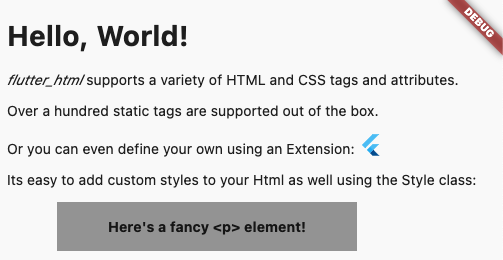
<h1>Hello, World!</h1>
<p><span style="font-style:italic;">flutter_html</span> supports a variety of HTML and CSS tags and attributes.</p>
<p>Over a hundred static tags are supported out of the box.</p>
<p>Or you can even define your own using an <code>Extension</code>: <flutter></flutter></p>
<p>Its easy to add custom styles to your Html as well using the <code>Style</code> class:</p>
<p class="fancy">Here's a fancy <p> element!</p>
""",
extensions: [
TagExtension(
tagsToExtend: {"flutter"},
child: constFlutterLogo(),
),
],
style: {
"p.fancy": Style(
textAlign: TextAlign.center,
padding: constEdgeInsets.all(16),
backgroundColor: Colors.grey,
margin: Margins(left: Margin(50, Unit.px), right: Margin.auto()),
width: Width(300, Unit.px),
fontWeight: FontWeight.bold,
),
},
);
}
This package is designed with simplicity in mind. Originally created to allow basic rendering of HTML content into the Flutter widget tree,
this project has expanded to include support for basic styling as well!
If you need something more robust and customizable, the package also provides a number of extension APIs for extremely granular control over widget rendering!
Below, you will find brief descriptions of the parameters theHtml widget accepts and some code snippets to help you use this package.
Constructors:
The package currently has two different constructors - Html() and Html.fromDom().
The Html() constructor is for those who would like to directly pass HTML from the source to the package to be rendered.
If you would like to modify or sanitize the HTML before rendering it, then Html.fromDom() is for you - you can convert the HTML string to a Document and use its methods to modify the HTML as you wish. Then, you can directly pass the modified Document to the package. This eliminates the need to parse the modified Document back to a string, pass to Html(), and convert back to a Document, thus cutting down on load times.
Parameters:
Parameters
Description
data
The HTML data passed to the Html widget. This is required and cannot be null when using Html().
document
The DOM document passed to the Html widget. This is required and cannot be null when using Html.fromDom().
onLinkTap
Optional. A function that defines what the widget should do when a link is tapped. The function exposes the src of the link as a String to use in your implementation.
extensions
Optional. A powerful API that allows you to customize everything when rendering a specific HTML tag.
shrinkWrap
Optional. A bool used while rendering different widgets to specify whether they should be shrink-wrapped or not, like ContainerSpan
onlyRenderTheseTags
Optional. An exclusive set of elements the Html widget should render. Note that your html will be wrapped in <body> and <html> if it isn't already, so you should include those in this list.
doNotRenderTheseTags
Optional. A set of tags that should not be rendered by the Html widget.
style
Optional. A powerful API that allows you to customize the style that should be used when rendering a specific HTMl tag.
This package is simply a convenience package that exports all the other external packages below. You should use this if you plan to render all the tags that require external dependencies.
This package renders iframes using the webview_flutter plugin.
When rendering iframes, the package considers the width, height, and sandbox attributes.
Sandbox controls the JavaScript mode of the webview - a value of null or allow-scripts will set javascriptMode: JavascriptMode.unrestricted, otherwise it will set javascriptMode: JavascriptMode.disabled.
You can set the navigationDelegate of the webview with the navigationDelegate property on IframeHtmlExtension. This allows you to block or allow the loading of certain URLs.
flutter_html_math
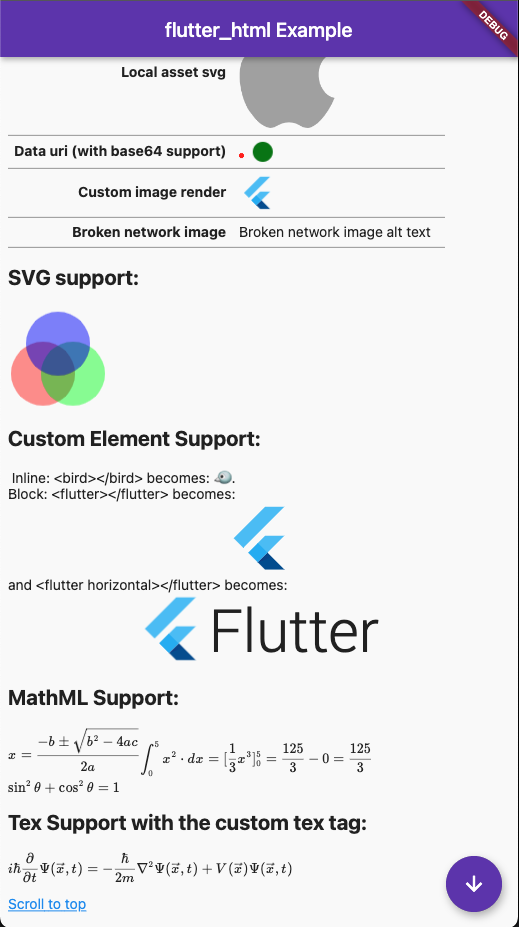
This package renders MathML elements using the flutter_math_fork plugin.
When rendering MathML, the package takes the MathML data within the <math> tag and tries to parse it to Tex. Then, it will pass the parsed string to flutter_math_fork.
Because this package is parsing MathML to Tex, it may not support some functionalities. The current list of supported tags can be found on the Wiki, but some of these only have partial support at the moment.
This package renders svg elements using the flutter_svg plugin.
When rendering SVGs, the package takes the SVG data within the <svg> tag and passes it to flutter_svg. The width and height attributes are considered while rendering, if given.
The package also exposes a few ways to render SVGs within an <img> tag, specifically base64 SVGs, asset SVGs, and network SVGs.
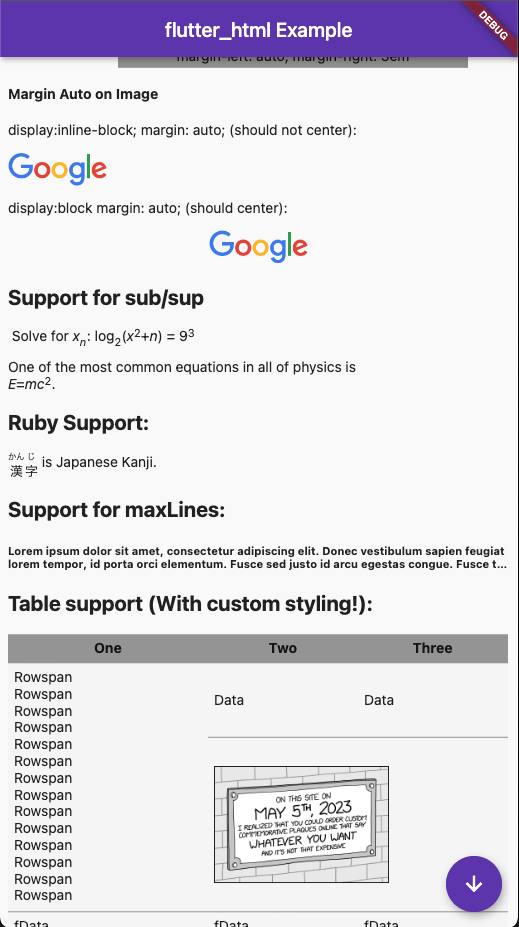
When rendering table elements, the package tries to calculate the best fit for each element and size its cell accordingly. Rowspans and colspans are considered in this process, so cells that span across multiple rows and columns are rendered as expected. Heights are determined intrinsically to maintain an optimal aspect ratio for the cell.