패키지, 저장소 및 앱 카테고리 검색

flutter_offline 표지
패키지 상세v6.0.0

flutter_offline

정돈된 유틸리티로 오프라인/온라인 연결을 마치 보스처럼 다룹니다.

AndroidiOSWebmacOSWindowsLinux
30일 다운로드
5.5천
좋아요
680
Pub 점수
140

패키지 설치

flutter pub add flutter_offline

패키지 개요

공개 정보를 바탕으로 생성한 선택 가이드입니다.

flutter_offline는 Flutter 애플리케이션에서 네트워크 연결 상태를 모니터링하는 것을 단순화하는 가볍고 직관적인 패키지입니다. 실시간으로 온라인 및 오프라인 상태를 감지하여 개발자가 변화하는 네트워크 조건에 따라 원활하게 적응하는 반응형 UI를 구축할 수 있도록 합니다. 최소한의 설정과 플랫폼 간 일관된 동작을 통해 Android, iOS, Web, macOS, Windows, Linux에서 신뢰할 수 있는 연결 확인을 보장합니다. 기존 앱에 쉽게 통합되며, 네트워크 상태 변경을 효율적으로 처리하기 위한 깔끔한 API를 제공합니다.

사용 사례

  • 오프라인 데이터 캐싱 처리
  • 네트워크 상태 표시기 표시
  • 오프라인 우선 앱 경험 활성화
  • 네트워크 연결 손실 시 API 요청을 부드럽게 관리하기
  • 유연한 사용자 인터페이스 구축

주요 기능

  • 실시간 온라인/오프라인 상태 감지
  • 크로스 플랫폼 호환성
  • 간단하고 깔끔한 API
  • 자동 연결 모니터링
  • 모바일 및 데스크톱 플랫폼 모두에 대한 지원

적합한 대상

  • 강력한 네트워크 인식이 필요한 앱
  • 오프라인 우선 애플리케이션 개발
  • 사용자 친화적인 연결 피드백
  • 네트워크에 의존하는 비즈니스 로직
  • 최소 통합 오버헤드를 원하는 개발자

고려 사항

  • 자동으로 재연결 시도를 처리하지 않습니다
  • 재시도 전략을 수동으로 구현해야 합니다
  • 연결 상태에 한정되며 데이터 동기화는 포함되지 않음
  • 오프라인 데이터를 위한 내장된 지속성 없음
  • 플랫폼에 따라 다를 수 있는 시스템 레벨의 네트워크 API에 의존합니다

원본 README

연결된 소스 저장소의 README 원문 스냅샷입니다. 최신 내용은 저장소에서 확인하세요.

✈️ Flutter Offline

Format, Analyze and Test codecov pub package

A tidy utility to handle offline/online connectivity like a Boss. It provides support for all platforms (iOS, Android, Web, macOS, Linux, and Windows).

🎖 Installing

dependencies:
  flutter_offline: "^6.0.0"
⚡️ Import
import 'package:flutter_offline/flutter_offline.dart';
✔ Add Permission to Manifest
<uses-permission android:name="android.permission.INTERNET"/>

🎮 How To Use

import 'package:flutter/material.dart';
import 'package:flutter_offline/flutter_offline.dart';

class DemoPage extends StatelessWidget {
  @override
  Widget build(BuildContext context) {
    return new Scaffold(
      appBar: new AppBar(
        title: new Text("Offline Demo"),
      ),
      body: OfflineBuilder(
        connectivityBuilder: (
          BuildContext context,
          List<ConnectivityResult> connectivity,
          Widget child,
        ) {
          final bool connected = !connectivity.contains(ConnectivityResult.none);
          return new Stack(
            fit: StackFit.expand,
            children: [
              Positioned(
                height: 24.0,
                left: 0.0,
                right: 0.0,
                child: Container(
                  color: connected ? Color(0xFF00EE44) : Color(0xFFEE4400),
                  child: Center(
                    child: Text("${connected ? 'ONLINE' : 'OFFLINE'}"),
                  ),
                ),
              ),
              Center(
                child: new Text(
                  'Yay!',
                ),
              ),
            ],
          );
        },
        child: Column(
          mainAxisAlignment: MainAxisAlignment.center,
          children: <Widget>[
            new Text(
              'There are no bottons to push :)',
            ),
            new Text(
              'Just turn off your internet.',
            ),
          ],
        ),
      ),
    );
  }
}

For more info, please, refer to the main.dart in the example.

🔄 Retry Functionality

Manually retry connectivity checks with exponential backoff:

class MyWidget extends StatefulWidget {
  @override
  State<MyWidget> createState() => _MyWidgetState();
}

class _MyWidgetState extends State<MyWidget> {
  late final OfflineRetryController _retryController;

  @override
  void initState() {
    super.initState();
    _retryController = OfflineRetryController(
      maxRetries: 5,
      retryCooldown: const Duration(seconds: 2),
    );
    _retryController.addListener(() => setState(() {}));
  }

  @override
  void dispose() {
    _retryController.dispose();
    super.dispose();
  }

  @override
  Widget build(BuildContext context) {
    return OfflineBuilder(
      retryController: _retryController,
      connectivityBuilder: (context, connectivity, child) {
        final connected = !connectivity.contains(ConnectivityResult.none);
        return Column(
          children: [
            Text(connected ? 'ONLINE' : 'OFFLINE'),
            if (!connected)
              ElevatedButton(
                onPressed: _retryController.canRetry ? _retryController.retry : null,
                child: Text('Retry (${_retryController.retryCount}/5)'),
              ),
          ],
        );
      },
    );
  }
}
Custom Retry Logic

Override onRetry() or onRetryError() for custom behavior:

class CustomRetryController extends OfflineRetryController {
  CustomRetryController() : super(maxRetries: 3);

  @override
  Future<void> onRetry() async {
    print('Retrying connection...');
  }

  @override
  void onRetryError(Object error, StackTrace stackTrace) {
    print('Retry failed: $error');
  }
}

Features:

  • Exponential backoff (1s, 2s, 4s, 8s, 16s)
  • Configurable retry limits and cooldown
  • Auto-reset on reconnection
  • Extends ChangeNotifier for reactive UI updates

🧪 Testing

Run tests with:

flutter test

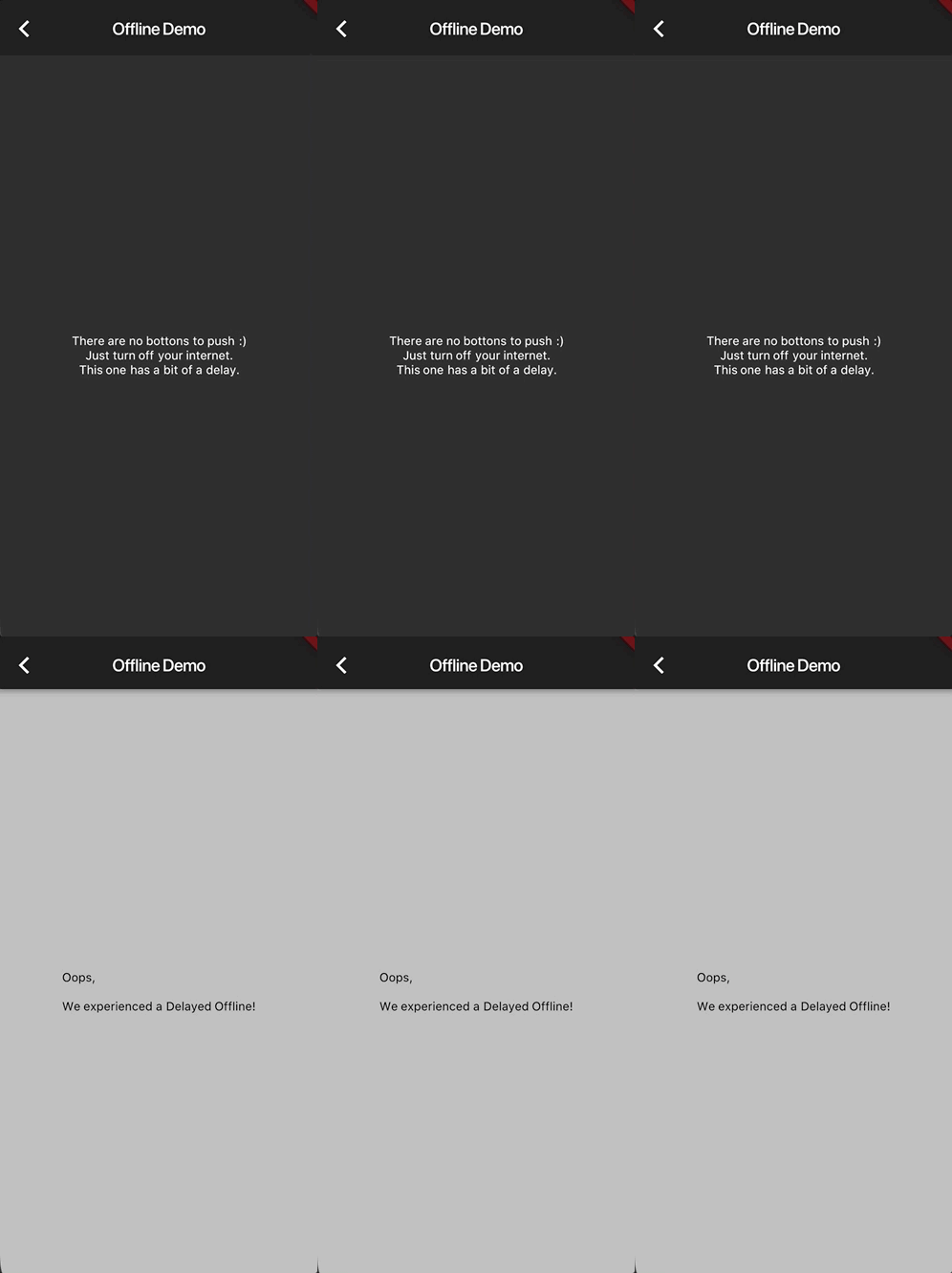
📷 Screenshots

🐛 Bugs/Requests

If you encounter any problems feel free to open an issue. If you feel the library is missing a feature, please raise a ticket on Github and I'll look into it. Pull request are also welcome.

❗️ Note

For help getting started with Flutter, view our online documentation.

For help on editing plugin code, view the documentation.

🤓 Mentions

Simon Lightfoot (@slightfoot) is just awesome 👍.

⭐️ License

MIT License

카테고리

의존성

의존성 목록 2 개

소스 저장소

이 패키지를 사용하는 프로젝트

아직 데이터가 없습니다.