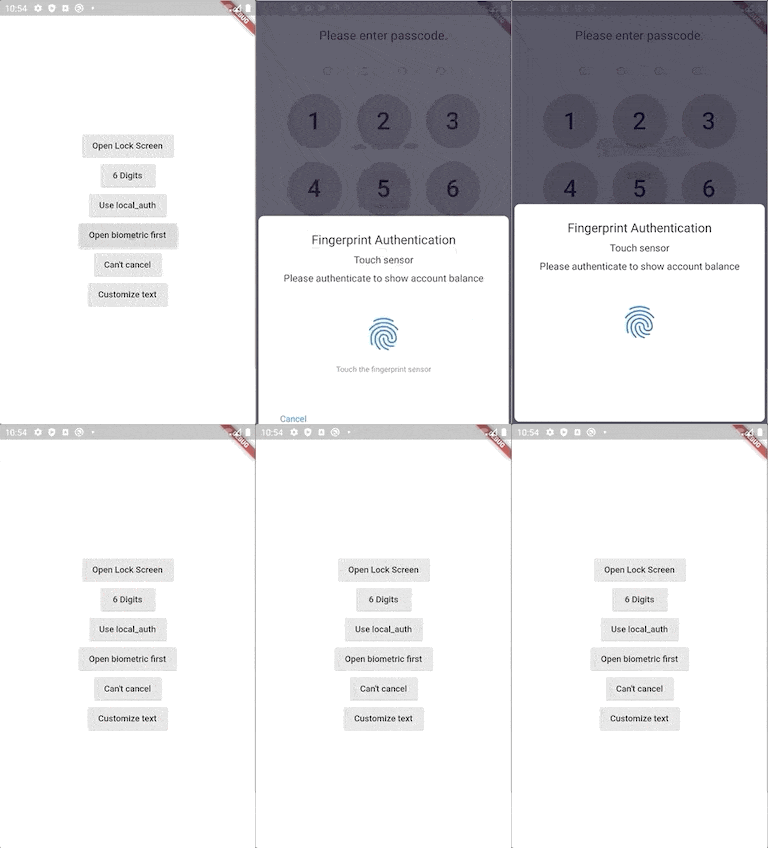
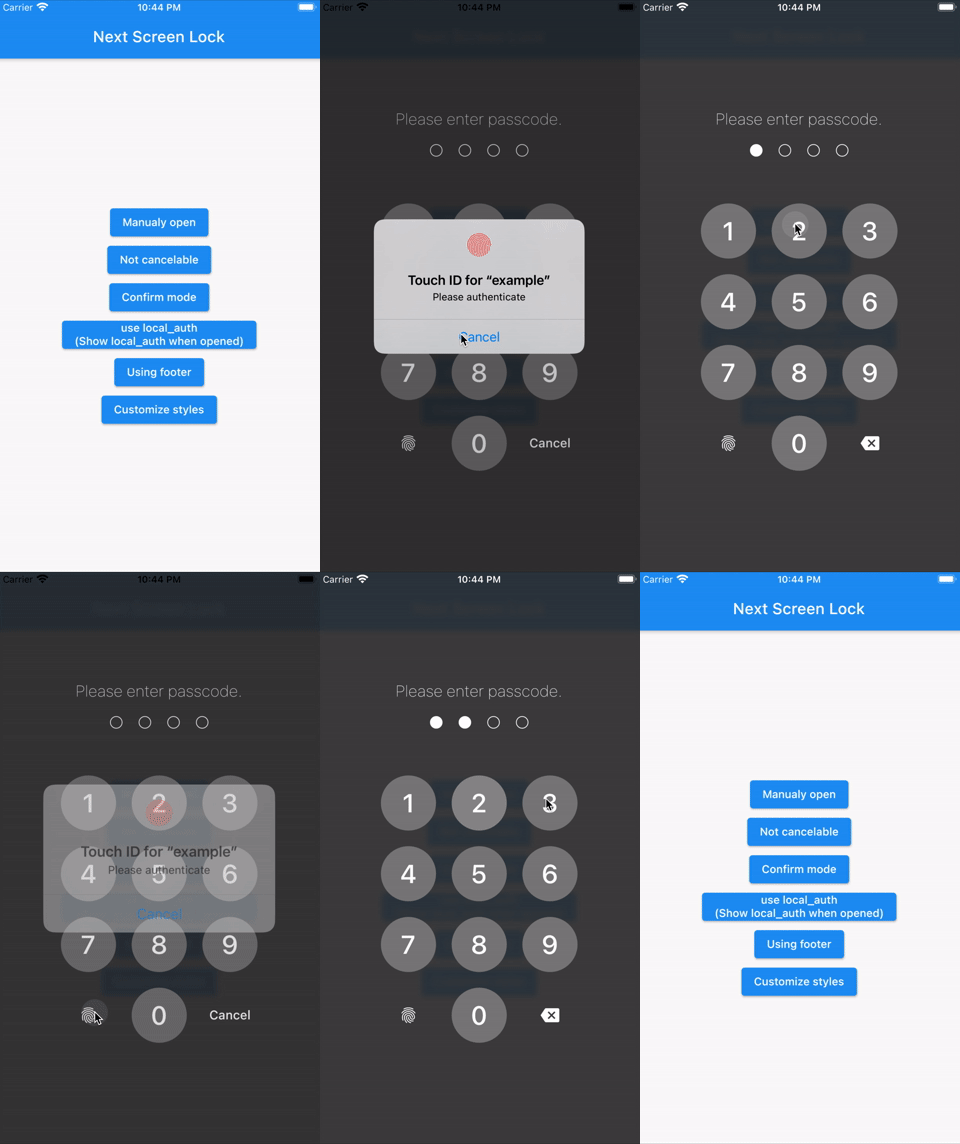
Flutter Screen Lock은 Android, iOS 및 기타 지원 플랫폼에서 화면 잠금을 가능하게 하는 크로스플랫폼 패키지입니다. 암호와 생체 인식 인증(예: Face ID 또는 지문)을 모두 지원하여 앱 인터페이스를 보호합니다. 은행 또는 개인 데이터 접근과 같은 강화된 보안이 필요한 앱에 적합하며, Flutter 생태계와 원활하게 통합됩니다. 이 패키지는 신뢰할 수 있는 인증을 위해 네이티브 플랫폼 기능을 활용하여 다양한 장치에서 일관된 사용자 경험을 보장합니다.
사용 사례
보안 앱 액세스
민감한 데이터 보호
생체 인식 로그인
패스코드 보호
앱 잠금 기능
개인정보 보호 중심 애플리케이션
주요 기능
크로스 플랫폼 지원
생체 인증
패스코드 백업
네이티브 통합
간편한 설정
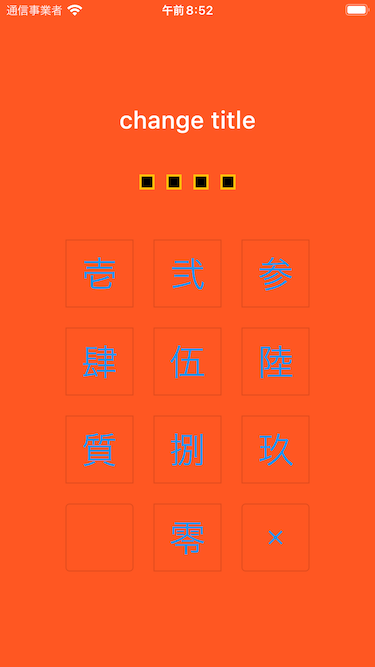
사용자 정의 가능한 UI
적합한 대상
높은 보안이 필요한 앱
금융 또는 건강 앱
개인 데이터 저장소
사용자 개인정보 보호 도구
앱 잠금 기능을 구축하는 개발자
고려 사항
플랫폼별 권한이 필요합니다
일부 플랫폼에서 사용자 지정이 제한되어 있습니다
웹 지원에는 제한이 있을 수 있습니다
기기 생체 인식 가능 여부에 따라 다름
상호작용이 없는 화면에는 적합하지 않습니다
웹용으로 추가 구성이 필요할 수 있습니다
원본 README
연결된 소스 저장소의 README 원문 스냅샷입니다. 최신 내용은 저장소에서 확인하세요.
Flutter Screen Lock
This Flutter plugin provides an feature for screen lock.
Enter your passcode to unlock the screen.
You can also use biometric authentication as an option.
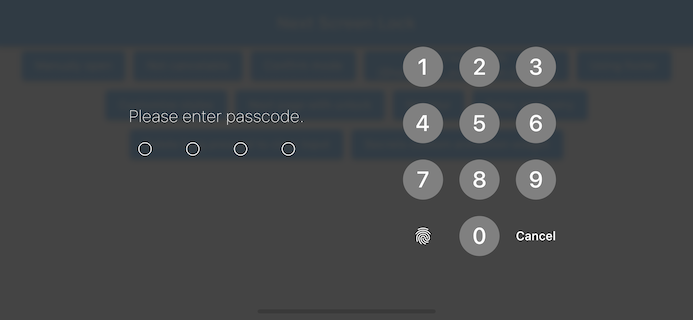
Landscape view
Features
By the length of the character count
You can change Cancel and Delete widget
Optimizes the UI for device size and orientation
You can disable cancellation
You can use biometrics (local_auth plugin)
Biometrics can be displayed on first launch
Unlocked callback
You can specify a mismatch event.
Limit the maximum number of retries
Keyboard input support for devices with physical keyboards
Number keys (0-9) and numpad input
Backspace key for deletion
Enter key for confirmation
Escape key for cancellation
Usage
You can easily lock the screen with the following code.
To unlock, enter correctString.
Simple
If you give the same input as correctString, it will automatically close the screen.
You can have users create a new passcode with confirmation
import'package:flutter_screen_lock/flutter_screen_lock.dart';
screenLockCreate(
context: context,
onConfirmed: (value) => print(value), // store new passcode somewhere here
);
Control the creation state
import'package:flutter_screen_lock/flutter_screen_lock.dart';
final inputController = InputController();
screenLockCreate(
context: context,
inputController: inputController,
);
// Somewhere else...
inputController.unsetConfirmed(); // reset first and confirm input
Change all callback names from didSomething to onSomething
Change screenLock with confirm: true to screenLockCreate
Change ScreenLock with confirm: true to ScreenLock.create
Replace StyledInputConfig with KeyPadButtonConfig
Replace spacingRatio with fixed value spacing in Secrets
6.x to 7 migration
Requires dart >= 2.17 and Flutter 3.0
Replace InputButtonConfig with KeyPadConfig.
Change delayChild to delayBuilder. delayBuilder is no longer displayed in a new screen. Instead, it is now located above the Secrets.
Accept BuildContext in secretsBuilder.
5.x to 6 migration
ScreenLock does not use Navigator.pop internally anymore.
The developer should now pop by themselves when desired. screenLock call will pop automatically if onUnlocked is null.