패키지, 저장소 및 앱 카테고리 검색

flutter_sliding_toast 표지
패키지 상세v1.8.0

flutter_sliding_toast

사용자 정의 스타일과 애니메이션 동작을 사용하여 메시지를 표시하기 위한 플러터 패키지입니다.

AndroidiOSWebmacOSWindowsLinux
30일 다운로드
1천
좋아요
51
Pub 점수
160

패키지 설치

flutter pub add flutter_sliding_toast

패키지 개요

공개 정보를 바탕으로 생성한 선택 가이드입니다.

다양한 플랫폼에서 사용자 정의 가능한 토스트 메시지를 부드러운 슬라이딩 애니메이션과 함께 표시할 수 있는 플러터 패키지입니다. 색상, 폰트, 위치 등 맞춤형 스타일링을 지원하며, 개발자가 사용자 경험을 더욱 완성도 있게 만들 수 있도록 사용자 정의 애니메이션 동작을 정의할 수 있습니다. 앱 흐름을 방해하지 않고 간단한 피드백이나 알림을 제공하는 데 이상적입니다. 가볍고 기존 플러터 프로젝트에 쉽게 통합됩니다.

사용 사례

  • 작업 후 사용자 피드백 표시
  • 성공 또는 오류 메시지 표시
  • 앱에서 일시적인 알림 제공
  • 애니메이션 알림으로 UI 개선
  • 메시지 외관 및 동작 맞춤 설정

주요 기능

  • 슬라이딩 애니메이션 효과
  • 사용자 지정 스타일 옵션
  • 크로스 플랫폼 호환성
  • Flutter와의 간편한 통합
  • 다양한 메시지 유형 지원
  • 사용자 지정 가능한 애니메이션 지속 시간 및 방향

적합한 대상

  • 모바일 및 웹 애플리케이션
  • 미묘한 알림이 필요한 앱
  • 애니메이션 피드백을 원하는 개발자
  • 사용자 인터페이스 중심의 Flutter 프로젝트
  • 경량 토스트 솔루션을 원하는 팀

고려 사항

  • 기본 토스트 기능에 국한됨
  • 복잡한 레이아웃에 대한 내장 지원 없음
  • 애니메이션 사용자 정의에는 코드 지식이 필요합니다
  • 다크 모드를 위해 추가적인 스타일링이 필요할 수 있습니다
  • 지속적인 알림에 적합하지 않습니다

원본 README

연결된 소스 저장소의 README 원문 스냅샷입니다. 최신 내용은 저장소에서 확인하세요.

Flutter Sliding Toast

pub license: MIT

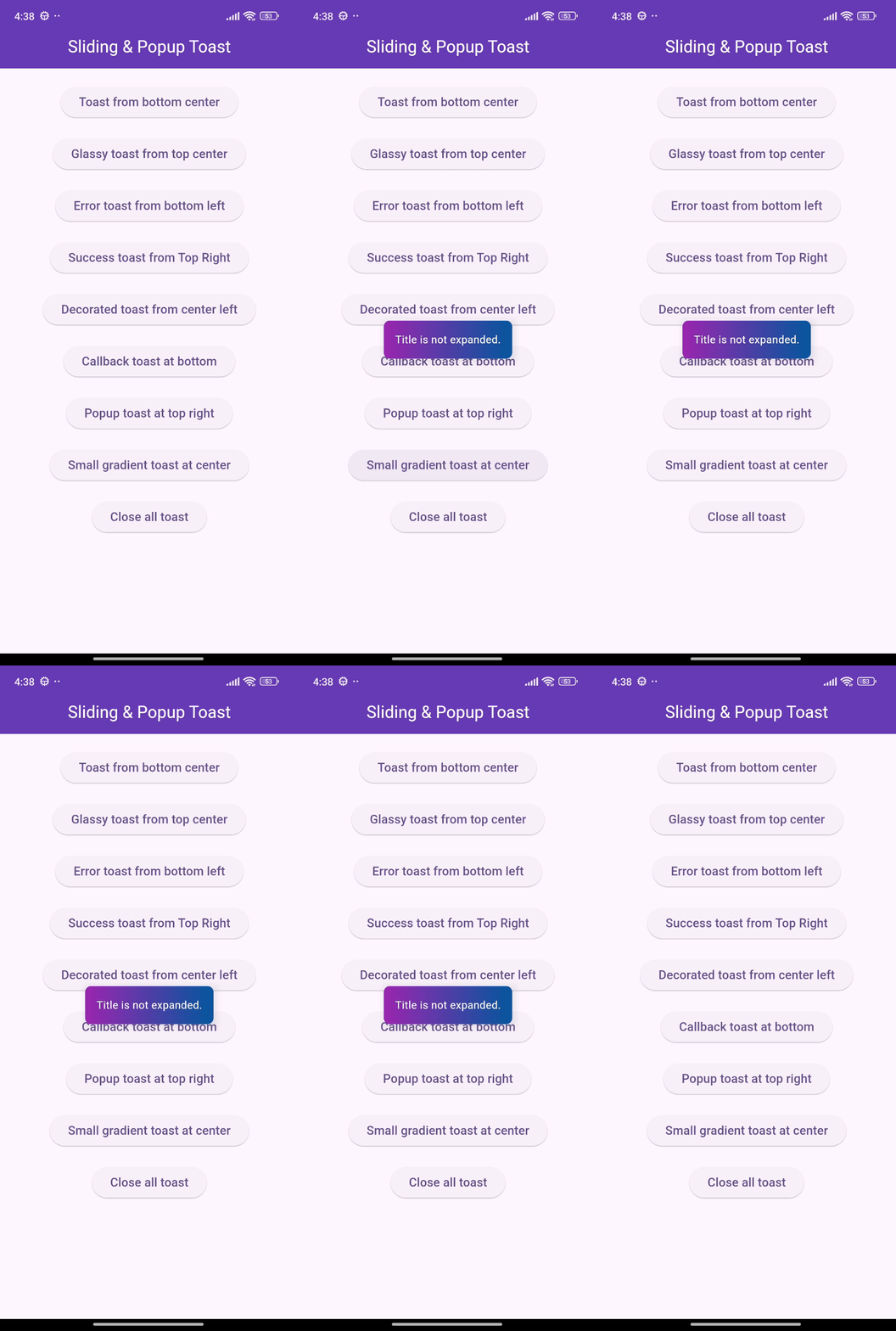
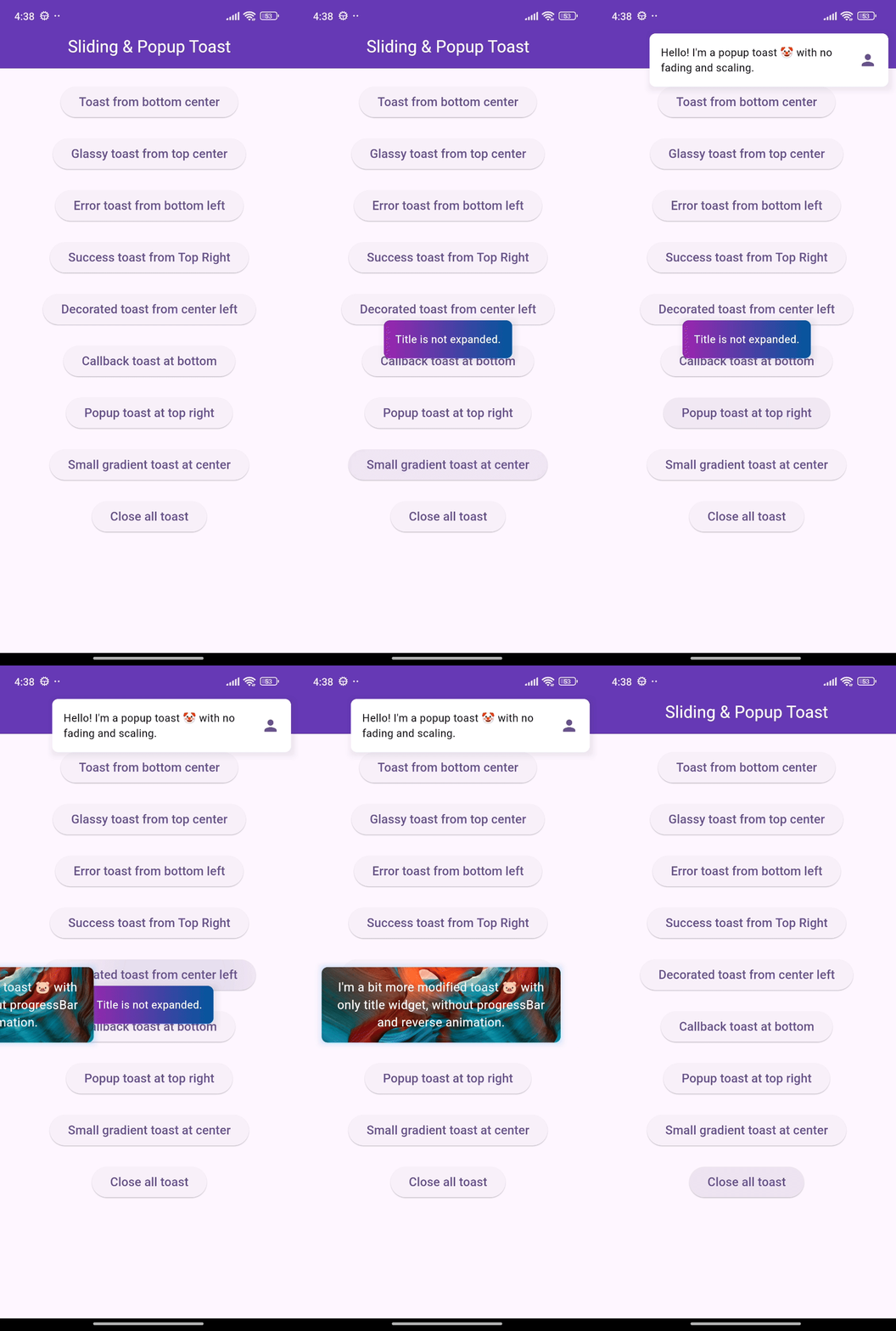
Enhance your app's UI with customizable, interactive toasts! This package offers both sliding & popup styles, with features like animation control, tap actions, and multiple dismiss options.

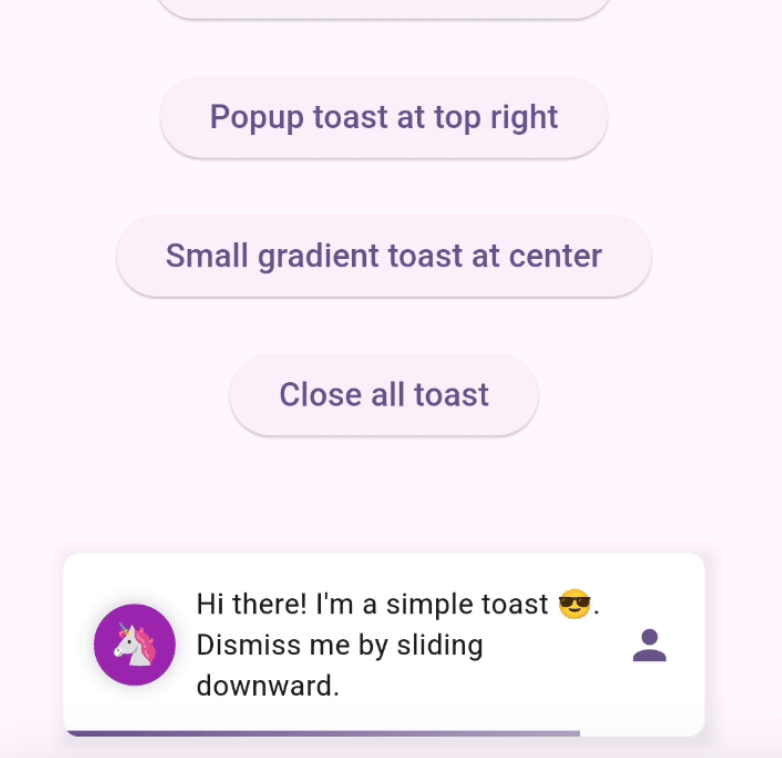
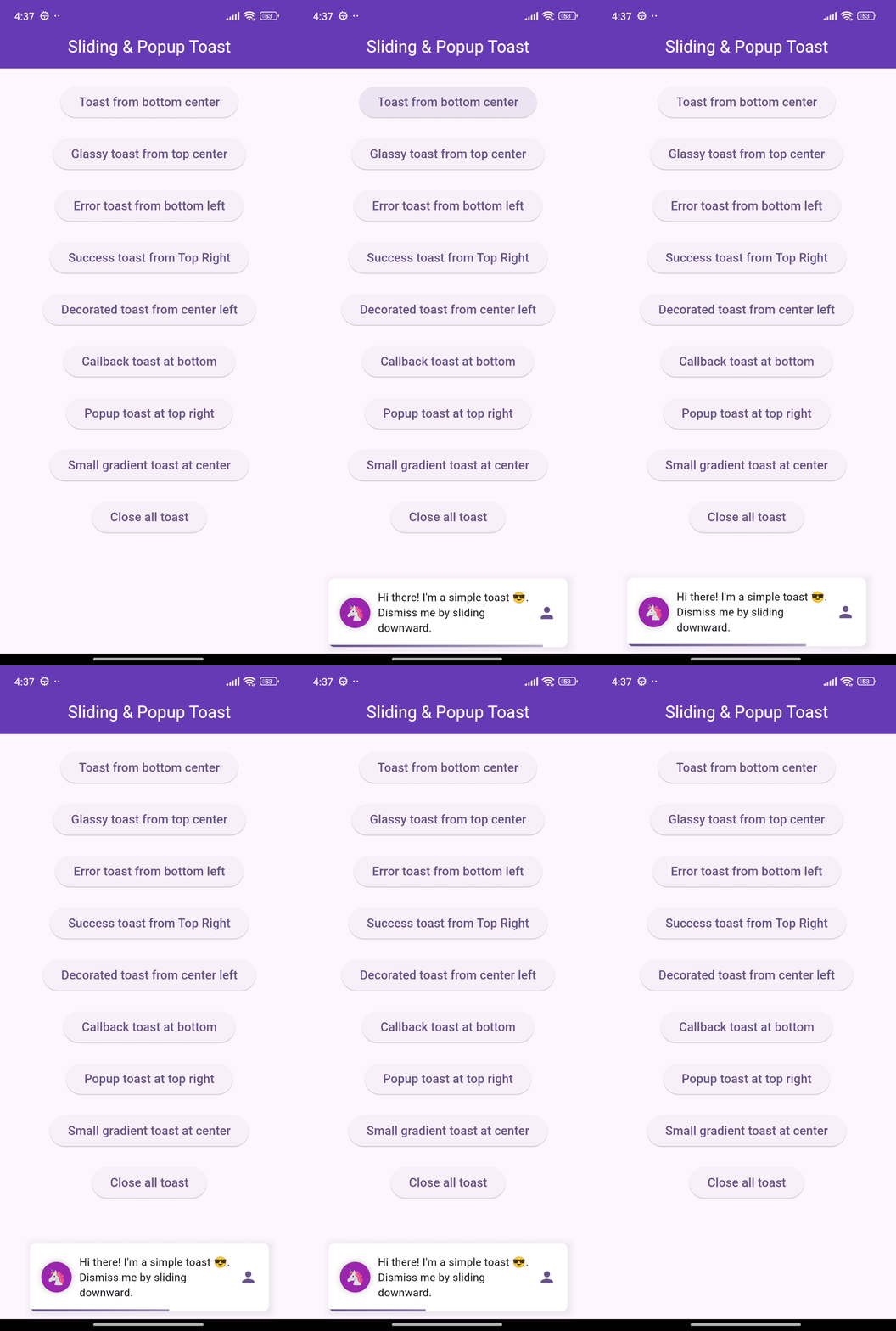
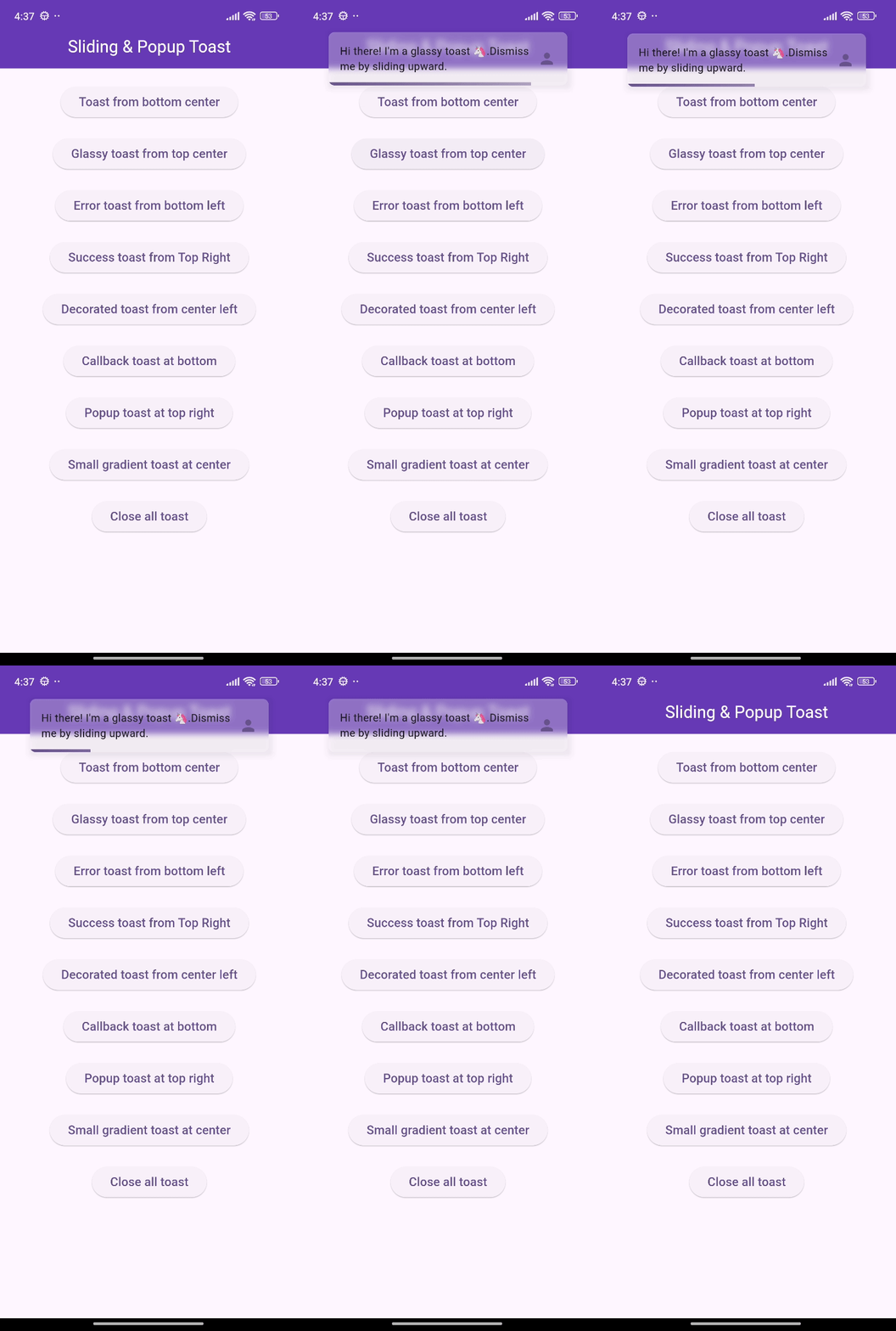
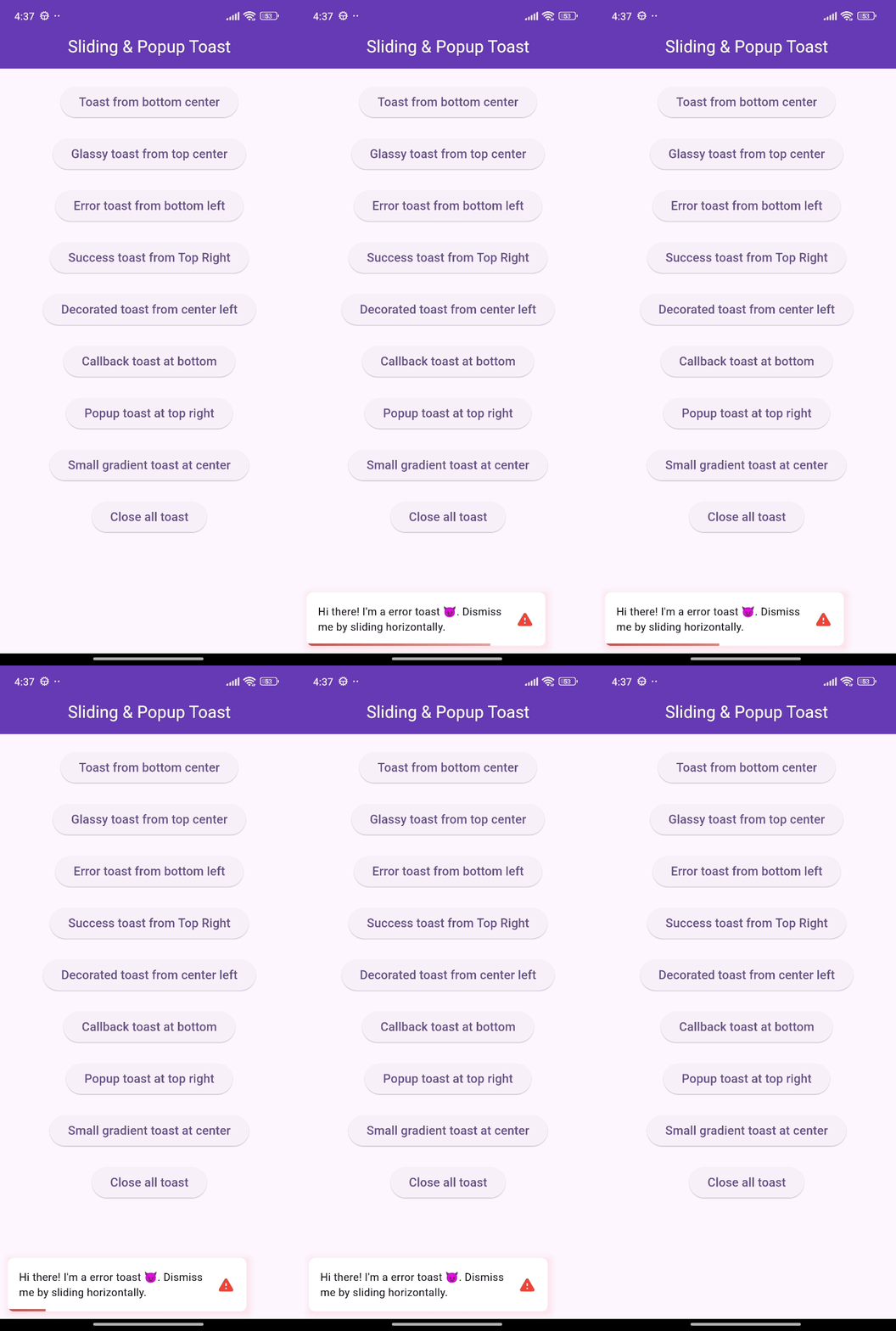
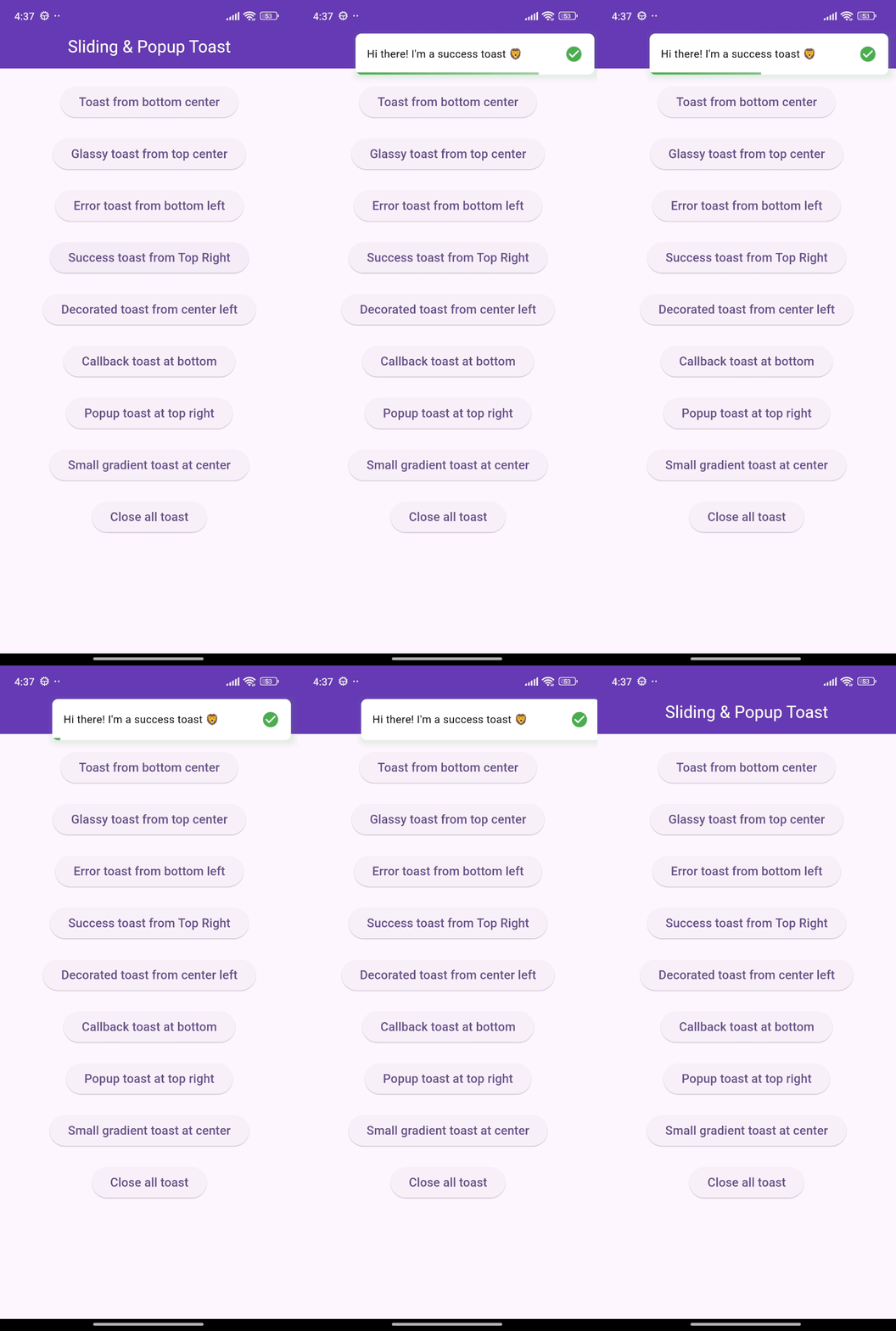
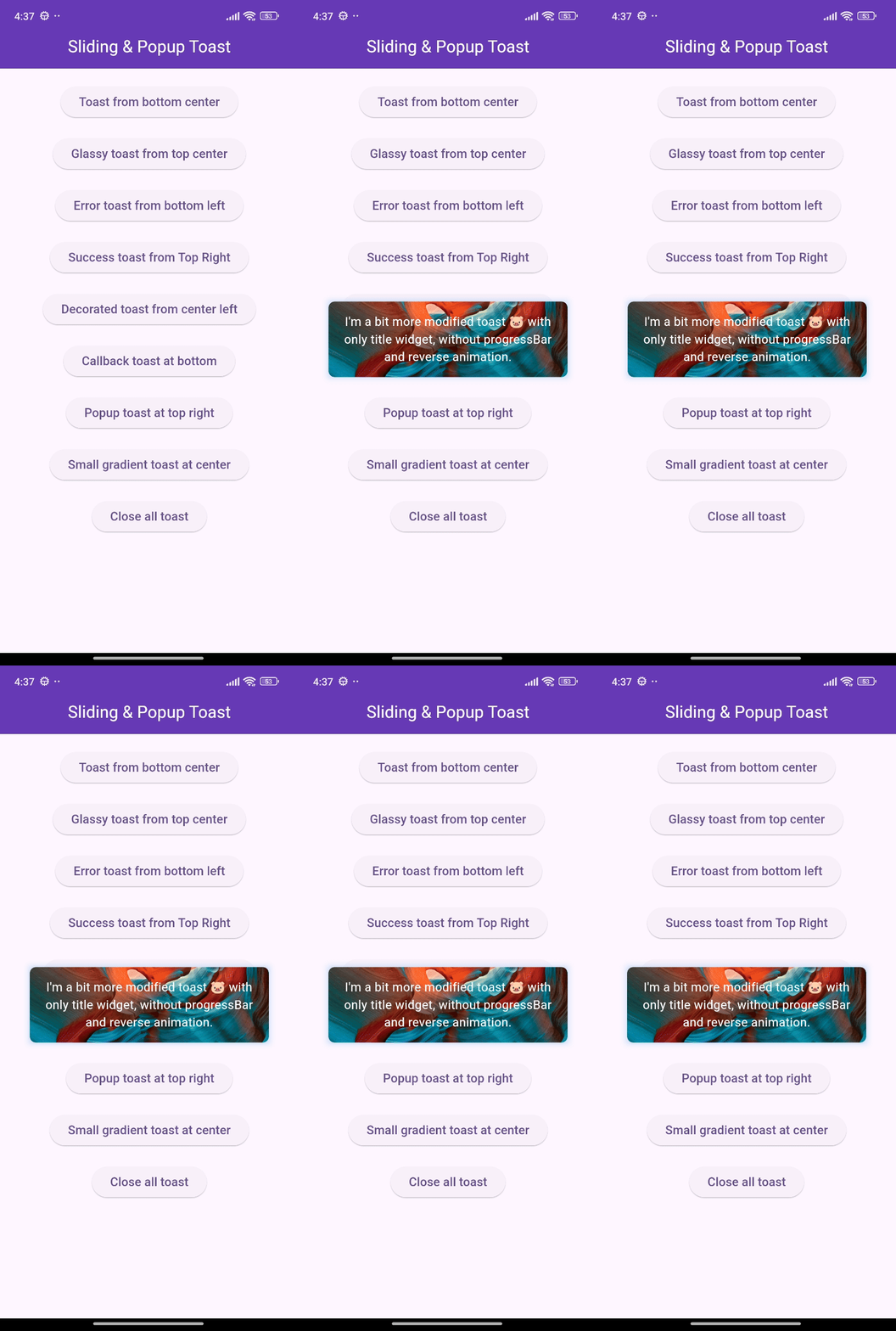
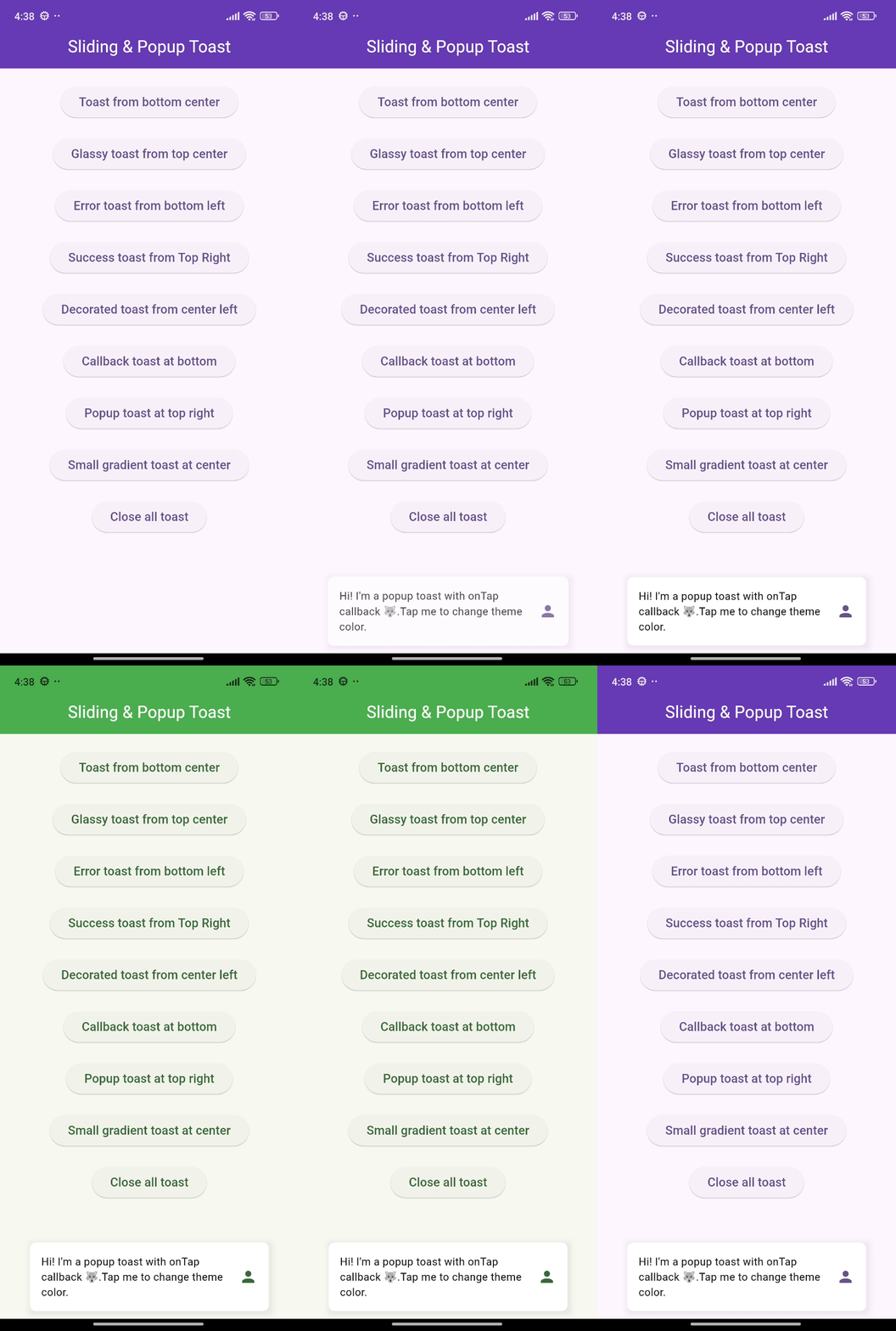
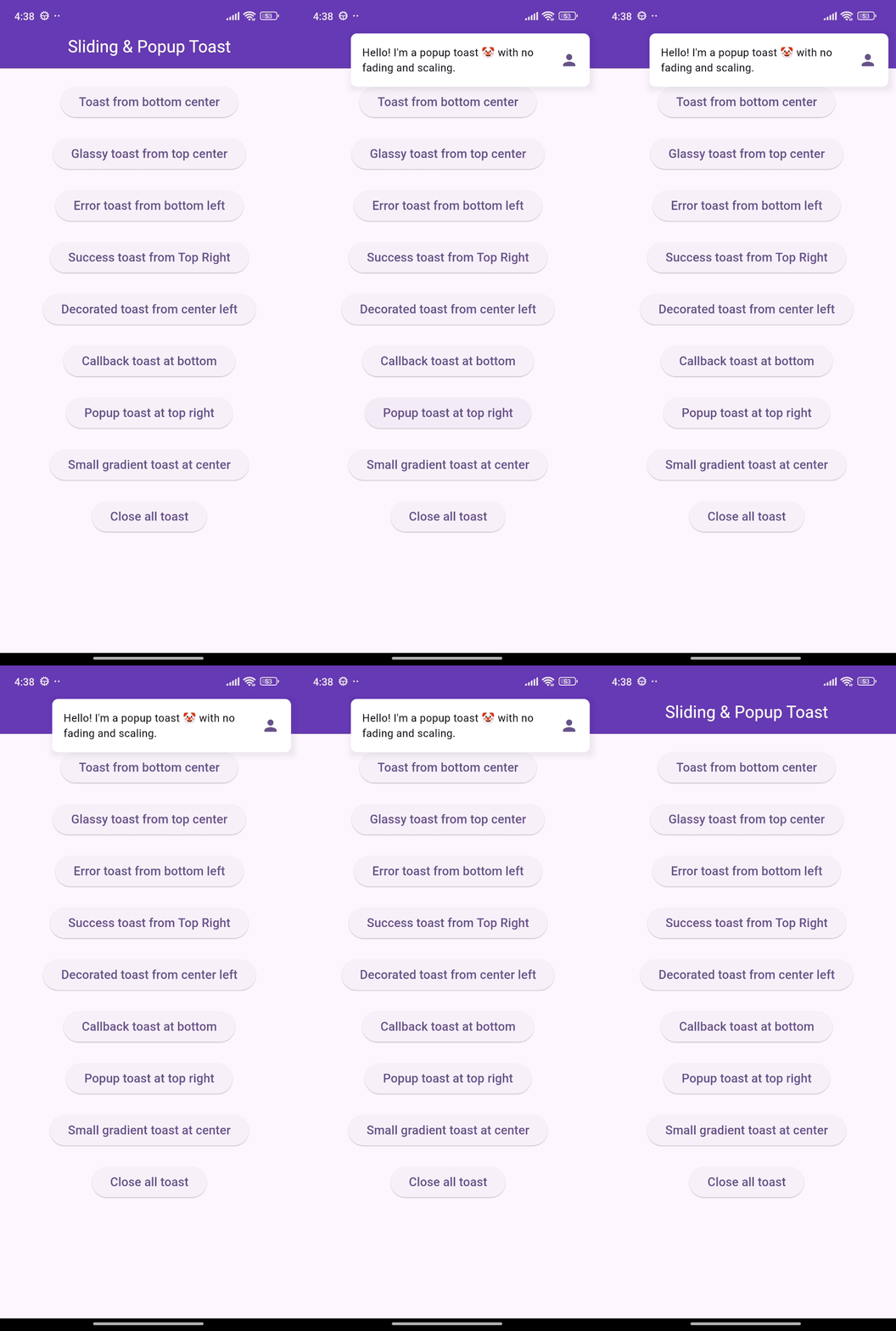
🎨 Screenshots

🎯 Features

  • Show sliding toasts, modify sliding behaviors
  • Show popup toasts, disable or modify fading and scaling behaviors
  • Change toast's alignment positions and sliding toast's sliding directions
  • Define animation and display duration, max height and width, padding
  • Set title, leading, trailing widgets and make title width dynamic or expanded
  • Disable the progressbar in sliding toast if needed
  • Use glassmorphism/gradient/decorated background or default success and error toast
  • Slide any direction to dismiss sliding toast and vertically for popup toast
  • Dismiss an individual or all toasts programmatically
  • Pause the animation with long press and release it to continue
  • Execute a function after the toast is tapped or disposed
  • Disable Multiple tapping to execute 'onTap' callback only one time
  • Initialize context or overlay state early for persistent toast availability

⚙️ Getting Started

Requires Flutter 3.47.0 or newer.

Add the following line to pubspec.yaml:

dependencies:
  flutter_sliding_toast: ^1.6.0

🚀 Usage

class MyHomePage extends StatelessWidget {
  const MyHomePage({super.key});

  @override
  Widget build(BuildContext context) {
    return Scaffold(
      appBar: AppBar(
        iconTheme: const IconThemeData(color: Colors.white),
        title: const Text('Sliding & Popup Toast'),
        centerTitle: true,
      ),
      body: SafeArea(
        child: Column(
          mainAxisAlignment: MainAxisAlignment.center,
          children: [
            const SizedBox(width: double.maxFinite),
            ElevatedButton(
              onPressed: () {
                InteractiveToast.slide(
                  context: context,
                  leading: _leadingWidget(),
                  title: const Text(
                    "Hi there! I'm a sliding toast 😎. "
                    'Dismiss me by sliding upward.',
                  ),
                  trailing: _trailingWidget(),
                  toastStyle: const ToastStyle(titleLeadingGap: 10),
                  toastSetting: const SlidingToastSetting(
                    displayDuration: Duration(seconds: 2),
                    toastStartPosition: ToastPosition.top,
                    toastAlignment: Alignment.topCenter,
                  ),
                );
              },
              child: _textWidget('Sliding toast from top center'),
            ),
            const SizedBox(height: 30),
            ElevatedButton(
              onPressed: () {
                final overlayState = Overlay.of(context);
                InteractiveToast.pop(
                  overlayState: overlayState,
                  title: const Text(
                    "Hi! I'm a popup toast 🐺. "
                    'I have fading and scaling effect.',
                  ),
                  trailing: _trailingWidget(),
                  toastSetting: const PopupToastSetting(
                    animationDuration: Duration(seconds: 1),
                    displayDuration: Duration(seconds: 3),
                  ),
                );
              },
              child: _textWidget('Popup toast at bottom center'),
            ),
          ],
        ),
      ),
    );
  }

  Text _textWidget(String text) =>
      Text(text, style: const TextStyle(fontSize: 16));

  Icon _trailingWidget() => const Icon(Icons.person, color: Colors.deepPurple);

  Container _leadingWidget() {
    return Container(
      width: 40,
      height: 40,
      decoration: BoxDecoration(
        shape: BoxShape.circle,
        color: Colors.purple,
        boxShadow: [
          BoxShadow(
            color: Colors.black.withAlpha(25),
            spreadRadius: 3,
            blurRadius: 4,
          ),
        ],
      ),
      alignment: Alignment.center,
      child: const Text('🦄', style: TextStyle(fontSize: 20)),
    );
  }
}

❤️ Additional information

Pull requests are welcomed!

If you encounter any problems or you have any ideas, feel free to open an issue:

카테고리

의존성

의존성 목록 1 개

소스 저장소

이 패키지를 사용하는 프로젝트

아직 데이터가 없습니다.