패키지, 저장소 및 앱 카테고리 검색

패키지 상세v2.0.0

flutter_statusbar_manager

Flutter Statusbar Manager는 iOS 및 Android에서 상태 표시줄의 색상, 스타일(테마), 가시성 및 반투명 속성을 제어할 수 있게 해줍니다.

30일 다운로드
100
좋아요
123
Pub 점수
40

패키지 설치

flutter pub add flutter_statusbar_manager

패키지 개요

공개 정보를 바탕으로 생성한 선택 가이드입니다.

Flutter Statusbar Manager는 iOS 및 Android 기기에서 상태 표시줄을 사용자 지정할 수 있는 크로스 플랫폼 패키지입니다. 상태 표시줄의 색상, 외관(라이트 또는 다크 테마), 가시성 및 투명도를 제어할 수 있습니다. 간단한 API를 통해 플랫폼 간 일관된 UI 동작을 보장하며, 몰입형 또는 브랜드화된 상태 표시줄 디자인을 필요로 하는 앱에 이상적입니다. 이 패키지는 pub.dev를 통해 Flutter 프로젝트에 쉽게 통합되며 활발한 커뮤니티 지원으로 유지 관리됩니다.

사용 사례

  • 브랜딩을 위한 상태 표시줄 색상 사용자 지정
  • 몰입형 전체 화면 경험 만들기
  • 테마에 따라 상태 표시줄 스타일 조정
  • 전체 화면 모드에서 상태 표시줄 가시성 관리
  • iOS 및 Android에서 일관된 UI 보장
  • 현대적인 디자인을 위한 반투명 상태 표시줄 사용

주요 기능

  • 크로스 플랫폼 호환성 (iOS 및 안드로이드)
  • 상태 표시줄 색상 제어
  • 상태 표시줄 가시성 전환
  • 라이트/다크 상태바 테마 지원
  • 반투명 상태 표시줄 구성
  • 간단하고 직관적인 API

적합한 대상

  • 상태 표시줄 사용자 정의를 원하는 앱 개발자
  • 몰입형 UI를 구현하는 디자이너
  • 플랫폼별 상태바 조정이 필요한 프로젝트
  • 동적 테마가 필요한 앱
  • iOS 및 Android 둘 다를 대상으로 하는 개발자

고려 사항

  • 일부 기기에서는 플랫폼별 권한이 필요합니다
  • 상태 표시줄 속성만 제한
  • 다른 상태 표시줄 플러그인과 충돌할 수 있습니다
  • 복잡한 탐색 오버레이에 적합하지 않습니다
  • 사용자 경험을 신중히 고려하여 사용하는 것이 가장 좋습니다

원본 README

연결된 소스 저장소의 README 원문 스냅샷입니다. 최신 내용은 저장소에서 확인하세요.

flutter_statusbar_manager

Now compatible with AndroidX thanks to https://github.com/lorenzOliveto

Flutter Statusbar Manager, lets you control the status bar color, style (theme), visibility, and translucent properties across iOS and Android. With some added bonus for Android to control the Navigation Bar.

This plugin is based on React Native's StatusBar component.

The Navigation Bar code was taken from the awesome flutter-screen-theme-plugin.

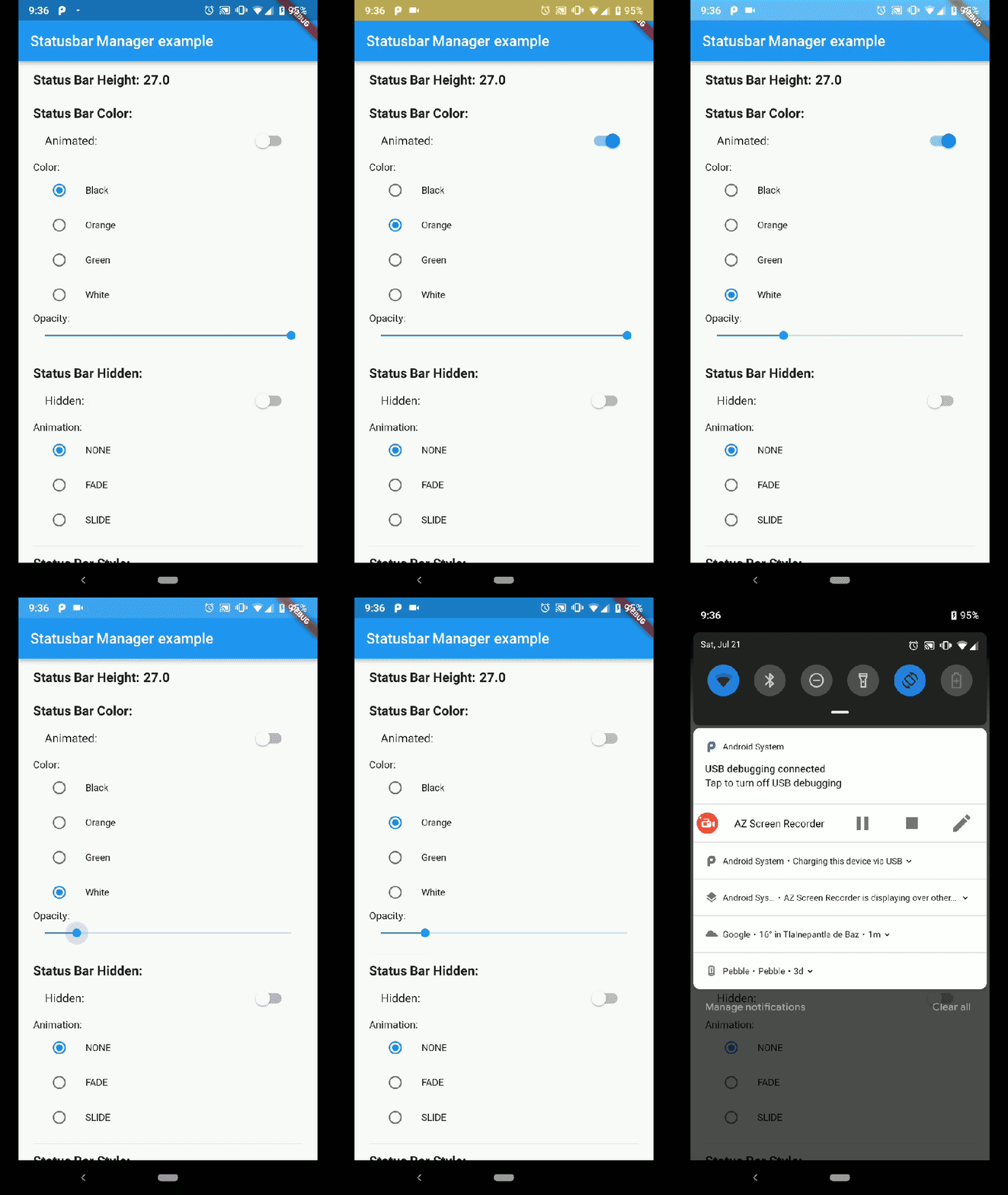
Demo App Android Status Bar

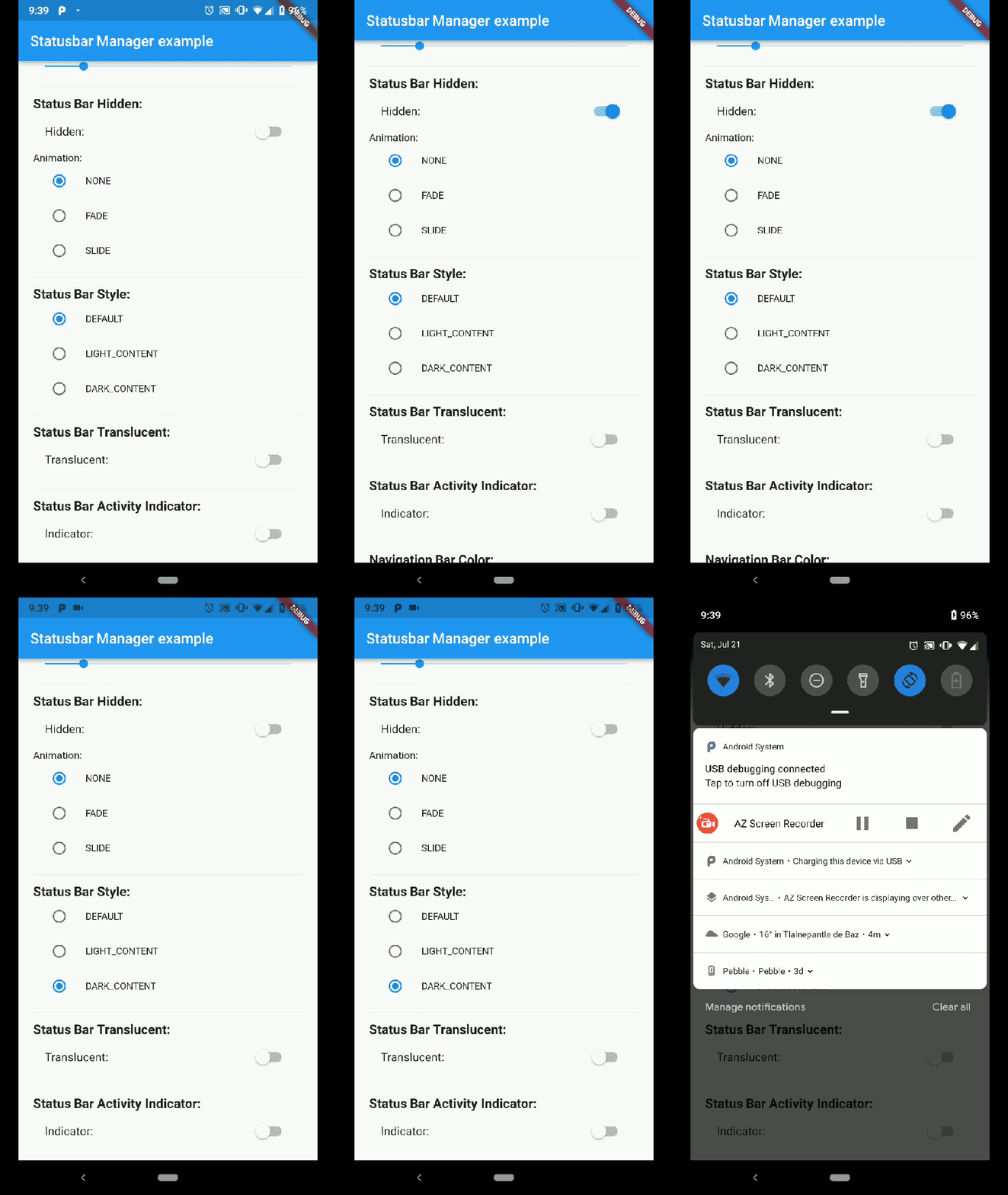
Demo App Android Status Bar hide

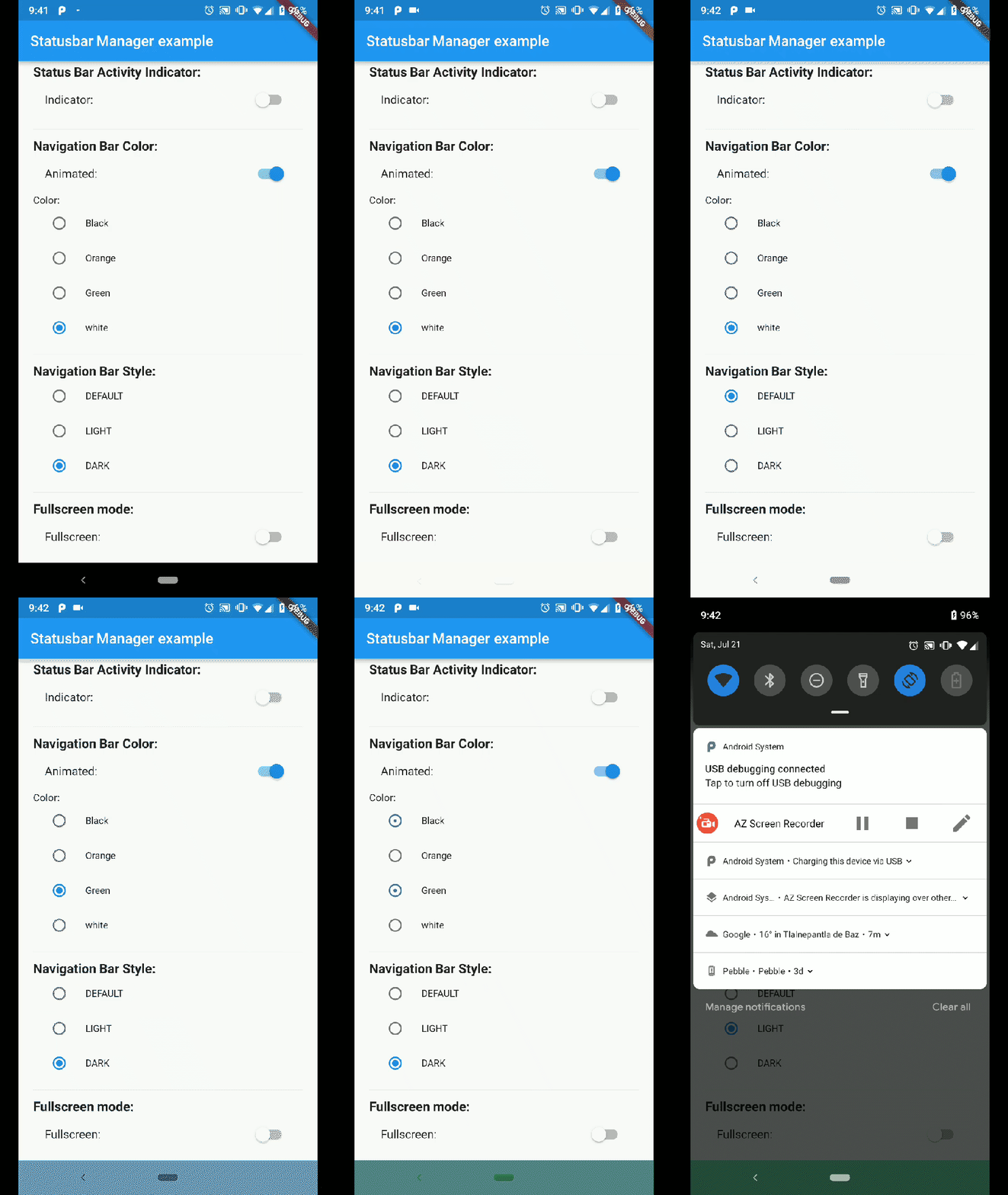
Demo App Android Nav Bar

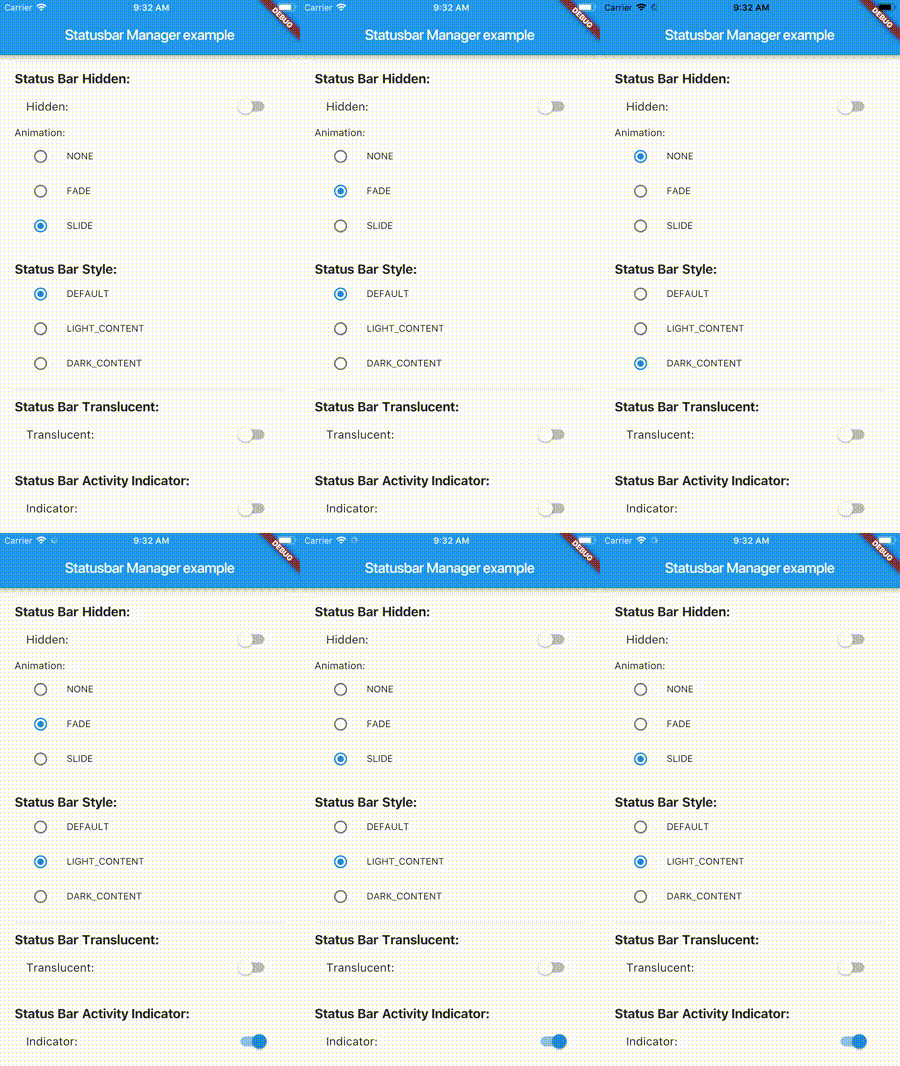
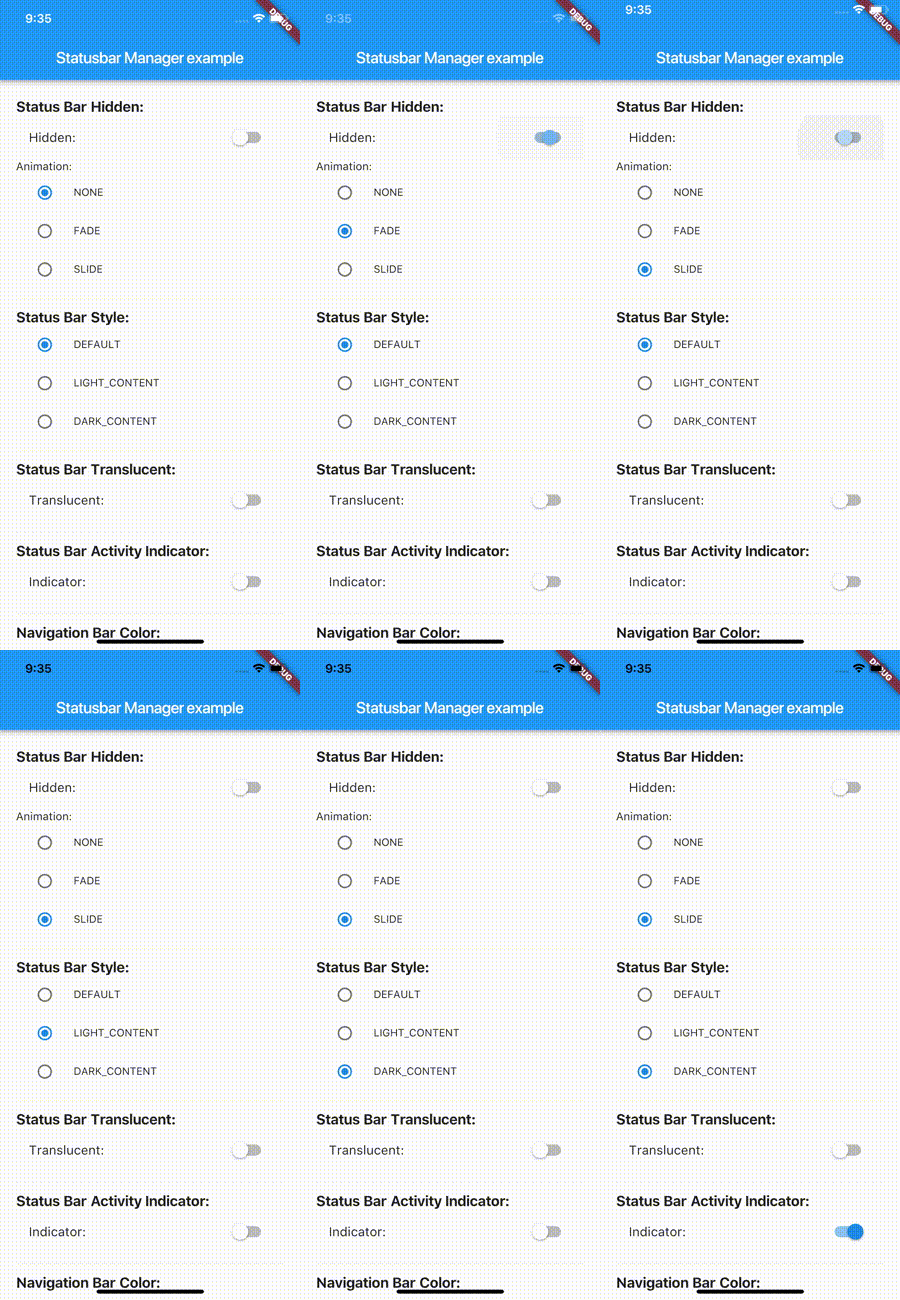
Demo App Iphone 8

Demo App Iphone X

Installation

flutter_statusbar_manager : ^lastest_version

to your pubspec.yaml ,and run

flutter packages get

in your project's root directory.

Basic Usage

Create a new project with command

flutter create myapp

On iOS add the following in your Info.plist:

<key>UIViewControllerBasedStatusBarAppearance</key>
<false/>

Import the plugin in lib/main.dart like this:

import 'package:flutter_statusbar_manager/flutter_statusbar_manager.dart';

Methods

setColor
Platforms: Android

The setColor method will set the status bar background color. On iOS the method will always return a successful Future.

Parameter Type Default Required Description
color Color none Yes The color to be set as background, can use colors with opacity.
animated bool false No Whether or not to animate the color change.
await FlutterStatusbarManager.setColor(Colors.green, animated:true);
setTranslucent
Platforms: Android

The setTranslucent method will set the status bar translucent status. On iOS the methods will always return a successful Future.

Parameter Type Default Required Description
translucent bool none Yes Whether or not the status bar will be translucent.
await FlutterStatusbarManager.setTranslucent(true);
setHidden
Platforms: Android, iOS

The setHidden will hide the status bar.

Parameter Type Default Required Description
hidden bool none Yes Whether or not to hide the status bar.
animation StatusBarAnimation StatusBarAnimation.NONE No The hiding animation to use (iOS only).
await FlutterStatusbarManager.setHidden(true, animation:StatusBarAnimation.SLIDE);
setStyle
Platforms: Android, iOS

The setStyle method will set the status bar theme.

Parameter Type Default Required Description
style StatusBarStyle none Yes The status bar theme to use for styling, can either be light, dark, default.
await FlutterStatusbarManager.setStyle(StatusBarStyle.DARK_CONTENT);
setNetworkActivityIndicatorVisible
Platforms: iOS

The setNetworkActivityIndicatorVisible method will show or hide the activity indicator, On Android the method will always return a successful Future.

Parameter Type Default Required Description
visible bool none Yes Whether or not to show the activity indicator.
await FlutterStatusbarManager.setNetworkActivityIndicatorVisible(true);
getHeight
Platforms: Android, iOS

The getHeight getter method will return the height of the status bar.

double height = await FlutterStatusbarManager.getHeight

Bonus Methods

setNavigationBarColor
Platforms: Android

The setNavigationBarColor method will set the navigation bar background color. On iOS the method will always return a successful Future.

Parameter Type Default Required Description
color Color none Yes The color to be set as background.
animated bool false No Whether or not to animate the color change.
await FlutterStatusbarManager.setNavigationBarColor(Colors.green, animated:true);
setNavigationBarStyle
Platforms: Android

The setNavigationBarStyle method will set the navigation bar theme.

Parameter Type Default Required Description
style NavigationBarStyle none Yes The navigation bar theme to use for styling, can either be light, dark, default.
await FlutterStatusbarManager.setNavigationBarStyle(NavigationBarStyle.DARK);
setFullscreen
Platforms: Android, iOS

The setFullscreen method will set the app in fullscreen mode.

Parameter Type Default Required Description
fullscreen bool none Yes Whether or not to set the app on fullscreen mode.
await FlutterStatusbarManager.setNavigationBarStyle(NavigationBarStyle.DARK);

Enums

StatusBarStyle
  • StatusBarStyle.DEFAULT
  • StatusBarStyle.LIGHT_CONTENT
  • StatusBarStyle.DARK_CONTENT
StatusBarAnimation
  • StatusBarAnimation.NONE
  • StatusBarAnimation.FADE
  • StatusBarAnimation.SLIDE
NavigationBarStyle
  • NavigationBarStyle.DEFAULT
  • NavigationBarStyle.DARK
  • NavigationBarStyle.LIGHT

Status bar

Compatibility: Android (6.0+) & iOS

On Android, it will only work with Android 6.0 (Marshmallow) and above devices.

Navigation bar

Compatibility: Android only

Android 5.0 (Lollipop) and above: color

Android 8.0 (Oreo) and above: style (dark/light)

카테고리

소스 저장소

이 패키지를 사용하는 프로젝트

아직 데이터가 없습니다.