패키지, 저장소 및 앱 카테고리 검색

flutter_switch_clipper 표지
패키지 상세v0.0.7

flutter_switch_clipper

두 위젯을 기본 클리퍼 또는 사용자 정의 클리퍼로 전환하는 Flutter 패키지입니다.

AndroidiOSWebmacOSWindowsLinux
30일 다운로드
50
좋아요
60
Pub 점수
160

패키지 설치

flutter pub add flutter_switch_clipper

패키지 개요

공개 정보를 바탕으로 생성한 선택 가이드입니다.

기본 또는 사용자 정의 클리퍼를 사용하여 두 위젯 간의 부드러운 전환을 가능하게 하는 플러터 패키지입니다. 애니메이션 클리핑 효과를 통해 UI 전환을 강화하여 동적이고 시각적으로 매력적인 인터페이스를 만들기에 이상적입니다. 여러 플랫폼을 지원하며 플러터 앱에 원활하게 통합됩니다. 개발자는 특정 디자인 요구 사항에 맞게 클리퍼 동작을 커스터마이징할 수 있어 애니메이션 스타일과 성능 면에서 유연성을 제공합니다. 탭, 토글, 콘텐츠 전환과 같은 상호작용 요소에 적합합니다.

사용 사례

  • 애니메이션 위젯 전환
  • 사용자 정의 탭 표시기
  • 인터랙티브 UI 컴포넌트
  • 동적 콘텐츠 전환
  • 부드러운 화면 전환
  • 디자인 중심 애니메이션

주요 기능

  • 기본 및 사용자 지정 클리퍼 지원
  • 크로스 플랫폼 호환성
  • 부드러운 전환 애니메이션
  • Flutter와의 간편한 통합
  • 유연한 위젯 전환
  • 높은 사용자 정의 가능한 클리핑 효과

적합한 대상

  • 시각적 매력이 필요한 UI 디자이너
  • 인터랙티브 인터페이스를 구축하는 개발자
  • 동적 콘텐츠 전환을 필요로 하는 앱
  • 맞춤형 애니메이션 필요 프로젝트
  • Flutter 초보자가 클리퍼 효과 탐색 중

고려 사항

  • 복잡한 클립으로 인한 성능 영향
  • Clipper 클래스에 대한 이해가 필요합니다
  • 큰 위젯의 경우 최적화가 필요할 수 있습니다
  • 기본 사용법 외에 문서가 제한적
  • 간단한 정적 레이아웃에 적합하지 않습니다

원본 README

연결된 소스 저장소의 README 원문 스냅샷입니다. 최신 내용은 저장소에서 확인하세요.

Flutter Switch Clipper

A Flutter package that two widgets switch with clipper.

pub package GitHub stars GitHub forks CodeFactor FlutterCandies

体验一下

体验网址:Demo

使用

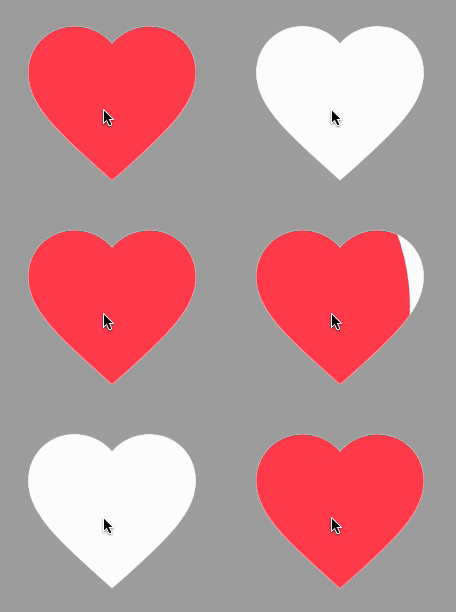
使用FillClipper并自定义相关参数

View code
SwitchClipper(
    initSelect: true,
    child: const Icon(Icons.favorite, size: 200, color: Colors.redAccent),
    background: const Icon(Icons.favorite, size: 200, color: Colors.white),
    duration: const Duration(milliseconds: 800),
    animationClip: FillClipper(fillAlignment: _alignment,fillOffset: 50),
),

使用默认FillClipper

View code
const SwitchClipper(
    enableWhenAnimating: false,
    child: Text(
        'FlutterCandies',
        style: TextStyle(
            fontWeight: FontWeight.bold,
            fontSize: 50,
            color: Colors.amber,
            height: 2,
        ),
    ),
    background: Text(
        'FlutterCandies',
        style: TextStyle(
            fontWeight: FontWeight.bold,
            fontSize: 50,
            color: Colors.white,
            height: 2,
        ),
    ),
    curve: Curves.slowMiddle,
    reverseCurve: Curves.linear,
),

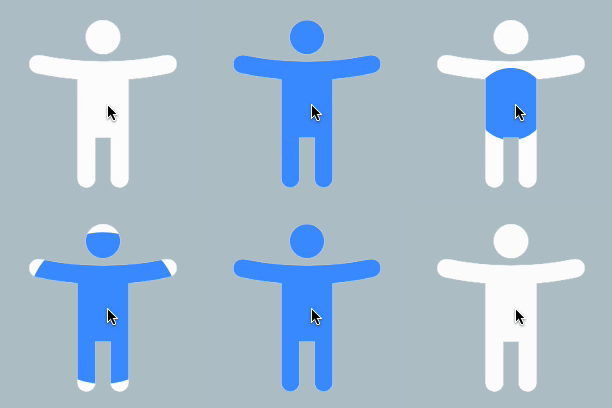
使用CircleClipper切换图标颜色

View code
SwitchClipper(
    child: const Icon(Icons.accessibility_new_rounded, size: 200, color: Colors.blueAccent),
    background: const Icon(Icons.accessibility_new_rounded, size: 200, color: Colors.white),
    curve: Curves.ease,
    duration: const Duration(milliseconds: 800),
    animationClip: CircleClipper(),
),

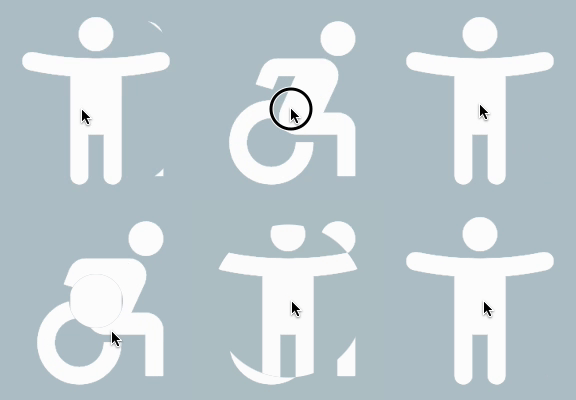
使用CircleClipper切换两个图标

View code
SwitchClipper(
    child: ColoredBox(
    color: Colors.blueGrey[200] ?? Colors.blueGrey,
    child: const Icon(Icons.accessibility_new_rounded, size: 200, color: Colors.white)),
    background: const Icon(Icons.accessible_forward_outlined, size: 200, color: Colors.white),
    curve: Curves.ease,
    duration: const Duration(milliseconds: 800),
    animationClip: CircleClipper(),
),

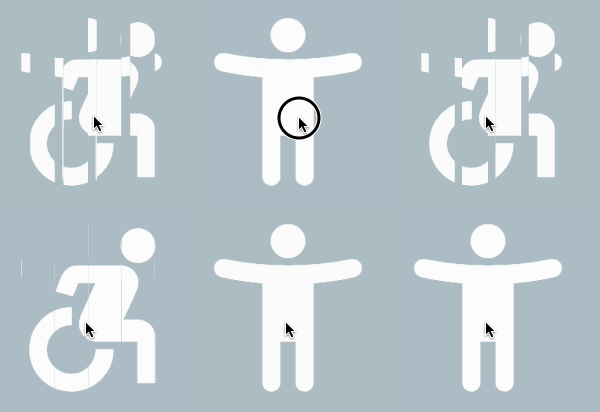
使用ShutterClipper

View code
SwitchClipper(
    child: ColoredBox(
        color: Colors.blueGrey[200] ?? Colors.blueGrey,
        child: const Icon(Icons.accessibility_new_rounded, size: 200, color: Colors.white)),
    background: const Icon(Icons.accessible_forward_outlined, size: 200, color: Colors.white),
    curve: Curves.ease,
    duration: const Duration(milliseconds: 800),
    animationClip: ShutterClipper(activeAlignment: _alignment),
),

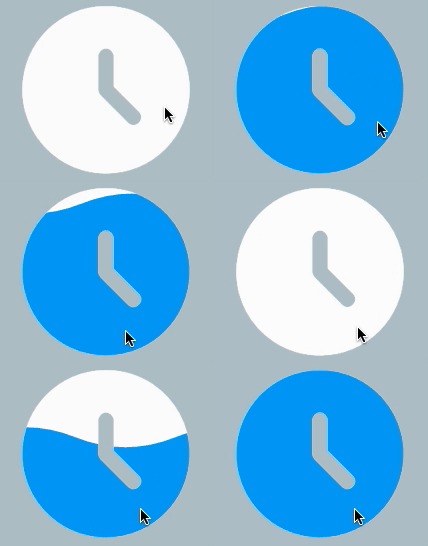
使用WaveClipper

View code
SwitchClipper(
    child: const Icon(Icons.access_time_filled_rounded, size: 200, color: Colors.blue),
    background: const Icon(Icons.access_time_filled_rounded, size: 200, color: Colors.white),
    curve: Curves.ease,
    duration: const Duration(milliseconds: 2000),
    animationClip: WaveClipper(
        waveAlignment: _alignment == FillAlignment.left ? WaveAlignment.left : WaveAlignment.right,
    ),
),

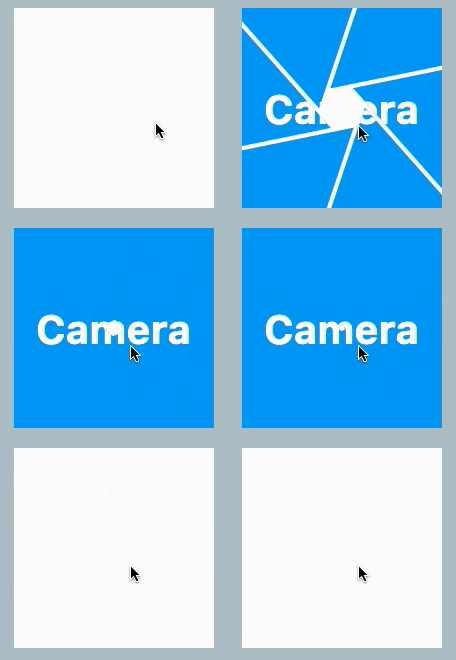
使用CameraClipper

View code
SwitchClipper(
    child: Container(
        width: 200,
        height: 200,
        alignment: Alignment.center,
        decoration: const BoxDecoration(
            shape: BoxShape.circle,
            color: Colors.blue,
        ),
        child: const Text(
            'Camera',
            style: TextStyle(color: Colors.white, fontSize: 40, fontWeight: FontWeight.bold),
        ),
    ),
    background: Container(
        width: 200,
        height: 200,
        decoration: const BoxDecoration(
            shape: BoxShape.circle,
            color: Colors.white,
        ),
    ),
    duration: const Duration(milliseconds: 2000),
    animationClip: CameraClipper(),
),

카테고리

소스 저장소

이 패키지를 사용하는 프로젝트

아직 데이터가 없습니다.