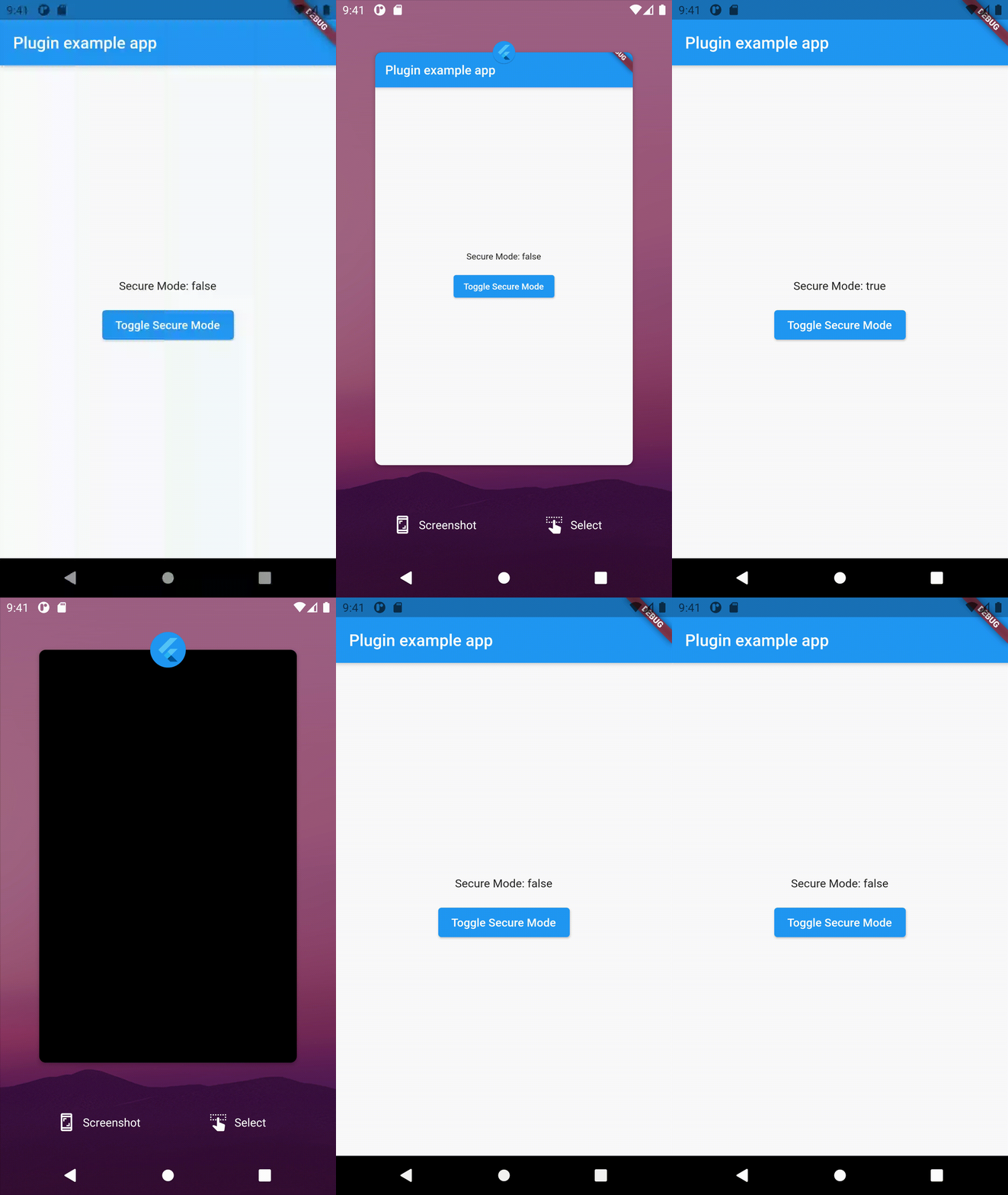
Android의 WindowManager LayoutParams를 조작할 수 있게 해주는 플러터 플러그인으로, 개발자가 안드로이드 앱 내 창의 위치, 크기 및 동작을 제어할 수 있도록 합니다. 시스템 레벨 창 속성에 직접 접근할 수 있으며, 활동 간에 지속되는 플로팅 위젯, 오버레이 또는 사용자 정의 UI 요소를 만들 때 유용합니다. 이 플러그인은 안드로이드 전용으로 설계되었으며, 플랫폼 채널을 통해 네이티브 안드로이드 SDK와 통합됩니다. 창 유형, 포커스 가능 여부 및 레이아웃 매개변수를 프로그래밍 방식으로 조정하는 고급 창 관리 기능을 지원합니다.
사용 사례
플로팅 UI 오버레이 만들기
항상 위에 있는 위젯 만들기
사용자 지정 창 위치 구현
화면 녹화 또는 주석 도구 개발
투명 또는 반투명 창 관리
주요 기능
WindowManager LayoutParams에 대한 직접 액세스
창 유형 사용자 정의 지원
창 크기 및 위치에 대한 프로그래밍 제어
안드로이드 전용 기능
네이티브 안드로이드 SDK와의 통합
적합한 대상
창 오버레이가 필요한 안드로이드 전용 앱
플로팅 UI 컴포넌트를 구축하는 개발자
지속적인 화면 요소가 필요한 앱
시스템 수준의 창 관리를 필요로 하는 도구
고급 안드로이드 UI 실험
고려 사항
Android 플랫폼에 한정
적절한 시스템 권한이 필요합니다
제조업체의 제한으로 인해 모든 기기에서 작동하지 않을 수 있습니다
최신 Android 버전과의 호환성 문제
윈도우 라이프사이클 및 권한을 신중하게 처리해야 합니다
원본 README
연결된 소스 저장소의 README 원문 스냅샷입니다. 최신 내용은 저장소에서 확인하세요.
flutter_windowmanager
A Flutter plugin for manipulating Android WindowManager LayoutParams
dynamically at application run-time.
Motivation
While Android natively supports a range of window modes, there was no
good way to set these dynamically within a running Flutter application -
instead requiring that these flags are set within the native
MainActivity of the Flutter application itself.
In our App, we only wished to disable screenshots for specific screens,
rather than across the entire application lifecycle. This can now be
accomplished by simply calling:
This can further be toggled for a specific screen by either using a
RouteAware mixin, or through direct toggling in initState() and
dispose() methods in the case of stateful widgets.
Flags
The full range of LayoutParams flags are passed through. The plugin
will carry out basic API level checking and throw an error on any
unsupported flag specification. Flags are implemented using a bitmask,
and may be specified individually or ORed together for setting/clearing
multiple flags at once.
In practice, this plugin was developed primarily for the toggling of
FLAG_SECURE. Other flags have not been tested, and we make no
guarantees that toggling with any of the other flags will interact well
with Flutter - if you find specific problems with any particular flag,
please let us know in the issue tracker.
iOS Support
As flutter_windowmanager only wraps and exposes an underlying Android-specific
interface, there is no iOS support planned or possible. For those interested in
cross-platform FLAG_SECURE functionality, this functionality has been re-created
in the third-party secure_application package. Cross-platform FLAG_KEEP_SCREEN_ON
functionality is provided by the third-party keep_screen_on package.
Features and bugs
Please file feature requests and bugs at the issue tracker.
License
Licensed under the terms of the Apache 2.0 license, the full version of which can be found in the
LICENSE file included in the distribution.