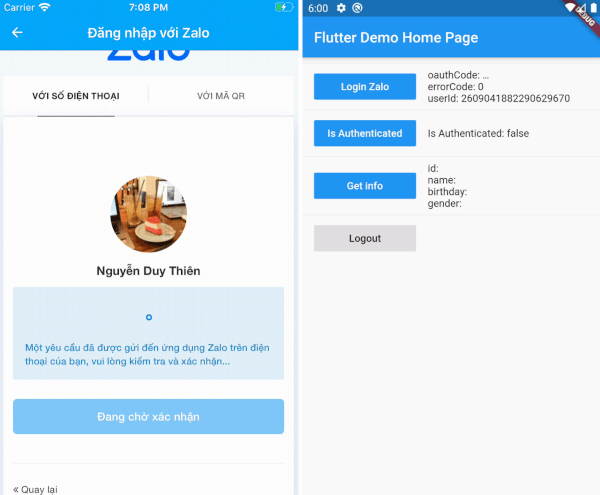
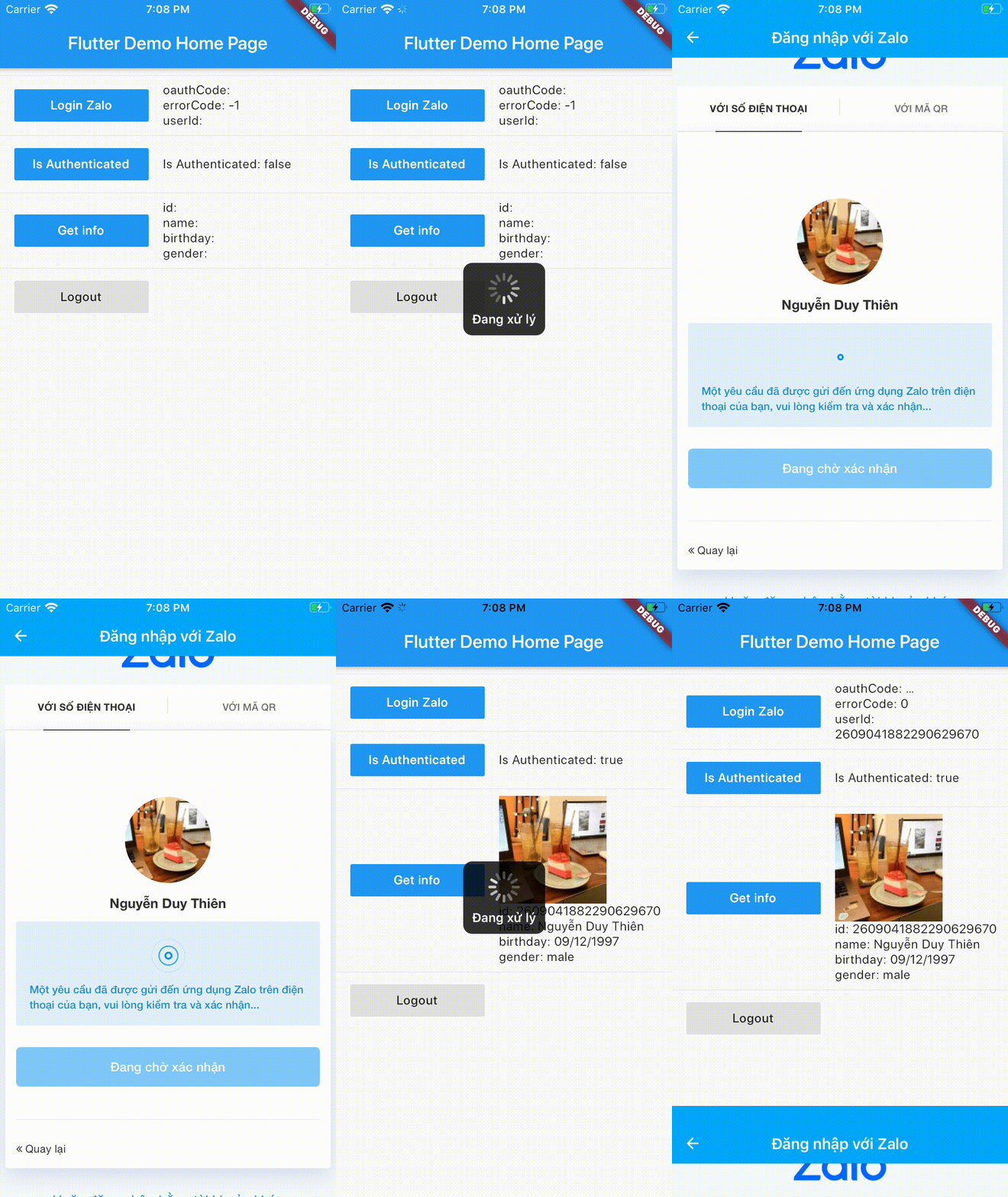
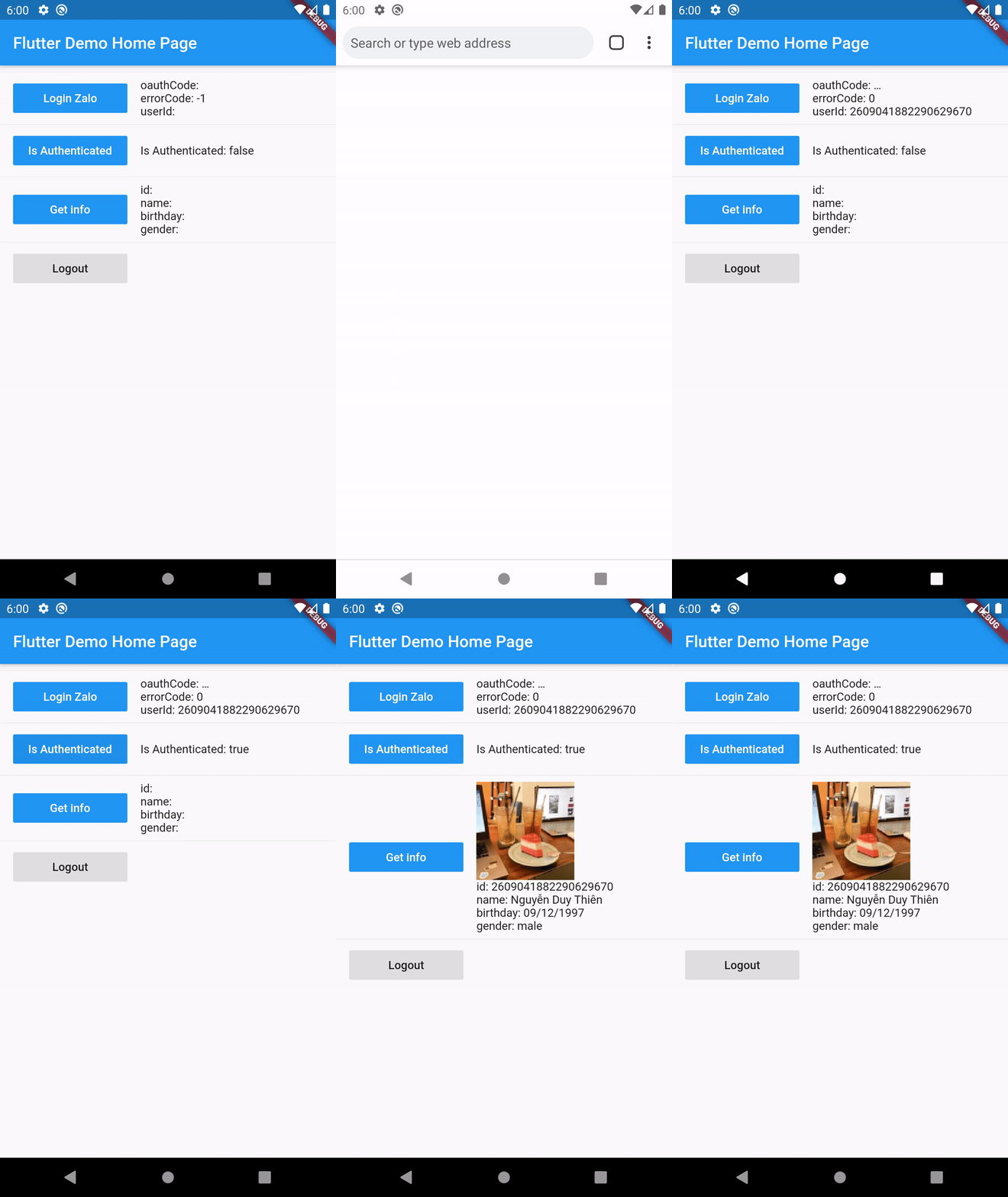
안드로이드 및 iOS 기기에서 네이티브 Zalo 로그인 인증을 가능하게 하는 플러터 플러그인입니다. 공식 Zalo SDK와 통합되어 Zalo 계정을 통해 로그인하는 사용자에게 원활한 로그인 경험을 제공합니다. 플러그인은 플랫폼별 설정 및 인증 흐름을 처리하여 개발자의 복잡성을 추상화합니다. 안전한 토큰 검색을 지원하며, 깊은 네이티브 코드 지식 없이도 표준 플러터 애플리케이션에서 작동하도록 설계되었습니다.
사용 사례
Zalo 계정을 사용한 사용자 인증
모바일 앱에 Zalo 로그인 통합하기
베트남 사용자를 위한 소셜 로그인 활성화
Zalo로 OAuth 흐름 간소화하기
신원 공급자로 Zalo 추가
주요 기능
네이티브 Zalo SDK 통합
크로스 플랫폼 지원 (Android 및 iOS)
보안 토큰 처리
최소한의 보일러플레이트 설정
Flutter 앱과의 간편한 통합
적합한 대상
베트남 청중을 겨냥한 앱
소셜 로그인 구현
Zalo 지원을 요구하는 인증 시스템
모바일 앱용으로 플러터를 사용하는 개발자
네이티브 SDK 접근이 필요한 프로젝트
고려 사항
기기에서 Zalo 앱 설치가 필요합니다
Zalo 앱 ID 및 리디렉션 URI 구성이 필요합니다
Zalo 계정 인증에 제한됨
플랫폼별 설정이 필요합니다
생산 환경 사용을 위해 승인이 필요할 수 있습니다
원본 README
연결된 소스 저장소의 README 원문 스냅샷입니다. 최신 내용은 저장소에서 확인하세요.
Flutter Zalo Login
1. Installation
Add this to your package's pubspec.yaml file:
dependencies:flutter_zalo_login:
2. Usage
Call init function on initState
ZaloLogin().init();
Login function return type https://pub.dev/documentation/flutter_zalo_login/latest/flutter_zalo_login/ZaloLoginResult-class.html
Get info from user return type https://pub.dev/documentation/flutter_zalo_login/latest/flutter_zalo_login/ZaloProfileModel-class.html
Properties
Type
id
String
name
String
birthday
String
gender
String
picture.data.url
String
ZaloProfileModel info = awaitZaloLogin().getInfo();
3. Setup Zalo developers
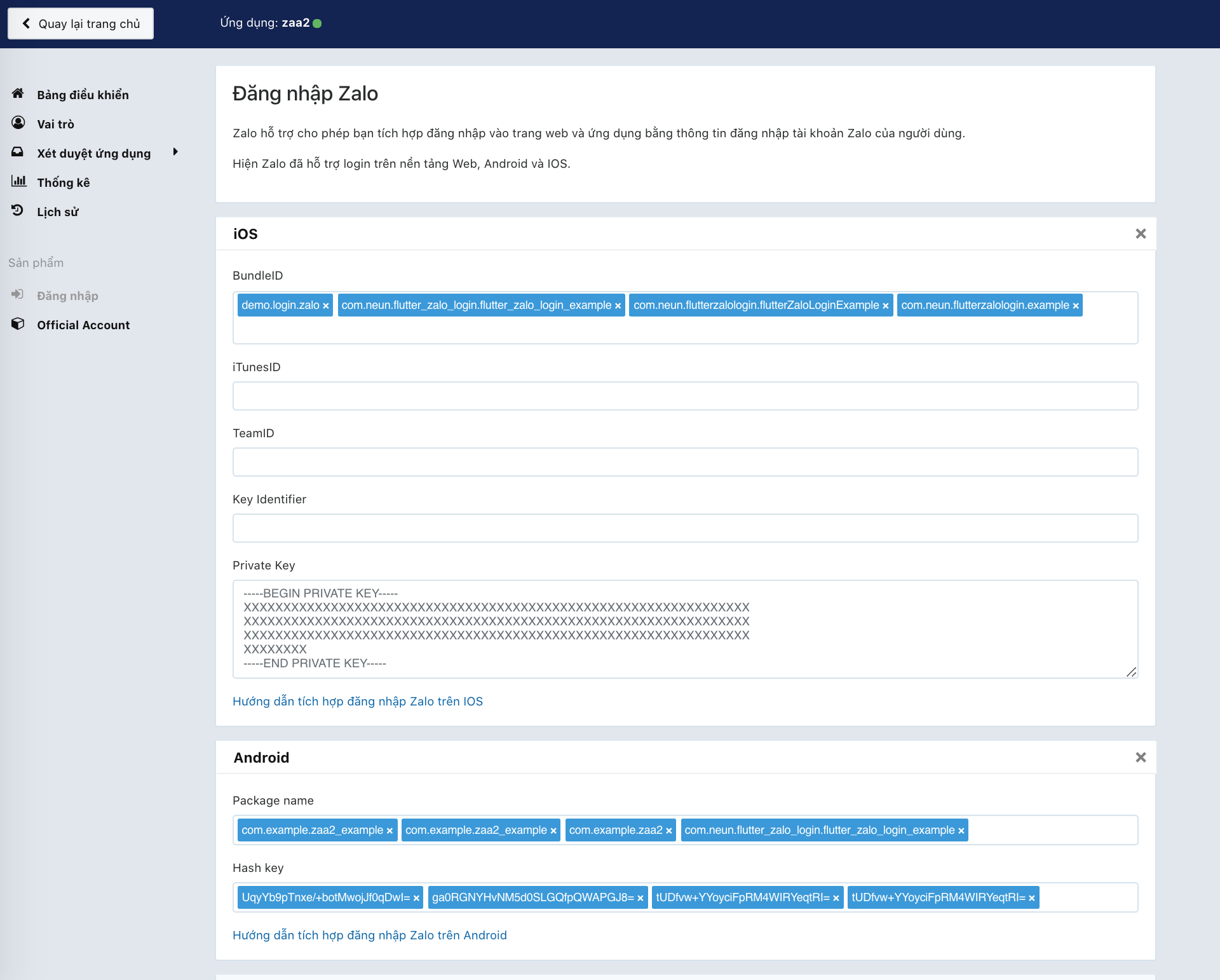
To make this plugin working we need to have there key:
YOUR_ZALO_APP_ID
Android Hash Key ( only Android )
YOUR_ZALO_APP_SECRET_KEY ( only IOS )
First go to this page: https://developers.zalo.me and create account/new app
It will have 2 value
ID: YOUR_ZALO_APP_ID
Secret Key: YOUR_ZALO_APP_SECRET_KEY
3.1 :warning: Note
IOS will need YOUR_ZALO_APP_ID and YOUR_ZALO_APP_SECRET_KEY
Android will need YOUR_ZALO_APP_ID and Hash Key
Android Hash Key will be show on console log when you run ZaloLogin().init(); like below
V/ZaloLogin(28932): ---------------------------------------------------------------------------
V/ZaloLogin(28932): |     Please add this Hash Key to Zalo developers dashboard for Login     |
V/ZaloLogin(28932): tUDfvw+YYoyciFpRM4WIRYeqtRI= <-- YOUR ANDROID HASH CODE
V/ZaloLogin(28932): ---------------------------------------------------------------------------
Config your BundleID, Package name, Hash key on zalo develop
4. Setup for Android Kotlin
4.1 This plugin needs minSdkVersion >= 21 for working
As of 0.2.0 the Android side uses Zalo SDK v4 (me.zalo:sdk-* on Maven
Central) with the OAuth PKCE flow, AGP 8, Gradle 8.9 and compileSdk 35.
iOS uses ZaloSDK ~> 4.1 with deployment target 12.0.
Open android/app/build.gradle and edit
minSdkVersion 21 // or bigger
4.2 Open to /android/app/src/main/AndroidManifest.xml and add config on bottom under flutterEmbedding block
<applicationandroid:name=".FlutterApplication"android:label="zaa_example"android:icon="@mipmap/ic_launcher"><!-- ... --><!-- ... --><!-- Don't delete the meta-data below.
This is used by the Flutter tool to generate GeneratedPluginRegistrant.java --><meta-dataandroid:name="flutterEmbedding"android:value="2" /><!-- ADD HERE --><meta-dataandroid:name="com.zing.zalo.zalosdk.appID"android:value="@string/appID" /><activityandroid:name="com.zing.zalo.zalosdk.oauth.BrowserLoginActivity"><intent-filter><actionandroid:name="android.intent.action.VIEW"/><categoryandroid:name="android.intent.category.DEFAULT"/><categoryandroid:name="android.intent.category.BROWSABLE"/><dataandroid:scheme="@string/zalosdk_login_protocol_schema"/></intent-filter></activity><!-- ADD HERE --><!-- ... --></application>
4.3 After that create new string.xml file on folder /android/app/src/main/res/values/string.xml
4.4 Create either MyApplication.kt in the same directory as MainActivity.
:warning: Replace package your.app.name with your app's package name. If you don't know your package name, you can find it at the 1st line in MainActivity.kt.
package your.app.name;  // <-- replace this

import io.flutter.app.FlutterApplication;
import io.flutter.plugin.common.PluginRegistry;
import com.zing.zalo.zalosdk.oauth.ZaloSDKApplication;

class MyApplication : FlutterApplication(), PluginRegistry.PluginRegistrantCallback {
  override fun onCreate() {
    super.onCreate();
    ZaloSDKApplication.wrap(this);
  }
  override fun registerWith(registry: PluginRegistry) {}
}
4.5 Edit MainActivity.kt
:warning: Replace package your.app.name with your app's package name. If you don't know your package name, you can find it at the 1st line in MainActivity.kt.
package your.app.name;  // <-- replace this

import io.flutter.embedding.android.FlutterActivity
import android.content.Intent
import com.zing.zalo.zalosdk.oauth.ZaloSDK // <-- Add this

class MainActivity: FlutterActivity() {
    override fun onActivityResult(requestCode:Int, resultCode:Int, data:Intent) {
        super.onActivityResult(requestCode, resultCode, data)
        ZaloSDK.Instance.onActivityResult(this, requestCode, resultCode, data) // <-- Add this
    }
}
4.6 Now edit AndroidManifest.xml and provide a reference to your custom Application class:
:warning: MyApplication, MainActivity should be the same with the code have been edit
TODO: Lấy danh sách bạn bè
More info: https://developers.zalo.me/docs/sdk/android-sdk/open-api/lay-danh-sach-ban-be-post-437
TODO: Gửi tin nhắn tới bạn bè
More info: https://developers.zalo.me/docs/sdk/android-sdk/open-api/gui-tin-nhan-toi-ban-be-post-1205
TODO: Đăng bài viết
More info: https://developers.zalo.me/docs/sdk/android-sdk/open-api/dang-bai-viet-post-1212
TODO: Mời sử dụng ứng dụng
More info: https://developers.zalo.me/docs/sdk/android-sdk/open-api/moi-su-dung-ung-dung-post-1218
TODO: Gửi tin nhắn tới bạn bè
More info: https://developers.zalo.me/docs/sdk/android-sdk/tuong-tac-voi-app-zalo/gui-tin-nhan-toi-ban-be-post-452
Future shareMessage() async {}
TODO: Đăng bài viết
More info: https://developers.zalo.me/docs/sdk/android-sdk/tuong-tac-voi-app-zalo/dang-bai-viet-post-447