패키지, 저장소 및 앱 카테고리 검색

fluttertagger 표지
패키지 상세v2.3.2

fluttertagger

TextField를 확장하여 태그 기능(사용자 언급, 해시태그 등)을 제공할 수 있는 Flutter 패키지입니다.

AndroidiOSWebmacOSWindowsLinux
30일 다운로드
1.5만
좋아요
96
Pub 점수
160

패키지 설치

flutter pub add fluttertagger

패키지 개요

공개 정보를 바탕으로 생성한 선택 가이드입니다.

FlutterTagger는 TextField에 태그 기능을 강화하는 Flutter 패키지로, 사용자가 멘션이나 해시태그와 같은 태그를 입력하고 관리할 수 있도록 합니다. 실시간으로 태그된 텍스트를 인식하고 강조하며 상호작용할 수 있는 원활한 방법을 제공합니다. 이 패키지는 Android, iOS, Web, macOS, Windows, Linux 등 여러 플랫폼을 지원하여 소셜 미디어 및 메시징 애플리케이션에 적합합니다. 사용자 정의 스타일과 이벤트 처리를 통해 개발자는 쉽게 태그 제안 및 상호작용을 앱에 통합할 수 있습니다.

사용 사례

  • 소셜 미디어 댓글 섹션
  • 사용자 언급 시스템
  • 게시물 내 해시태그 추적
  • 실시간 채팅 애플리케이션
  • 양식 내 콘텐츠 태깅
  • 인터랙티브 텍스트 편집

주요 기능

  • 실시간 태그 인식
  • 사용자 정의 태그 스타일
  • 제안 드롭다운 통합
  • 크로스 플랫폼 호환성
  • 태그 작업에 대한 이벤트 콜백
  • 확장 가능한 TextField 래퍼

적합한 대상

  • 소셜 기능을 구축하는 개발자
  • 사용자 태그가 필요한 앱
  • 메시징 또는 포럼 애플리케이션
  • 콘텐츠 생성 도구용 플러그인
  • 인터랙티브 텍스트 입력이 필요한 프로젝트

고려 사항

  • 텍스트 선택을 신중하게 다뤄야 합니다
  • 복잡한 태그 파싱을 위해 사용자 정의 로직이 필요할 수 있습니다
  • 큰 태그 목록의 성능 영향
  • 제한된 내장 검증
  • 적절한 상태 관리에 의존
  • 태깅을 넘어서는 풍부한 텍스트 편집을 위한 것이 아님

원본 README

연결된 소스 저장소의 README 원문 스냅샷입니다. 최신 내용은 저장소에서 확인하세요.

FlutterTagger

FlutterTagger

likes pub points code coverage

FlutterTagger is a Flutter package that allows for the extension of TextFields to provide tagging capabilities. A typical use case is in social apps where user mentions and hashtags features are desired.

Install 🚀

In the pubspec.yaml of your flutter project, add the following dependency:

dependencies:
  fluttertagger: ^2.3.2

Import the package in your project 📥

import 'package:fluttertagger/fluttertagger.dart';

Usage 🏗️

FlutterTagger(
          controller: flutterTaggerController,
          onSearch: (query, triggerCharacter) {
              //perform search
          },
          //characters that can trigger a search and the styles
          //to be applied to their tagged results in the TextField
          triggerCharacterAndStyles: const {
            '@': TextStyle(color: Colors.pinkAccent),
            '#': TextStyle(color: Colors.blueAccent),
          },
          //this will cause the onSearch callback to be invoked
          //immediately a trigger character is detected.
          //The default behaviour defers the onSearch invocation
          //until a searchable character has been entered after
          //the trigger character.
          triggerStrategy: TriggerStrategy.eager,
          overlay: SearchResultView(),
          builder: (context, textFieldKey) {
              //return a TextField and pass it `textFieldKey`
              return TextField(
                    key: textFieldKey,
                    controller: flutterTaggerController,
                    suffix: IconButton(
                      onPressed: () {
                        //get formatted text from controller
                        final text = flutterTaggerController.formattedText;

                        //perform send action...

                        FocusScope.of(context).unfocus();
                        flutterTaggerController.clear();
                      },
                    icon: const Icon(
                      Icons.send,
                      color: Colors.redAccent,
                    ),
                  ),
                );
          },
        )

Here's how trigger a search by updating the controller directly instead of typing into a keyboard:

FlutterTagger(
          controller: flutterTaggerController,
          onSearch: (query, triggerCharacter) {
              //perform search
          },
          //characters that can trigger a search and the styles
          //to be applied to their tagged results in the TextField
          triggerCharacterAndStyles: const {
            '@': TextStyle(color: Colors.pinkAccent),
            '#': TextStyle(color: Colors.blueAccent),
          },
          overlay: SearchResultView(),
          builder: (context, textFieldKey) {
              // return a TextField and pass it `textFieldKey`
              return TextField(
                    key: textFieldKey,
                    controller: flutterTaggerController,
                    suffix: IconButton(
                      onPressed: () {
                        // get formatted text from controller
                        String text = flutterTaggerController.formattedText;

                        // append a trigger character to activate the search context
                        flutterTaggerController.text = text += '#';

                        // update text selection
                        flutterTaggerController.selection = TextSelection.fromPosition(
                          TextPosition(offset: flutterTaggerController.text.length),
                        );

                        // append other characters to trigger search
                        flutterTaggerController.text = text += 'f';

                        // update text selection
                        flutterTaggerController.selection = TextSelection.fromPosition(
                          TextPosition(offset: flutterTaggerController.text.length),
                        );

                        // then call formatTags on the controller to preserve formatting
                        flutterTaggerController.formatTags();
                      },
                    icon: const Icon(
                      Icons.send,
                      color: Colors.redAccent,
                    ),
                  ),
                );
          },
        )

Explore detailed example demo here.

Demo 📷
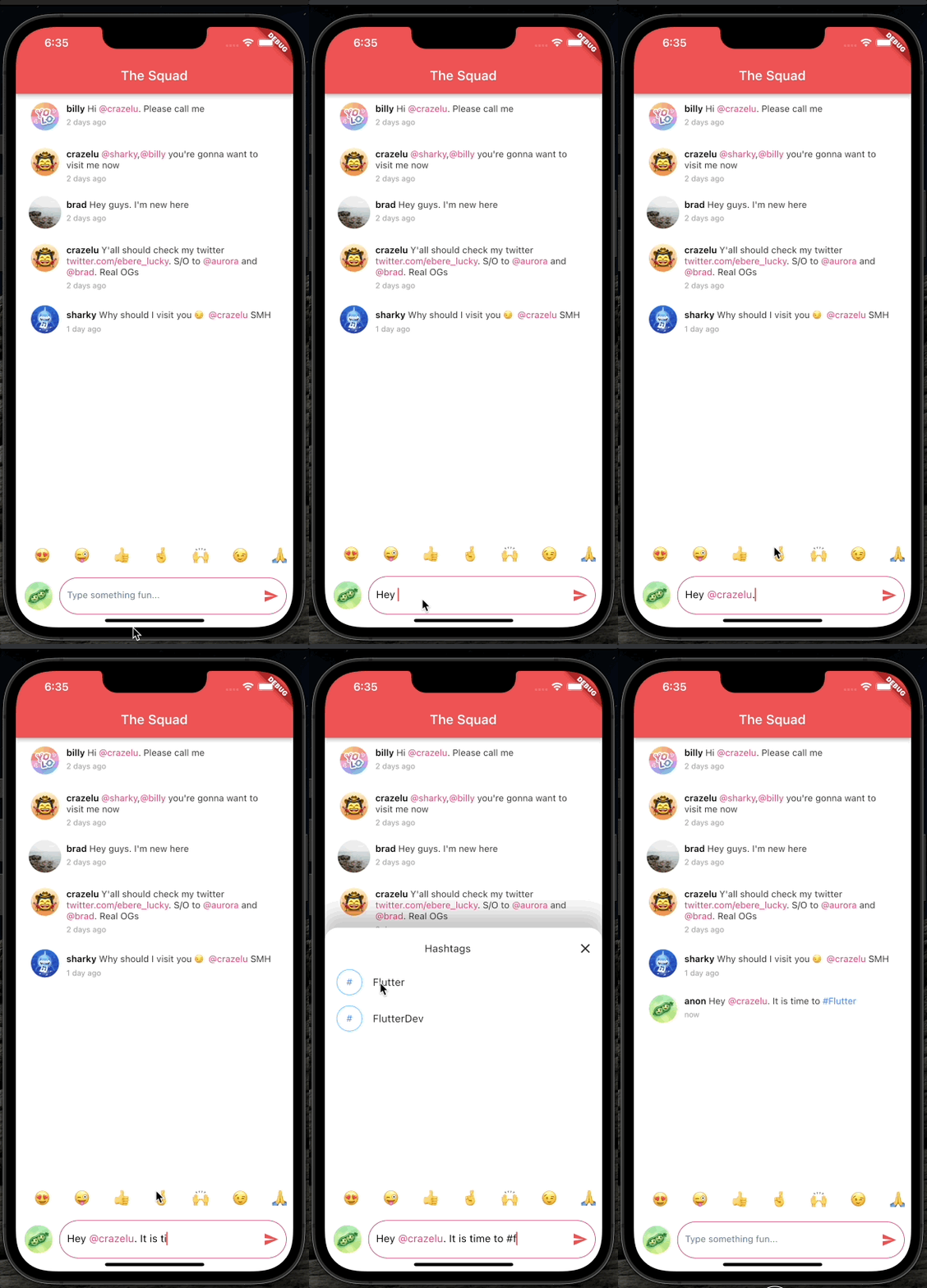
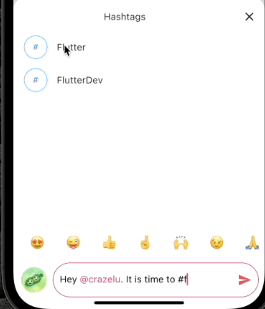
Example demo

Contributions 🫱🏾‍🫲🏼

Feel free to contribute to this project.

If you find a bug or want a feature, but don't know how to fix/implement it, please fill an issue.
If you fixed a bug or implemented a feature, please send a pull request.

카테고리

소스 저장소

이 패키지를 사용하는 프로젝트

아직 데이터가 없습니다.