패키지, 저장소 및 앱 카테고리 검색

gender_picker 표지
패키지 상세v1.1.0

gender_picker

수평 또는 수직 방식으로 성별을 선택할 수 있는 매우 훌륭하고 반응성 있는 라이브러리

AndroidiOSWebmacOSWindowsLinux
30일 다운로드
120
좋아요
42
Pub 점수
140

패키지 설치

flutter pub add gender_picker

패키지 개요

공개 정보를 바탕으로 생성한 선택 가이드입니다.

수평 및 수직 레이아웃을 지원하는 반응형 Flutter 라이브러리로 성별 선택 기능을 제공합니다. 사용자가 성별 옵션을 쉽게 선택할 수 있도록 직관적이고 사용자 정의 가능한 인터페이스를 제공하여 프로필 설정 또는 사용자 등록 흐름에 적합합니다. 가볍고 간편하게 통합할 수 있도록 설계되었으며, 플랫폼 간에 부드러운 UI 피드백과 반응형 디자인을 제공합니다. Android, iOS, Web, macOS, Windows, Linux에서 원활하게 작동합니다.

사용 사례

  • 사용자 프로필 생성
  • 등록 양식
  • 개인 설정
  • 채팅 앱 사용자 세부 정보
  • 성별 선택이 필요한 폼 입력

주요 기능

  • 수평 및 수직 레이아웃 옵션
  • 반응형 UI 업데이트
  • 크로스 플랫폼 호환성
  • 사용자 정의 가능한 외관
  • Flutter와의 간단한 통합
  • 반응형 디자인

적합한 대상

  • 사용자 프로필을 구축하는 앱 개발자
  • 성별 입력이 필요한 양식
  • 크로스 플랫폼 플러터 앱
  • 사용자 인터페이스 중심 애플리케이션
  • 미니멀리스트 양식 구성 요소

고려 사항

  • 성별 선택만 가능
  • 내장 검증 없음
  • 선택된 값을 수동으로 처리해야 합니다
  • 복잡한 양식에는 적합하지 않습니다
  • 큰 앱에서 사용될 경우 외부 상태 관리에 의존합니다

원본 README

연결된 소스 저장소의 README 원문 스냅샷입니다. 최신 내용은 저장소에서 확인하세요.

gender_picker 1.1.0

An awesome gender picker widget comes with latest feature to support in your project design.

The goal of this project is to provide an ultimate widget for selecting the gender.

The source code is 100% Dart, and everything resides in the /lib folder.

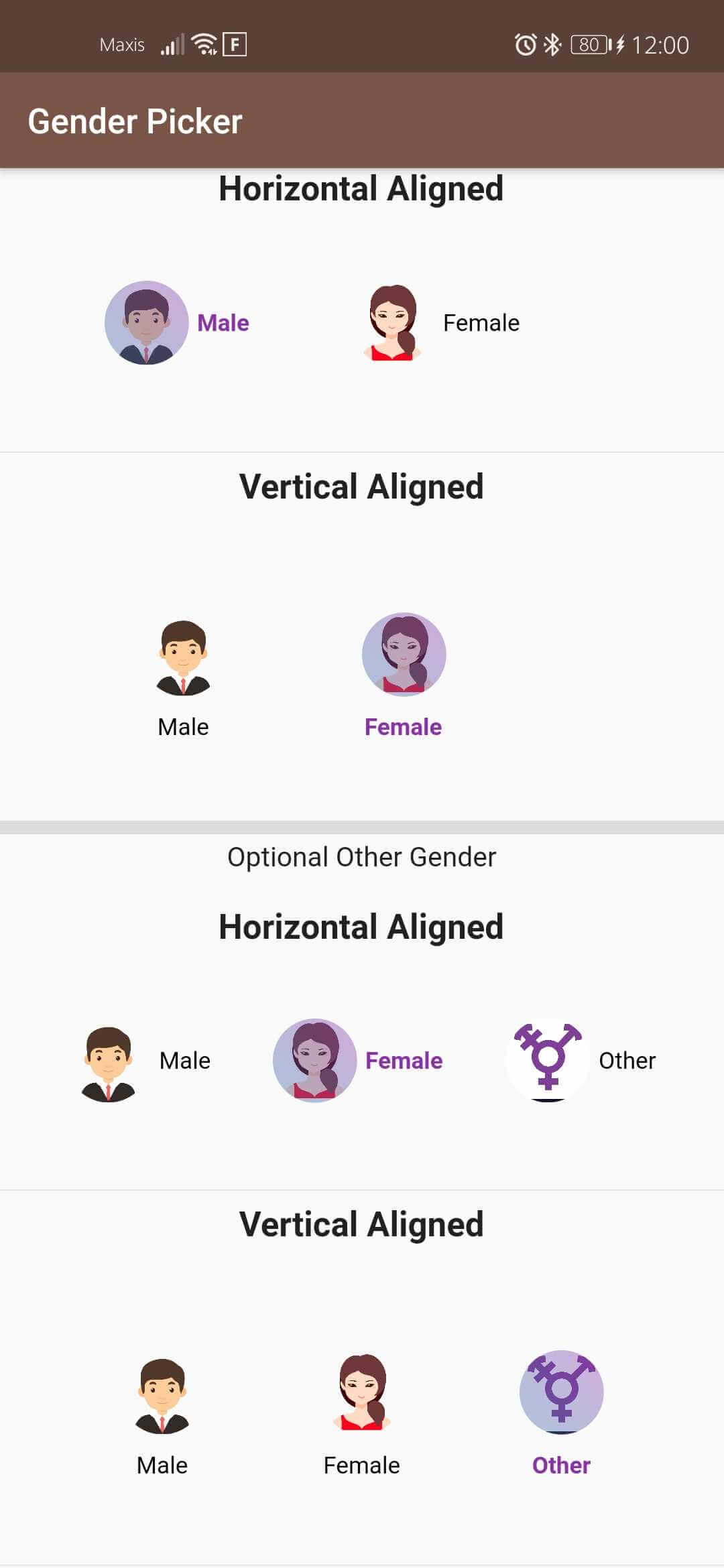
Screenshot_20200314_120050_com mateen example

Installing

Add this to your package's pubspec.yaml file:

dependencies: gender_picker: ^1.1.0

Sample Usage

import 'package:gender_picker/source/enums.dart';
import 'package:gender_picker/source/gender_picker.dart';
GenderPickerWithImage(
              showOtherGender: true,
              verticalAlignedText: false,
              selectedGender: Gender.Male,
              selectedGenderTextStyle: TextStyle(
                  color: Color(0xFF8b32a8), fontWeight: FontWeight.bold),
              unSelectedGenderTextStyle: TextStyle(
                  color: Colors.white, fontWeight: FontWeight.normal),
              onChanged: (Gender gender) {
                print(gender);
              },
              equallyAligned: true,
              animationDuration: Duration(milliseconds: 300),
              isCircular: true,
              // default : true,
              opacityOfGradient: 0.4,
              padding: const EdgeInsets.all(3),
              size: 50, //default : 40
            )

This project is a starting point for a Dart package, a library module containing code that can be shared easily across multiple Flutter or Dart projects.

For help getting started with Flutter, view our online documentation, which offers tutorials, samples, guidance on mobile development, and a full API reference.

카테고리

소스 저장소

이 패키지를 사용하는 프로젝트

아직 데이터가 없습니다.