패키지, 저장소 및 앱 카테고리 검색

google_maps_cluster_manager 표지
패키지 상세v3.1.0

google_maps_cluster_manager

Geohash 기반의 Google Maps를 위한 간단한 Flutter 클러스터링 라이브러리입니다.

30일 다운로드
3천
좋아요
311
Pub 점수
90

패키지 설치

flutter pub add google_maps_cluster_manager

패키지 개요

공개 정보를 바탕으로 생성한 선택 가이드입니다.

근접한 마커를 효율적으로 그룹화하기 위해 Geohash를 사용하는 Google Maps용 간단한 Flutter 클러스터링 라이브러리입니다. 여러 지점을 클러스터로 병합함으로써 지도의 혼잡을 줄이고, 대량의 위치를 표시할 때 성능과 사용자 경험을 향상시킵니다. Google Maps for Flutter와 원활하게 통합되어 사용자 정의 가능한 클러스터 아이콘과 부드러운 애니메이션을 제공합니다. 밀집된 마커 세트에서 시각적 명확성을 요구하는 애플리케이션에 적합합니다.

사용 사례

  • 지도에서 대규모 데이터셋 표시
  • 많은 마커를 사용한 지도 성능 향상
  • 위치 기반 앱의 사용자 경험 향상
  • 지오스페이셜 데이터 클러스터 시각화
  • 인터랙티브 지도 인터페이스 만들기

주요 기능

  • 지오해시 기반 클러스터링
  • 사용자 정의 가능한 클러스터 아이콘
  • 부드러운 애니메이션 전환
  • Google Maps와의 간편한 통합
  • 동적 마커 업데이트 지원

적합한 대상

  • 고밀도 위치 데이터를 가진 앱
  • 지도 중심 애플리케이션
  • 경량 클러스터링을 찾는 개발자
  • Flutter용 Google Maps를 사용하는 프로젝트
  • 효율적인 마커 관리가 필요한 사용자

고려 사항

  • Flutter용 Google Maps 설정이 필요합니다
  • Google 맵 플랫폼에 제한됨
  • 특정 사용 사례에 맞게 클러스터링 로직을 조정할 필요가 있을 수 있습니다
  • 비지오해시 방법에 대한 내장 지원 없음
  • 업데이트를 위해 외부 저장소에 의존합니다

원본 README

연결된 소스 저장소의 README 원문 스냅샷입니다. 최신 내용은 저장소에서 확인하세요.

pub package

Flutter Cluster Manager for Google Maps

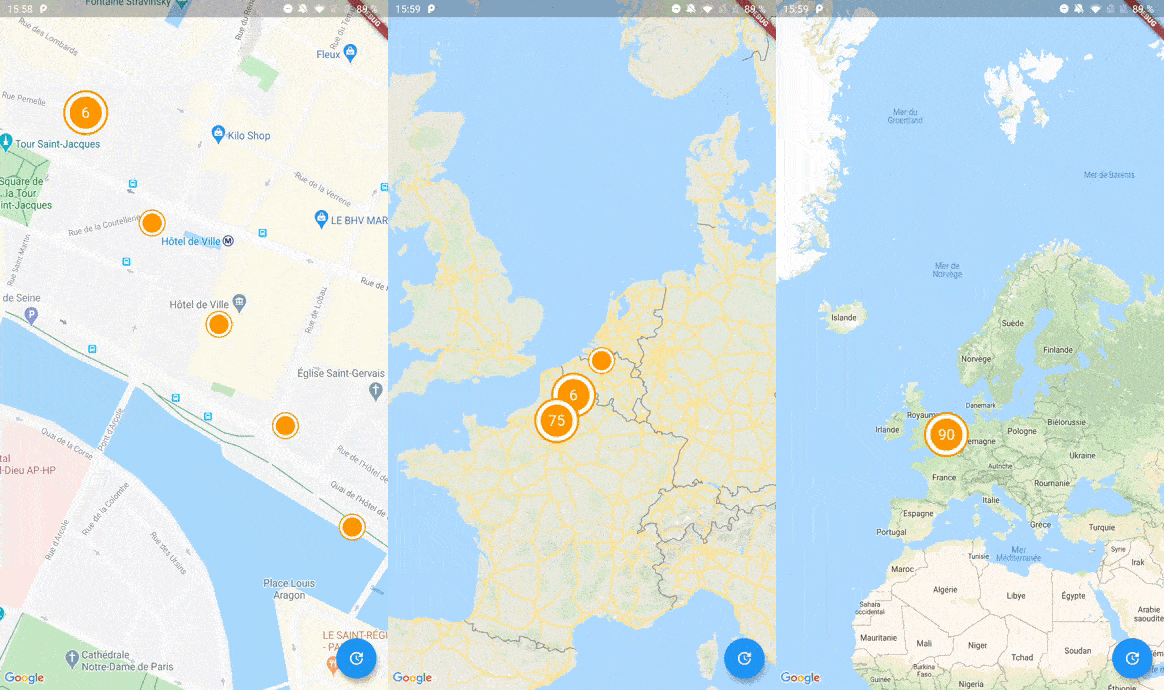
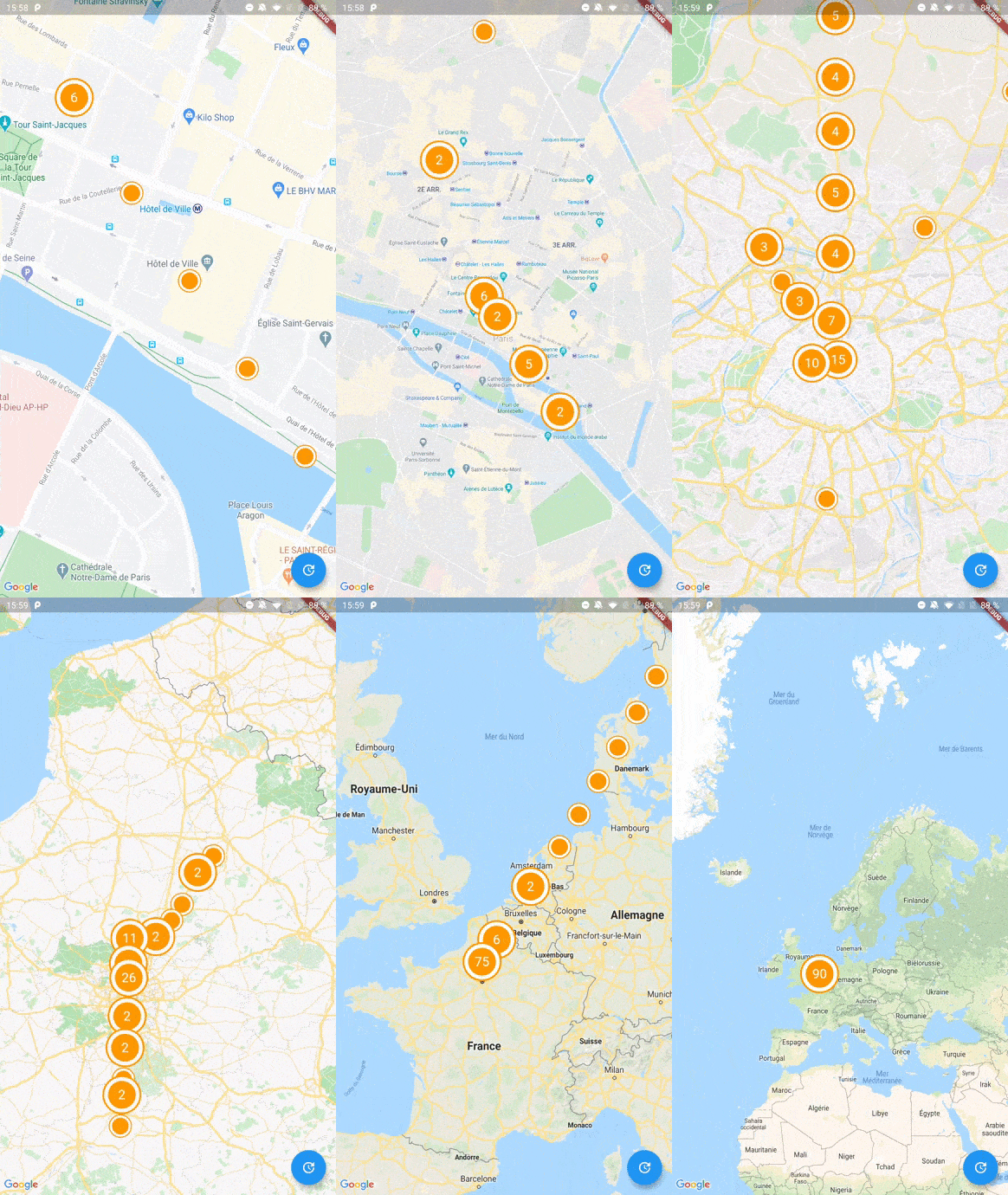
Screenshot

A Flutter package to cluster items on a Google Maps widget based on Geohash. Highly inspired by clustering_google_maps

Usage

To use this package, add google_maps_cluster_manager as a dependency in your pubspec.yaml file.

Getting Started

Your map items has to use ClusterItem as a mixin (or extends this class) and implements the LatLng location getter.

class Place with ClusterItem {
  final String name;
  final LatLng latLng;

  Place({required this.name, required this.latLng});

  @override
  LatLng get location => latLng;
}

To start with Cluster Manager, you have to initialize a ClusterManager instance.

ClusterManager<Place>(
    _items, // Your items to be clustered on the map (of Place type for this example)
    _updateMarkers, // Method to be called when markers are updated
    markerBuilder: _markerBuilder, // Optional : Method to implement if you want to customize markers
    levels: [1, 4.25, 6.75, 8.25, 11.5, 14.5, 16.0, 16.5, 20.0], // Optional : Configure this if you want to change zoom levels at which the clustering precision change
    extraPercent: 0.2, // Optional : This number represents the percentage (0.2 for 20%) of latitude and longitude (in each direction) to be considered on top of the visible map bounds to render clusters. This way, clusters don't "pop out" when you cross the map.
    stopClusteringZoom: 17.0 // Optional : The zoom level to stop clustering, so it's only rendering single item "clusters"
);

When your GoogleMapController is created, you have to set the mapId with the setMapId method :

_manager.setMapId(controller.mapId);

You are able to add an new item to the map by calling addItem method on your ClusterManager instance. You can also completely change the items on your maps by calling setItems method.

You can customize the icon of a cluster by using Future<Marker> Function(Cluster<T extends ClusterItem>) markerBuilder parameter.

static Future<Marker> Function(Cluster) get markerBuilder => (cluster) async {
  return Marker(
    markerId: MarkerId(cluster.getId()),
    position: cluster.location,
    onTap: () {
        print(cluster.items);
    },
    icon: await getClusterBitmap(cluster.isMultiple ? 125 : 75,
    text: cluster.isMultiple? cluster.count.toString() : null),
  );
};

static Future<BitmapDescriptor> getClusterBitmap(int size, {String text?}) async {
  final PictureRecorder pictureRecorder = PictureRecorder();
  final Canvas canvas = Canvas(pictureRecorder);
  final Paint paint1 = Paint()..color = Colors.red;

  canvas.drawCircle(Offset(size / 2, size / 2), size / 2.0, paint1);

  if (text != null) {
    TextPainter painter = TextPainter(textDirection: TextDirection.ltr);
    painter.text = TextSpan(
    text: text,
    style: TextStyle(
        fontSize: size / 3,
        color: Colors.white,
        fontWeight: FontWeight.normal),
    );
    painter.layout();
    painter.paint(
      canvas,
      Offset(size / 2 - painter.width / 2, size / 2 - painter.height / 2),
    );
  }

  final img = await pictureRecorder.endRecording().toImage(size, size);
  final data = await img.toByteData(format: ImageByteFormat.png);

  return BitmapDescriptor.fromBytes(data.buffer.asUint8List());
}

Every cluster (even one item clusters) is rendered by the library as a Cluster<T extends ClusterItem> object. You can differentiate single item clusters from multiple ones by using the isMultiple variable (or the count variable). This way, you can create different markers icon depending on the type of cluster.

You can create multiple managers for a single map, see the multiple.dart example.

Complete Basic Example

See the example directory for a complete sample app.

카테고리

의존성

의존성 목록 1 개

  • google_maps_flutter_platform_interface^2.4.3

소스 저장소

이 패키지를 사용하는 프로젝트