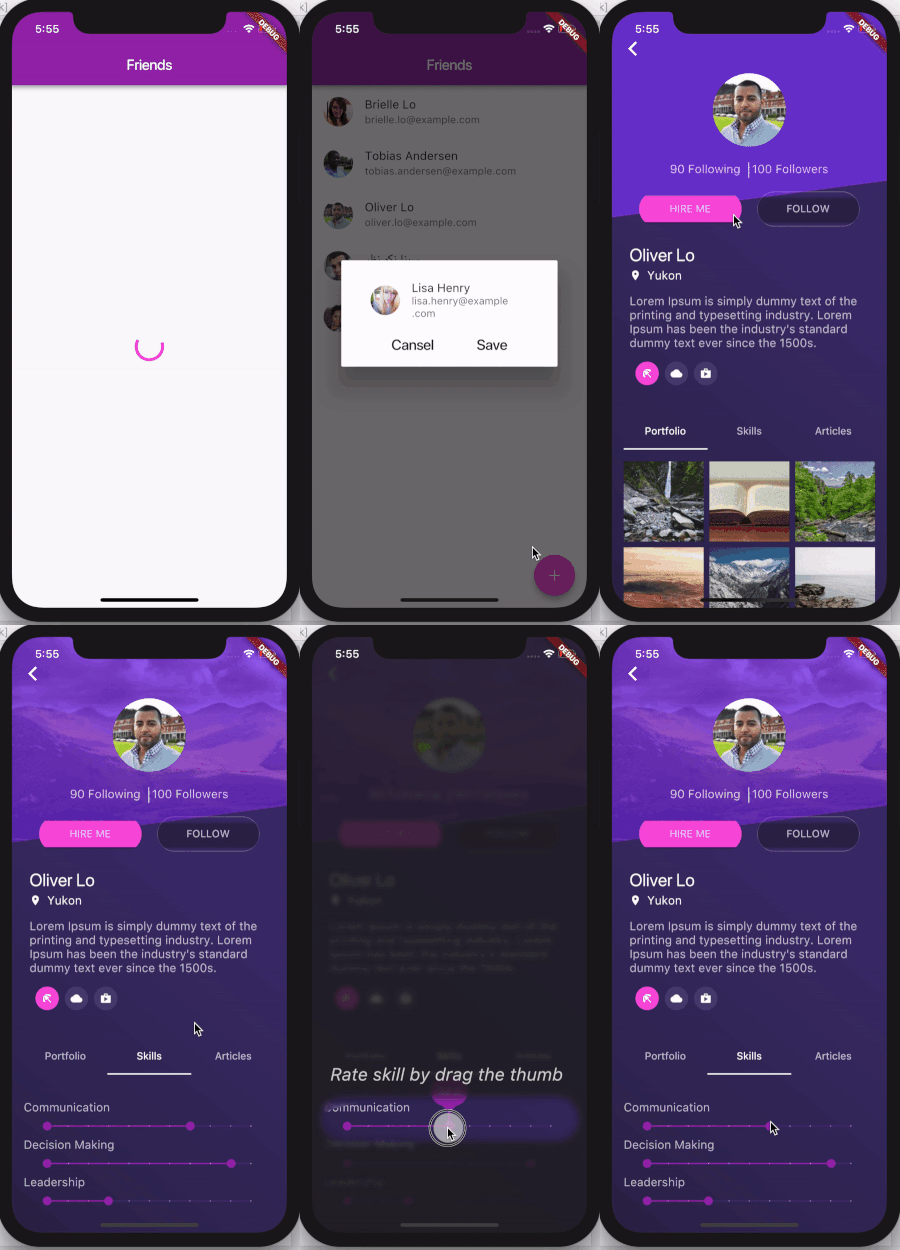
Highlighter Coachmark은 오버레이 형태로 팁이나 지침을 표시하여 앱 기능을 사용자에게 안내하는 Flutter 패키지입니다. 배경을 흐리게 하고 특정 UI 요소를 강조함으로써 온보딩 또는 기능 설명에 적합합니다. 주요 구성 요소에 주목을 끌면서 인터페이스를 방해하지 않도록 하여 사용자 경험을 향상시킵니다. 사용자 정의 스타일과 부드러운 애니메이션을 지원하여 완성도 높은 디자인을 제공합니다. 간단한 설계와 통합을 고려하여 개발자가 최소한의 노력으로 직관적인 가이드 흐름을 구현할 수 있도록 도와줍니다.
사용 사례
신규 사용자 온보딩
새로운 기능 강조
안내형 튜토리얼
앱에서의 사용자 교육
복잡한 인터페이스를 위한 UX 개선
주요 기능
배경 흐림 효과
대상 요소 강조
사용자 지정 오버레이 디자인
부드러운 전환 애니메이션
기존 위젯과의 간편한 통합
적합한 대상
모바일 앱 온보딩
기능 탐색 도구
사용자 교육 모듈
UX 개선 이니셔티브
경량 코치 마크를 찾는 개발자
고려 사항
제한된 플랫폼 고유의 사용자 지정
내장된 로컬라이제이션 지원 없음
터치 이벤트를 수동으로 처리해야 합니다
저사양 기기에서 성능에 영향을 줄 수 있습니다
정확한 위젯 위치에 따라 달라집니다
원본 README
연결된 소스 저장소의 README 원문 스냅샷입니다. 최신 내용은 저장소에서 확인하세요.
Highlighter Coach Mark
There are different ways for user on-boarding. It can be a show of screenshots or overlay with directions to features,
feature discovery as in Material design or coach mark. This coach mark makes blurred background and highlights desired element.
This coach mark makes blurred background and highlights desired element.
A picture is worth a thousand words, so take a look at gif
And a few tips from UX
Presenting hints one-by-one, at the right moment, makes it a lot easier for users to understand and learn instructions.
To have their full effect, coach marks should focus on particularly innovative or unexpected elements.
Usage
Take a look at example folder. There are also 4 coach marks there. They are all presented in gif above