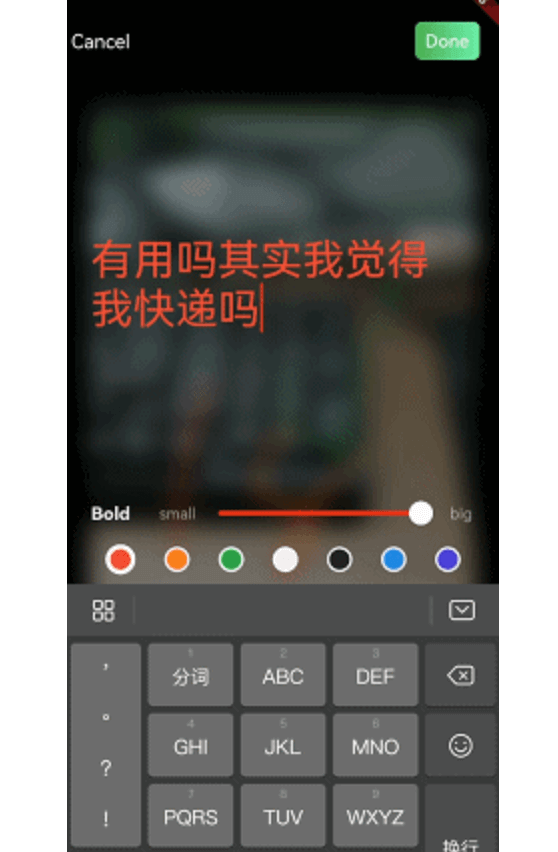
자르기, 스케치, 모자이크 적용, 텍스트 추가, 뒤집기, 회전과 같은 핵심 도구를 제공하는 이미지 편집을 위한 플러터 패키지입니다. 앱에 기본적이지만 강력한 이미지 편집 기능을 직접 통합하고자 하는 개발자를 위해 설계되었습니다. 안드로이드와 iOS 플랫폼을 모두 지원하며, 일반적인 편집 작업을 위한 간단한 API를 제공합니다. 오픈소스이며 GitHub에 호스팅되어 있어 커뮤니티 기여와 투명성을 보장합니다. 외부 서비스에 의존하지 않고 앱 내에서 사진을 사용자 정의해야 하는 앱에 적합합니다.
사용 사례
앱 내 사진 편집
소셜 미디어 앱 기능
사용자 프로필 이미지 사용자 정의
사진 공유 애플리케이션
콘텐츠 생성 도구
주요 기능
이미지 자르기
스크래블 도구로 그리기
모자이크 효과 적용
사용자 정의 텍스트 추가
이미지 뒤집기 및 회전
크로스 플랫폼 지원
적합한 대상
모바일 앱 개발자
소셜 미디어 플랫폼
사진 편집 도구
사용자 생성 콘텐츠 앱
경량 이미지 편집이 필요한 앱
고려 사항
기본 편집 기능에 제한됨
고급 필터나 효과 없음
이미지 저장을 수동으로 처리해야 합니다
압축을 위해 외부 종속성에 의존합니다
고해상도 이미지에 최적화되지 않음
원본 README
연결된 소스 저장소의 README 원문 스냅샷입니다. 최신 내용은 저장소에서 확인하세요.
image_editor_dove
A high-performance image editor with crop, scribble, mosaic, add-text, flip, rotated functions.
iOS
Add the following keys to your Info.plist file, located in /ios/Runner/Info.plist:
NSPhotoLibraryUsageDescription - describe why your app needs permission for the photo library. This is called Privacy - Photo Library Usage Description in the visual editor.
NSCameraUsageDescription - describe why your app needs access to the camera. This is called Privacy - Camera Usage Description in the visual editor.
NSMicrophoneUsageDescription - describe why your app needs access to the microphone, if you intend to record videos. This is called Privacy - Microphone Usage Description in the visual editor.
Or in text format add the key:
<key>NSPhotoLibraryUsageDescription</key>
<string>Used to demonstrate image picker plugin</string><key>NSCameraUsageDescription</key><string>Used to demonstrate image picker plugin</string><key>NSMicrophoneUsageDescription</key><string>Used to capture audio for image picker plugin</string>
Android
No configuration required - the plugin should work out of the box.
Usage
pick an image that wanna edit, and pass it to image editor like this:
Future<void> toImageEditor(File origin) async {
returnNavigator.push(context, MaterialPageRoute(builder: (context) {
returnImageEditor(
originImage: origin,
//this is nullable, you can custom new file's save postion
savePath: customDirectory
);
})).then((result) {
if (result isEditorImageResult) {
setState(() {
_image = result.newFile;
});
}
}).catchError((er) {
debugPrint(er);
});
}
custom ui style
You can extends ImageEditorDelegate and custom editor's widget: