패키지, 저장소 및 앱 카테고리 검색

패키지 상세v2.3.0

implicitly_animated_list

새 항목으로 다시 빌드될 때마다 목록을 암시적으로 애니메이션하는 Flutter 위젯입니다.

AndroidiOSmacOSWindowsLinux
30일 다운로드
2.3만
좋아요
33
Pub 점수
150

패키지 설치

flutter pub add implicitly_animated_list

패키지 개요

공개 정보를 바탕으로 생성한 선택 가이드입니다.

새로운 데이터로 리스트가 다시 빌드될 때 리스트 항목을 자동으로 애니메이션 처리하는 플러터 위젯입니다. 수동 애니메이션 관리가 필요 없으며, 삽입, 삭제, 업데이트를 은밀한 애니메이션을 사용해 부드럽게 처리하여 채팅 인터페이스나 작업 보드와 같은 동적 리스트에 적합합니다. 표준 플러터 리스트와 원활하게 통합되며 최소한의 설정만 필요합니다. 모든 주요 플랫폼을 지원하며 간편함과 성능을 고려해 설계되었습니다.

사용 사례

  • 동적 목록 업데이트
  • 메시지 도착이 있는 채팅 UI
  • 작업 목록 관리
  • 실시간 데이터 피드
  • 애니메이션 항목 전환

주요 기능

  • 자동 삽입 애니메이션
  • 부드러운 삭제 전환
  • 내장된 업데이트 처리
  • 최소한의 보일러플레이트
  • 크로스 플랫폼 지원

적합한 대상

  • 간단한 목록 애니메이션을 찾는 개발자
  • 자주 업데이트되는 목록을 가진 앱
  • 변경 사항에 대한 시각적 피드백이 필요한 UI
  • Flutter 애니메이션을 배우는 초보자
  • 개발자 효율성을 우선시하는 프로젝트

고려 사항

  • 애니메이션 곡선에 대한 사용자 정의 제한
  • 복잡한 사용자 정의 애니메이션에 적합하지 않음
  • 매우 큰 목록에서는 성능에 영향을 줄 수 있습니다
  • 번짐을 방지하기 위해 상태 관리에 주의가 필요합니다
  • 중간 규모의 데이터 세트에 가장 적합

원본 README

연결된 소스 저장소의 README 원문 스냅샷입니다. 최신 내용은 저장소에서 확인하세요.

Often, your lists represent some kind of data.

You can just pass the original list data to the ImplicitlyAnimatedList as well as an itemBuilder for building a widget from one data point, and it'll animate whenever the data changes:

ImplicitlyAnimatedList(
  // When you change items of this list and hot reload, the list animates.
  itemData: [1, 2, 3, 4],
  itemBuilder: (_, number) => ListTile(title: Text('$number')),
),

It works with all classes and works well with StreamBuilder:

class User {
  const User({required this.firstName, required this.lastName});

  final String firstName;
  final String lastName;

  // The ImplicitlyAnimatedList uses the == operator to compare items.
  bool operator ==(Object other) => other is User
    && firstName == other.firstName
    && lastName == other.lastName;
}

...

StreamBuilder<List<User>>(
  stream: someSource.usersStream,
  builder: (context, snapshot) {
    if (!snapshot.hasData) {
      return ...;
    }
    return ImplicitlyAnimatedList(
      itemData: snapshot.data,
      itemBuilder: (context, user) {
        return ListTile(title: Text('${user.firstName} ${user.lastName}'));
      }
    );
  }
)

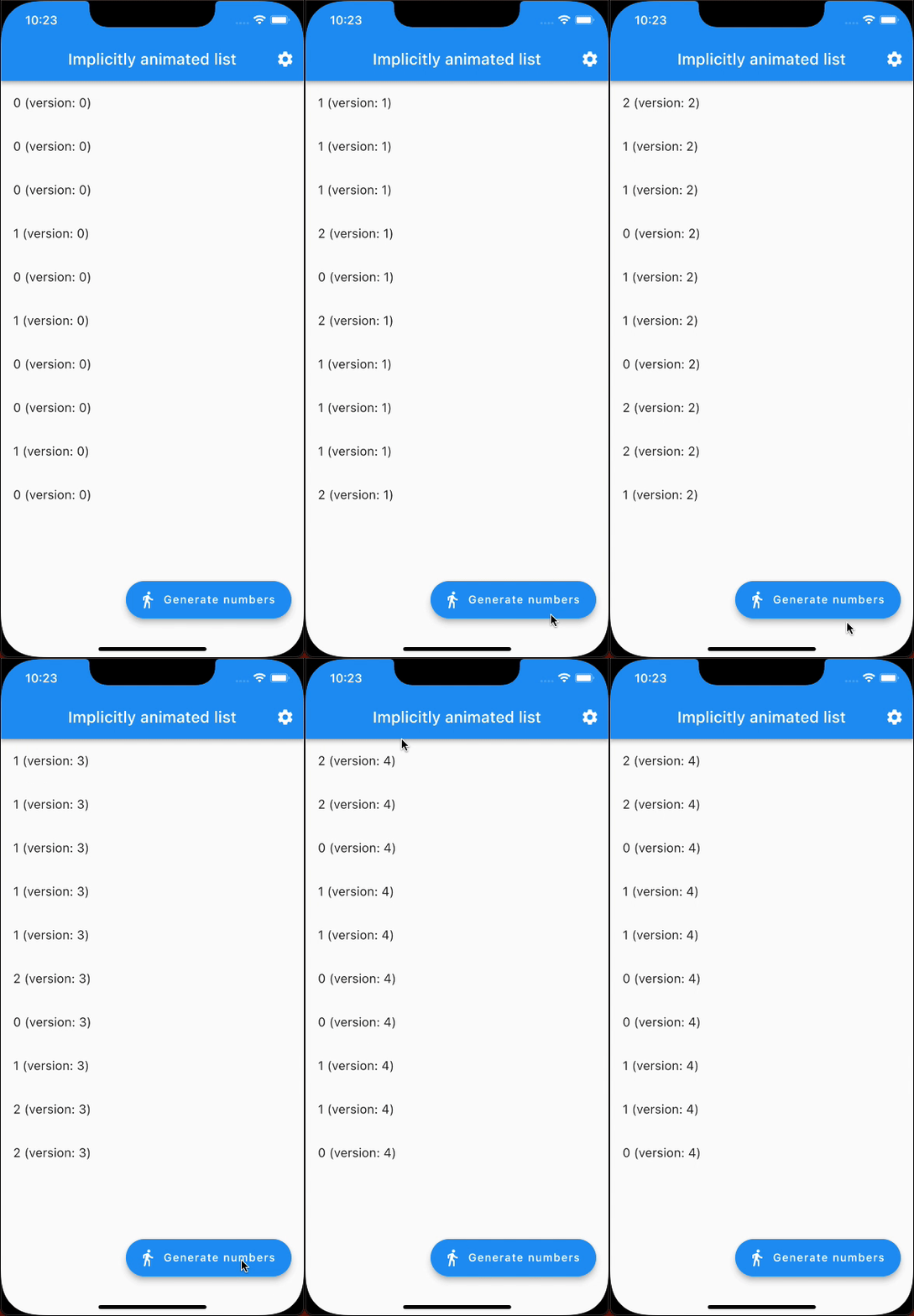
Here's an example that generates random numbers and animates from one state to the next (notice it's only 10 fps because of being a GIF):

example showcase

In addition to ImplicitlyAnimatedList, there's also SliverImplicitlyAnimatedList for use in a CustomScrollView:

CustomScrollView(
  slivers: [
    SliverImplicitlyAnimatedList(
      itemData: myListOfItems,
      itemBuilder: (context, item) => ListTile(title: Text('$item')),
    ),
    // ...
  ],
),

카테고리

의존성

의존성 목록 1 개

  • list_diff^2.0.0

소스 저장소

이 패키지를 사용하는 프로젝트