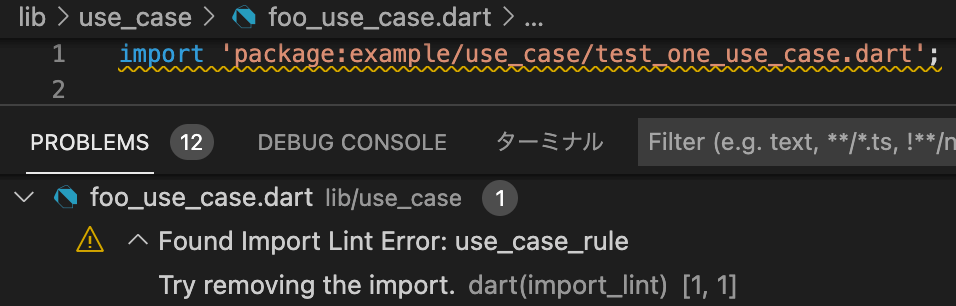
Import Lint 패키지는 Dart 코드에서 일관되고 깔끔한 가져오기 관행을 강제하기 위한 린트 규칙 세트를 제공합니다. 이 패키지는 가져오기 문장을 분석하고 사용되지 않는 가져오기, 중복된 가져오기 또는 잘못된 가져오기 순서와 같은 문제를 보고합니다. Dart 분석 도구와 통합되어 프로젝트 전반에 걸쳐 코드 품질과 가독성을 유지하는 데 도움이 됩니다. 팀이 가져오기 패턴을 표준화하고 소스 파일의 혼잡함을 줄이고자 할 때 특히 유용합니다.
Note:import_lint requires Dart 3.10 or later (analyzer plugin support
was added in Dart 3.10 / Flutter 3.38). The top-level plugins: section is
the new analyzer plugin system. After any change to the plugins: section,
the Dart Analysis Server must be restarted to see the effects
(VS Code: Dart: Restart Analysis Server).
By adding import_lint plugin to get the warnings directly in your IDE by configuring.
To change the severity of a rule, add a severity key to the rule configuration.
warning (default)
error (exit code 1 when lint is found)
import_lint:severity:"error"rules:...
Note on IDE severity: The severity: "error" setting is honored by
dart run import_lint (exit code 1). In the IDE, analysis_server_plugin
registers a fixed warning severity. To see import_lint errors as errors
in the IDE, add this to analysis_options.yaml:
analyzer:errors:import_lint:error
Contribution
Welcome PRs!
To develop locally, clone the repo and enable the plugin from a local path in
your host project's analysis_options.yaml:
Then run dart pub get in the host project and restart the Dart Analysis
Server. No separate tools/analyzer_plugin directory is needed — the plugin
entry point is lib/main.dart in this package.