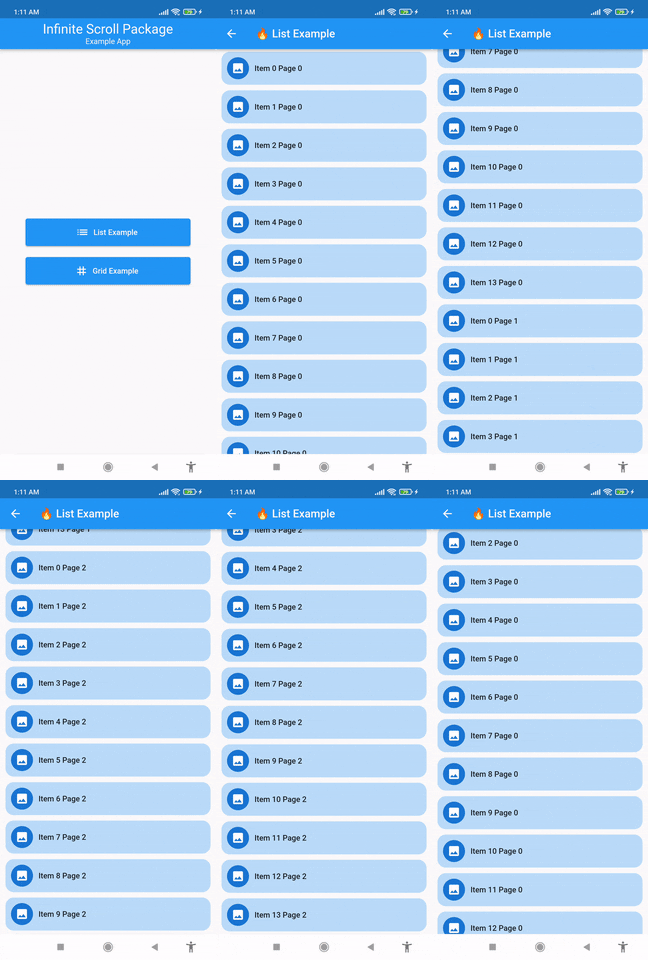
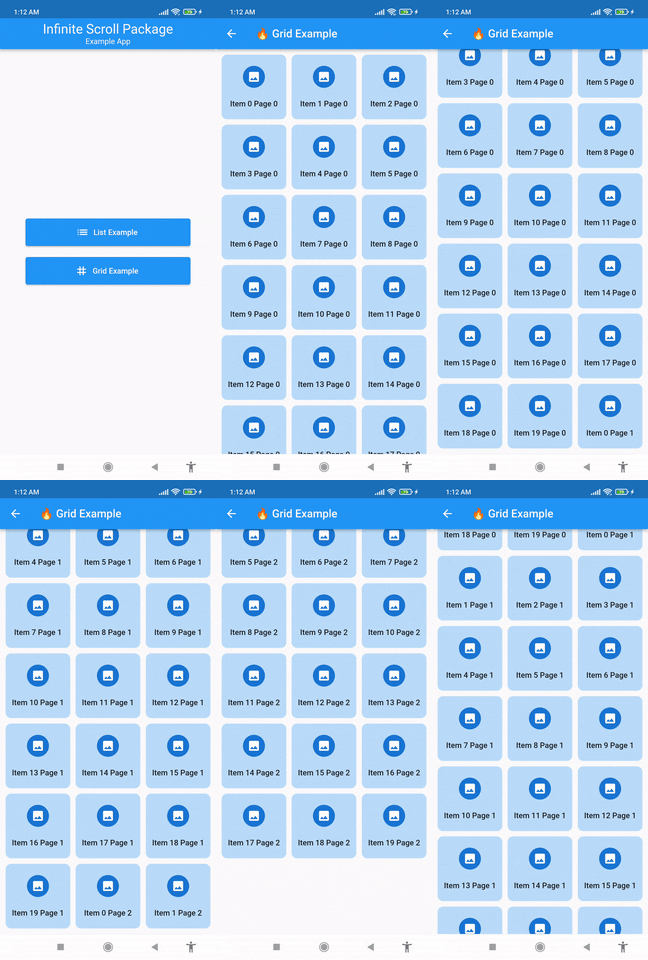
연결된 소스 저장소의 README 원문 스냅샷입니다. 최신 내용은 저장소에서 확인하세요.
Infinite Scroll
This package provides InfiniteScrollList and InfiniteScrollGrid widgets to display lists or grids as infinite scrolling views. You can make API calls during the loading state of the list or grid. Please refer to the example project to learn how you can use these widgets in your app.
Features
Build your list or grid on demand.
Show default or your own custom loading indicator during loading of new data.
Make API calls within onStartLoading(int) callback.
Examples
🔥 You can also refer to this example project
InfiniteScrollList
import 'package:flutter/material.dart' ;
import 'package:infinite_scroll/infinite_scroll.dart' ;
class ListExample extends StatefulWidget const ListExample ({Key ? key}) : super (key: key);
@override
State <ListExample > createState () => _ListExampleState ();
}
class _ListExampleState extends State <ListExample > Future <List <String >> getNextPageData (int page) async {
await Future .delayed (const Duration (seconds: 2 ));
if (page == 3 ) return [];
final items = List <String >.generate (14 , (i) => "Item $i Page $page " );
return items;
}
List <String > data = [];
bool everyThingLoaded = false ;
@override
void initState () {
super .initState ();
loadInitialData ();
}
@override
Widget build (BuildContext context) {
return Scaffold (
appBar: AppBar (title: const Text ('🔥 List Example' )),
body: InfiniteScrollList (
physics: const BouncingScrollPhysics (),
shrinkWrap: true ,
children: data.map ((e) => ListItem (text: e)).toList (),
onLoadingStart: (page) async {
List <String > newData = await getNextPageData (page);
setState (() {
data += newData;
if (newData.isEmpty) {
everyThingLoaded = true ;
}
});
},
everythingLoaded: everyThingLoaded,
),
);
}
Future <void > loadInitialData () async {
data = await getNextPageData (0 );
setState (() {});
}
}
class ListItem extends StatelessWidget final String text;
const ListItem ({
Key ? key,
required this .text,
}) : super (key: key);
@override
Widget build (BuildContext context) {
return Container (
padding: const EdgeInsets .all (10 ),
margin: const EdgeInsets .symmetric (horizontal: 10 , vertical: 5 ),
decoration: BoxDecoration (
color: Theme .of (context).primaryColor.withOpacity (.3 ),
borderRadius: BorderRadius .circular (15 ),
),
child: Row (
children: [
const CircleAvatar (
child: Icon (Icons .image),
),
const SizedBox (width: 10 ),
Text (
text,
style: Theme .of (context).textTheme.bodyText1,
),
],
),
);
}
}
InfiniteScrollGrid
import 'package:flutter/material.dart' ;
import 'package:infinite_scroll/infinite_scroll.dart' ;
class GridExample extends StatefulWidget const GridExample ({Key ? key}) : super (key: key);
@override
State <GridExample > createState () => _GridExampleState ();
}
class _GridExampleState extends State <GridExample > Future <List <String >> getNextPageData (int page) async {
await Future .delayed (const Duration (seconds: 2 ));
if (page == 3 ) return [];
final items = List <String >.generate (20 , (i) => "Item $i Page $page " );
return items;
}
List <String > data = [];
bool everyThingLoaded = false ;
@override
void initState () {
super .initState ();
loadInitialData ();
}
@override
Widget build (BuildContext context) {
return Scaffold (
appBar: AppBar (title: const Text ('🔥 Grid Example' )),
body: InfiniteScrollGrid (
physics: const BouncingScrollPhysics (),
padding: const EdgeInsets .all (10 ),
crossAxisSpacing: 10 ,
mainAxisSpacing: 10 ,
children: data
.map (
(e) => GridItem (text: e),
)
.toList (),
onLoadingStart: (page) async {
List <String > newData = await getNextPageData (page);
setState (() {
data += newData;
if (newData.isEmpty) {
everyThingLoaded = true ;
}
});
},
everythingLoaded: everyThingLoaded,
crossAxisCount: 3 ,
),
);
}
Future <void > loadInitialData () async {
data = await getNextPageData (0 );
setState (() {});
}
}
class GridItem extends StatelessWidget final String text;
const GridItem ({Key ? key, required this .text}) : super (key: key);
@override
Widget build (BuildContext context) {
return Container (
padding: const EdgeInsets .all (10 ),
alignment: Alignment .center,
decoration: BoxDecoration (
color: Theme .of (context).primaryColor.withOpacity (.3 ),
borderRadius: BorderRadius .circular (10 )),
child: Column (
mainAxisAlignment: MainAxisAlignment .spaceAround,
children: [
const CircleAvatar (
child: Icon (Icons .image),
),
Text (
text,
style: Theme .of (context).textTheme.bodyText1,
textAlign: TextAlign .center,
),
],
));
}
}