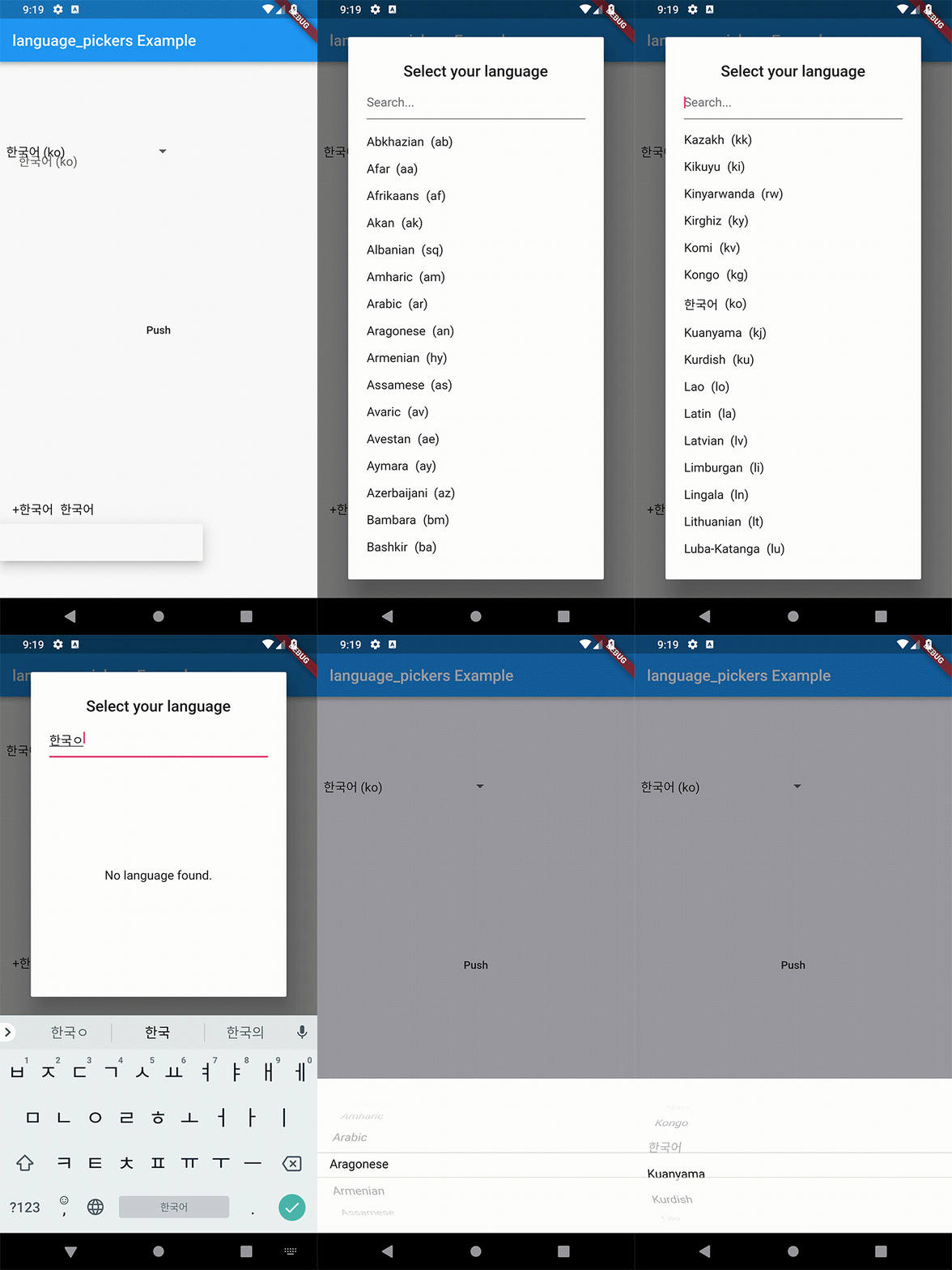
Language Pickers는 언어 선택기 생성을 간소화하는 Flutter 패키지입니다. 국제화를 최소한의 노력으로 구현할 수 있도록 사전에 구성된 사용자 정의 가능한 위젯을 제공합니다. 유연하고 쉽게 통합할 수 있도록 설계되어 개발자가 다양한 UI 컨텍스트에서 언어 선택 기능을 빠르게 구현할 수 있습니다. 여러 언어를 지원하며 양식, 설정 화면 또는 언어 선택이 필요한 모든 인터페이스에서 사용할 수 있습니다. 이 패키지는 오픈소스이며 개인 및 상용 프로젝트에서 자유롭게 사용할 수 있습니다.
0.4.0 does not break your code. The old API still works, it only warns you.
Here is what to move to:
0.3.x
0.4.0
defaultLanguagesList (List<Map<String, String>>)
Languages.defaultLanguages (List<Language>)
languagesList: myMaps
languages: myLanguages
LanguagePickerUtils.getLanguageByIsoCode('ko')
Language.fromIsoCode('ko')
—
Languages.korean, Languages.english, …
One behaviour changed: an unknown ISO code now throws an ArgumentError
instead of an Exception. ArgumentError is an Error, so on Exception catch no longer catches it.
Every Language also has a nativeName now, and Language implements ==
and hashCode, so you can put it in a Set or use it as a Map key.
Getting Started
LanguagePickerDropdown example
import'package:language_pickers/language_pickers.dart';
Language _selectedDropdownLanguage = Language.fromIsoCode('ko');
// It's sample code of Dropdown Item.// nativeName is the name written in the language itself, e.g. '한국어'.Widget_buildDropdownItem(Language language) {
returnRow(
children: <Widget>[
SizedBox(
width: 8.0,
),
Text("${language.name} (${language.nativeName})"),
],
);
}
// BuilderLanguagePickerDropdown(
initialValue: 'ko',
itemBuilder: _buildDropdownItem,
onValuePicked: (Language language) {
_selectedDropdownLanguage = language;
print(_selectedDropdownLanguage.name);
print(_selectedDropdownLanguage.isoCode);
},
),
If a name or a native name is wrong, please make some issues on GitHub.
The names and the native names are based on the public ISO 639-1 code table.
Where the table lists several native writings for one language, this package
keeps one representative writing, so that it fits in a dropdown.