패키지, 저장소 및 앱 카테고리 검색

loading_animations 표지
패키지 상세v2.2.0

loading_animations

간단하지만 매우 사용자 정의 가능한 로딩 애니메이션 세트를 포함한 플러터 패키지입니다.

AndroidiOSWebmacOSWindowsLinux
30일 다운로드
6.7천
좋아요
272
Pub 점수
160

패키지 설치

flutter pub add loading_animations

패키지 개요

공개 정보를 바탕으로 생성한 선택 가이드입니다.

앱에서 사용할 수 있는 간단하고 고도로 사용자 정의 가능한 로딩 애니메이션 모음 제공하는 플러터 패키지입니다. 대기 상태에서 사용자 경험을 향상시키기 위해 설계되었으며, 부드럽고 시각적으로 매력적인 표시기를 쉽게 다양한 UI 구성 요소에 통합할 수 있습니다. 애니메이션은 가볍고 여러 플랫폼을 지원하여 안드로이드, iOS, 웹, 맥OS, 윈도우, 리눅스에서 일관된 성능을 보장합니다. 색상, 크기, 속도, 애니메이션 스타일 등의 사용자 정의 옵션이 있어 다양한 디자인 요구사항에 적응 가능합니다.

사용 사례

  • 폼 내 로딩 표시기
  • 스플래시 화면
  • 데이터 가져오기 상태
  • 페이지 전환
  • 백그라운드 작업 진행률
  • 사용자 지정 스피너 디자인

주요 기능

  • 높은 사용자 정의 가능한 애니메이션
  • 모든 주요 플랫폼을 지원합니다
  • 경량이며 성능이 뛰어남
  • Flutter 위젯과의 간편한 통합
  • 여러 가지 애니메이션 스타일
  • 사용자 지정 가능한 색상 및 속도

적합한 대상

  • 빠른 로딩 인디케이터를 원하는 개발자
  • 일관된 UI 피드백이 필요한 앱
  • 유연한 애니메이션 옵션을 원하는 디자이너
  • 다중 플랫폼 대상 프로젝트
  • 프로토타이핑 및 빠른 개발

고려 사항

  • 기본 애니메이션 유형에 제한됨
  • 복잡한 UI를 위해 추가적인 스타일링이 필요할 수 있습니다
  • 매우 높은 빈도의 업데이트에 최적화되지 않음
  • 간단한 로딩 시나리오에 가장 적합
  • 내장된 로컬라이제이션 또는 접근성 기능 없음

원본 README

연결된 소스 저장소의 README 원문 스냅샷입니다. 최신 내용은 저장소에서 확인하세요.

Flutter Loading Animations Pub

A simple yet very customizable set of loading animations for Flutter projects.

Installation

Add the following to your pubspec.yaml file:

...
dependencies:
  ...
  loading_animations: "^2.1.0"
...

Then import the file to your project:

import 'package:loading_animations/loading_animations.dart';

How to use

Choose a loading animation from the list:

Flipping
  • LoadingFlipping.circle()
  • LoadingFlipping.square()
Rotating
  • LoadingRotating.square()
Double Flipping
  • LoadingDoubleFlipping.circle()
  • LoadingDoubleFlipping.square()
Bouncing Grid
  • LoadingBouncingGrid.circle()
  • LoadingBouncingGrid.square()
Filling
  • LoadingFilling.square()
Fading Line
  • LoadingFadingLine.circle()
  • LoadingFadingLine.square()
Bouncing Line
  • LoadingBouncingLine.circle()
  • LoadingBouncingLine.square()
Jumping Line
  • LoadingJumpingLine.circle()
  • LoadingJumpingLine.square()
Bumping Line
  • LoadingBumpingLine.circle()
  • LoadingBumpingLine.square()

Then add the following code:

LoadingFlipping.circle(
  color: Colors.blue,
);

Or you can customize it a bit:

LoadingFlipping.square(
  borderColor: Colors.cyan,
  size: 30.0,
);

Or customize it even more!

LoadingFlipping.circle(
  borderColor: Colors.cyan,
  borderSize: 3.0,
  size: 30.0,
  backgroundColor: Colors.cyanAccent,
  duration: Duration(milliseconds: 500),
);

For more customization, please look inside the loading animation files.

Note: all the animations come ready to go just by calling LoadingDoubleFlipping.square(), for example.

Many basic animations contain .circle() and .square() variations by default.

Examples

Note: the following gifs are not yet updated to reflect version 2.1.0

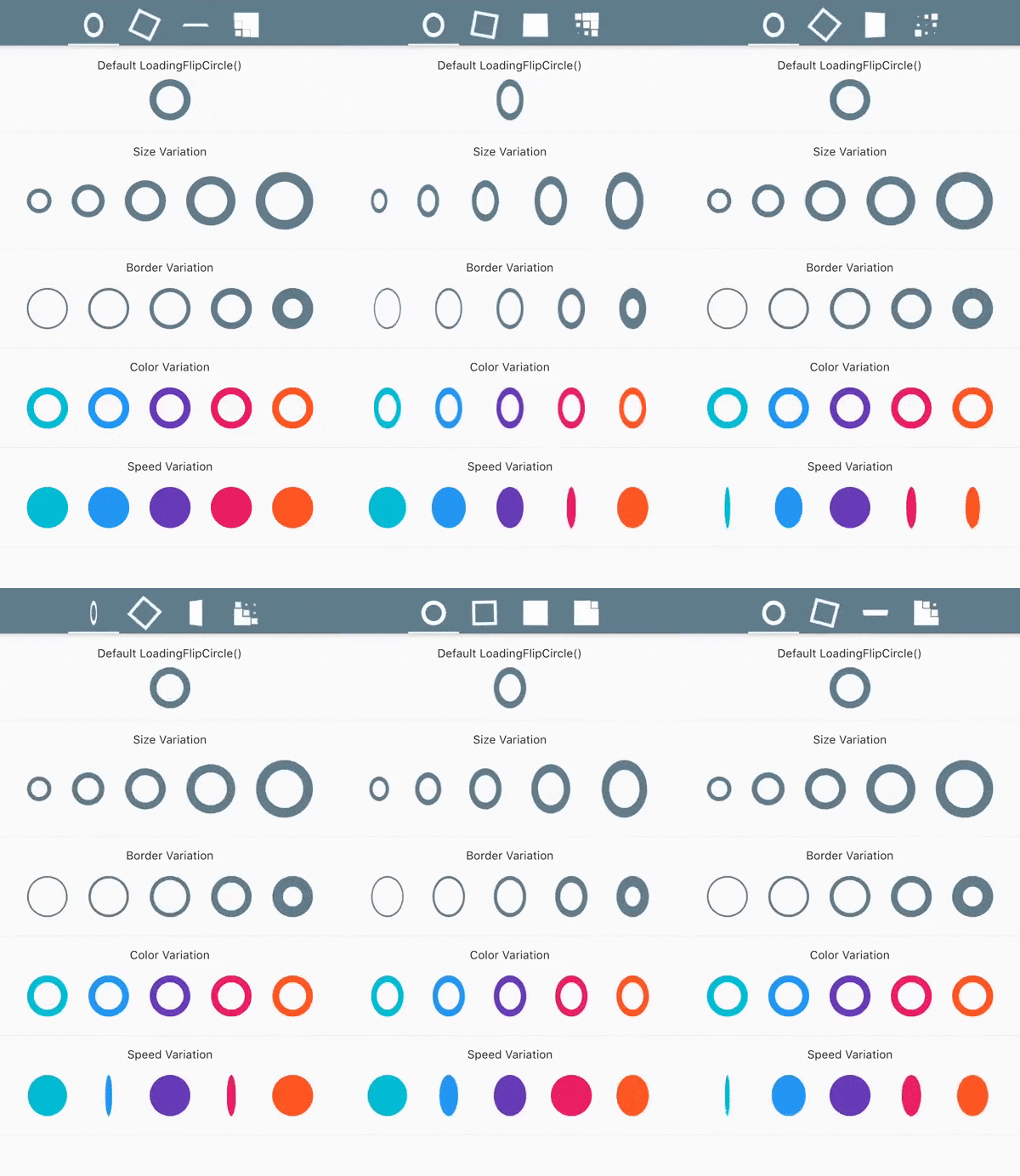
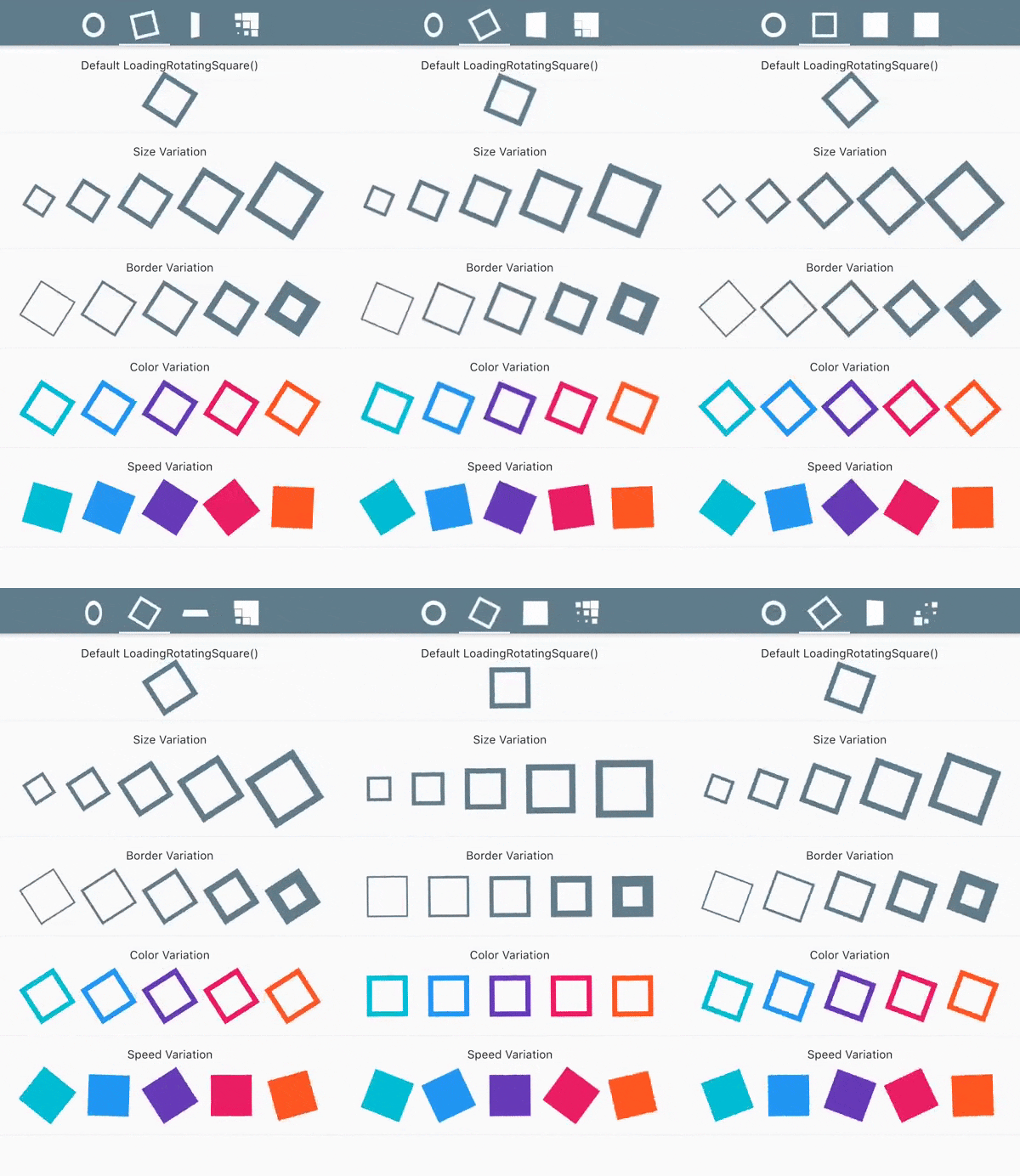
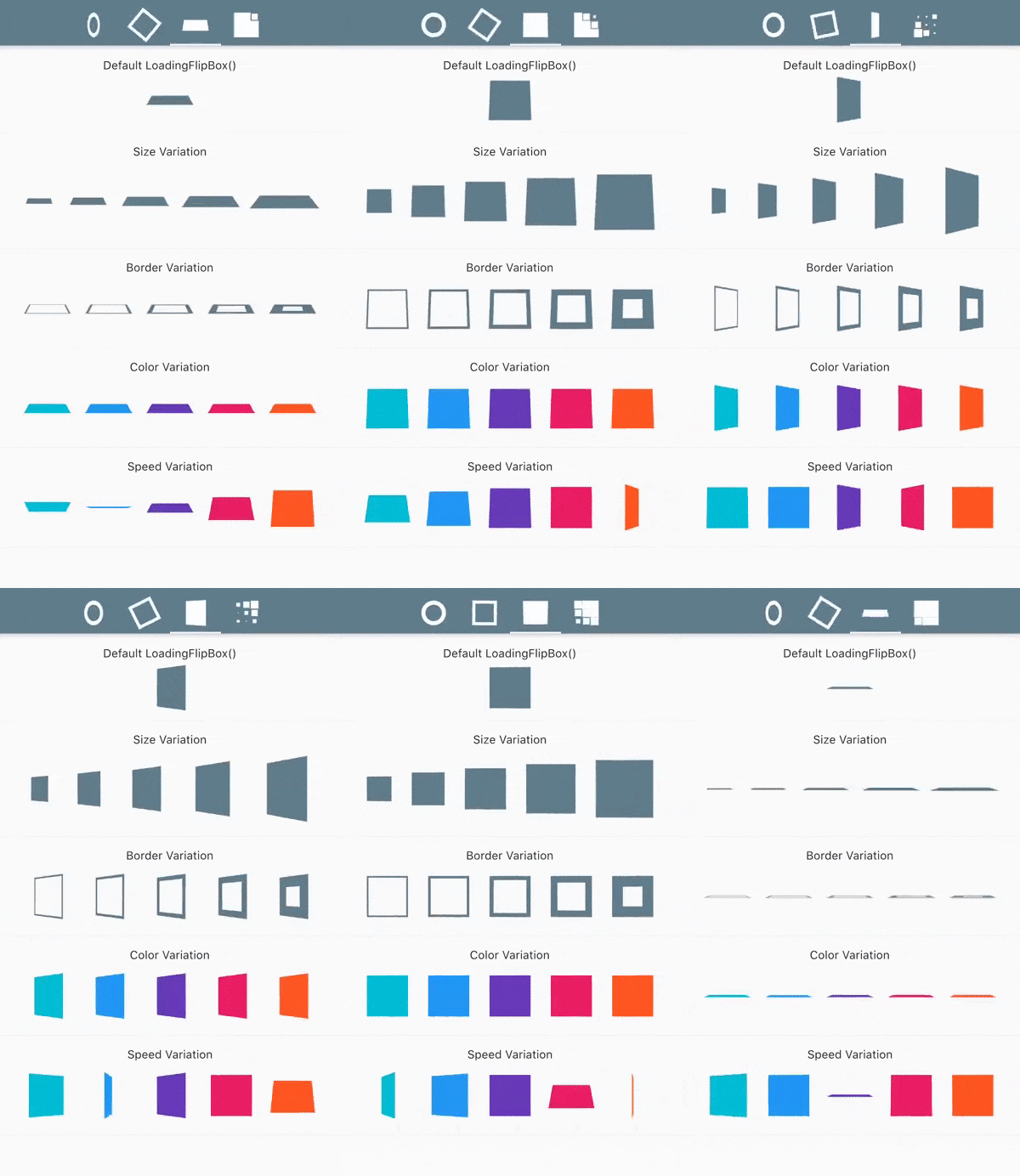
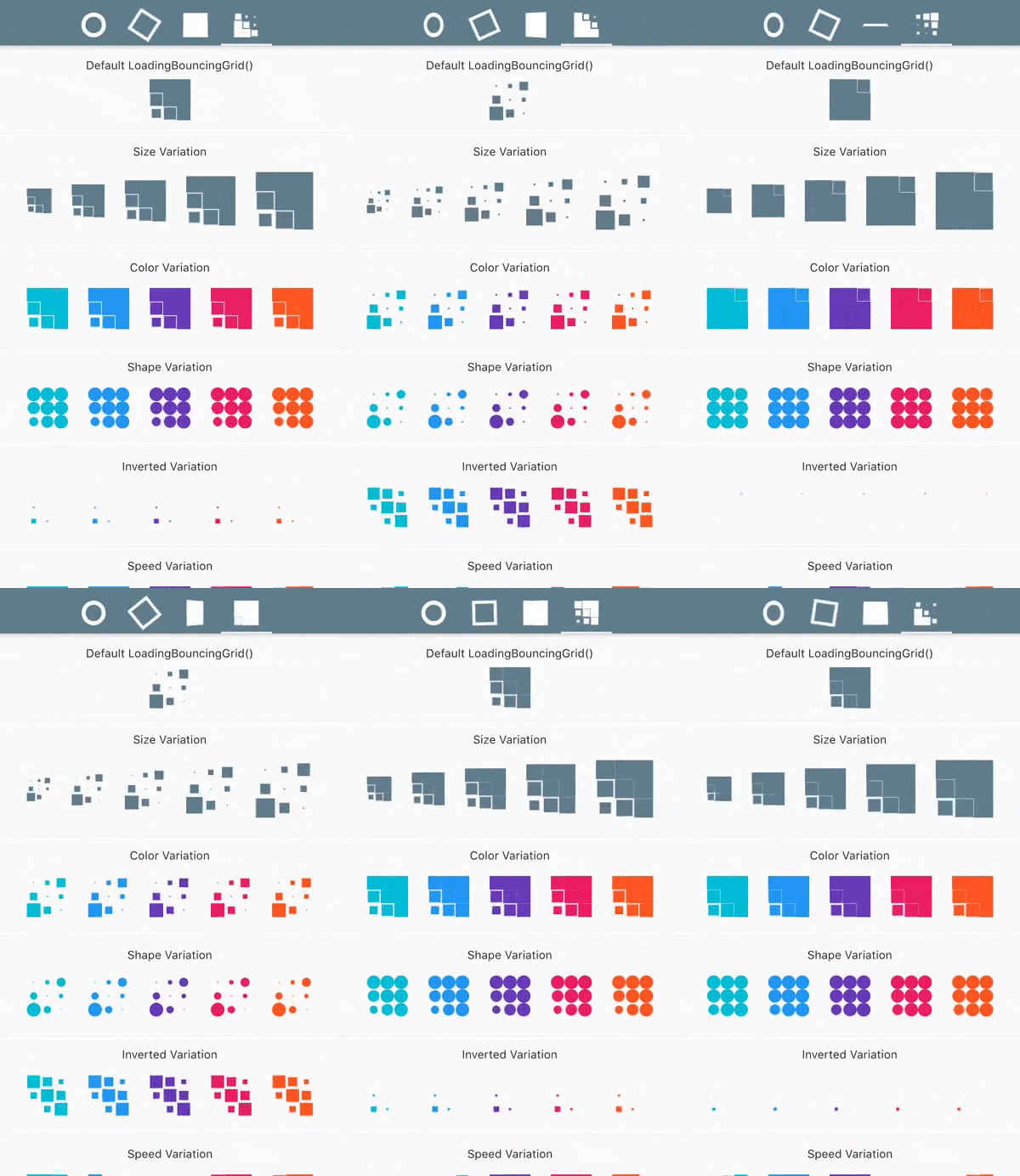
For a more true experience of the animations and its variations, download the example project and run using flutter run --profile.

LoadingFlipCircle() LoadingRotatingSquare()
LoadingFlipBox() LoadingBouncingGrid()

Contribution

Please feel free to:

  • ask questions
  • report issues and bugs
  • suggest code improvements
  • request new features

Create an issue or a pull request and I will be more than happy to review it and add to the project.

Thanks

This project was heavily based on cssfx

If you like this package, don't forget to hit the ⭐️ button!

Thanks and happy coding 👻

카테고리

소스 저장소

이 패키지를 사용하는 프로젝트