LocalStore는 지속적이고 파일 기반의 JSON 저장을 제공하는 Flutter/Dart 패키지로, 간단한 NoSQL 데이터베이스처럼 작동합니다. Android, iOS, Web, macOS, Windows, Linux 등 여러 플랫폼에서 앱이 구조화된 데이터를 로컬에 저장하고 검색할 수 있게 해줍니다. 가벼운 사용 사례를 위해 설계되어 데이터를 하나의 JSON 파일에 저장함으로써 복잡한 설정 없이 쉽게 관리하고 접근할 수 있습니다. 사용자 설정, 캐시된 데이터 또는 앱 세션 간에 지속되어야 하는 작은 데이터셋을 저장하는 데 이상적입니다.
사용 사례
사용자 선호 사항 저장
API 응답 캐싱
앱 상태 저장
로컬 구성 관리
작은 데이터셋 유지
주요 기능
파일 기반의 JSON 저장
크로스 플랫폼 지원
간단한 키-값 인터페이스
자동 직렬화/역직렬화
가볍고 빠름
적합한 대상
간단한 데이터 지속성
오프라인 우선 애플리케이션
Prototyping
소규모 앱
개발자 편의
고려 사항
대규모 데이터 세트에 적합하지 않습니다
내장 쿼리 기능 없음
JSON 형식으로 제한
수동 백업이 필요합니다
큰 파일에서는 성능이 저하될 수 있습니다
원본 README
연결된 소스 저장소의 README 원문 스냅샷입니다. 최신 내용은 저장소에서 확인하세요.
Localstore
Between SQL or NoSQL, there's no one best database, there's the right database for your specific project. Localstore is a JSON file-based storage package (localstorage) provides a persistent repository for simple NoSQL database.
Localstore (NoSQL)
SQLite (SQL)
Data format
File path (collection)
Table
Data item
JSON Document (doc)
Record / Row
Scalability
Horizontal
Limited vertical
Organization
Schema-less
Fixed schema
Demo Screenshot
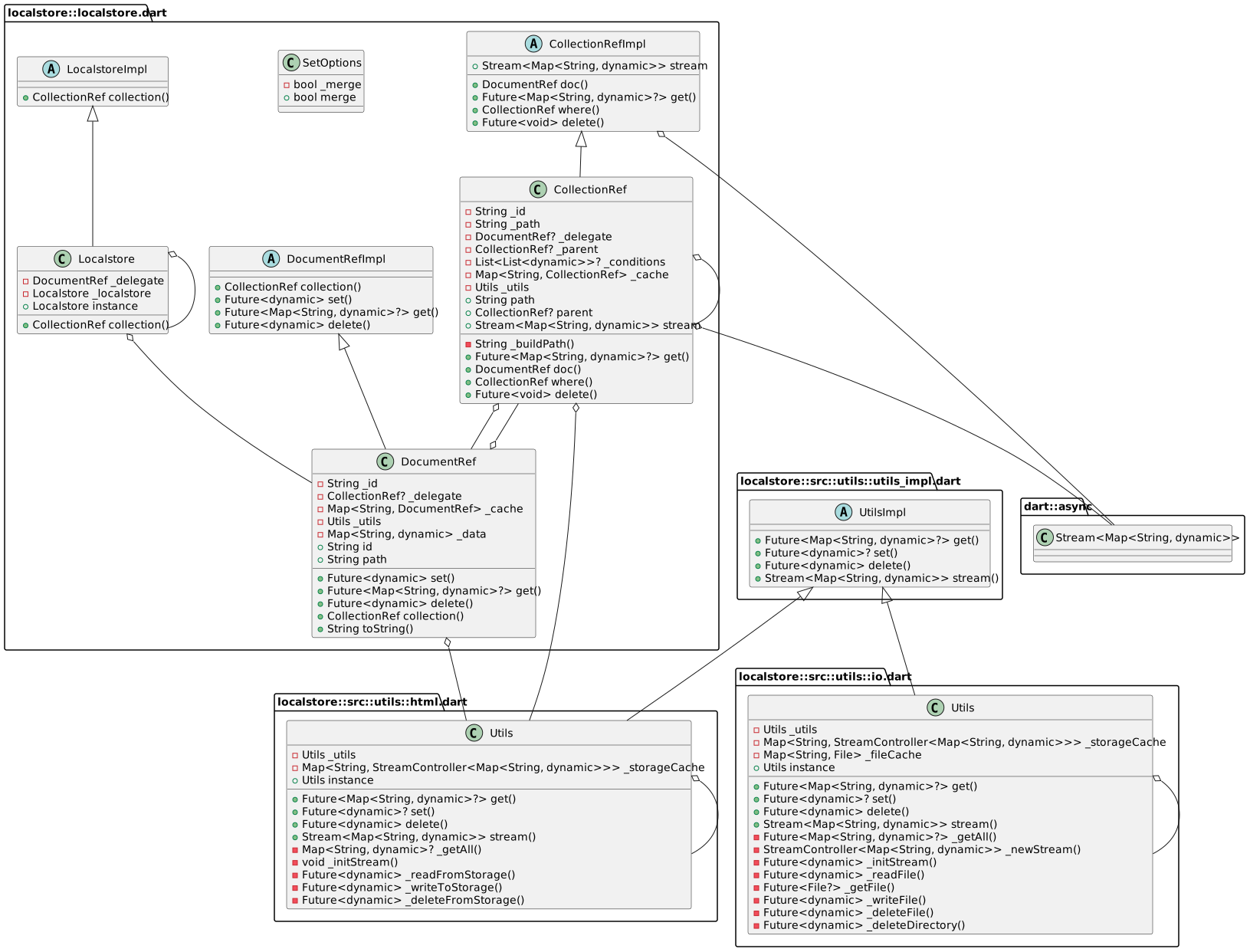
UML diagram
Getting Started
Calling WidgetsFlutterBinding.ensureInitialized(); in main() before calling runApp():
// gets new idfinal id = db.collection('todos').doc().id;
// save the item
db.collection('todos').doc(id).set({
'title': 'Todo title',
'done': false
});
Gets item by id
final data = await db.collection('todos').doc(id).get();
Delete item by id
db.collection('todos').doc(id).delete();
Fetch the documents for the collection
final items = await db.collection('todos').get();
Using stream
final stream = db.collection('todos').stream;
Features and bugs
Please file feature requests and bugs at the issue tracker.