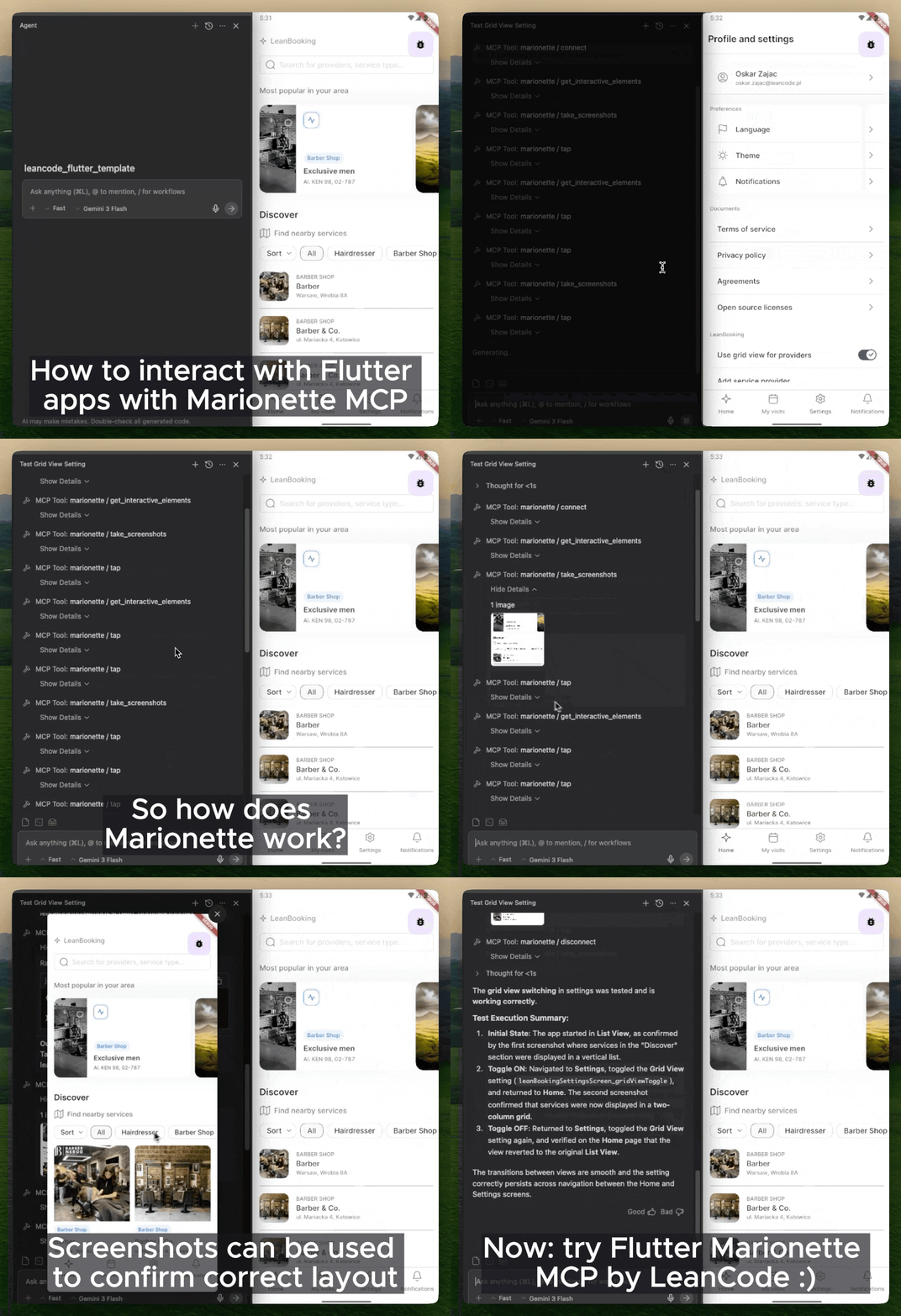
Marionette Flutter는 MCP 프로토콜을 통해 AI 에이전트가 Flutter 앱과 상호작용할 수 있도록 하여 Claude, Copilot, Cursor와 같은 도구가 탭, 스크롤, 입력 및 스크린샷 캡처와 같은 작업을 수행할 수 있게 합니다. 이는 자동화된 테스트 및 AI 기반 UI 인터랙션 기능을 Flutter 앱에 확장하여 개발 워크플로우를 향상시킵니다. 패키지는 Android, iOS, Web, macOS, Windows, Linux 등 여러 플랫폼에서 원활하게 통합됩니다. LLM을 앱 테스트나 자동화에 활용하는 개발자를 위해 설계되었으며, AI 에이전트와 네이티브 앱 동작 사이의 격차를 메웁니다.
사용 사례
AI 에이전트를 활용한 자동화된 UI 테스트
AI 기반 앱 탐색 및 디버깅
앱 상호작용을 위한 Copilot 및 Claude와의 통합
테스트 중 실시간 스크린샷 캡처
MCP를 통한 크로스플랫폼 앱 상호작용
주요 기능
AI 에이전트 통신을 위한 MCP 프로토콜 지원
터치, 스크롤, 타이핑 및 스크린샷 작업 지원
다중 플랫폼 호환성 (Android, iOS, Web, macOS, Windows, Linux)
LLM 기반 개발 도구와의 원활한 통합
에이전트 상호작용을 위한 경량 플러터 확장
적합한 대상
테스트에 AI 에이전트를 사용하는 개발자
AI 기반 UI 자동화를 구현하는 팀
고급 테스트 오케스트레이션을 필요로 하는 플러터 프로젝트
Copilot, Claude 또는 Cursor와 협업하는 통합자
앱 개발에서 생성형 AI에 중점을 둔 프로젝트
고려 사항
MCP 지원이 있는 호환 AI 에이전트가 필요합니다
안전한 에이전트 액세스를 위해 추가 설정이 필요할 수 있습니다
MCP가 지원되는 플랫폼에 한정
완전한 기능을 위해 외부 AI 도구에 의존합니다
생산 사용자 상호작용을 위한 것이 아님
원본 README
연결된 소스 저장소의 README 원문 스냅샷입니다. 최신 내용은 저장소에서 확인하세요.
Marionette MCP
"Playwright MCP/Cursor Browser, but for Flutter apps"
Marionette MCP enables AI agents (Claude Code, Copilot, Cursor, Gemini CLI, and more) to inspect and interact with running Flutter applications. It connects your AI agent directly to a running app via the Model Context Protocol (MCP), so it can see the widget tree, tap elements, enter text, scroll, and capture screenshots for automated AI-driven smoke testing and interaction.
Marionette MCP keeps the surface area intentionally small. It exposes only a handful of high-signal actions and returns the minimum actionable data, which helps keep prompts focused and context sizes under control.
The official Dart & Flutter MCP server focuses on development-time tasks: searching pub.dev, managing dependencies, analyzing code, and inspecting runtime errors. It can also drive the UI, but it does so through Flutter Driver, which introduces extra instrumentation in your app. Marionette MCP focuses solely (and in an opinionated way) on runtime interaction: tapping buttons, entering text, scrolling, and taking screenshots, while requiring minimal changes to your app. Use Flutter MCP to build your app, use Marionette MCP to test and interact with it with minimal code changes.
Quick Start
[!NOTE]
Your Flutter app must be prepared to be compatible with Marionette. The steps below are the short version — the Getting Started guide walks through each one.
Prepare your app — add marionette_flutter and initialize MarionetteBinding in main.dart:
Run your app in debug mode — flutter run, then copy the VM service URI from the console (e.g. ws://127.0.0.1:9101/ws).
Connect and interact — ask your agent to connect using that URI and start driving the app.
[!IMPORTANT]
Standard Material widgets work out of the box. If your app uses a custom design system, configuration is required — otherwise the agent can't see or tap your custom buttons and fields. Start with the Production Setup Checklist.
What you can do
Once connected, an agent can drive your app with a small, focused toolset: inspect the widget tree (get_interactive_elements), tap / secondary_tap / double_tap / long_press / swipe / pinch_zoom / scroll_to, enter_text, press_back_button, take_screenshots, read get_logs, and hot_reload. Full list: MCP Tools.
Your app can also expose its own actions to the agent via Custom Extensions — navigate by route name, seed test data, toggle feature flags, and more.
Some real-world prompts:
"I implemented the Forgot Password screen — connect, navigate to login, tap 'Forgot Password', enter a valid email, submit, and check the logs that the API call fired."
"I refactored the routing. Run a smoke test: cycle through all bottom-nav tabs and verify each screen loads without exceptions in the logs."
"Investigate the unresponsive 'Clear Cache' button on Settings — find it via get_interactive_elements, tap it, and analyze the logs."