연결된 소스 저장소의 README 원문 스냅샷입니다. 최신 내용은 저장소에서 확인하세요.
Media Gallery plugin for Flutter
A Flutter plugin that lists native gallery items.
Installation
First, add media_gallery as a dependency in your pubspec.yaml file .
iOS
Add the following keys to your Info.plist file, located in <project root>/ios/Runner/Info.plist:
<key > NSPhotoLibraryUsageDescription</key >
<string > Example usage description</string >
Android
Add the following permissions to your AndroidManifest.xml , located in <project root>/android/app/src/main/AndroidManifest.xml:
<uses-permission android:name ="android.permission.WRITE_EXTERNAL_STORAGE" />
<uses-permission android:name ="android.permission.READ_EXTERNAL_STORAGE" />
You should also manage those permissions (for example thanks to the permission_handler plugin). You can see an example for more details.
Usage
Listing media collections
final List <MediaCollection > collections = await MediaGallery .listMediaCollections (
mediaTypes: [MediaType .image, MediaType .video],
);
Listing medias in a collection
final MediaPage imagePage = await collection.getMedias (
mediaType: MediaType .image,
take: 500 ,
);
final MediaPage videoPage = await collection.getMedias (
mediaType: MediaType .video,
take: 500 ,
);
final List <Media > allMedias = [
...imageRange.items,
...videoRange.items,
]
..sort ((x, y) => y.creationDate.compareTo (x.creationDate));
Loading more medias in a collection
if (!imagePage.isLast) {
final nextImagePage = await imagePage.nextPage ();
}
Getting a file
final File file = await media.getFile ();
Getting thumbnail data
final List <int > data = await media.getThumbnail ();
Displaying thumbnails
MediaThumbnailProvider, MediaCollectionThumbnailProvider are available to display thumbnail images (here with the help of transparent_image ) :
FadeInImage (
fit: BoxFit .cover,
placeholder: MemoryImage (kTransparentImage),
image: MediaThumbnailProvider (
media: media,
),
)
Displaying medias
You can use MediaImageProvider to display an image (here with the help of transparent_image ):
FadeInImage (
fit: BoxFit .cover,
placeholder: MemoryImage (kTransparentImage),
image: MediaImageProvider (
media: media,
),
)
To display a video, you can use video_player .
Image/Video picker
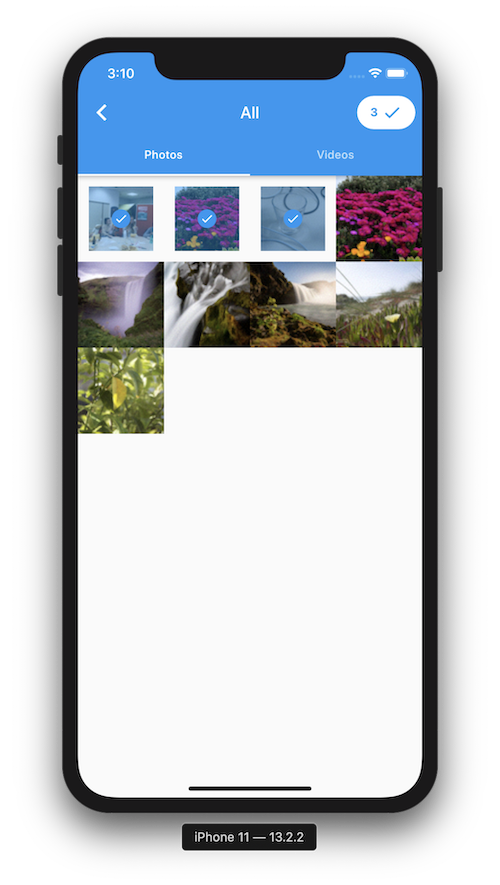
You can build a gallery picker easily with this package.
See the example for more details.